

UpscaleMy.Video ✓
Instantly enhance blurry videos with AI.
Free + from $10
Verdict
A quick read before you dig into the full page.
- Best if
- Instantly enhance blurry videos with AI
- Skip if
- Limited to 2GB size
- Pick this when
- Enhances poor quality videos
Considering Free AI Video Upscaler instead? Compare side by side
Overview
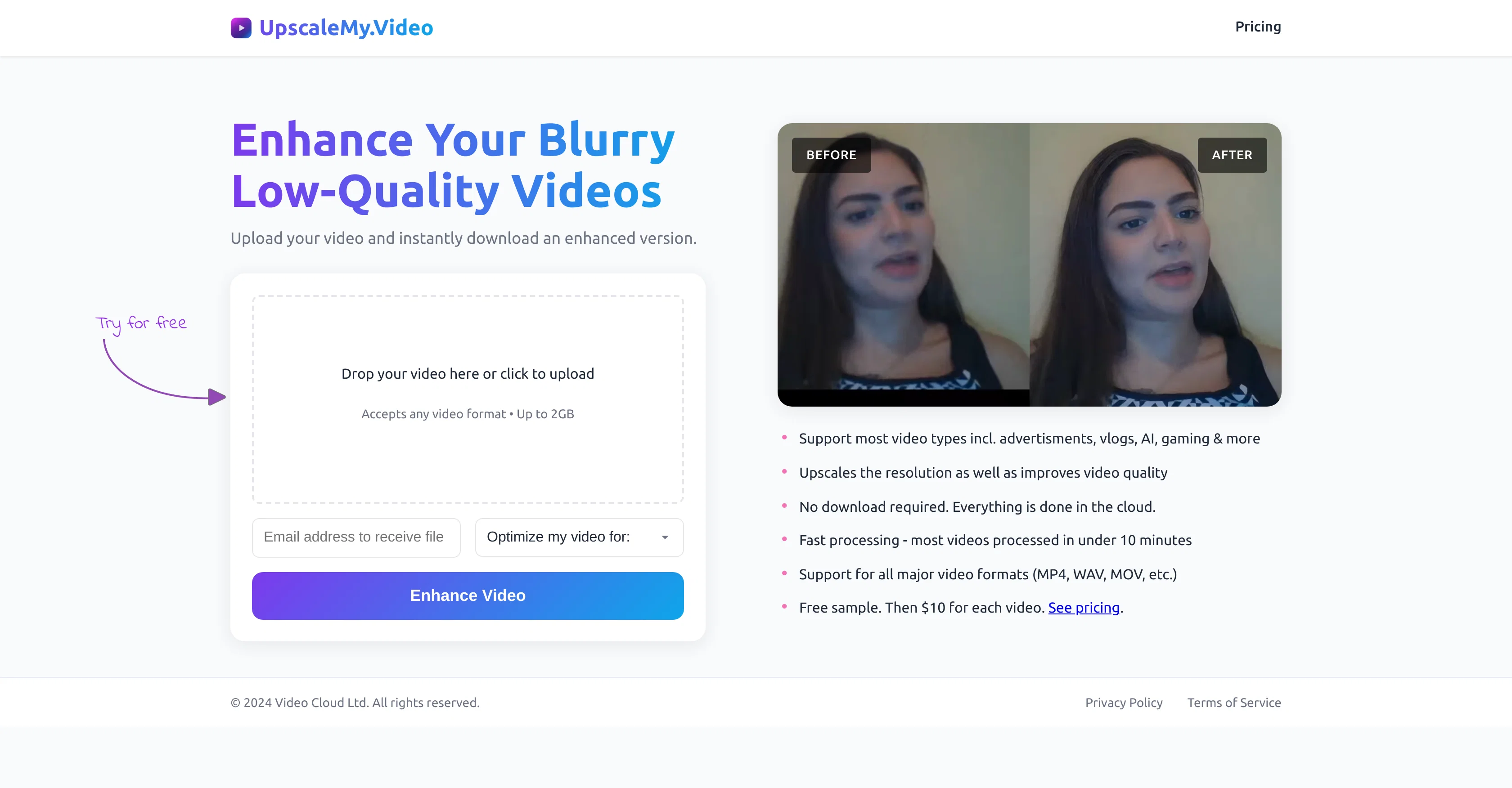
UpscaleMy.Video is an AI-powered tool designed to enhance and upscale poor quality videos into high definition content. This software allows users to transform blurry footage into crystal clear videos instantly via an easy-to-use upload and enhancement process.
It accommodates a wide array of video types, ranging from advertisements, vlogs, home videos, AI-generated videos, podcasts, business recordings, adult content, gaming footage, anime, TV series, movies, and more.
UpscaleMy.Video not only scales video resolution, but it also works towards overall video quality improvement, providing more visually appealing output.
Users can effortlessly upload any format of video up to a significant size limit, and the entire process, from upload to enhancement, takes place in the cloud, eliminating the need for downloads.
Furthermore, this tool boasts a fast processing speed, with most videos taking less than 10 minutes to enhance. To check the quality enhancement, the platform offers a free initial upgrade of videos, after which each video enhancement incurs a charge.
Please note that terms apply, and prices are subject to change.
Best for
Short scenarios where UpscaleMy.Video tends to shine.
-
Instantly enhance blurry videos with AI.
Example outputs 1
Sample generations and before/after results for UpscaleMy.Video.
Access & connections
Where you can use UpscaleMy.Video.
Platforms
Capabilities
What this tool accepts, produces, and is strongest at.
Supported features
- Upscaling
Pros & cons
Pros
- Enhances poor quality videos
- Upscales video resolution
- Improves overall video quality
- Easy-to-use upload process
- Supports wide array of video types
- Cloud-based enhancement process
- Accepts any video format
- Supports a significant size limit
Show 17 more
- Fast processing speed
- Free initial video upgrade
- Optimizes various video content
- No need for downloads
- Improves visual appeal
- Transforms blurry footage instantly
- Single tool for multiple enhancements
- Privacy assured
- Regular updates and improvements
- Check quality enhancement before paying
- Effective for diverse video needs
- Quick turnaround time
- Customization options for enhancement
- User-friendly interface
- Versatile application in multiple sectors
- Improves video sharpness
- Cost-effective enhancement
Cons
- Limited to 2GB size
- Charges per video enhancement
- No offline option
- Not suitable for extremely old, grainy footage
- May struggle with certain video qualities
- Pricing subject to change
- Lack of advanced customisation
- No mentioned support for specific international languages
Show 2 more
- No option for bulk discount
- May not support all formats
Compare alternatives
Similar tools in the catalog — with a clear reason to open each one.

Free AI Video Upscaler ✓
FreeUpscale videos or images with AI for free, right in your browser
Why look Fully free option
Full comparison

AI Video Upscaler ✓
Free TrialUpscale and enhance your videos with AI Magic
Free + from $20
Full comparison
VideoUpscaler.net ✓
PaidTransform videos to 4K with AI upscaling.
Why look Typically cheaper
Full comparison
VideoUpscale.net ✓
PaidUpscale video to 4K in minutes.
Why look Higher community rating
Full comparison
People also view
Tools that often show up alongside UpscaleMy.Video in collections and comparisons.

ThumbnailCreator.com ✓
Free TrialCreate eye-catching YouTube thumbnails in seconds.

MagicLight ✓
FreemiumTransform text into captivating videos instantly.

Lyric Video Studio ✓
FreemiumSync your sound, elevate your lyrics with AI-powered video creation.

Jupitrr ✓
FreemiumVoice-recorded & podcast-based personalized videos

Jumper ✓
FreemiumJump to the best parts of video editing.

AutoClipper ✓
FreemiumWith AutoClipper you can produce clips at scale every day.

AddSubtitle ✓
FreemiumTranslate video subtitles into 100+ languages instantly.
VideoUpscaler.net ✓
PaidTransform videos to 4K with AI upscaling.
Releases 1
Imported reviews 2
It looks very promising. I love that it shows a preview first before asking if you want to proceed with the upscaling. Unfortunately, I wanted to use it for a 3 min. video and the limit for one use is 1 min. The option to upscale larger videos was "at full capacity" when I tested. Hopefully, it allows more people to subscribe in the near future, I'd love to test it further.
Cool service. Used it just now on a video I took of my son's soccer game, which came out a bit blurry. The final result was significantly sharper.
FAQ 12
What is UpscaleMy.Video?
How does UpscaleMy.Video improve the quality of my videos?
What types of videos can I improve with UpscaleMy.Video?
Does UpscaleMy.Video work with AI-generated videos?
Can I use UpscaleMy.Video for upscaling my podcast videos?
How to transform blurry footage into clear videos using UpscaleMy.Video?
What is the maximum video size that I can upload on UpscaleMy.Video?
How does the upload and enhancement process of UpscaleMy.Video occur?
What is the processing speed of UpscaleMy.Video?
Is there a free trial available on UpscaleMy.Video?
What is the cost for enhancing each video after the free trial on UpscaleMy.Video?
Does UpscaleMy.Video enhance adult content videos?
Related tools
Recommended

TurboScribe ✓
Freemium🎯 3 free transcripts every day. 🔥 Unlimited transcription starting at $10/mo.

Mind Map Wizard ✓
FreemiumGenerate mind maps with AI: free, no sign-up, no ads

GPTinf ✓
PaidBypass AI detectors with one-click rephrasing.

KeywordSearch ✓
FreemiumDiscover and target YouTube audiences.

Veo ✓
PaidGenerate high-quality, cinematic videos with AI.

Business Idea Generator AI ✓
FreeGenerate innovative business ideas with AI