

YouTube thumbnails vv4.1 2026 Rank: #66
ThumbnailCreator.com ✓
Create eye-catching YouTube thumbnails in seconds.
Verdict
A quick read before you dig into the full page.
- Best if
- You are youTube creators and need: Creating professional YouTube thumbnails quickly and efficiently
- Skip if
- Limited to YouTube thumbnails
- Pick this when
- Generates thumbnails in seconds
Considering GoThumbnails instead? Compare side by side
Overview
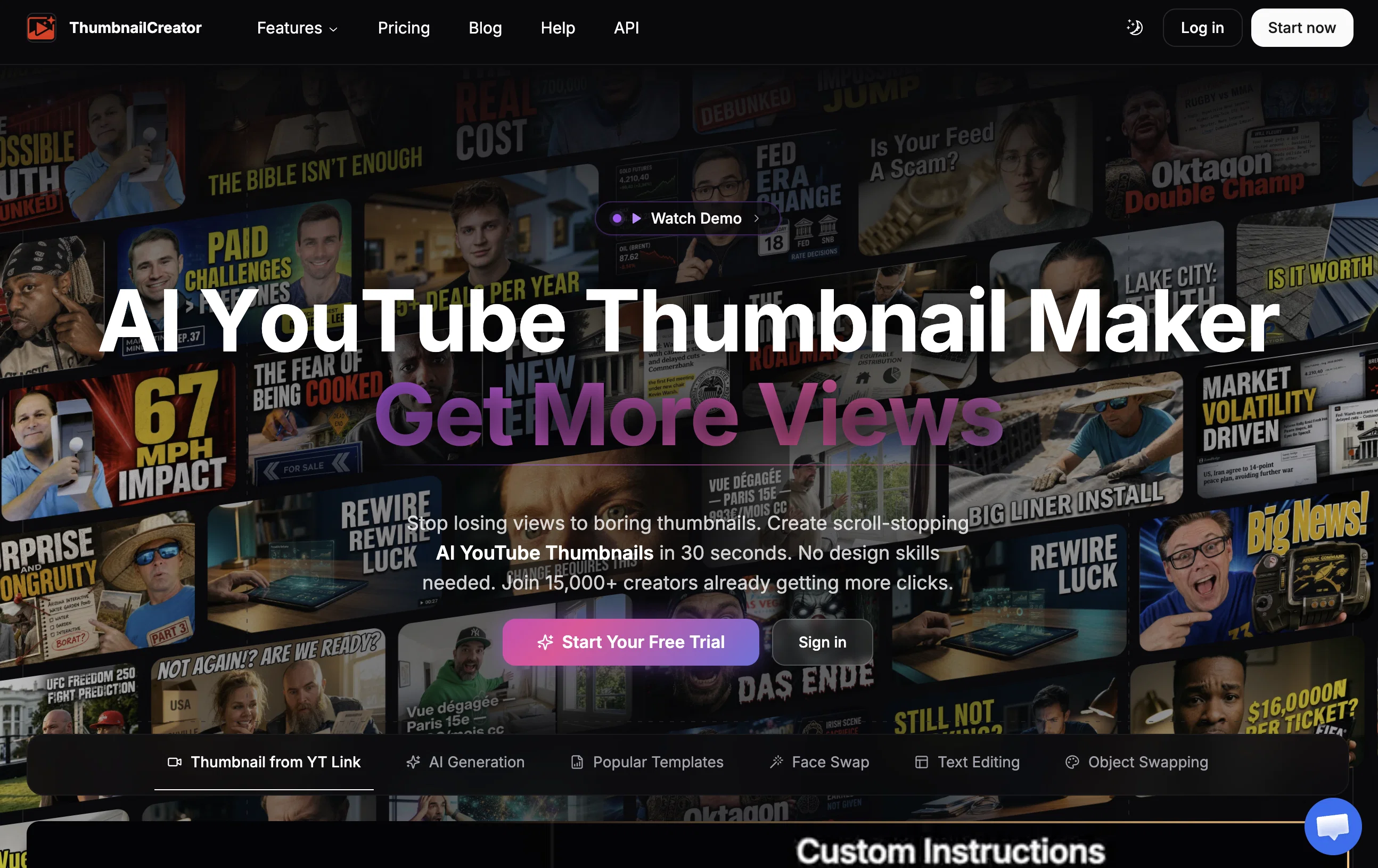
ThumbnailCreator is an AI-powered tool designed to aid YouTube content creators in designing high-quality thumbnails. As an essential part of video marketing, compelling thumbnails are known to significantly increase click-through rates.
However, many YouTube creators struggle with designing effective thumbnails due to reasons such as a lack of design skills, the time-consuming nature of the design process, and in some cases, the failure of the thumbnails to attract attention.
ThumbnailCreator aims to resolve these challenges. It simplifies the design process by generating professional and eye-catching thumbnails in seconds.
This tool doesn't require users to have extensive training or expertise in design. Its underlying AI technology is trained on millions of thumbnails, enabling it to create thumbnails that effectively attract views and engagement.
This less time-consuming method not only boosts productivity but also allows content creators to focus more on planning and creating content. In addition to designing thumbnails, ThumbnailCreator also provides a suite of YouTube tools accessible to its substantial user base.
These tools together empower YouTube creators to grow their channel and maximize their impact in the digital space.
Best for
Short scenarios where ThumbnailCreator.com tends to shine.
-
Creating professional YouTube thumbnails quickly and efficiently
Best for YouTube creators
-
Improving YouTube video click-through rates and views
Best for Content creators
-
Saving time and creative energy on thumbnail design
Best for Video producers
-
Designing compelling thumbnails without prior design expertise
Best for Social media managers
Example outputs 1
Sample generations and before/after results for ThumbnailCreator.com.
Access & connections
Where you can use ThumbnailCreator.com.
Platforms
Capabilities
What this tool accepts, produces, and is strongest at.
Input
- Image
Output
- Image
Supported features
- Image Generation
- Image Edit
- Social Media
- SEO
- Visual Creation
- Thumbnails
Pros & cons
Pros
- Generates thumbnails in seconds
- Requires no design skills
- Trained on millions of thumbnails
- Boosts productivity
- Aids content planning focus
- Suite of YouTube tools
- Empowers channel growth
- Increases video engagement
Show 12 more
- Maximizes digital impact
- Potential click-through rate increase
- Automates design process
- Reduces time on design
- Overcomes design software barriers
- Substantial user base
- Cuts down missed opportunities
- Accessible tool interface
- Legal terms and policies
- Newsletter subscription option
- Single sign-up with Google
- Part of a branded suite
Cons
- No offline functionality
- Limited to YouTube thumbnails
- Lack of advanced settings
- Potential homogeneous output
- Reliant on previous thumbnails data
- No multi-platform support
- Possible copyright issues
- No feature for batch creation
Show 1 more
- Limitations on customizations
Compare alternatives
Similar tools in the catalog.




People also view
Tools that often show up alongside ThumbnailCreator.com in collections and comparisons.

VideoIdeas.ai ✓
Free TrialGenerate viral YouTube scripts and ideas in minutes.

MojoMake - AI Image to Video Generator ✓
FreemiumUse every top AI model and 100+ effects in one account.

Whacka ✓
Free TrialTurn ideas into real apps from your phone.

FlowPost ✓
Free TrialAI autopilot for social media posting

Bytecap ✓
FreemiumEdit and publish clips 10x faster with AI

Thumblore ✓
Free TrialCreate viral YouTube thumbnails in seconds.

RenderCut ✓
Free TrialAdd stylish subtitles to short videos instantly.

Opencord AI, 24/7 Social Media Engagement via Reply ✓
Freemium24/7 Creative Agents Generating Value on Social Media
Releases 12
ThumbnailCreator now seamlessly connects to your YouTube Channel to Create Optimized YouTube Thumbnails Automatically for your Videos! Just paste a YouTube Video URL or try connecting your channel to scan your recent videos. Get Your First 10 Thumbnails for free at ThumbnailCreator.com
ThumbnailCreator can now sync directly to your YouTube Channel via a Connection to Automatically Replace your Thumbnails with AI Generated Thumbnails in just a few Clicks! Get Your First 10 Thumbnails for Free at ThumbnailCreator.com
ThumbnailCreator has added new Video Ideation features that allow you to research trending YouTube Video Topics & write Video Scripts in your Voice + generate AI Thumbnails in Seconds! Get Your First 10 Thumbnails for Free!
In addition to creating AI YouTube Thumbnails by just pasting your YouTube Video URL, you can now turn your video into Short Form Content, Blog Posts, Email Newsletters, Infographics & More with AI & just a button click!
ThumbnailCreator.com can now Generate Short Form Video Clips after it generates your AI YouTube Thumbnails! Just paste an Unlisted Video URL & instantly get optimized YouTube Thumbnails, Short Form Content, Blog Posts & More from your Videos! Get Your First 10 Thumbnails / Short Videos Free Today!
ThumbnailCreator V3.0 Has Just Launched with Significant Updates to our YouTube Thumbnail Creation AI. Just paste your unlisted YouTube Video URL & the software will now fully watch & analyze the video to create the perfect thumbnail. Including analyzing faces, content & details from the video to incorporate into thumbnails automatically. Give it a try with your first 10 Thumbnails for Free Today!
ThumbnailCreator.com generates AI YouTube Thumbnails from a YouTube Video URL & in V2.1 we have significantly increased the quality of the Face Modeling in our thumbnails to match your face & brand style. Get your first 10 AI YouTube Thumbnails for Free!
ThumbnailCreator.com version 2.0 has a New Feature that allows you to simply Paste a YouTube Video URL to Automatically Generate YouTube Thumbnails!
Our software will automatically watch the YouTube video using AI & create highly relevant, professional YouTube thumbnails.
We've also significantly increased the quality of the YouTube Thumbnails (our model is trained on top-performing YouTube Thumbnails)
Try Version 2.0 for Free at ThumbanilCreator.com 🚀
ThumbnailCreator.com added a new "AI Optimize" Thumbnail option that can automatically improve YouTube thumbnails using AI. There are also major improvements to fully AI-generated YouTube Thumbnails! You can now get your first 10 Thumbnails for Free!
ThumbnailCreator.com Version 1.2 includes the Ability to Spot Edit Thumbnails by selecting areas of the thumbnails you want to change (a heavily requested feature) and we've also improved the face modeling to create even better YouTube Thumbnails with consistent faces!
ThumbnailCreator.com has released its new "Faces" feature where you can now create consistent faces for your AI YouTube Thumbnails! We've also increased the quality of our outputs & added a brand new Free Trial Option!
Imported reviews 12
Great tool for creating high-quality thumbnails!
I’ve been really impressed with ThumbnailCreator.com! The platform makes creating eye-catching YouTube thumbnails much faster and easier, especially when you want to test different designs and concepts.
ThumbnailCreator.com has made it much easier for me to create professional-looking thumbnails without spending a lot of time on design. The process is simple and straightforward, and I really like how easy it is to customize the thumbnails to match the content. It’s a great option if you want to create attention-grabbing visuals quickly without needing advanced design skills. Highly recommended!
Highly recommend! The update is amazing. You can now connect your YT Channel! Great! I love this tool.
ThumbnailCreator.com will now connect directly with your YouTube Channel to Create AI YouTube Thumbnails - or just paste a URL!
Haven't used the tool but I wish you much success
ThumbnailCreator.com is a simple tool that helps you create thumbnails fast using AI. Just enter the YT URL, and it generates designs for you.
This tool is very helpful!
Super easy to use! Just drop in your video link and you get tons of great-looking thumbnails. Love this tool!
You can customize styles, text, and colors to match your brand, though some outputs may need small tweaks. Overall, it’s a great option for creators who want fast, professional-looking thumbnails.
I remember some of the rough patches in the early days & it's really come a LONG way. The difference now is night/day. So much time saved and the best part for me was how simple it was to use as someone with no video editing or graphic design skills beyond some Canva templates
So easy to use. I love how you simply need to paste the url for your video and it gives you a plethora of professional-looking thumbnails to choose from. Great product!
Related tools
Recommended

freebeat AI ✓
FreemiumTurn Music & Ideas into Viral Videos In One Click

Automateed ✓
Free TrialCreate eBooks effortlessly with Automateed, the AI-powered writing tool.

Pounce ✓
Free TrialGet real followers and engagement in minutes.

Notis ✓
Free TrialThe first WhatsApp assistant that runs on your ChatGPT and Claude subscriptions
VideoIdeas.ai ✓
Free TrialGenerate viral YouTube scripts and ideas in minutes.

remio: Your Personal ChatGPT ✓
FreemiumGet Tailored Answer with Your Personal ChatGPT
