

Transcription vv2.1
TurboScribe ✓
🎯 3 free transcripts every day. 🔥 Unlimited transcription starting at $10/mo.
Free + from $10/mo
Verdict
A quick read before you dig into the full page.
- Best if
- You are journalists and need: Transcribing meetings, interviews, and podcasts
- Skip if
- Limits on free tier
- Pick this when
- Supports 98 languages
Considering Voicetype AI instead? Compare side by side
Overview

Features:
🎯 #1 in Speech to Text Accuracy
♾️ Unlimited Transcriptions
🔥 Transcribes in Seconds
🌎 98+ Languages
😮 10 Hour Uploads
👥 Speaker Recognition
📄 Download as DOCX, TXT, PDF
🎥 Subtitles and Captions (SRT)
✅ Private & Secure
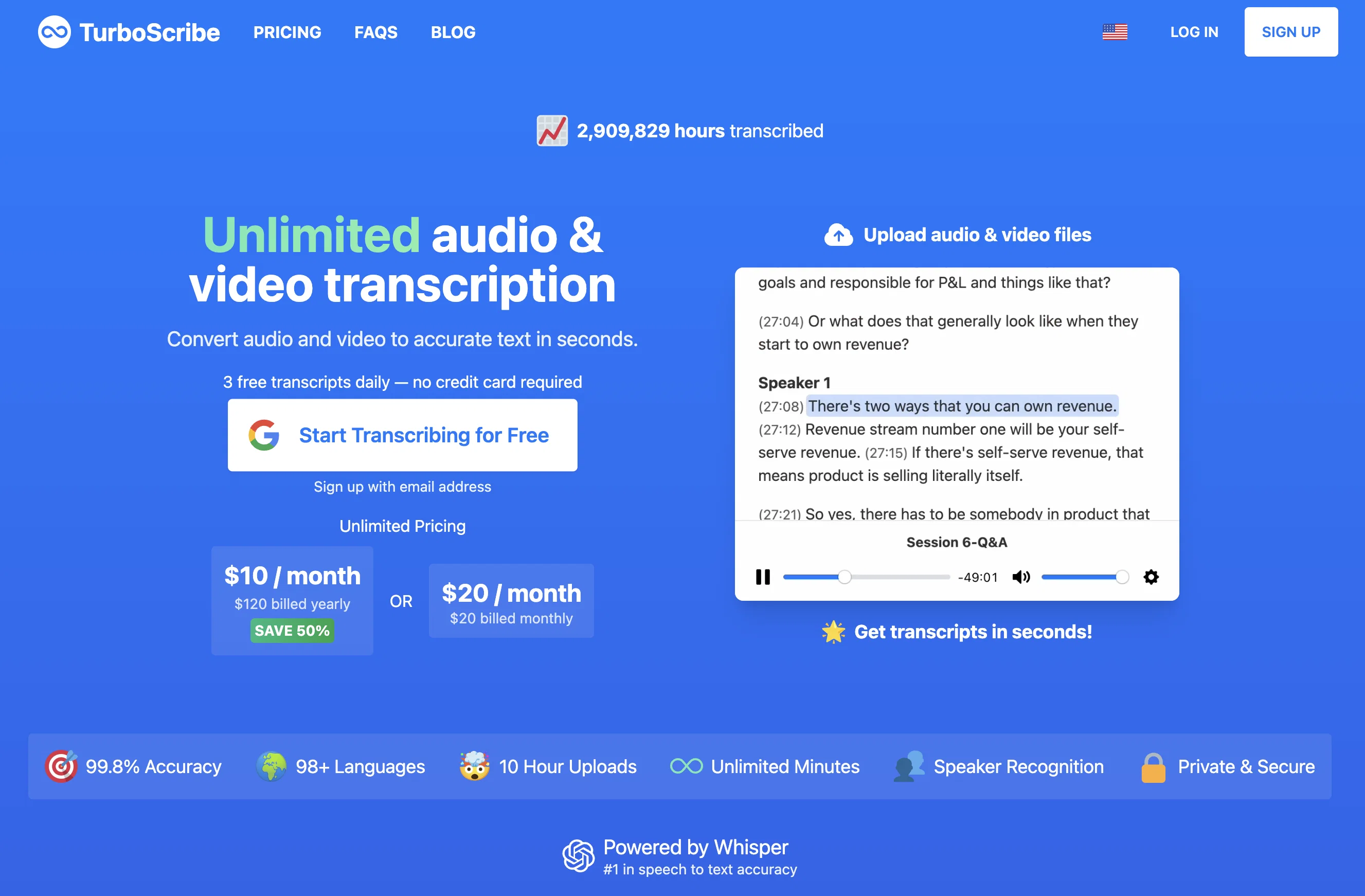
TurboScribe offers unlimited, high-accuracy audio and video transcription services. It supports over 98 languages and can transcribe audio and video files in various formats, including MP3, M4A, MP4, MOV, AAC, WAV, OGG, OPUS, MPEG, WMA, WMV, and YouTube video links. The tool allows users to export their transcripts in PDF, DOCX, TXT, and SRT subtitle formats.
Additionally, TurboScribe includes speaker recognition, making it suitable for podcasts, interviews, and meetings where multiple speakers are involved. The tool also offers built-in translation features for transcribing audio in any language directly to English as well as translating transcripts to over 134 languages.
TurboScribe offers a free tier that allows users to transcribe up to 3 files per day, with each file limited to 30 minutes. For unlimited transcriptions, users can subscribe to TurboScribe Unlimited, which is available for $10 per month when billed yearly or $20 per month when billed monthly.
[NEW]: Try the new TurboScribe GPT! Transcribe and chat with audio & video files 👉 https://chat.openai.com/g/g-Mc1tBt7gp-turboscribe-transcription-transcribe-audio
Best for
Short scenarios where TurboScribe tends to shine.
-
Transcribing meetings, interviews, and podcasts
Best for Journalists
-
Generating subtitles for videos
Best for Researchers
-
Converting audio lectures to text notes
Best for Students
-
Creating transcripts for legal or medical purposes
Best for Podcasters
-
Converting audiobooks to text
Best for Video editors
Example outputs 1
Sample generations and before/after results for TurboScribe.
Access & connections
Where you can use TurboScribe.
Platforms
Capabilities
What this tool accepts, produces, and is strongest at.
Supported features
- Transcription
Pros & cons
Pros
- Supports 98 languages
- Supports various file formats
- Multiple transcription modes
- Fastest mode transcribes quickly
- Speaker recognition feature
- Built-in translation feature
- Offers a free tier
- Unlimited transcriptions on paid plan
Show 23 more
- Exports transcripts in multiple formats
- Satisfaction guarantee provided
- Supports files up to 10 hours
- Supports files up to 5GB
- Handle accents accurately
- Perform well in poor audio quality
- Can mitigate background noise
- 99% accuracy guaranteed
- Offers blurred distinction service
- Refund if unsatisfied
- Supports massive uploads
- Exports in subtitle formats
- Super affordable unlimited transcription
- No caps or quotas
- Can handle different accents
- Data is encrypted
- Allows transcript deletion
- Lower priority for free users
- High priority for payed users
- Includes speaker recognition
- Handle a number of formats
- Can export transcripts
- Guarantees speaker recognition
Cons
- Limits on free tier
- Accuracy may vary with accents
- Accuracy may dip in noisy environments
- No shared account option
- No mobile app
- No offline functionality
Compare alternatives
Similar tools in the catalog — with a clear reason to open each one.

Voicetype AI ✓
Free TrialWrite 9x Faster with AI Speech to Text on all Apps
Why look Better for writing
Full comparison
Transcript LOL ✓
FreemiumUnlimited transcripts, summaries, 99.8% accuracy, speaker recognition, superfast
Why look Offers a public API
Full comparison
RambleFix ✓
Paid⚡ Write by thinking aloud - emails, notes, articles, in your style.
Why look Typically cheaper
Full comparison
Paraspeech ✓
Free TrialPrivate dictation, cloud optional
Why look More privacy-focused
Full comparison
Voicy Speech to Text ✓
Free TrialSpeech-to-text everywhere, 3x faster than typing.
Why look Typically cheaper
Full comparisonPeople also view
Tools that often show up alongside TurboScribe in collections and comparisons.

Typefully ✓
FreemiumWrite, schedule, and publish on X/Twitter, LinkedIn and Threads.

Piktochart ✓
FreemiumVisually appealing infographics with ease.

MonoDesk ✓
FreeOne workspace for freelance creative professionals.

Liminary ✓
Free TrialStop hunting for things you know you saved.

Knowlee ✓
FreemiumAI Teams Automating Every Business Flow

Civilio AI ✓
FreemiumEffortless content creation powered by verified insights
Voicy Speech to Text ✓
Free TrialSpeech-to-text everywhere, 3x faster than typing.
Voicetype AI ✓
Free TrialWrite 9x Faster with AI Speech to Text on all Apps
Releases 2
NEW: Transcribe YouTube videos! Click the Link 🔗 icon and paste the YouTube URL.
Imported reviews 12
Fast and efective... Great App. 100% Recomended 👍👍
I have been using it for quite some time, with fantastic results. Accurate, fast, and with several output formats.
Insanely fast. Uploaded a 20min video and had clean transcripts in seconds. Accuracy is solid, barely any fixes needed. Saves me hours on caption work.
The best. Free plan is great, fast and reliable.
Highly rate this transcriber! It's been a godsend for me.
It's great. Free plan is super generous so you can try it out before upgrading. Top notch accuracy and speed.
American English: Noisy and barely intelligible, very quiet mumbling with background noise was accurately transcribed. Wow! Many others have not managed that. That's really good!
I like it. I used it for a lot of my projects
Love this. Does a wonderful job with Danish language. Love the easy integration to ChatGPT to continue working on the transcript.
Great app, I like it
no free trials
Just used the app for the first, smooth experience, quickly uploaded a 47min video and transcribed it within seconds, also love the choices on the formats of the transcripts.
FAQ 12
What is TurboScribe?
What file formats does TurboScribe support?
What languages does TurboScribe support for transcription?
Can I get a refund if I'm unsatisfied with TurboScribe?
What are the different transcription modes offered by TurboScribe?
How fast are the transcriptions in Cheetah, Dolphin and Whale modes?
What is the speaker recognition feature in TurboScribe?
Can I export my transcripts from TurboScribe?
How much does TurboScribe cost?
What is the limit for free transcriptions on TurboScribe?
Does TurboScribe offer translation features?
How does TurboScribe ensure the privacy and security of my data?
Related tools
Recommended

VenturusAI ✓
FreemiumBusiness idea analysis and reporting.

Mindsmith ✓
FreemiumPlatform for building and sharing eLearning content

Eightify
UnknownAI-powered YouTube video summarizer extracting key ideas for quick content assessment.

IllumiChat ✓
FreemiumFrom Ticket Backlog to Instant Answers Powered by AI

Scisummary ✓
Free TrialCutting-edge scientific articles summarization.

LearningStudioAI ✓
Free TrialAI-powered authoring tool for effortless online course creation.