

Videos vv1.2.18 2026 Rank: #95
MagicLight ✓
Transform text into captivating videos instantly.
Verdict
A quick read before you dig into the full page.
- Best if
- You are marketers and need: Creating marketing videos from text descriptions
- Skip if
- Limited font styles
- Pick this when
- No Watermark Output
Considering freebeat AI instead? Compare side by side
Overview
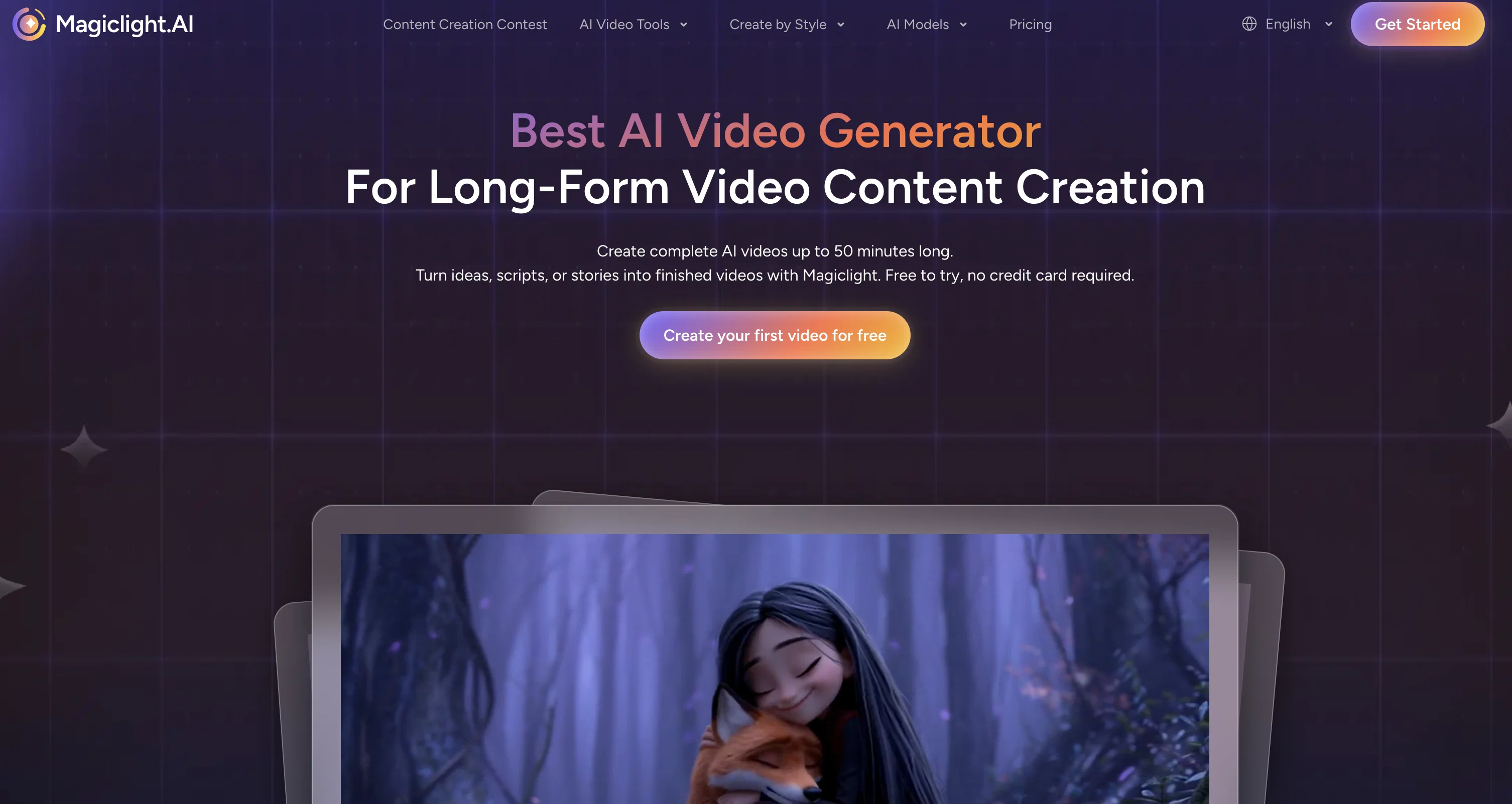
MagicLight is an AI-powered platform that transforms your scripts and stories into high-quality, fully animated videos—perfect for creators, storytellers, and educators.
Key Features:
1.Story/Script to Video
Turn any script or story into animated video in just a few clicks.
2.Supports Video Generation Over 30 Minutes
Create long-form videos perfect for stories, educational content, or episodic series.
3.All-in-One Video Generator
Script input, character design, voiceovers, subtitles, animation—all handled in one place.
4.Beginner-Friendly
No editing experience needed—designed for creators of all levels.
5.Free Trial Available
New users can enjoy a free trial of MagicLight and explore its capabilities without any cost.
Best for
Short scenarios where MagicLight tends to shine.
-
Creating marketing videos from text descriptions
Best for Marketers
-
Generating educational content from written scripts
Best for Educators
-
Transforming blog posts into engaging video content
Best for Content creators
-
Personalizing videos with custom characters and voiceovers
Best for Businesses
How it works
Example outputs 1
Sample generations and before/after results for MagicLight.
Access & connections
Where you can use MagicLight.
Platforms
Capabilities
What this tool accepts, produces, and is strongest at.
Input
- Text
Output
- Video
Supported features
- Video Generation
- Video Edit
- Voice Cloning
- Lip Sync
- Video Avatars
- TTS
- Digital Personas
Pros & cons
Pros
- No Watermark Output
- Fast Video Creation
- Effortless Content Conversion
- Dynamic Video Content
- Clean Professional Aesthetic
- Relevant Impactful Videos
- Faceless Video Creation
- Hassle-Free Solution
Show 33 more
- Instant Video Generation
- Streamlined Production
- Amplified Content Reach
- Engaging Video Content
- High-Quality Video Output
- Nuanced Text Understanding
- Quick Video Turnaround
- No Traditional Production
- Captivating Video Creation
- Digital Storytelling Boost
- Marketing Strategy Enhancer
- Content Creation Simplified
- Written Content Amplified
- Professional Video Quality
- Easy Video Generation
- Relevant Video Content
- Impactful Video Creation
- No Skill Required
- Universal Content Conversion
- Text-to-Video Conversion
- Engaging Visuals
- Marketing-Focused Features
- Educator-Friendly Interface
- Content Creator-Oriented
- Flexible Video Options
- Clean Output
- Video Production Streamlined
- Written Content Elevated
- Storytelling Made Easy
- Video Marketing Simplified
- Effortless Video Making
- Captivating Content Creation
- Instant Video Results
Cons
- Limited customization options
- No audio customization
- No control over video pacing
- Only supports text input
- No collaboration features
- Video length limitations
- No import/export options
- Limited font styles
Show 2 more
- No chroma keying
- Aspect ratio restrictions
Compare alternatives
Similar tools in the catalog — with a clear reason to open each one.

freebeat AI ✓
FreemiumTurn Music & Ideas into Viral Videos In One Click
Why look Typically cheaper
Full comparison


Seedance ✓
FreemiumMulti-shot video generation from text and image.
Why look Stronger for image work
Full comparisonPeople also view
Tools that often show up alongside MagicLight in collections and comparisons.

neural frames ✓
FreemiumGenerated video creation from text.

Kling ✓
FreemiumCreate high-fidelity videos from text with lifelike motion and real-world physics

HeyGen ✓
FreemiumCreate AI spokesperson videos from text

Suno ✓
FreemiumMake music at the speed of your ideas.

Voila ✓
Free TrialSeamless AI assistant to help you create, write, brainstorm, and research.

Musicful ✓
Free TrialTurn ideas into music instantly with AI, no skills needed

Music Muse ✓
FreemiumAI music studio: Ideas to tracks in seconds

MMAudio Pro ✓
FreemiumTransform videos with AI-powered audio synthesis.
Releases 2
50-minute videos — Max length doubles from 30 to up to 50 minutes (plan-dependent), with characters, style, and pacing kept consistent scene to scene.
Seedance 2.0 engine — ByteDance's leaderboard-topping model is now a selectable engine for physics-aware motion, cinematic camera work, and high-fidelity image-to-video.
19 AI video models, one workflow — Pick the engine per generation: Sora 2, Veo 3.1, Kling 3.0, Seedance 1.5 Pro and more, across 50+ visual styles.
Nano Control — Break scenes into micro-actions with timeline-level animation planning.
Voices & lip sync — Improved multi-language lip sync; narration in 30+ languages.
Mobile (v1.2.18) — iOS and Android apps add Google Sign-In, image downloads in multiple formats alongside video export, and faster, more stable performance.
Plus a bigger character library and clearer credit estimates before generating.
Imported reviews 12
I actually linked my card, giving me a total of 1,300 credits (you only get 300 upon signing up which isn’t enough to do much of anything). I entered my story prompt and set the parameters to create the video. Before actually starting the creation process, it provides the prompt it will use—an excellent idea in theory.
I was happy with the prompt it had generated so I proceeded to create the video. It took nearly five minutes to render the video and the result was absolute GARBAGE. The resulting video did not follow the prompt at ALL. The video it created is downright awful and cringy and completely unusable for my needs. I do NOT recommend using this platform to create content.
not enough credits to test a short script to video. requires payment for 11 scenes to animate.
MagicLight states that “new users can enjoy a free trial and explore its capabilities without any cost.” This is inaccurate.
New users receive 300 free credits. However, no video can be generated with this amount. The minimum video length that can be selected is 1 minute, which requires 1,200 credits. With the free credits, users can only see a small number of images that would be used in a video, but cannot generate any video output at all. Users cannot test video quality, timing, or overall results before paying. This makes it difficult to evaluate the service in advance.
Prospective users should be aware that upgrading to a paid plan is required in order to generate even the shortest possible video.
Brilliant app.. great experience..
Looked promising, but sadly I couldnt generate a video to test it since I didnt get enough credits for that :(
Great experience! it's great for quickly creating social media posts.
Brilliant app! perfect app for creating engaging marketing videos.
Totally love it! the intuitive interface makes video creation stress-free.
I love it and so incredible
Extremely satisfied! perfect app for creating engaging marketing videos.
Couldn't be happier! perfect for storytelling and animated content creation.
This is honestly magic. No video editing experience, yet my video went viral!
Related tools
Recommended

Automateed ✓
Free TrialCreate eBooks effortlessly with Automateed, the AI-powered writing tool.

Thea ✓
FreemiumAI study tools to master material, not just memorize it.

Mindsmith ✓
FreemiumPlatform for building and sharing eLearning content

Notis ✓
Free TrialThe first WhatsApp assistant that runs on your ChatGPT and Claude subscriptions

remio: Your Personal ChatGPT ✓
FreemiumGet Tailored Answer with Your Personal ChatGPT
Suno ✓
FreemiumMake music at the speed of your ideas.