

Img2Video AI ✓
Convert photos to videos instantly with AI.
Free + from $5.99/mo
Verdict
A quick read before you dig into the full page.
- Best if
- Convert photos to videos instantly with AI
- Skip if
- Limited creative control
- Pick this when
- Transforms images into videos
Considering MojoMake - AI Image to Video Generator instead? Compare side by side
Overview
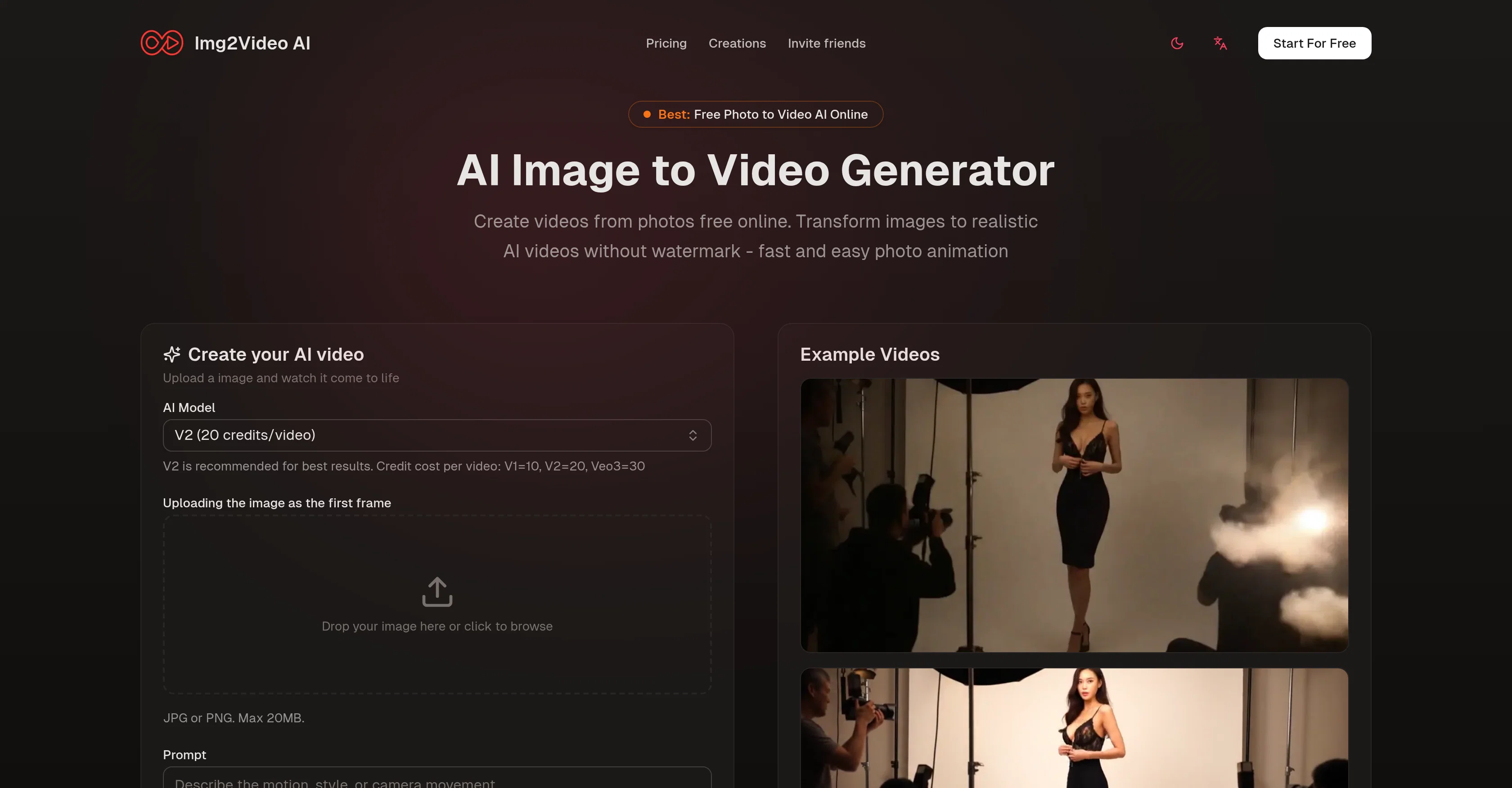
Img2Video AI is an online AI tool designed to transform static images into realistic videos. Without the need for watermarks, this free tool can generate animations from any image, delivering fast results.
Users begin by uploading their images, which can be in any format, and then briefly instruct the tool on how they wish the image to be animated. Examples might include specifying desired motion, effects, or storylines.
The second step involves the smart Image to Video AI processing the image data and creating an animated video. The algorithm considers details and color profiles of the source image to produce videos that maintain the core character of the original, and could add elements like individual motion, facial expressions, ambient effects, and more.
The completion of the process allows users to preview their AI-animated photo and download a high-resolution video without a watermark, ready to share on any platform.
Img2Video AI supports the creation of a variety of video styles, offering versatility for all sorts of visual content, such as portraits, cartoons, memes, products, vintage photos, and even vehicles, and maintains high-resolution outputs ideal for marketing, websites, or social media campaigns.
Best for
Short scenarios where Img2Video AI tends to shine.
-
Convert photos to videos instantly with AI.
Example outputs 1
Sample generations and before/after results for Img2Video AI.
Access & connections
Where you can use Img2Video AI.
Platforms
Capabilities
What this tool accepts, produces, and is strongest at.
Input
- Image
Output
- Video
Pros & cons
Pros
- Transforms images into videos
- Watermark-free outputs
- Supports all image formats
- User-guided animation instructions
- Fast result generation
- Smart image processing
- Maintains image's core character
- Adds individual motion
Show 39 more
- Adds ambient effects
- High-resolution video outputs
- Preview before download
- Supports variety of styles
- Creation of diverse content
- Ideal for digital marketing
- Supports storytelling animation
- Online tool
- Offers multiple video variations
- Adjustable elements like color
- Supports professional applications
- Available plans for different user needs
- Positive user reviews
- Turns portraits into lifelike clips
- Works with vintage photos
- Works with product images
- Animated meme creation
- Vehicle showcase video creation
- Photo-consistent video generation
- Quick creative exploration
- Versatile styles from single image
- 360-degree product motion
- Anonymously usable
- Free tool
- Creates video with blink effects
- Generates natural nods effect
- Adds light movement for vehicles
- Produces soft shadows for products
- Annotates text-safe space for products
- Supports commercial use
- 24/7 email support
- Priority processing for paid plans
- Supports multiple video generation
- Processes images up to 20MB
- No complex operations needed
- Creates videos with storyline
- Offers a refund policy
- Creates lifelike clip from cartoons
- No credit card needed for free plan
Cons
- No offline access
- Doesn't support batch processing
- Limited creative control
- Results may vary
- No API for integration
- Dependency on quality of images
- Animation results can be non-intuitive
- Credits required for generating videos
Show 2 more
- No enterprise pricing options
- No mobile app available
Compare alternatives
Similar tools in the catalog — with a clear reason to open each one.

MojoMake - AI Image to Video Generator ✓
FreemiumUse every top AI model and 100+ effects in one account.
Why look Offers a public API
Full comparison
VidFlux - Photo to Video Generator ✓
PaidTransform photos into cinematic videos with AI.
from $6.75/mo
Full comparison
Grok Imagine ✓
FreemiumUnleash Your Creativity with Grok Imagine
Why look Offers a public API
Full comparison
VidFlux - Image to Video AI ✓
PaidTransform any image into stunning videos.
from $9/mo
Full comparison
MindVideo ✓
FreemiumCreate stunning videos from text or images.
Free + from $7.9/mo
Full comparisonPeople also view
Tools that often show up alongside Img2Video AI in collections and comparisons.
VidFlux - Photo to Video Generator ✓
PaidTransform photos into cinematic videos with AI.
VidFlux - Image to Video AI ✓
PaidTransform any image into stunning videos.
MojoMake - AI Image to Video Generator ✓
FreemiumUse every top AI model and 100+ effects in one account.
MindVideo ✓
FreemiumCreate stunning videos from text or images.

Himedia AI Video Generator ✓
Free TrialCreate any AI Videos, Images and Music - No creative limits
Grok Imagine ✓
FreemiumUnleash Your Creativity with Grok Imagine

Motiofy ✓
Free TrialCreate Product and Social Videos Without Filming a Thing

MorphLogo ✓
Free TrialStatic logo in, cinematic motion out.
Releases 1
Imported reviews 3
You get 10 credits to test with. One video costs 10 credits. The attempt fails for... reasons. No video. Oh. And You just lost your 10 credits. Why would I give you money to get nothing in return?
it does only do one image per time i am looking for multiple images to video
It transform my photo to spiderman video, so cool
FAQ 12
What does the Img2Video AI do exactly?
What types of image formats does Img2Video AI support?
How can I instruct the Img2Video AI to animate my images?
Can I specify the motions and effects for my image on Img2Video AI?
How does the algorithm of Img2Video AI work?
Does Img2Video AI add elements like facial expressions and ambient effects during the animation?
How can I preview the video created by Img2Video AI?
Is it possible to download and share the animated videos without any watermark?
What kind of video styles can Img2Video AI create?
Can I use Img2Video AI for creating marketing or social media campaigns?
How quickly does Img2Video AI deliver results?
Does Img2Video AI maintain the resolution of the original image in the generated video?
Related tools
Recommended

AnimateMyPic | Image to Video ✓
Free TrialAnimate Image to Video with AI

AIVideoMaker - Free AI Video Maker ✓
FreemiumTransform static images into animated videos instantly.

Image Editor Online ✓
FreeTransform images with AI prompts instantly online.

VideoWeb AI | Video to Video ✓
FreemiumTransform videos with AI-powered video generation.

PixPal - Free AI Chat with Image Editor & Video Gener... ✓
FreeAI chat with images – Create, edit, innovate for free!

MixHub AI | Image to Video ✓
Free TrialTurn Any Image Into a Dynamic Video in Minutes