

Verdict
A quick read before you dig into the full page.
- Best if
- AI chat with images – Create, edit, innovate for free!
- Skip if
- No offline capabilities
- Pick this when
- Seedream image editor/generator
Considering Photo AI instead? Compare side by side
Overview
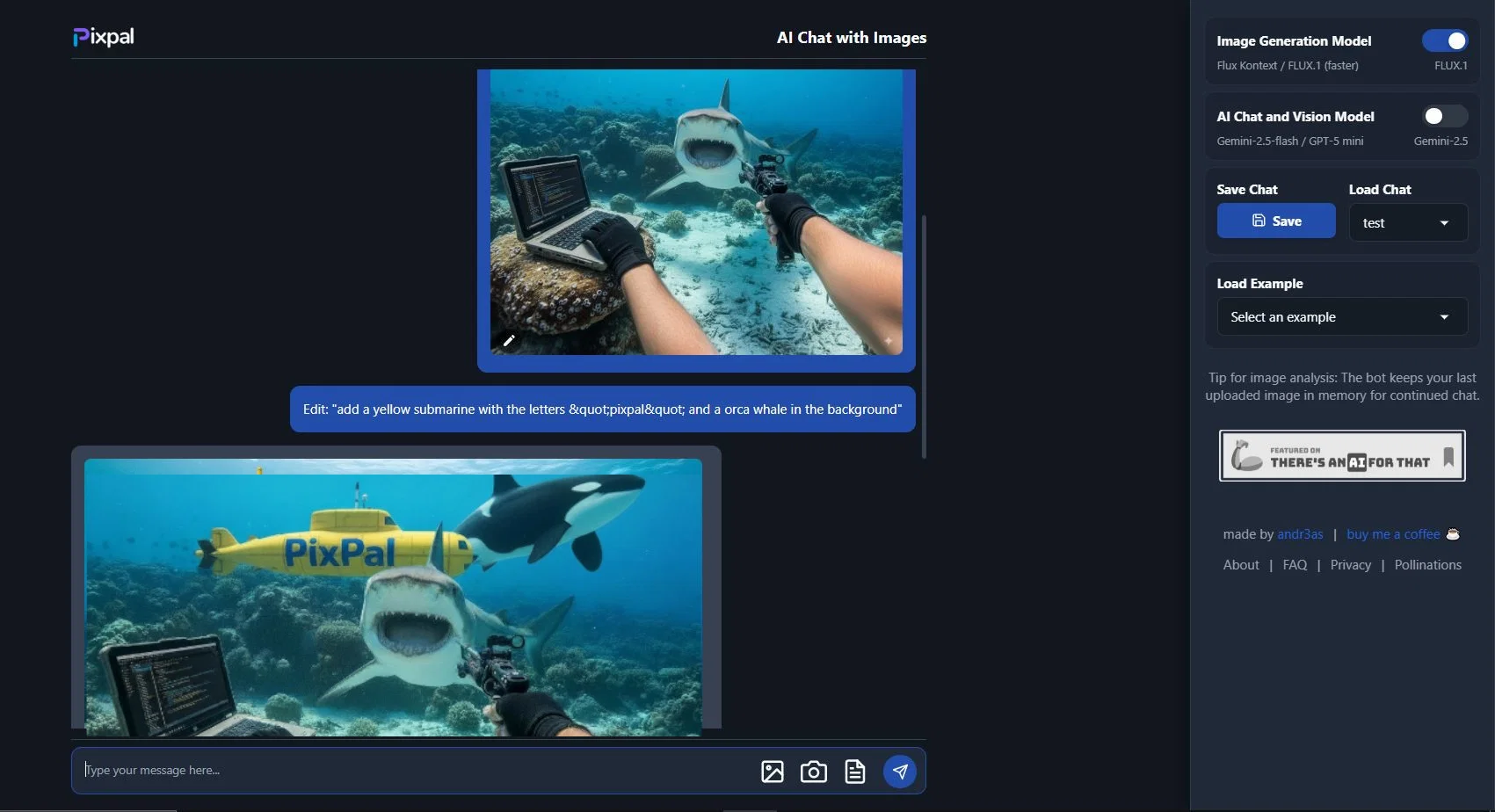
Upload or snap a photo and get instant transformations: change colors, remove or insert elements, adjust styles, or tweak specific regions without messing up the rest.
Select multiple images and combine them into one!
Generate new images, remix existing photos, build websites from screenshots, even design simple 2D/3D animations or web games — all inside a single chat.
Create short videos from images.
Behind the scenes: it uses Gemini 2.5 a state-of-the-art multimodal model that handles both text and image input, Seedream 4.5, the leading AI image editor that maintains consistency across edits (style, objects, characters) with precise editing and multiple image edit/merge, and Z Image Pro generator. Seedance Pro video generator instantly creates videos from your images.
PixPal is built for everyone — from people just experimenting to pros who need quick results. It’s completely free to use, doesn’t make you register, so you can stay creative without friction.
Best for
Short scenarios where PixPal - Free AI Chat with Image Editor & Video Gener... tends to shine.
-
AI chat with images – Create, edit, innovate for free!
Example outputs 1
Sample generations and before/after results for PixPal - Free AI Chat with Image Editor & Video Gener....
Access & connections
Where you can use PixPal - Free AI Chat with Image Editor & Video Gener..., and what it plugs into.
Platforms
Integrations
Capabilities
What this tool accepts, produces, and is strongest at.
Input
- API
- Image
- Text
- Video
Output
- Code
- Video
- Game
- 3D
- Text
- Image
Highlights
- API
- No Signup
Supported features
- API
- No Signup
Pros & cons
Pros
- Seedream image editor/generator
- Gemini 2.5 Text Generation and image analysis
- Advanced photo editing
- Multiple Image editing
- Seamless image tweaking
- Remove elements from images
- Image generation
- Video Generation
Show 9 more
- Save and load sessions
- User-friendly interface
- Doesn't require signing up
- Free to use
- Uses FLUX.1 Image Generator
- Image remix capability
- Generates digital art
- Real-time chat feature
- Web search
Cons
- No offline capabilities
- Doesn't specify supported file formats
- No mobile version described
- Lacks advanced editing tools
- Full blog posts quality unspecified
Compare alternatives
Similar tools in the catalog — with a clear reason to open each one.

Stockimg AI ✓
PaidGenerated images and text for design ease.
Why look Stronger for image work
Full comparisonPeople also view
Tools that often show up alongside PixPal - Free AI Chat with Image Editor & Video Gener... in collections and comparisons.
Stockimg AI ✓
PaidGenerated images and text for design ease.

Photo AI ✓
PaidCreate beautiful AI photos and videos of real people

Midjourney ✓
PaidExpand human imagination through AI-powered visuals.

CreativePixel ✓
FreemiumOut-create Your Competition in Minutes

BestPhotoAI ✓
FreemiumCreate amazing AI photos instantly

Nathan Tailors AI Suit Generator ✓
FreeDescribe your dream suit. We draw it, then build it.

LineArt ✓
Free TrialTurn one photo into a whole coloring book.

Line Drawing Converter ✓
Free TrialConvert photos into clean line drawings online.
Releases 1
Imported reviews 12
Hi, I am getting constant errors when trying to edit a picture, how do fix it? Also great tool!
Appreciate You Good! One more thing only negative is High resolution result need
I used to use this tool only for Seedream, not Nano Banana or Gemini. But now I can't use it anymore. Will Seedream ever come back?
I wish there's an option to choose between nano banana, seedream and flux
As of writing, the edit function is broken and not showing any images and took too long to generate.
Although, images are exact to the prompt
It's really good, but it's annoying that you can't change the models! I don't want to use Nano Banana. Do you have a way to change the model?
Nano Banana is still enabled by default and editing cannot be done with Seedream 4.0. Have a nice day!
I really enjoyed it. Just please bring back Seedream!
App is completely free and unlimited. Images are fast and high quality. It even made a website just from a photo! Well done!
GIMME BACK THE PREVIOUS VERSION where we can multiselect upload images before we can merge
it was working prefectly fine yesterday but now i today i wasn't able to generate images nor edit them. Please fix this
Wasn't able to get it to follow simple edit requests. Was hopeful but disappointed.
Thank you for offering this for free
FAQ 12
What is PixPal AI?
What does the PixPal AI Chat with Images tool do?
What kind of algorithms does PixPal AI use?
Can I use PixPal AI to transform my photos into animations?
Can PixPal AI help me edit specific parts of an image?
How does PixPal's feature of generating code from images work?
Can I generate a blog post with PixPal AI?
What should I do if the PixPal chat builds up too much memory?
How can I save a chat session in PixPal?
Who developed the PixPal AI?
Is PixPal AI free to use?
Does PixPal AI require any signups to use it?
Related tools
Recommended

VisualGPT ✓
FreemiumCreate, edit, and enhance images with AI.

Free AI Video Upscaler ✓
FreeUpscale videos or images with AI for free, right in your browser

AI Image to Image.io ✓
FreemiumTransform images with simple text commands.

Image Editor Online ✓
FreeTransform images with AI prompts instantly online.

Thea ✓
FreemiumAI study tools to master material, not just memorize it.

DeepSeek ✓
FreeUnravel the mystery of AGI with curiosity