

Image to video vv1 2026 Rank: #148
Himedia AI Video Generator ✓
Create any AI Videos, Images and Music - No creative limits
Verdict
A quick read before you dig into the full page.
- Best if
- Create any AI Videos, Images and Music - No creative limits
- Skip if
- You are not ready to evaluate a time boxed trial
- Pick this when
- Free Trial · Trial; then from $10/mo
Considering MojoMake - AI Image to Video Generator instead? Compare side by side
Overview
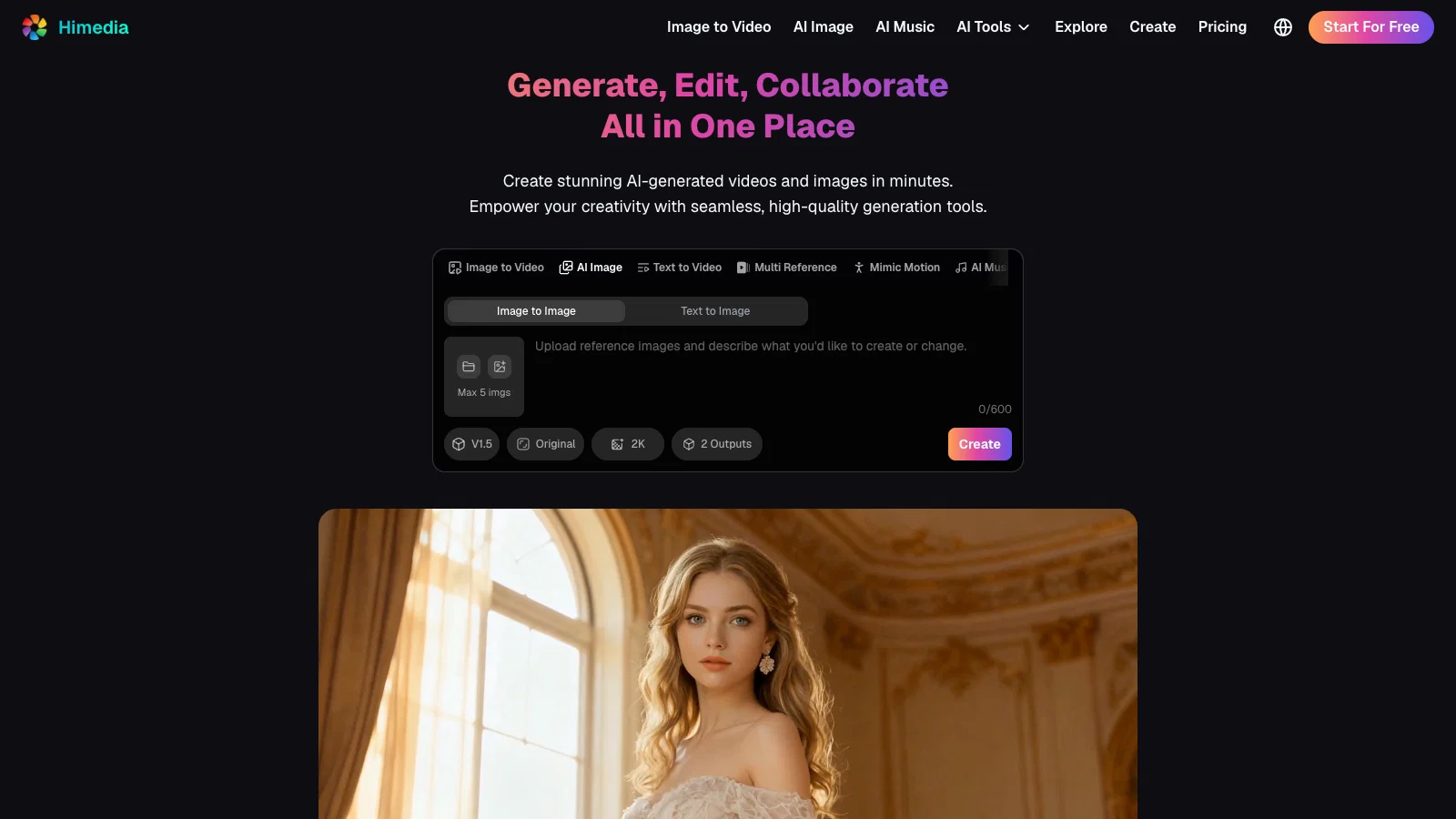
Generate, Edit, Collaborate - All in One Place.
Himedia AI provides an integrated suite of AI tools for creating videos, images, music, and other visual assets, allowing creators, marketers, businesses, and designers to transform ideas into high-quality content with minimal technical expertise. The platform positions itself as an all-in-one AI generation workspace where users can generate, edit, and refine creative materials in a single environment.
At its core, Himedia focuses on AI video and image generation. The platform supports multiple AI creation workflows, including text-to-video, image-to-video, reference-to-video, video-to-video, text-to-image, image-to-image, and AI-powered editing. Users can start from a simple text description, an existing image, or other reference materials, then use AI models to generate professional-looking visual content. This workflow reduces the complexity traditionally associated with video production, graphic design, and digital storytelling.
One of Himedia's major capabilities is AI video generation. Through text-to-video technology, users can convert written prompts, scripts, or creative concepts into short cinematic videos without requiring cameras, actors, or traditional editing tools. The platform also provides image-to-video functionality, allowing static images to be transformed into dynamic videos with motion effects, camera movements, and storytelling elements. These features are particularly useful for social media creators, advertisers, product marketers, and filmmakers who need to produce engaging video content quickly.
Use Cases
1. E-Commerce Product Videos
2. Cinematic Films & Short Dramas & Animations
3. Social Media Content, Viral Videos
4. Marketing & Advertising
5. Fashion, Hairstyle, Product, Brand Design
6. Video & Image Editing
7. Educational Content
8. Songwriting & Creativity
9. Turn product photos, group photos, selfies & travel pics into videos with AI
10. Illustration & Architectural Visualization
- Seedance 2.0 (realistic Human Generation), Gpt Image 2.0, Happyhorse 1.0, Veo 3.1, Kling 3.0, Seedream 5.0, Nano Banana 2
- 100% Free To Try - Create 4k Images And Videos From Text Or Images With Full Creative Freedom
- Native Audio & Lip-sync, High-resolution: 4k+
- Consistent Character And Scene, Multi-camera Control
- Enhanced Prompt Fidelity
- Mimic Motion
Best for
Short scenarios where Himedia AI Video Generator tends to shine.
-
Create any AI Videos, Images and Music - No creative limits
Example outputs 1
Sample generations and before/after results for Himedia AI Video Generator.
Access & connections
Where you can use Himedia AI Video Generator.
Platforms
Capabilities
What this tool accepts, produces, and is strongest at.
Input
- Image
- Text
- Video
- Audio
Output
- Audio
- Video
- 3D
- Image
Highlights
- SOTA
Supported features
- Video Generation
- Video Edit
- Music Generation
- Lip Sync
- Video Avatars
- Image Edit
- Image Generation
Models
Text
Image
Audio
Video
Compare alternatives
Similar tools in the catalog — with a clear reason to open each one.

MojoMake - AI Image to Video Generator ✓
FreemiumUse every top AI model and 100+ effects in one account.
Why look Offers a public API
Full comparison
VidFlux - Photo to Video Generator ✓
PaidTransform photos into cinematic videos with AI.
Why look Typically cheaper
Full comparison
Grok Imagine ✓
FreemiumUnleash Your Creativity with Grok Imagine
Why look Offers a public API
Full comparison
VidFlux - Image to Video AI ✓
PaidTransform any image into stunning videos.
from $9/mo
Full comparison
MindVideo ✓
FreemiumCreate stunning videos from text or images.
Why look Typically cheaper
Full comparison
Vidnix | AI Image to Video Generator ✓
Free TrialTurn text into stunning AI videos.
Why look Typically cheaper
Full comparisonPeople also view
Tools that often show up alongside Himedia AI Video Generator in collections and comparisons.
Vidnix | AI Image to Video Generator ✓
Free TrialTurn text into stunning AI videos.
VidFlux - Photo to Video Generator ✓
PaidTransform photos into cinematic videos with AI.
VidFlux - Image to Video AI ✓
PaidTransform any image into stunning videos.
MojoMake - AI Image to Video Generator ✓
FreemiumUse every top AI model and 100+ effects in one account.
MindVideo ✓
FreemiumCreate stunning videos from text or images.
Grok Imagine ✓
FreemiumUnleash Your Creativity with Grok Imagine

Motiofy ✓
Free TrialCreate Product and Social Videos Without Filming a Thing

MorphLogo ✓
Free TrialStatic logo in, cinematic motion out.
Releases 2
🚀 Seedance 2.0 Released — Full Omni Reference Support
We’re excited to announce the launch of Seedance 2.0, a major upgrade in multimodal video generation that introduces powerful Full Omni Reference capabilities 🎬✨
Seedance 2.0 allows creators to combine text, images, video, and audio references in a single workflow, enabling unprecedented control over character identity, motion, style, and cinematic direction.
What’s New in Seedance 2.0
🧑 Support for real-person photo references to generate realistic videos with preserved identity
⚡ No queue — generate instantly without waiting
🧠 Full Omni Reference system (multi-modal input fusion)
🖼️ Support for image, video, audio, and text guidance
🎭 Stronger character consistency across scenes
🎥 Enhanced camera control & cinematic motion understanding
🔊 Native audio generation & improved sync quality
🎬 Better multi-shot storytelling and scene continuity
🎯 Create Like a Director
With Seedance 2.0, you can now direct your AI videos like a filmmaker — combining references to precisely shape every detail of your scene, from character appearance to camera movement and atmosphere.
🌟 Next-Level Creative Control
This release marks a major step forward in controllable AI video generation, bringing more stability, realism, and creative flexibility for both professional and indie creators.
And this is only the beginning — Seedance 2.1 is scheduled to launch in late June, bringing even more improvements and capabilities 👀
Start exploring what you can build with Seedance 2.0 today.
Imported reviews 4
I mainly used it for creating visuals for personal projects. The generation speed was decent and the quality was more consistent than I expected.
The generated videos had smooth transitions and decent motion quality. Some scenes looked almost professionally edited.
Easy to jump in and start creating. The experience feels less limiting compared to some similar tools.
I mainly used Himedia AI for image creation and got surprisingly realistic outputs. Prompt control feels intuitive compared with some other tools.
I appreciate how it integrates various AI tools into a single platform, and the output quality is consistently reliable.
FAQ 12
What is Himedia?
Can Himedia turn text into videos?
What is the 'Image to Video' feature in Himedia?
How can I make short-form videos with Himedia?
Can Himedia modify existing images?
What is the 'Text to Image' feature in Himedia?
Can I generate art in various styles with Himedia?
Does Himedia support different image styles?
Can I create product demos with Himedia?
Can I generate professional-grade art using Himedia?
How does Himedia ensure user privacy?
Is Himedia easy to use for creative production?
Related tools
Recommended

Himedia AI Image Generator ✓
PaidGenerate any AI Images and Videos - No creative limits

freebeat AI ✓
FreemiumTurn Music & Ideas into Viral Videos In One Click

Movie Maker Gemini ✓
FreeGenerate watermark-free AI videos with your Gemini key

BeatMV ✓
Free TrialTurn any song into scroll-stopping videos in minutes with AI-directed scripts and

AI Image to Video ✓
Free TrialUpload an image and turn it into a video

Automateed ✓
Free TrialCreate eBooks effortlessly with Automateed, the AI-powered writing tool.