VideoToPage ✓
Instantly summarize and repurpose any video or audio
from $31.06
Verdict
A quick read before you dig into the full page.
- Best if
- You are content creators and need: Productivity and Automation
- Skip if
- Limited video summary options
- Pick this when
- Converts video/audio to text
Considering AI Transcriptions by Riverside instead? Compare side by side
Overview
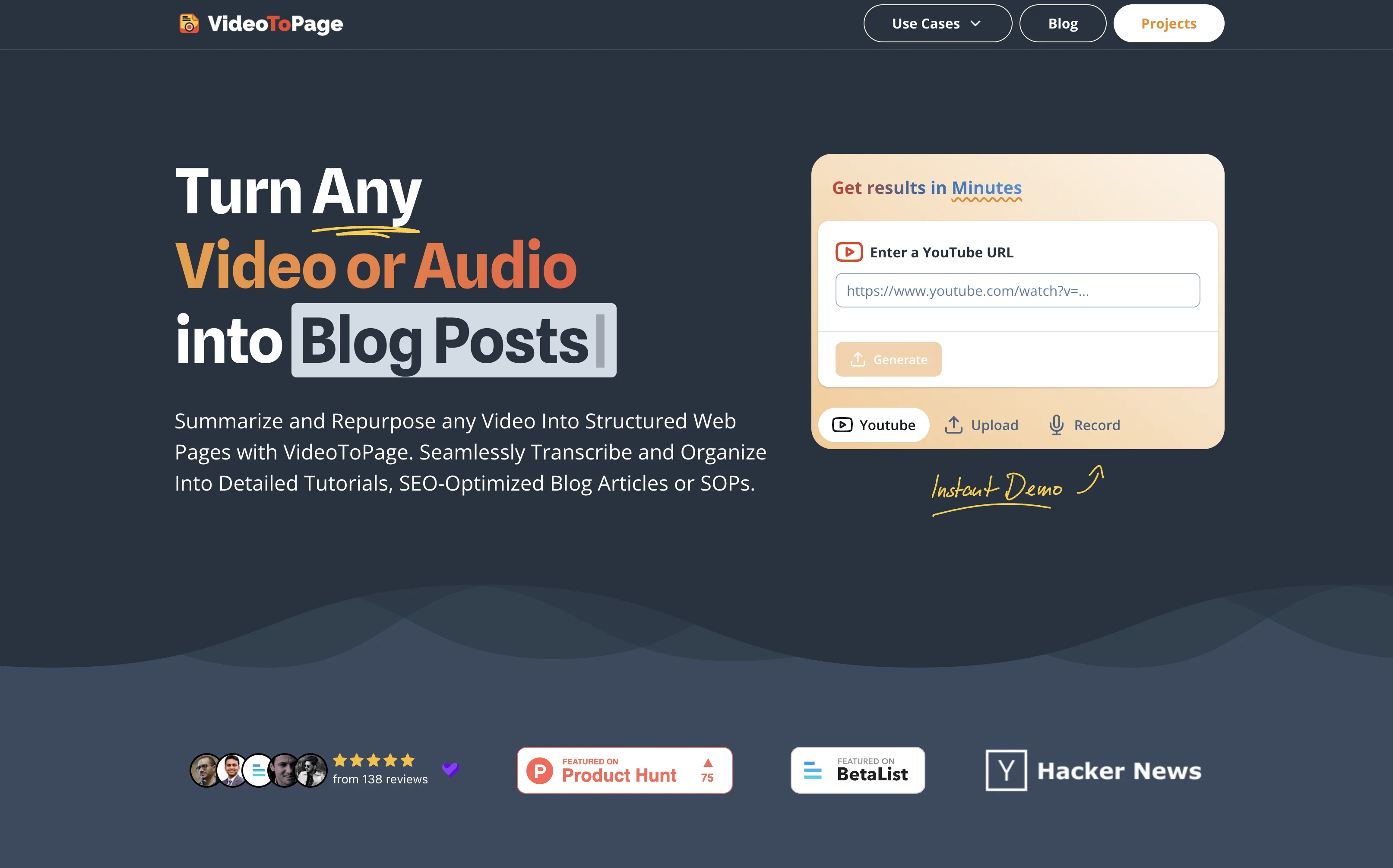
VideoToPage is an AI tool designed to convert any video or audio into a variety of text-based contents, including blog posts, articles, social media posts, among others.
It facilitates the creation of different types of content, such as in-depth video digests, long-form blog posts, detailed analyses, comprehensive written documentation, edited transcriptions, Standard Operating Procedures (SOPs), tutorials or courses, and marketing content.
The tool can also transform webinars into e-learning resources, create scripts for podcasts, SEO-optimized articles, and engaging social media posts. The capabilities of VideoToPage extend to the summarization and repurposing of video or audio content into hierarchically structured and semantically interlinked web pages.
The tool also offers rich text editing, chatbot assistance for each page, and control over content organization. Multilingual understanding allows content processing in any language.
It also facilitates easy publishing and content distribution. Users can begin with a recording, an upload, or a YouTube link to get started with the tool.
Best for
Short scenarios where VideoToPage tends to shine.
-
Productivity and Automation
Best for Content creators
-
Education and Training
Best for Marketing teams
-
Engineering and Technology
Best for Agencies
-
Marketing and SEO
Best for Educators
-
Support and Sales
Best for Businesses
-
Media and Entertainment
Best for Content creators
Example outputs 1
Sample generations and before/after results for VideoToPage.
Access & connections
Where you can use VideoToPage.
Platforms
Pros & cons
Pros
- Converts video/audio to text
- Creates various content types
- Video digests generation
- Long-form blog posts creation
- Detailed analyses production
- Edited transcriptions
- SOP creation
- Tutorials and courses
Show 31 more
- Webinars to e-learning resources
- Podcast script generation
- SEO-optimized articles
- Social media post creation
- Content organized semantically
- Rich text editing
- Chatbot assistance
- Content organization control
- Multilingual support
- Easy publishing and distribution
- Supports Youtube links
- Supports recorded/uploaded files
- Creates structured web pages
- Supports up to 5 hours video
- Supports 96 languages
- 98.5% transcription accuracy
- No subscription required
- Content hierarchy building
- Semantic interlinking of pages
- Editable content
- Unlimited content generation
- Money-back guarantee
- Free for 5-minute videos
- Handles complex topics
- Interactive outlines editing
- Exports in different formats
- User maintains content control
- Supports audio files
- Handles commercial content
- Unlimited pages creation
- Applicable for academic purposes
Cons
- Pricey
- Potentially inaccurate transcriptions
- Limited video summary options
- No free unlimited option
- Content hierarchy might not match personal preferences
- Export format limitations
- Complexity for non-tech users
- Dependency on internet connection
Show 1 more
- Semantically interlinked pages may not appeal to all users
Compare alternatives
Similar tools in the catalog — with a clear reason to open each one.

AI Transcriptions by Riverside ✓
FreemiumTranscribe audio and video in 100+ languages effortlessly
Why look Freemium alternative
Full comparison
Exemplary AI ✓
FreemiumTranscribes 120+ languages' audio/video.
Why look Freemium alternative
Full comparison
YouTube Transcript Optimizer ✓
PaidTransform YouTube videos into polished documents and quizzes.
Why look Typically cheaper
Full comparison
Taption ✓
FreemiumConvert audio and video to text in 40+ languages.
Why look Freemium alternative
Full comparison
ScriptMe ✓
Free TrialTranscribe and subtitle media faster than realtime.
Free + from $45/mo
Full comparison
Vid2txt ✓
PaidDrag, drop, done: Effortless video transcription.
Why look Typically cheaper
Full comparisonPeople also view
Tools that often show up alongside VideoToPage in collections and comparisons.
YouTube Transcript Optimizer ✓
PaidTransform YouTube videos into polished documents and quizzes.
Vid2txt ✓
PaidDrag, drop, done: Effortless video transcription.
Taption ✓
FreemiumConvert audio and video to text in 40+ languages.
ScriptMe ✓
Free TrialTranscribe and subtitle media faster than realtime.
Exemplary AI ✓
FreemiumTranscribes 120+ languages' audio/video.
AI Transcriptions by Riverside ✓
FreemiumTranscribe audio and video in 100+ languages effortlessly

UnMarkAI - Remove subtitles first. Translate video, d... ✓
Free TrialAI video translation with dubbing and lip-sync.
TubeVocab ✓
Free TrialTurn any YouTube video into AI flashcards you actually remember.
Releases 1
FAQ 12
What are the content types that VideoToPage can generate from videos?
Can VideoToPage transcribe content in any language?
Is it possible to transform webinars into e-learning resources with VideoToPage?
How can VideoToPage assist in content distribution and publishing?
Can VideoToPage be used to create social media posts?
Is SEO optimization available in the articles generated by VideoToPage?
What kind of videos can I use as input for VideoToPage?
Will I have control over content organization with VideoToPage?
Can VideoToPage convert podcasts into script format?
Does VideoToPage offer rich text editing for generated content?
What is the process to start with VideoToPage using a YouTube link?
Can VideoToPage transform audio files into written documentation?
Related tools
Recommended

TurboScribe ✓
Freemium🎯 3 free transcripts every day. 🔥 Unlimited transcription starting at $10/mo.

VideoGen ✓
Free TrialCreate videos in seconds with one click.

Video Studio AI ✓
FreemiumGenerate AI videos from text or images instantly

Scisummary ✓
Free TrialCutting-edge scientific articles summarization.

Mindsmith ✓
FreemiumPlatform for building and sharing eLearning content

Automateed ✓
Free TrialCreate eBooks effortlessly with Automateed, the AI-powered writing tool.