

ScriptMe ✓
Transcribe and subtitle media faster than realtime.
Trial; then from $45/mo
Verdict
A quick read before you dig into the full page.
- Best if
- You are media professionals and need: Transcribing YouTube videos
- Skip if
- Limited customization of subtitles
- Pick this when
- Transcribes faster than real-time
Considering AI Transcriptions by Riverside instead? Compare side by side
Overview
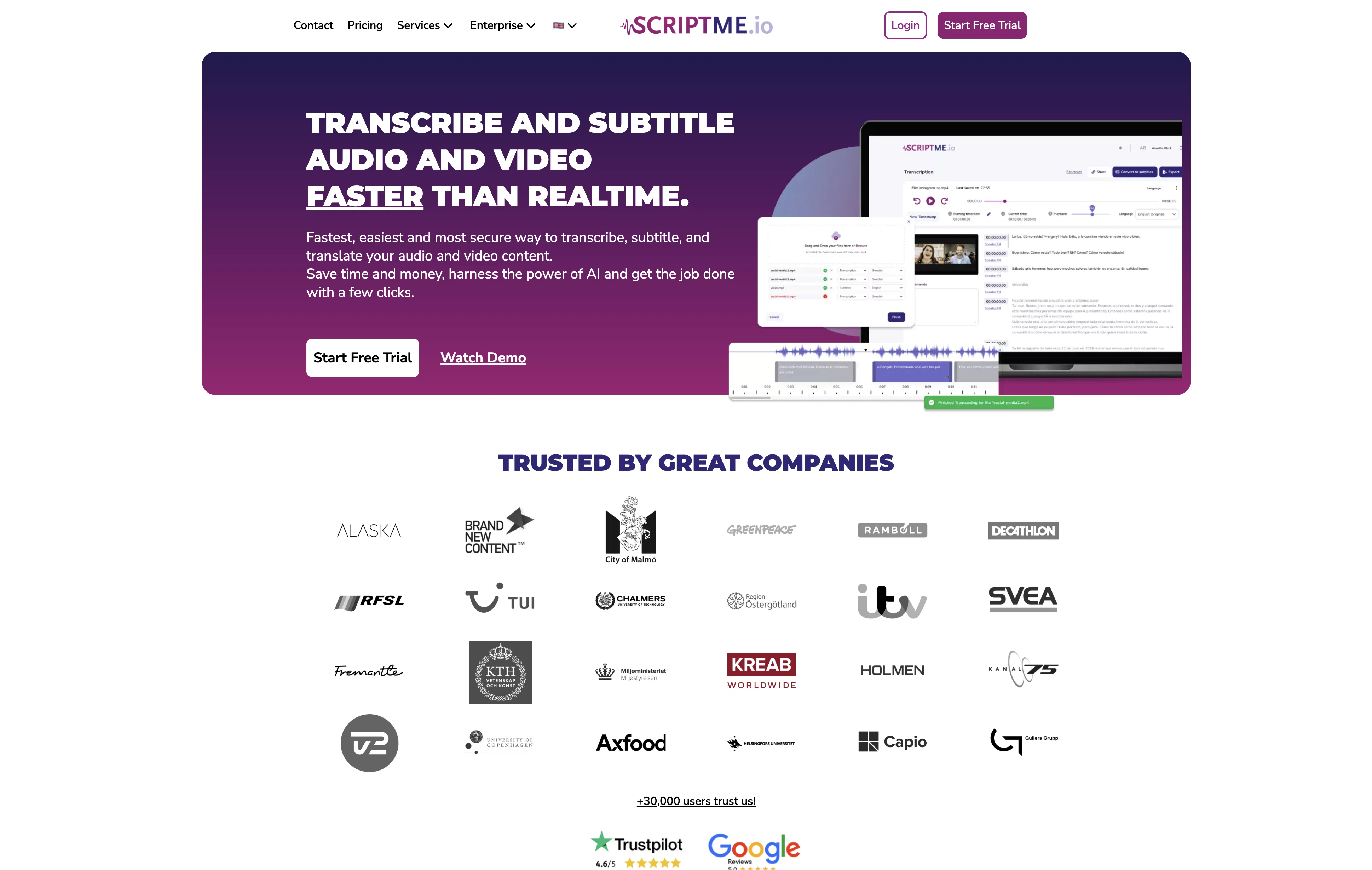
ScriptMe is an AI-enabled tool that aids in transcribing audio and video content at a faster pace, performing tasks such as caption generation, and subtitling.
The tool supports transcriptions in more than 31 languages and can export transcriptions in different formats. It uses AI technology for its transcription service, promising time savings by providing transcripts of videos and audios quicker than traditional methods.
Users are able to edit their transcripts and trim their subtitles with precision based on their needs, ensuring perfect timing for video editing. End-users can export and share their work in various formats including Avid, Adobe, Resolve, Office Word, SRT, VTT, among others.
ScriptMe is designed to suit professionals from multiple sectors, including but not limited to TV & Media transcription, Academic Transcription, and corporate transcriptions.
The tool's key selling point is its ability to enable users to focus more on their key work and less on transcript generation by making the process faster and efficient.
Best for
Short scenarios where ScriptMe tends to shine.
-
Transcribing YouTube videos
Best for Media professionals
-
Podcast transcription
Best for Content creators
-
Interview transcription
Best for Researchers
-
Meeting transcription
Best for Students
-
Academic transcription
Best for Businesses
-
TV & Media transcription
Best for Governmental bodies
-
Subtitle generation for YouTube videos
Best for Media professionals
-
Subtitle translation
Best for Media professionals
Example outputs 1
Sample generations and before/after results for ScriptMe.
Access & connections
Where you can use ScriptMe.
Platforms
Capabilities
What this tool accepts, produces, and is strongest at.
Input
- Video
- Audio
Output
- Video
- Text
Pros & cons
Pros
- Transcribes faster than real-time
- Supports 31 languages
- Intuitive text editing tools
- Exports in various formats
- Customizable subtitles (font, color)
- Translation functionality
- Efficient video subtitling
- Professional sector support
Show 34 more
- Aids in transcript generation
- Trim subtitle precision
- Compatible with Avid, Adobe, Resolve, Office Word
- Suitable for TV & Media, Academic, corporate transcriptions
- YouTube Transcript Generator
- Podcast Transcription support
- Supports Interview, Meeting, Academic Transcription
- Can handle Recording transcription
- Free & Unlimited Transcription support
- Supports auto subtitles generation
- Offers YouTube Subtitle Generator
- Subtitles translation feature
- Exports in Avid, Adobe, Resolve, SRT, VTT, EBU STL
- Transcriptions shareable with others
- Simple upload and transcribe process
- Supports multiple end-user file exports
- Integrates Automated transcribing service
- Speech to text tools for media production
- Customizable solution for telecommunication industry
- Customizable subtitling page for video overlay
- Intelligent edit for subtitles design
- Accommodates specified dictionaries for medical professionals
- Supports transcription and subtitling in Arabic, Bulgarian, Catalan
- Transcription support in Croatian, Czech, Dutch, French
- Subtitling support in Greek, Hindi, Hungarian, Italian
- Transcription capability in Japanese, Korean, Latvian, Lithuanian
- Subtitle support in Mandarin, Polish, Portuguese, Romanian
- Transcription support in Russian, Slovak, Slovenian, Ukrainian
- Fast and accurate transcription
- Project collaboration with multi-teams
- Powerful search function in transcription
- Enables highlighted text with playback
- Exports video with encoded subtitles
- Offers tailor-made transcription solutions
Cons
- No offline functionality
- No live transcription
- Limited file formats support
- Limited customization of subtitles
- No integration with other tools
- No mobile application
- Accuracy depends on audio quality
- Potential GDPR issues
Show 2 more
- No specific medical or technical transcription
- No mentioned Dolby Atmos support
Compare alternatives
Similar tools in the catalog — with a clear reason to open each one.

AI Transcriptions by Riverside ✓
FreemiumTranscribe audio and video in 100+ languages effortlessly
Why look Typically cheaper
Full comparison
Exemplary AI ✓
FreemiumTranscribes 120+ languages' audio/video.
Free + from S$12 / month
Full comparison
YouTube Transcript Optimizer ✓
PaidTransform YouTube videos into polished documents and quizzes.
Why look Typically cheaper
Full comparison
Taption ✓
FreemiumConvert audio and video to text in 40+ languages.
Why look Typically cheaper
Full comparison
Vid2txt ✓
PaidDrag, drop, done: Effortless video transcription.
Why look Typically cheaper
Full comparison
Targum Video ✓
PaidTranslate videos into multiple languages in minutes.
Why look Typically cheaper
Full comparisonPeople also view
Tools that often show up alongside ScriptMe in collections and comparisons.
YouTube Transcript Optimizer ✓
PaidTransform YouTube videos into polished documents and quizzes.
Vid2txt ✓
PaidDrag, drop, done: Effortless video transcription.
Targum Video ✓
PaidTranslate videos into multiple languages in minutes.
Taption ✓
FreemiumConvert audio and video to text in 40+ languages.
Exemplary AI ✓
FreemiumTranscribes 120+ languages' audio/video.
AI Transcriptions by Riverside ✓
FreemiumTranscribe audio and video in 100+ languages effortlessly

UnMarkAI - Remove subtitles first. Translate video, d... ✓
Free TrialAI video translation with dubbing and lip-sync.
TubeVocab ✓
Free TrialTurn any YouTube video into AI flashcards you actually remember.
Releases 1
FAQ 12
What is ScriptMe?
How does ScriptMe use AI technology?
Can I customize subtitles with ScriptMe?
What formats can ScriptMe export files in?
How quickly can ScriptMe transcribe my files?
What languages does ScriptMe support?
Does ScriptMe allow real-time editing of transcriptions?
Can ScriptMe be used for subtitles and translations?
Can I use ScriptMe if I am a student?
How accurate are ScriptMe transcriptions?
How secure is my data with ScriptMe?
Is it possible to share my transcripts with others using ScriptMe?
Related tools
Recommended

Streamlabs Podcast Editor ✓
FreemiumTransform videos into text with one click

Browse AI ✓
FreemiumExtract and monitor web data without code.

Eightify
UnknownAI-powered YouTube video summarizer extracting key ideas for quick content assessment.

B12 AI Website Builder ✓
FreemiumAI-powered website builder

D-ID ✓
FreemiumCreate AI-generated videos with ease

GetResponse AI Website Builder ✓
FreemiumDesign professional websites effortlessly with AI.