

YouTube Transcript Optimizer ✓
Transform YouTube videos into polished documents and quizzes.
from $10
Verdict
A quick read before you dig into the full page.
- Best if
- Transform YouTube videos into polished documents and quizzes
- Skip if
- Supports limited document formats
- Pick this when
- High accuracy transcriptions
Considering AI Transcriptions by Riverside instead? Compare side by side
Overview
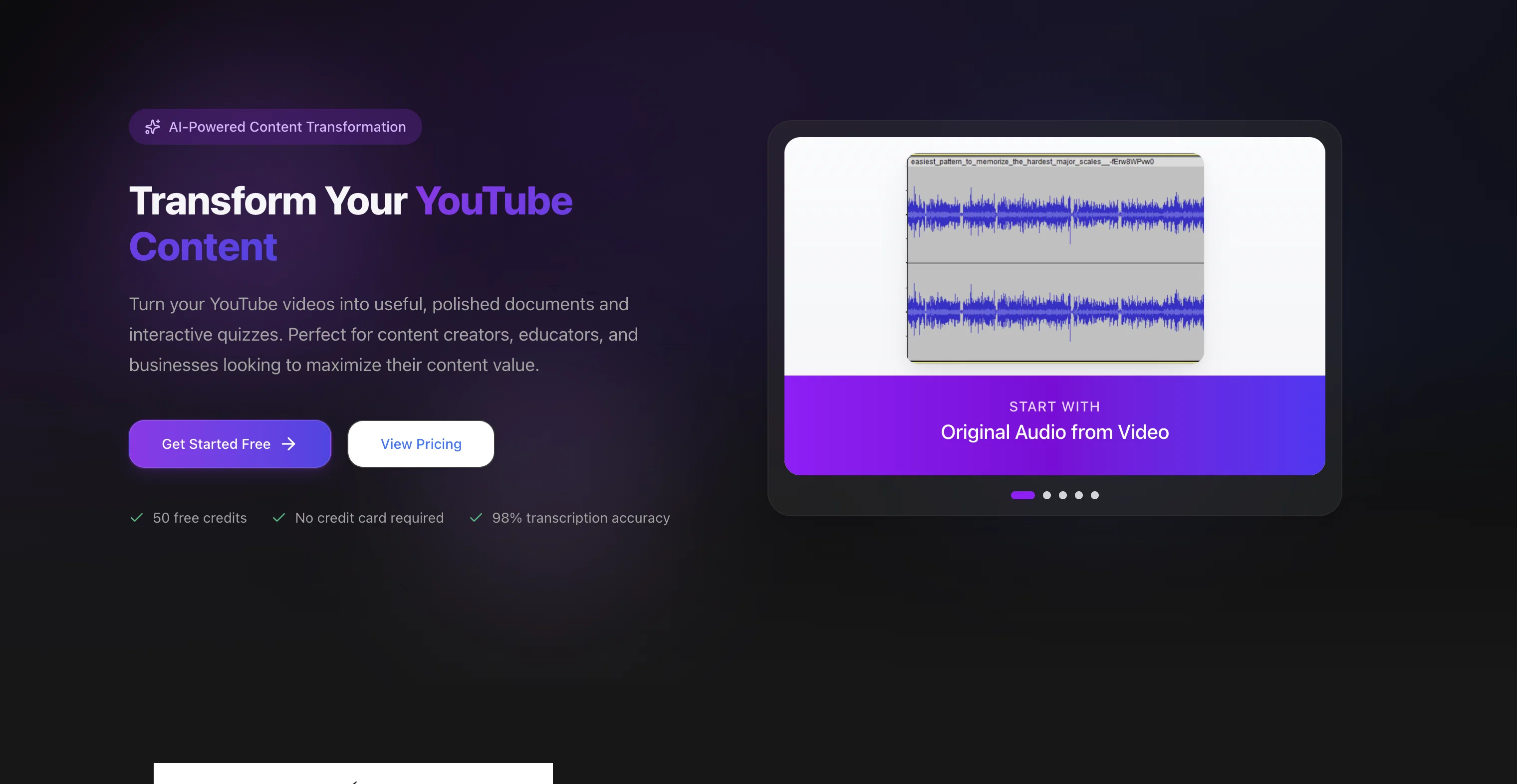
YouTube Transcript Optimizer is a tool designed to convert YouTube videos into a variety of useful formats. It's powered by state-of-the-art AI technology, which provides high accuracy transcriptions, exceeding the quality produced by YouTube's in-built captions.
Utilizing advanced algorithms, the tool transforms raw transcripts into polished, well-formatted documents that are ready for sharing with an audience or for rewarding supporters on platforms like Patreon.
Another distinctive feature is automatic quiz generation based on the content of the videos, offering various interactive question types like multiple-choice and short-answer quizzes.
This functionality is designed to test comprehension and boost engagement, with automatic grading for multiple-choice quizzes. The tool offers the ability to host the generated document or quiz, providing a shareable link for each.
Further, it includes an in-built editor with a revision history feature, enabling content editing without switching platforms, with automatic updates to corresponding PDFs and HTMLs.
Furthermore, the tool supports editing and refining the generated transcripts and documents/quizzes, and allows automatic regeneration of PDFs and HTML files after editing.
Supported output formats include TXT, Markdown, PDF, and HTML. The tool is capable of handling videos of diverse lengths and unlimited quantity, depending upon the chosen plan.
Users have praised the tool for its accurate transcription, content optimization capabilities, and convenient quiz generation.
Best for
Short scenarios where YouTube Transcript Optimizer tends to shine.
-
Transform YouTube videos into polished documents and quizzes.
Example outputs 1
Sample generations and before/after results for YouTube Transcript Optimizer.
Access & connections
Where you can use YouTube Transcript Optimizer.
Platforms
Pros & cons
Pros
- High accuracy transcriptions
- Raw transcripts polishing
- Automatic quiz generation
- Multiple quiz formats
- Auto grading quizzes
- Document and quiz hosting
- Embeddable shareable link
- In-built editor provision
Show 14 more
- Revision history enabled
- Auto updates to PDF/HTML
- Transcript refining possible
- Auto PDF/HTML regeneration
- Multiple output formats
- Diverse video lengths
- Unlimited videos handling
- Optimized content delivery
- Rewards supporters option
- Interactive learning tool
- Engagement and comprehension testing
- Avoids platform switching
- Handles varied content quantity
- Praised by user community
Cons
- Limited to YouTube videos
- No audio file support
- Lacks live transcription feature
- Unlimited usage depends on plan
- No multilingual support mentioned
- Edits not automatically synced
- Quiz features may be restrictive
- Only hosts on its platform
Show 2 more
- Markdown might be unfamiliar
- Supports limited document formats
Compare alternatives
Similar tools in the catalog — with a clear reason to open each one.

AI Transcriptions by Riverside ✓
FreemiumTranscribe audio and video in 100+ languages effortlessly
Why look Freemium alternative
Full comparison
Exemplary AI ✓
FreemiumTranscribes 120+ languages' audio/video.
Why look Freemium alternative
Full comparison
Taption ✓
FreemiumConvert audio and video to text in 40+ languages.
Why look Freemium alternative
Full comparison
ScriptMe ✓
Free TrialTranscribe and subtitle media faster than realtime.
Free + from $45/mo
Full comparison
Targum Video ✓
PaidTranslate videos into multiple languages in minutes.
Why look Typically cheaper
Full comparisonPeople also view
Tools that often show up alongside YouTube Transcript Optimizer in collections and comparisons.

Vid2txt ✓
PaidDrag, drop, done: Effortless video transcription.
Targum Video ✓
PaidTranslate videos into multiple languages in minutes.
Taption ✓
FreemiumConvert audio and video to text in 40+ languages.
ScriptMe ✓
Free TrialTranscribe and subtitle media faster than realtime.
Exemplary AI ✓
FreemiumTranscribes 120+ languages' audio/video.
AI Transcriptions by Riverside ✓
FreemiumTranscribe audio and video in 100+ languages effortlessly

UnMarkAI - Remove subtitles first. Translate video, d... ✓
Free TrialAI video translation with dubbing and lip-sync.
TubeVocab ✓
Free TrialTurn any YouTube video into AI flashcards you actually remember.
Releases 1
Imported reviews 2
The app is not working.
I paid for 300 credits but unfortunately even redo charges credits.
In console I receive 500 (Internal Server Error)
Super helpful tool for content creators like myself. I have a Patreon where I give my Patreons quizzes and video summaries based on my YouTube video and this website speeds the whole process up tremendously.
FAQ 12
What is YouTube Transcript Optimizer?
How accurate are the transcriptions produced by YouTube Transcript Optimizer?
Can I edit the generated transcriptions on YouTube Transcript Optimizer?
What file formats are supported by YouTube Transcript Optimizer for output?
Is there any limit on the video length or number of videos I can process using YouTube Transcript Optimizer?
How does YouTube Transcript Optimizer convert raw transcripts into polished documents?
How is the automatic quiz generation feature in YouTube Transcript Optimizer useful?
What types of quizzes can I create with YouTube Transcript Optimizer?
Can YouTube Transcript Optimizer grade quizzes automatically?
What can I do with the shareable link provided by YouTube Transcript Optimizer?
How does the built-in editor feature in YouTube Transcript Optimizer work?
What is the revision history feature in YouTube Transcript Optimizer?
Related tools
Recommended

Informly Idea Validator ✓
FreemiumValidate and grow your business idea with AI.

Recall ✓
FreemiumSummarize Anything, Forget Nothing!

IllumiChat ✓
FreemiumFrom Ticket Backlog to Instant Answers Powered by AI

Automateed ✓
Free TrialCreate eBooks effortlessly with Automateed, the AI-powered writing tool.

AI E-books ✓
FreemiumEasily generate e-books using advanced GPT models.

YouTube Summary ✓
FreeSummarize any YouTube video, any size, under 30 seconds, for free.