AI Transcriptions by Riverside ✓
Transcribe audio and video in 100+ languages effortlessly
Free + from $15/mo
Verdict
A quick read before you dig into the full page.
- Best if
- You are podcasters and need: Recording podcasts
- Skip if
- Transcription times vary
- Pick this when
- Supports over 100 languages
Considering Exemplary AI instead? Compare side by side
Overview
Riverside is a comprehensive audio and video recording and transcription tool that features an array of functionalities that enhance content creating, editing, and sharing.
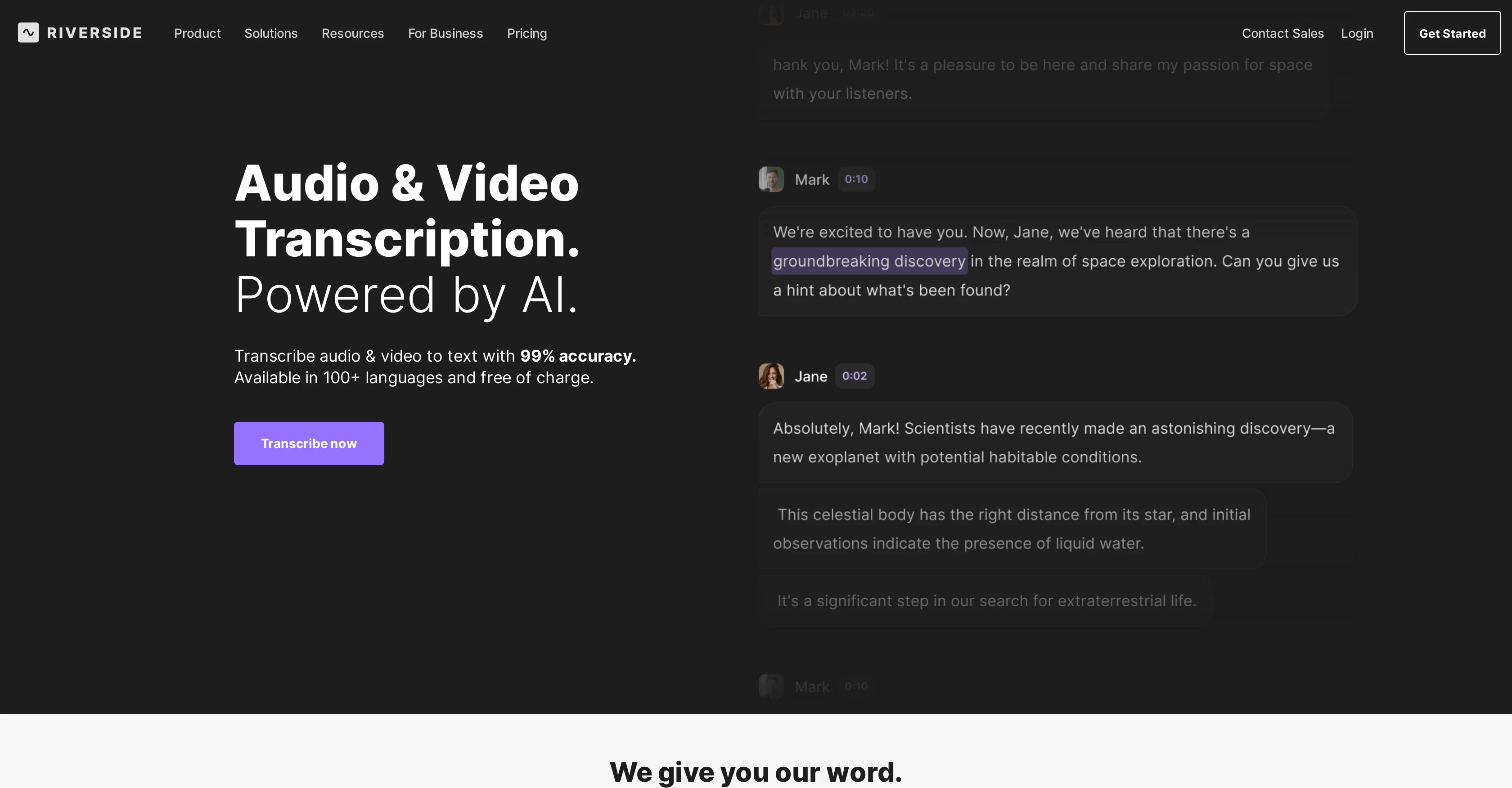
It enables the recording of high-quality audio and video tracks, regardless of the quality of internet connection, and transcribes your recordings into text with 99% accuracy.
Transcription is available in over 100 languages and can identify individual speakers during transcription. Editing can be executed directly from the transcript, enabling users to delete sentences or entire paragraphs as needed.
Riverside creates 'Magic Clips' small, shareable social clips and offers features such as 'Magic Audio' that enhances audio to a studio-level quality.
Also notable is its ability to provide content summaries, takeaways, and chapters as well as the inclusion of stylish captions to make content more engaging.
Users can access the platform via Mac or mobile applications, allowing content creation from almost anywhere. Finally, Riverside supports asynchronous recording, allowing guests to join your studio and record even in your absence.
Suitable for podcasters, marketers, and producers, its use cases span podcasts, internal communications, webinars, customer testimonials, and virtual conferences among others.
Best for
Short scenarios where AI Transcriptions by Riverside tends to shine.
-
Recording podcasts
Best for Podcasters
-
Conducting video interviews
Best for Video creators
-
Creating social media clips
Best for Producers
-
Hosting webinars
Best for Marketers
-
Producing video marketing content
Best for Businesses
-
Panel discussions
Best for Podcasters
-
Talking head presentations
Best for Podcasters
-
Learning & Development
Best for Podcasters
Example outputs 1
Sample generations and before/after results for AI Transcriptions by Riverside.
Access & connections
Where you can use AI Transcriptions by Riverside, and what it plugs into.
Platforms
Integrations
Capabilities
What this tool accepts, produces, and is strongest at.
Input
- Video
- Audio
Output
- Text
Pros & cons
Pros
- Supports over 100 languages
- User-friendly interface
- Accepts MP3, WAV, MP4, MOV files
- Transcription available in TXT, SRT
- Free to use
- No sign-up required
- Offers speaker detection
- High-quality recording capabilities
Show 14 more
- Simple editing capabilities
- Useful for podcasters, journalists, researchers
- Audio and video transcription
- Transcribes regardless of internet connection quality
- Creates 'Magic Clips' for sharing
- Features 'Magic Audio'
- Provides content summaries
- Available on Mac or mobile
- Supports asynchronous recording
- Applicable to various use cases
- 99% transcription accuracy
- Records in up to 4K quality
- Transcription begins immediately after recording
- Generates stylish captions
Cons
- Transcription times vary
- Doesn't support all file types
- Requires human verification
- No permanent storage for transcripts
- May have server busyness issues
Compare alternatives
Similar tools in the catalog — with a clear reason to open each one.

Exemplary AI ✓
FreemiumTranscribes 120+ languages' audio/video.
Free + from S$12 / month
Full comparison
YouTube Transcript Optimizer ✓
PaidTransform YouTube videos into polished documents and quizzes.
Why look Typically cheaper
Full comparison
Taption ✓
FreemiumConvert audio and video to text in 40+ languages.
Why look Typically cheaper
Full comparison
ScriptMe ✓
Free TrialTranscribe and subtitle media faster than realtime.
Free + from $45/mo
Full comparison
Vid2txt ✓
PaidDrag, drop, done: Effortless video transcription.
Why look Typically cheaper
Full comparison
Targum Video ✓
PaidTranslate videos into multiple languages in minutes.
Why look Typically cheaper
Full comparisonPeople also view
Tools that often show up alongside AI Transcriptions by Riverside in collections and comparisons.

Waveroom ✓
FreeRecord podcasts and interviews in studio quality, remotely.

Streamlabs Podcast Editor ✓
FreemiumTransform videos into text with one click

Transistor ✓
PaidTranscribe podcasts in minutes with AI

Tapesearch ✓
FreemiumFind what was said in a podcast instantly.

Podnotes ✓
PaidAI-powered podcast post-production in seconds.

Podcastle ✓
FreemiumSeamless podcast recording and editing

Cleanvoice AI ✓
FreemiumRemove filler sounds and polish your audio effortlessly.

Castmagic ✓
PaidTurn podcast audio into instant content
Releases 1
Imported reviews 2
do you plan to add youtube link transcription too?
Fast - probably the fastest tool I've tried for transcribing from an uploaded MP3. Accuracy was good. My samples was a ~30 min university lecture recorded alone (recorded with a mic and laptop, not in a lecture hall). Only complaint is that the logical sectioning or paragraphing isn't great. (It's hard to do with these stream-of-consciousness type lectures, but some tools do a great job.) If I didn't need the logical breaks, I'd likely come back to this tool solely for the speed and accuracy. Great job!
FAQ 12
What formats does Riverside support for transcription?
Does Riverside need a sign-up to use?
How does Riverside handle transcription of different languages?
Can Riverside transcribe videos as well as audio files?
What is the accuracy rate of Riverside's transcriptions?
Does Riverside offer speaker detection during transcriptions?
What are the possible reasons for transcription times to vary on Riverside?
What special features does Riverside provide specifically for content creators?
Does Riverside offer any editing capabilities post-transcription?
Is there a limit on the number of transcriptions I can do with Riverside?
How does Riverside's 'Magic Audio' feature work?
What is included in Riverside's 'Magic Clips' feature?
Related tools
Recommended

TutorAI ✓
FreemiumInstant knowledge on any topic

LearningStudioAI ✓
Free TrialAI-powered authoring tool for effortless online course creation.

VenturusAI ✓
FreemiumBusiness idea analysis and reporting.

MagicSlides.app AI PPT Maker ✓
FreemiumCreate Stunning PPTs in Seconds with the AI PPT Maker

Scisummary ✓
Free TrialCutting-edge scientific articles summarization.

Stratup.ai ✓
FreemiumInnovative idea generation for businesses.