

Video translation 2026 Rank: #837
UnMarkAI - Remove subtitles first. Translate video, d... ✓
AI video translation with dubbing and lip-sync.
Verdict
A quick read before you dig into the full page.
- Best if
- AI video translation with dubbing and lip-sync
- Skip if
- Maximum 2GB file size limit per video upload
- Pick this when
- Natural AI dubbing with optional lip-sync
Considering VideoDubber instead? Compare side by side
Overview
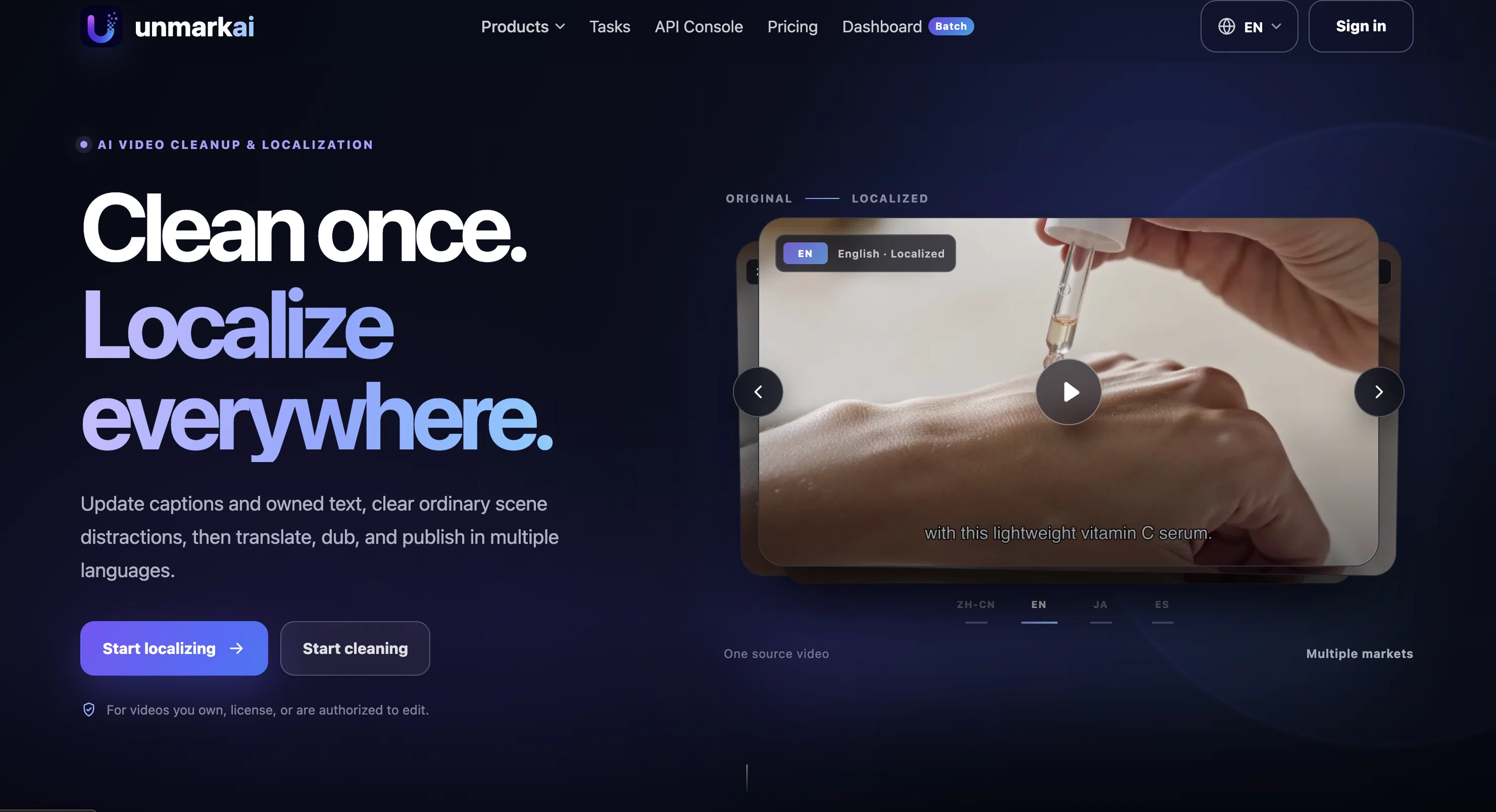
Upload your video, extract or review the original subtitles, translate the script into your target language, generate natural AI voiceovers, and sync the final audio back to the video. For videos with visible speakers, UnMarkAI can also apply lip-sync to make the translated speech feel more natural on screen.
It is designed for short dramas, social media clips, product videos, tutorials, ecommerce content, and creator videos that need fast localization for global audiences.
Key Capabilities:
• AI Subtitle Extraction: Detect and extract spoken content or on-screen subtitles.
• Natural Video Translation: Translate scripts with context, timing, and readability in mind.
• AI Voice Dubbing: Generate voiceovers in multiple languages for localized videos.
• Optional Lip-Sync: Match mouth movement to the translated voice when suitable.
• Subtitle Removal Before Translation: Clean hardcoded subtitles before adding new ones.
• Multi-Language Output: Repurpose one video for different markets and audiences.
• Creator-Friendly Workflow: Review subtitles, translate, dub, and export in one place.
Best for
Short scenarios where UnMarkAI - Remove subtitles first. Translate video, d... tends to shine.
-
AI video translation with dubbing and lip-sync.
Example outputs 1
Sample generations and before/after results for UnMarkAI - Remove subtitles first. Translate video, d....
Access & connections
Where you can use UnMarkAI - Remove subtitles first. Translate video, d..., and what it plugs into.
Platforms
Capabilities
What this tool accepts, produces, and is strongest at.
Input
- API
- Image
- Video
Output
- Video
- API
- Image
Highlights
- API
- MCP
- Agents
Supported features
- Translation
- TTS
- Lip Sync
- Transcription
- Video Edit
- Automation
- API
- Dubbing
- MCP
- Agents
Pros & cons
Pros
- Natural AI dubbing with optional lip-sync
- Fast localization for short videos, ads, and tutorials
- Multi-language output from a single source video
- subtitle extraction, translation, and dubbing in one workflow
- AI video translation for global audiences
- Seamless batch processing for bulk video cleanup
- Clean hardcoded subtitle and text removal
- High-quality output with minimal visual artifacts
Show 3 more
- Custom masking for targeted area cleanup
- Repairs glitched text in AI-generated videos
- Strict privacy: Files auto-deleted after processing
Cons
- Maximum 2GB file size limit per video upload
- High-resolution processing takes time due to deep AI compute
- Web-based platform only (no dedicated mobile app yet)
- Requires stable internet connection for cloud GPU processing
- Background reconstruction depends on original video lighting/quality
Compare alternatives
Similar tools in the catalog — with a clear reason to open each one.

VideoDubber ✓
FreemiumTranslate and dub videos, audios and subtitles with voice cloning and lipsync
Free + from $19/mo
Full comparison
CAMB.AI ✓
Free TrialAI voice translation and dubbing for videos in 150+ languages.
Why look Higher community rating
Full comparison
VoiceCheap ✓
FreemiumTranslate, dub and publish any video in any language.
Free + from $13/mo
Full comparison
VMEG Video Translation ✓
FreemiumBreak Down Language Barriers with Video Translation
Why look Typically cheaper
Full comparisonPeople also view
Tools that often show up alongside UnMarkAI - Remove subtitles first. Translate video, d... in collections and comparisons.
Lyndium ✓
FreemiumWeb platform for video translation, text-to-speech conversion, image creation, media editing
CAMB.AI ✓
Free TrialAI voice translation and dubbing for videos in 150+ languages.
VoiceCheap ✓
FreemiumTranslate, dub and publish any video in any language.
VMEG Video Translation ✓
FreemiumBreak Down Language Barriers with Video Translation
VideoDubber ✓
FreemiumTranslate and dub videos, audios and subtitles with voice cloning and lipsync

Vidby ✓
FreemiumFast translation and dubbing of videos with AI.

Vocova ✓
Free TrialTranscribe audio, video, or links into text. 1,000+ platforms, 100+ languages.

TranslaBuddy - Voice Real Time Translator ✓
FreeReal-time voice translation for meetings, calls, and videos
Releases 1
FAQ 12
What types of video formats does UnmarkAI support?
Does UnmarkAI also remove text and captions from videos?
How does UnmarkAI preserve the quality of my videos during watermark removal?
Can UnmarkAI remove glitched subtitles from AI-generated videos?
How fast does UnmarkAI process videos for watermark removal?
What measures does UnmarkAI take to ensure my data privacy?
Is it possible to use UnmarkAI to clean multiple videos at a time?
Can I preview the cleaned video before downloading it on UnmarkAI?
What is the maximum video length UnmarkAI can process?
Does UnmarkAI have a feature to select specific areas for watermark removal?
Can UnmarkAI be used for both personal and commercial projects?
How does UnmarkAI handle the removal of overlaid logos on videos?
Related tools
Recommended

Thea ✓
FreemiumAI study tools to master material, not just memorize it.

Marblism ✓
FreemiumAI Employees who Work for Your Business

remio: Your Personal ChatGPT ✓
FreemiumGet Tailored Answer with Your Personal ChatGPT

Supernormal App ✓
FreemiumThe AI assistant app that turns meetings into completed work

AI Image to Image.io ✓
FreemiumTransform images with simple text commands.

Littlebird ✓
FreemiumThe only full-context AI