

ImagineX | Image to Video ✓
Bring your photos to life with smooth animations.
from $23.9/mo
Verdict
A quick read before you dig into the full page.
- Best if
- You are creators and need: Creating engaging brand content for digital creators
- Skip if
- Limited resolution options
- Pick this when
- JPEG, PNG, WebP support
Considering MojoMake - AI Image to Video Generator instead? Compare side by side
Overview
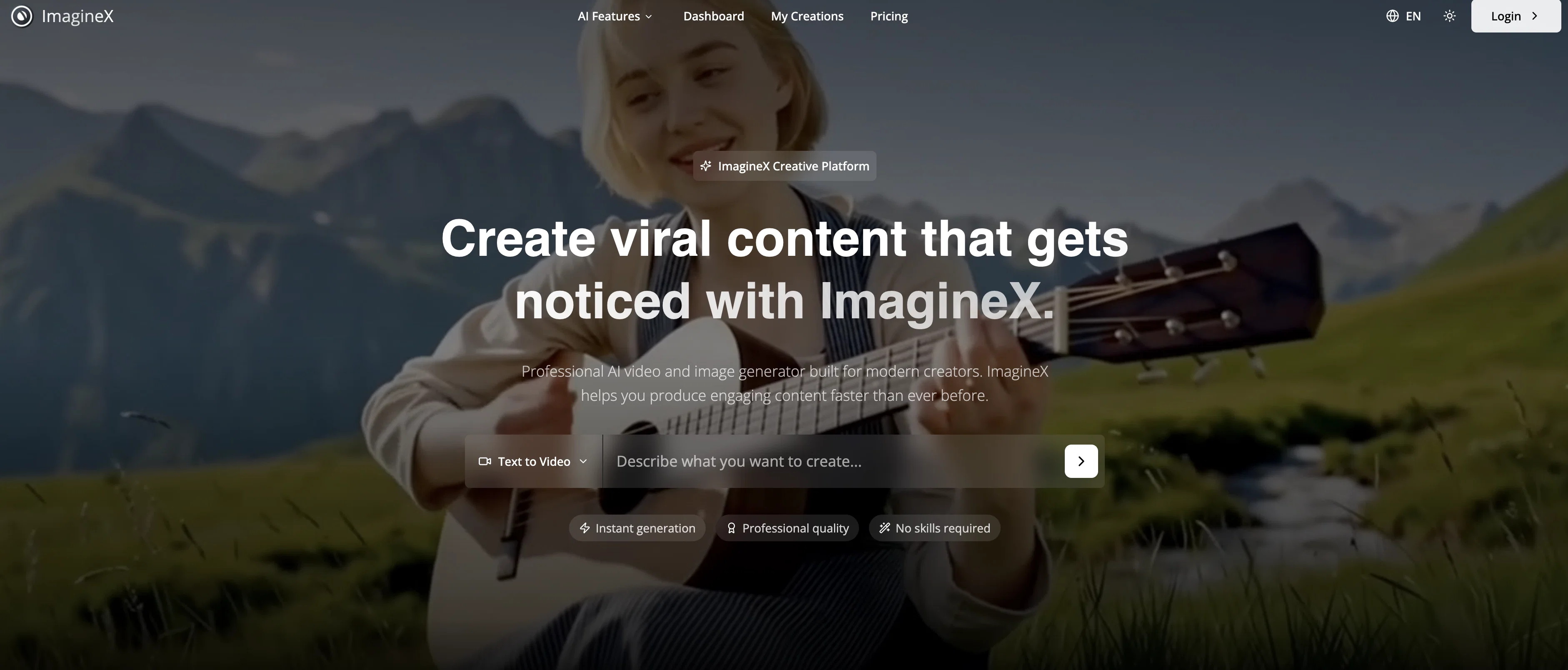
ImagineX Image to Video is an advanced AI-based tool designed to bring static images to life by adding realistic motion animations. Ideal for creating engaging content for social media, marketing or any other purpose, it offers users a simple, fast, and highly effective means to convert a still photograph into a dynamic video clip.
To operate the tool, users simply upload their image in JPEG, PNG, or WebP format. The AI then analyzes the image to understand its content, depth, and possible optimal motion, and applies pertinent motion effects to the picture, transforming it into a video sequence.
Users have the ability to also specify desired motions such as zoom effects, pans, rotations, and parallax. The resultant videos can be generated at three different resolution settings, with an offer of 480p, 720p, or 1080p Full HD.
For enhancing the animation, users have the option to integrate background music and audio effects. ImagineX Image to Video is integrated into a web-based interface - meaning no downloads are necessary for usage.
It allows users to easily convert their photos, even if they have no prior animation skills or access to complex animation software. Given its versatility, the tool can be applied in various scenarios ranging from real estate tours to product marketing videos, social media stories, portfolio presentation, event invitations, and memory preservation among others.
The tool is permissible for commercial use, providing full commercial rights with subscription plans for marketing, advertising, and social media content creation purposes.
Best for
Short scenarios where ImagineX | Image to Video tends to shine.
-
Creating engaging brand content for digital creators.
Best for Creators
-
Generating marketing materials quickly for businesses and agencies.
Best for Marketers
-
Producing realistic video animations and visual effects for digital artists.
Best for Businesses
-
Developing engaging product videos for e-commerce stores.
Best for Digital Content Creators
-
Visualizing complex concepts for educational content.
Best for Brand Strategy Directors
-
Rapid content iteration and experimentation for social media producers.
Best for Video Animation Professionals
Example outputs 1
Sample generations and before/after results for ImagineX | Image to Video.
Access & connections
Where you can use ImagineX | Image to Video, and what it plugs into.
Platforms
Integrations
Capabilities
What this tool accepts, produces, and is strongest at.
Input
- Image
- Text
Output
- Video
Supported features
- Image Understanding
- Sound Creation
- Video Generation
Pros & cons
Pros
- JPEG, PNG, WebP support
- Customizable motion effects
- 480p, 720p, 1080p videos
- Background music addition
- Web-based interface
- Good for social media content
- Possible commercial use
- Versatile applications
Show 29 more
- No animation skills needed
- No downloads required
- Real estate tour creation
- Product marketing videos
- Memory preservation tool
- Portfolio presentation tool
- Event invitations creation
- Depth analysis of images
- Subscription-based
- HD Video output
- Short video format
- Realistic animation
- Automatic photo animation
- Multiple quality settings
- Quick conversion process
- Full commercial rights
- Easy animation steps
- Versatile applications
- Instagram & TikTok content
- Product marketing videos
- Real Estate Tours
- Memory Preservation
- Portfolio Presentations
- Social Media Stories
- Advertisement creation
- Event invitations
- Results within 1-3 minutes
- Business use allowed
- Automated Motion Effects
Cons
- Subscription-based
- Web-based tool
- Limited format support
- No multi-image animations
- No download option
- Limited resolution options
- Predetermined motion styles
- Doesn't support GIF
Show 2 more
- Lack of advanced animations
- Single language interface
Compare alternatives
Similar tools in the catalog — with a clear reason to open each one.

MojoMake - AI Image to Video Generator ✓
FreemiumUse every top AI model and 100+ effects in one account.
Why look Freemium alternative
Full comparison
VidFlux - Photo to Video Generator ✓
PaidTransform photos into cinematic videos with AI.
Why look Typically cheaper
Full comparison
Grok Imagine ✓
FreemiumUnleash Your Creativity with Grok Imagine
Why look Freemium alternative
Full comparison
VidFlux - Image to Video AI ✓
PaidTransform any image into stunning videos.
Why look Typically cheaper
Full comparison
MindVideo ✓
FreemiumCreate stunning videos from text or images.
Why look Freemium alternative
Full comparisonPeople also view
Tools that often show up alongside ImagineX | Image to Video in collections and comparisons.
VidFlux - Photo to Video Generator ✓
PaidTransform photos into cinematic videos with AI.
VidFlux - Image to Video AI ✓
PaidTransform any image into stunning videos.
MojoMake - AI Image to Video Generator ✓
FreemiumUse every top AI model and 100+ effects in one account.
MindVideo ✓
FreemiumCreate stunning videos from text or images.

Himedia AI Video Generator ✓
Free TrialCreate any AI Videos, Images and Music - No creative limits
Grok Imagine ✓
FreemiumUnleash Your Creativity with Grok Imagine

Motiofy ✓
Free TrialCreate Product and Social Videos Without Filming a Thing

MorphLogo ✓
Free TrialStatic logo in, cinematic motion out.
Releases 1
FAQ 12
What is ImagineX Image to Video?
How does ImagineX Image to Video work?
What image file formats are supported by ImagineX Image to Video?
Can I specify the type of motion effects for my image in ImagineX Image to Video?
What are the different resolution settings offered by ImagineX Image to Video?
Can I add background music or audio effects using ImagineX Image to Video?
Do I need to download any software to use ImagineX Image to Video?
Can I use ImagineX Image to Video for commercial purposes?
What are the different applications of ImagineX Image to Video?
How can ImagineX Image to Video be useful for social media content creation?
Can ImagineX Image to Video be used for real estate tours?
What customization options does ImagineX Image to Video offer?
Related tools
Recommended

AIVideoMaker - Free AI Video Maker ✓
FreemiumTransform static images into animated videos instantly.

Sellinger AI ✓
Free TrialFully autonomous LinkedIn outreach that builds real conversations and books calls

Automateed ✓
Free TrialCreate eBooks effortlessly with Automateed, the AI-powered writing tool.

freebeat AI ✓
FreemiumTurn Music & Ideas into Viral Videos In One Click

Veo ✓
PaidGenerate high-quality, cinematic videos with AI.

Voicetype AI ✓
Free TrialWrite 9x Faster with AI Speech to Text on all Apps