

Videos v10.3.0 2026 Rank: #39
freebeat AI ✓
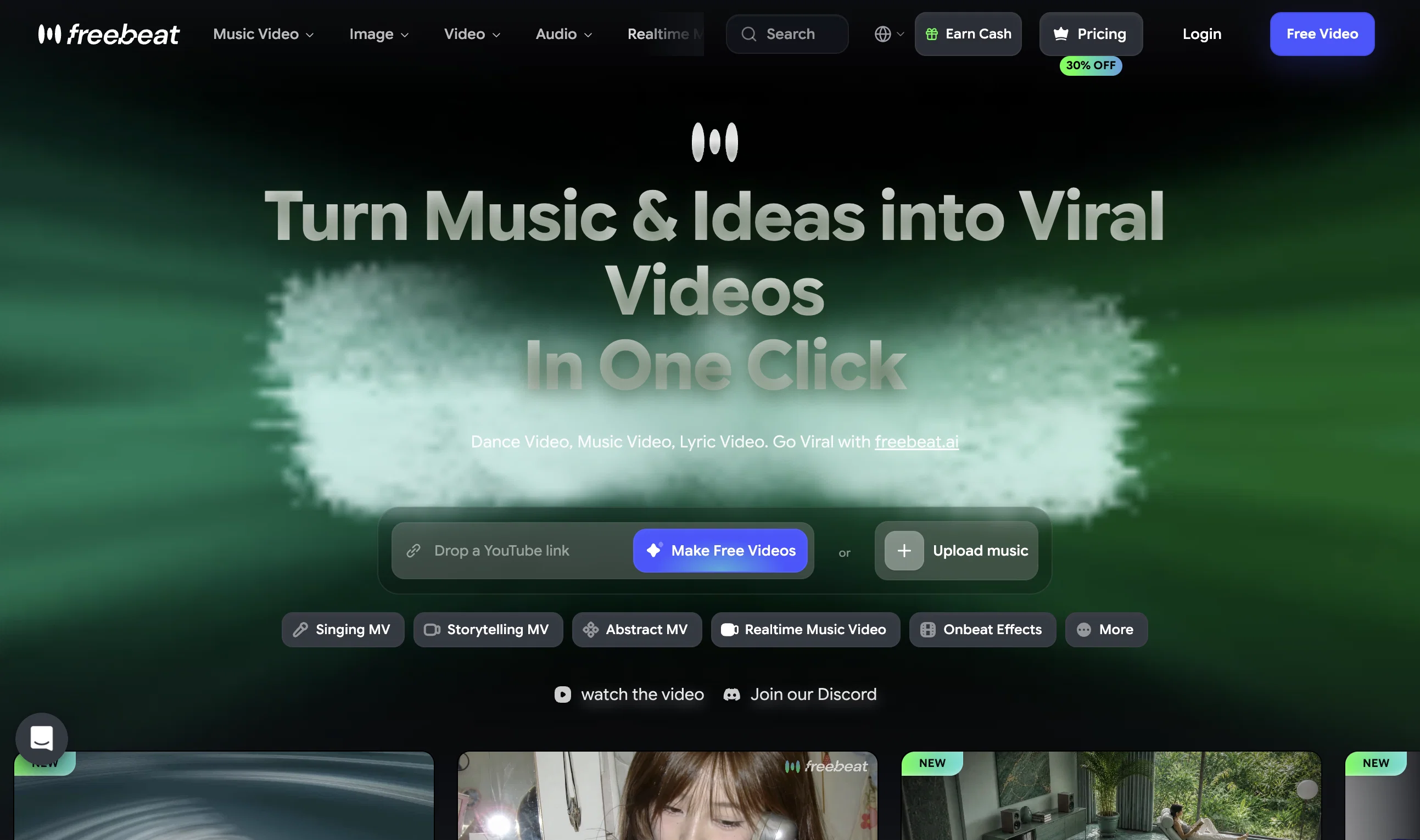
Turn Music & Ideas into Viral Videos In One Click
Verdict
A quick read before you dig into the full page.
- Best if
- Turn Music & Ideas into Viral Videos In One Click
- Skip if
- Limited workout style diversity
- Pick this when
- Personalized workouts
Considering MagicLight instead? Compare side by side
Overview




Hey creators! 💃 Your music is ready to move. With the new Dance Video Generator, freebeat.ai turns any song into a fully customized dance performance in minutes. Upload a character, choose a dance style and background, then let AI create choreography that lands precisely on the track’s real beats, transitions, and energy shifts.
No manual choreography. No frame-by-frame editing. Just your song, your character, and a dance video made specifically for both.
--------
🔥 The Dance Video Upgrade
🥁 Precision Beat Sync
This is more than a dance clip playing over your song. Every step, pose, and transition responds to the track’s actual rhythm.
freebeat.ai analyzes BPM, individual beat timestamps, percussion hits, and changes in musical energy, then uses that structure to drive the choreography. The result feels intentionally performed to your song, not randomly layered on top of it.
⚡ From Song to Dance Video in Minutes
Paste a link from Spotify, YouTube, SoundCloud, or Suno, or upload a local audio file. The AI analyzes the track’s tempo, rhythm, mood, and energy, then automatically builds a complete dance video around it.
No downloading tracks from other platforms. No manual beat matching. No complicated editing timeline.
🕺 Make Any Character Dance
Upload a single character image and turn it into the star of the performance. Use a photo of yourself, an original character, a mascot, an animal, or any persona you want to bring to life.
Instead of generating another anonymous dancer, freebeat helps you create content that feels personal, recognizable, and uniquely yours.
🎶 Choose the Right Dance Style
Match the choreography to the energy and personality of your track.
- Hip-Hop: Bold, rhythmic movement for high-energy tracks
- Jazz: Expressive choreography with attitude and flair
- Locking: Sharp, playful movements built for strong beats
- Swing: Lively, retro-inspired motion for upbeat or vintage sounds
🌍 Build Your Own Stage
Choose or upload a background to place your character anywhere. Dance on a beach, in the desert, across outer space, or inside a world of your own design.
Change the stage without changing the performance, and make every result feel less like a template and more like a complete creative concept.
🎨 Explore Different Visual Styles
Choose from multiple AI video models and visual directions to shape the final look. Go realistic, stylized, surreal, dramatic, or experimental depending on the music and character.
The same track and choreography can become completely different videos simply by changing the visual treatment.
------
⚡ Why It Matters
The choreography belongs to the song: Every movement follows real beats and energy changes, creating a performance that feels musically intentional.
Your character becomes the performer: Turn yourself, your mascot, your artwork, or any original persona into the center of the video.
A complete creative setup in one place: Control the dance style, stage, character, and visual direction without choreographing or editing manually.
More content with less production: Go from a music link and character image to a finished dance video in minutes.
------
🌟 Your AI Film Crew Just Learned to Dance
Whether you are launching a song, building a character, creating social content, or simply experimenting with a new idea, Dance Video Generator gives every track its own performance.
👉 www.freebeat.ai
Upload your song. Choose your dancer. Make every beat move.
- Ai Video Generator
- Image To Video
- Ai Image Generator
- Ai Music Video
- Ai Mv Agent
- Ai Video Agent
Best for
Short scenarios where freebeat AI tends to shine.
-
Turn Music & Ideas into Viral Videos In One Click
Example outputs 1
Sample generations and before/after results for freebeat AI.
Access & connections
Where you can use freebeat AI, and what it plugs into.
Platforms
Capabilities
What this tool accepts, produces, and is strongest at.
Input
- 3D
- Image
- Text
- Video
- Audio
Output
- Audio
- Video
- Text
- Image
Highlights
- SOTA
- MCP
- API
- Agents
Supported features
- Music Generation
- Video Generation
- Video Edit
- Lip Sync
- Image Edit
- Sound Creation
- Automation
- Image Generation
- Social Media
- MCP
Show 4 more
- API
- Agents
- Image to prompt
- Image Understanding
Pros & cons
Pros
- Personalized workouts
- Workouts synced to music
- Music and fitness integration
- Suitable for beginners
- Advanced fitness features
- Adaptive workout routines
- Tracks workout patterns
- Offers workout suggestions
Show 10 more
- Enhances user engagement
- Motivation enhancement
- Curated music playlists
- Optimized workout plans
- Digital fitness coach
- Smart fitness solution
- Workout performances tracking
- Workout history considered
- Personal goals setting
- Continuous updates and enhancements
Cons
- No offline mode
- Potential privacy concerns
- Requires continual updates
- Only suitable for music-lovers
- No multi-language support
- Dependent on user data input
- Limited workout style diversity
- Could over-complicate simple workout
Show 1 more
- No integration with other apps
Compare alternatives
Similar tools in the catalog — with a clear reason to open each one.

MagicLight ✓
FreemiumTransform text into captivating videos instantly.
Free + from $8.4/mo
Full comparison



Seedance ✓
FreemiumMulti-shot video generation from text and image.
Why look Stronger for image work
Full comparison
People also view
Tools that often show up alongside freebeat AI in collections and comparisons.

Videnly ✓
PaidCreate & Publish AI Videos Automatically

TheLibrarian.io ✓
Free TrialYour WhatsApp AI assistant for instant productivity.

Suno ✓
FreemiumMake music at the speed of your ideas.

Vondy ✓
PaidCreate and explore AI-powered apps for anything

The Forge ✓
FreePlatform for creating & selling workflows.

Sparkle ✓
UnknownOrganize files automatically with AI

Same.dev ✓
UnknownCopy any UI with pixel-perfect precision.

Nova App ✓
FreemiumRevolutionary AI chatbot powered by ChatGPT & GPT-4.
Releases 29
🔥 freebeat.ai introduces Dance Video Generator, turning songs into customized, beat-synced dance performances with selectable characters, choreography styles, backgrounds, and visual treatments.
What’s New
🥁 Precision Beat Sync: Choreography follows the song’s real BPM, beat grid, percussion hits, and energy changes.
⚡ Automatic Dance Video Generation: Create a complete video from Spotify, YouTube, SoundCloud, Suno, or a local audio file in minutes.
🕺 Custom Character Upload: Upload an image of yourself, an original character, a mascot, an animal, or another persona and make it dance.
🎶 Dance Style Selection: Choose from Hip-Hop, Jazz, Locking, and Swing choreography.
🌍 Custom Backgrounds: Upload or select a setting to create a personalized stage for the performance.
🎨 Multiple Visual Styles: Use different AI video models and visual directions to match the look of your track and character.
How It Works
- Upload your song or paste a supported music link.
- Upload the character you want to feature.
- Choose a dance style, background, and visual direction.
- Let freebeat.ai analyze the music and generate choreography aligned with its rhythm and energy.
- Preview and download your finished dance video.
Why It Matters
Dance Video Generator removes choreography, beat matching, and manual editing from the production process. Instead of fitting a generic dance loop to your audio, freebeat.ai creates a personalized performance shaped by the actual structure of your song.
👉 Try Dance Video Generator now: www.freebeat.ai
🔥 freebeat V10.2 introduces Photo Karaoke, multiple performance modes, scene presets, and automatic AI lip sync.
What’s New
- 📸 Photo Karaoke – Turn a single portrait into an AI-powered singing performance with just a photo and a song.
- 🎭 Multiple Performance Modes – Create Solo, Duet, or Pet karaoke videos for different performance experiences.
- 🎬 Scene Presets – Choose from built-in performance scenes including Studio, Jazz, Bar, Home, Supercar, Fisheye, and more.
- 🎤 Expressive AI Lip Sync – Generate natural singing performances synchronized with your song.
How It Works
- Upload a photo or choose one from My Assets.
- Select a performance mode and scene preset.
- Add your song and generate your karaoke performance.
- Download the finished video and share it anywhere.
Why It Matters
V10.2 expands freebeat’s music video creation experience by bringing AI singing performances to still images. Instead of recording videos or animating portraits manually, creators can now transform a single photo into an expressive karaoke performance in just a few clicks.
👉 Try it now – www.freebeat.ai
🔥 freebeat introduces Realtime Music Video generation, live prompt interaction, flexible world customization, and instant video download.
What’s New
- ⚡ Realtime Music Video – Generate video while your music is playing, with no waiting for a full render pass.
- 🎮 Live Prompt Control – Interact with the visuals in real time and guide scene content as the track unfolds.
- 🌍 World Presets & Custom Styles – Choose from preset worlds or define your own visual universe, style, and direction.
- 👁️ Multiple Perspectives – Explore different POV options, including immersive viewpoints, for different kinds of visual storytelling.
- ⬇️ Instant Download – Save the generated music video directly once your session is complete.
How It Works
- Upload or play your track.
- Choose a world preset or define your own visual style.
- Guide the visuals live with prompts as the music plays.
- Download the finished music video directly when you are done.
Why It Matters
Realtime Music Video removes the gap between idea and output. Instead of waiting for results, creators can now shape visuals as the song unfolds, making music video creation faster, more expressive, and far more interactive.
👉 Try it now – www.freebeat.ai
🔥 freebeat V10.0 introduces Onbeat effect, new creation modes, top-tier models, and a smarter creation workflow.
What’s New
🎵 Onbeat – An AI music video effects library with beat-driven visuals designed for drops, transitions, and high-impact MV moments.
🎬 Multiple Creative Modes –
- Singing for accurate lip-sync performance videos, even in dynamic scenes
- Storytelling for AI-directed story concepts based on song structure and style
- Abstract for mood-driven, artistic visuals
- Onbeat for rhythm-synced effect-heavy creation
⚡️ Top-Tier Models
- Video: Kling 2.6 Pro, PixVerse V6, Wan 2.6, OmniHuman 1.5, Kling Motion Control
- Image: Flux 2 Pro, Z-Image Turbo, Qwen Image Edit
- Music: Minimax Music v2.5, Suno V5, Mureka V8
🧠 Workflow Upgrades
One-click prompt optimization, Expert Mode, and a refreshed UI
How It Works
- Upload your track from Spotify, YouTube, SoundCloud, TikTok, or a local file.
- Choose your creative mode, such as Singing, Storytelling, Abstract, or Onbeat.
- Add your prompt, or let one-click prompt optimization strengthen it for you.
- Generate your video with upgraded models and rhythm-aware effects, then customize or regenerate story concepts and scene clips to refine the final result your way.
Why It Matters
V10.0 makes freebeat more powerful where it counts: stronger rhythm-driven visuals, more accurate lip-sync, better creative direction, more advanced models, and more control for every kind of creator. Whether you want performance-led videos, story-driven scenes, or stylized abstract visuals, freebeat gives you a faster path from song to finished video.
👉 Try it now – Your first video is free: www.freebeat.ai
🔥 Freebeat V9.9 introduces Lyric Video & AI Captions, Gallery Remix and our biggest Cyber Week discount yet.
What’s New
- 🎞️ Gallery Remix – Explore public projects, draw inspiration, and one-click remix styles, characters, and music setups.
- 💬 Lyrics Video & AI Captions – Add dynamic, beat-synced subtitles with customizable fonts, effects, and animation presets.
-
💸 Cyber Week Deal – Up to 65% OFF Pro and Standard annual plans until Dec 7, 2025, 23:59.
How It Works
- Upload your track — drop in music from Spotify, YouTube, SoundCloud, TikTok, or a local file.
- Describe your vision — type a simple prompt to set the mood, style, or visual direction, or jump into Gallery Remix to grab inspiration and one-click reuse styles, characters, or prompts from the community.
- Enhance with lyrics — add dynamic AI captions or fully customized lyric visuals to make your story clearer and more expressive.
-
Watch the magic unfold — our AI generates your looping cover or music video, synced to your beat and ready to share anywhere.
Why It Matters
V9.9 connects creators, adds a new dimension of visual storytelling, and makes high-end creativity more affordable than ever.
👉 Try it now – Your first video is free: www.freebeat.ai
🔥 Freebeat V9.8 introduces the AI Music Cover Generator Agent, slashes prices across major features, and integrates Vidu Q1 for multi-subject consistency.
What’s New
-
🎨 AI Music Cover Generator Agent
- One-click animated covers synced to your music.
- Loop animations for immersive, atmospheric visuals.
- Multi-platform exports (Apple Music 1:1 & 3:4, Spotify Canvas 9:16).
- Beat-aware generation for rhythm-matched visuals.
- Multiple style presets: minimal, hand-drawn, neon, futuristic, and more.
-
💸 Lower Prices
- Agent features: now up to 40% cheaper, a significant drop for creators.
- PixVerse V5: up to 40% off, covering Music Video, Text-to-Video, and Image-to-Video.
- Nano Banana: major price cut across image generation and image editing.
-
✨ Vidu Q1 Integration
- Subject consistency for up to 7 characters in a single video.
How It Works
- Upload your track — drop in your music from Spotify, YouTube, SoundCloud, TikTok, or even a local file.
- Describe your vision — type a simple prompt to set the mood, vibe, or visual style.
- Watch the magic unfold — our AI instantly generates a looping video that moves with your beat, ready to share anywhere.
Why It Matters
V9.8 makes professional music branding and video creation easier, cheaper, and more powerful. From eye-catching animated covers to multi-character storytelling, creators now have the tools to grow their audience and stand out on every platform.
👉 Try it now – Your first cover or video is free: www.freebeat.ai
🔥 Freebeat V9.7 introduces Video-to-Music generation. Upload any video and get a soundtrack automatically composed to match its visuals, with full creative control and flexible export options.
What’s New
- 🎥 Video-to-Music: Upload a video and generate a soundtrack tuned to its rhythm and style.
- 🎶 Style & Reference Options: Select genre & mood, or guide with a reference track.
- 📝 Lyric Workflow: Edit or approve AI-drafted lyrics before final music generation.
- 🎼 Export Flexibility: Get a full bundle (lyrics file, track, and synced video) or download each asset separately.
-
⚡ Track Variations: Generate up to 3 soundtrack options at once.
How It Works
- Upload your video.
- Add a prompt, genre/mood, or optional reference track.
- Review and edit lyrics.
-
Generate → Download your bundle or individual assets.
Why It Matters
V9.7 turns video soundtracking into a one-click process. Whether you want speed, creative control, or pro-ready exports, freebeat.ai gives you everything in one place — music that fits your video perfectly.
👉 Try it now! Your first soundtrack is free: www.freebeat.ai
🔥 Freebeat V9.6 introduces Character Lock and launches our new mobile version. Together, these upgrades give creators the ability to feature consistent characters — from pets and cartoons to celebrities and custom uploads — as well as the freedom to create seamlessly on any device.
What’s New
👤 Character Lock: Maintain character consistency across the full video.
- Any Character: Pets, cartoons, celebrities, or custom avatars all stay consistent.
- Custom or Preset: Upload your own images or choose from 30+ (and growing) ready-made roles.
- Dual Support: Keep two characters stable together in the same video.
- Total Stability: Outfits, actions, environments, and camera angles remain rock-solid from start to finish.
📱 Mobile Version: Access freebeat.ai on the go through a sleek, optimized web experience. No downloads required — just open your browser and start creating.
How It Works
- Paste your music link (Spotify, YouTube, SoundCloud, TikTok, Suno, Udio, Riffusion, or local files).
- Upload or select your characters.
- Lock them → Generate a consistent, character-driven video.
Why It Matters
V9.6 makes storytelling reliable and expressive. Characters no longer drift or change mid-video — they stay consistent across every frame, even when using two characters side by side. And with mobile access, you can generate polished, professional-quality music videos anytime, anywhere.
👉 Try it now – Your first video is free: www.freebeat.ai
🔥 Freebeat V9.5 unlocks exclusive early access to Pixverse V5, upgrading our Image-to-Video, Text-to-Video, and Music-to-Music Video modules. With V5 powering the core, you now get sharper visuals, smoother motion, higher fidelity, and faster generation than ever.
What’s New
- 🌌 Pixverse V5 Early Access: Experience next-gen AI video power before it hits the mainstream.
- 🎥 Image-to-Video: Animate still images into fluid video.
- ✍️ Text-to-Video: Generate rich scenes from natural language prompts.
- 🎶 Music-to-Music Video: Create music videos directly from your tracks with improved motion sync and accuracy.
How It Works
- Paste your music link (Spotify, YouTube, SoundCloud, TikTok, Suno, Udio, Riffusion, local files, etc.).
- Let the AI storyboard your video.
- Select your mode — Image, Text, or Music → Hit Generate.
Why It Matters
Pixverse V5 raises the bar for AI video generation — sharper visuals, lifelike motion, stronger consistency, and faster results. With V9.5, freebeat.ai gives creators exclusive early access to the future of cinematic AI.
👉 Try it now – Your first video is free: www.freebeat.ai
V9.4 introduces exclusive early access to Nano Banana (Gemini 2.5 Flash Image model) along with expanded style control for the AI Music Video Agent. Creators now get cutting-edge editing features and the freedom to design videos in virtually any aesthetic.
What’s New
- 🍌 Nano Banana Early Access
- Multi-Image Fusion for richer scenes
- Character & Style Consistency across edits
- Prompt-Based Editing with natural language commands
- 🎨 Agent Style Control
- One-click presets covering the most popular aesthetics
- Free-text custom prompts for unlimited originality
- Support for dozens of styles — from photorealistic to anime, cyberpunk, claymation, Y2K, pixel art, and more
How It Works
- Paste your music link (Spotify, YouTube, SoundCloud, TikTok, Suno, Udio, Riffusion, local files, etc.).
- Let the Agent storyboard your video.
- Choose a preset or type your own prompt → Hit Generate.
Why It Matters
Nano Banana unlocks next-gen editing, while style control puts creators in the driver’s seat. With V9.4, music video generation is not just faster and smarter. It’s fully yours to design.
👉 Try it now – Your first video is free: www.freebeat.ai
Changelog – freebeat.ai V9.3
Release Date: 2025-08-27
🔥 Summary
Version 9.3 introduces a major upgrade to the AI Music Video Agent, with improvements spanning six technical dimensions and six creative scenarios. Music videos are now more polished, cinematic, and reliable than ever.
⚡ What’s New
Six Technical Enhancements:
- Improved instruction alignment for more accurate outputs
- More natural and fluid dynamic motion
- Higher visual fidelity with ultra-HD rendering upgrades
- Greater consistency in subjects and styles
- Faster generation speed for quicker turnaround
- Stronger efficiency and value for creators
🌟 Six Creative Scenarios Enhanced:
- Human motion: realistic everyday and athletic movements
- Anime / 2D: sharper, more consistent characters and IP fidelity
- Pets & anthropomorphic figures: detailed textures and smooth behaviors
- Advertising: clear visuals, stable text, and product-ready quality
- Sci-Fi & VFX: richer environments and lively group scenes
- Art & performance: lifelike instrument handling, vivid color, and consistency
🎬 How It Works
- Paste your music link (Spotify, YouTube, SoundCloud, TikTok, Suno, or local file).
- Let the AI Agent storyboard your video.
- Generate with one click — now dramatically upgraded.
🎥 Why It Matters
V9.3 sets a new benchmark for AI music video creation. It’s faster, sharper, more consistent, and designed to unlock professional-grade storytelling for every creator.
👉 Try it now – Your first video is free: www.freebeat.ai
New Update:
V9.2 is here — introducing a brand-new $4.99 Basic Plan and flexible Resolution Control. AI Music Video creation is now more accessible, customizable, and affordable than ever.
What’s New
- 💸 $4.99 Basic Plan – Start creating stunning videos at the lowest cost yet.
- 🎥 Resolution Choices – Export in different formats to fit your platform and style.
- ⚡ AI Music Video Agent – Still the fastest way from music to video, no prompt needed.
How It Works
- Paste your music link (Suno, SoundCloud, Spotify, YouTube, Local File, etc.). No prompt required — your music is the only prompt.
- Review AI-generated storyboard.
- Hit Generate and watch your video come alive.
Why It Matters
V9.2 makes freebeat.ai more flexible, affordable, and creator-friendly. Whether you’re an artist, marketer, or dreamer, you can now control how your video looks, choose your resolution, and create at a price point that works for you.
👉 Try it now – Your first video is free: www.freebeat.ai
freebeat.ai V9.1
New Update:
V9.1 is here — now 37% cheaper, faster than ever, and delivering richer, more stunning visuals. AI Music Video creation has never been this powerful, affordable, and effortless.
What’s New
- Higher Quality – Enhanced visual engine for richer details and cinematic results.
- Blazing Fast – From song to final cut in minutes.
- 37% Cheaper – Professional-grade videos at a fraction of the cost.
How It Works
- Paste your music link (Spotify, YouTube, local file, etc.).
- No prompt required — your music is the only prompt.
- Review AI-generated storyboard.
- Hit Generate and watch your video come alive.
Why It Matters
V9.1 transforms freebeat.ai into your ultimate AI film crew — faster, cheaper, and higher quality. Whether you’re an artist, marketer, or dreamer, producing high-end music videos is now just a click away.
Try it now – Your first video is free: www.freebeat.ai
New Features
- V9.0 AI Music Video Agent: Introduced the world’s first AI Music Video Agent, enabling users to create professional music videos from any song using a link and a simple text prompt.
- Song Link Integration: Supports input from Spotify, YouTube, TikTok, Udio, or local file uploads for seamless music input.
- Step-by-Step AI Workflow:
- Step 1: Music Analysis: AI analyzes the track live and provides a written interpretation.
- Step 2: Visual Concept Creation: AI translates music into a visual concept and shares it with the user.
- Step 3: Storyboarding: AI generates a shot-by-shot storyboard in plain language.
- Step 4: User Customization: Users can tweak the AI’s suggestions or proceed directly to video generation.
- One-Click Video Generation: Renders the final music video in minutes based on user input and AI-generated storyboard.
- Genre Versatility: Supports a wide range of music genres, including K-pop, hip-hop, synthwave, folk, and more.
- Intuitive Prompt System: Allows users to describe their vision in plain language (e.g., “David Bowie meets Blade Runner fever dream”) for customized video output.
Features - No Learning Curve: Designed for users with no editing skills, making music video creation accessible to all.
- Live AI Collaboration: Users can watch the AI brainstorm and build the video concept in real-time.
- High Speed: Video generation is faster than traditional editing workflows.
- Free First Video: New users can create their first music video for free at www.freebeat.ai.
Notes - freebeat.ai 9.0 aims to democratize music video creation for artists, marketers, and creators by acting as an AI-powered film crew.
- Focus on zero-budget, hassle-free video production with professional-grade results.
New Features
- AI ASMR Video Generator 🎧
- Create custom ASMR videos from simple text prompts (e.g., "crackling fireplace on a rainy night" or "slicing kinetic sand").
- Hyper-Realistic Visuals: Powered by the Wan 2.1 Pro video model for stunning, detailed visuals like slow coffee pours, candle flickers, or textured brush strokes.
- Incredibly Detailed Sound: Utilizes the Pixverse Sound Effect model to produce immersive audio with realistic crackles, fizzes, taps, and whispers.
- Use Cases:
- Meditation: Generate custom ambient scenes for relaxation.
- Focus: Create soothing background noise for work or study.
- Sleep: Design gentle, calming sounds to aid sleep.
Existing Features
- All existing AI models (Veo 3 Fast, Luma Ray 2, music tools, and upscaling tools) remain fully available and unchanged.
How to Get Started - Dive into freebeat.AI 8.6 and create your first ASMR video for FREE at freebeat.AI.
New Features:V8.5.0
Google Veo 3 Fast Integration
- Early Access to Veo 3 Fast: Introducing Google's latest AI video generation model, optimized for speed and efficiency, enabling creators to generate videos in seconds.
- Cost Efficiency: Reduced generation costs allow for more experimentation without financial strain.
- Native Audio Generation: Automatically includes synchronized music and sound effects, enhancing video immersion without additional editing.
- High-Quality Output: Maintains sharp, detailed visuals comparable to standard Veo 3, ensuring no compromise on quality despite faster processing.
New Video Effects by Wan - One-Click Transformations: Added a library of innovative video effects for instant visual overhauls, eliminating the need for complex plugins.
- Diverse Styles: Includes unique effects like Claymation, Living Wool, Papercut Art, Pixelated Worlds, and more, enabling creators to craft distinctive videos effortlessly.
Continued Support for Existing Tools - All existing AI models (Kling 2.0, Runway Gen-3, Luma Ray 2) and music tools (ACE Step) remain fully supported, ensuring a comprehensive creative suite.
Bug Fixes - Video Rendering Stability: Resolved intermittent crashes during high-volume video rendering with Veo 3 Fast.
- Audio Sync Issues: Fixed minor synchronization glitches between video and native audio outputs in complex scenes.
- Effect Application Errors: Corrected a bug where certain Video Effects by Wan failed to apply correctly on videos with non-standard aspect ratios.
- User Interface Lag: Improved performance in the effects preview panel, reducing lag when switching between transformation styles.
- API Quota Handling: Addressed an issue where API usage limits were incorrectly displayed, ensuring accurate tracking for Veo 3 Fast credits.
Known Issues - Lip-Syncing in Complex Scenes: Minor inconsistencies in lip-syncing may occur with Veo 3 Fast when generating dialogue-heavy videos. Workaround: Prioritize simpler dialogue prompts or adjust in post-production.
- Effect Compatibility: Some Video Effects by Wan may exhibit slight rendering artifacts on low-resolution inputs. Recommendation: Use 720p or higher for optimal results.
Notes - Veo 3 Fast is currently available in early access for U.S. users via freebeat.AI’s platform, with plans to expand availability.
- For optimal performance, ensure your browser is updated to the latest version when using the new effects library.
freebeat.AI V8.4 - Release Notes
Hello creators! We're excited to launch freebeat.AI V8.4. This update introduces powerful new ways to edit your videos, plus bug fixes and improvements for a better experience.
✨ New Features
We've added two new apps, powered by the Luma Ray 2 engine, to help you create amazing videos easily.
- [NEW APP] Reimagine Videos
- Change the style of any video with a simple text prompt.
- Try styles like "claymation," "vintage film," or "cyberpunk."
- Get multiple creative options for each video.
- [NEW APP] Modify Videos
- Edit or change specific things in your video with text.
- Example: Change a "red car" into a "blue car."
- Swap objects easily. Example: Change a "dog" into a "robot."
- [NEW ENGINE] Luma Ray 2
- Our new video apps are powered by the state-of-the-art Luma Ray 2 engine for incredible, high-quality results.
🔧 Fixes & Improvements
- Our new video apps are powered by the state-of-the-art Luma Ray 2 engine for incredible, high-quality results.
- Performance: Improved overall app speed and stability.
- Bug Fix: Fixed a bug that sometimes caused video exports to fail.
- Bug Fix: Resolved an issue where the timeline would occasionally freeze.
- UI: Made small adjustments to the user interface for a cleaner look.
- Models: All your favorite models (Google Veo, Kling 2.0, etc.) and music tools are still here and working better than ever.
Update your app now to try these new tools! We can't wait to see what you create.
Version 8.3.1 of freebeat.AI introduces significant enhancements to its AI-powered music, video, and visual creation tools, delivering improved functionality and greater creative control for users.
New Features
Image Upscaling
- 4x Resolution Enhancement: Transform low-resolution images into high-quality visuals.
- Creative Remix Mode:
- Style Transformation: Modify image styles during upscaling using text prompts.
- Creativity Slider: Adjust the intensity of AI-driven style changes.
Video Upscaling
- Resolution Enhancement: Upscale low-resolution videos (e.g., 480p to 1920p), ideal for restoring older footage or low-quality social media downloads.
- Frame Rate Enhancement: Increase frame rates (e.g., 24fps to 60fps) for smoother playback in slow-motion or action sequences.
Improvements - Enhanced performance and stability across all AI models.
- Streamlined user interface for easier access to new features.
- Optimized processing speeds for upscaling tasks.
Bug Fixes - Resolved intermittent issues with video rendering in high-resolution modes.
- Fixed compatibility issues with certain input formats in the ACE Step model.
- Addressed minor UI glitches in the Creative Remix Mode interface.
Known Issues - Some complex prompts in Creative Remix Mode may require additional processing time.
- Frame rate enhancements above 60fps are not supported in this release.
Get Started
Version 8.3.1 is available now for all users at no cost. Visit freebeat.AI to explore the new features and start creating.
Overview
Version 8.3 of freebeat.AI introduces significant enhancements to its AI-powered music, video, and visual creation tools, delivering improved functionality and greater creative control for users.
New Features
AI Video Generation
- Hailuo 02 Model:
- Generate videos from text or image inputs.
- Standard Mode: Optimized for rapid draft generation.
- Pro Mode: Supports high-quality 4K/60fps output.
- Seedance 1.0 Model:
- Lite: Tailored for creating short-form social media videos.
- Pro: Produces cinematic, film-quality scenes.
- Continued Support: Existing models (Google Veo 2/3, Kling 2.0, Runway Gen-3, Vidu 2.0, Pika 2.2, Luma Ray 2) remain fully available.
AI Music Generation - ACE Step Model:
- Lyrics + Tags to Full Songs: Create complete tracks by combining lyrics with style tags.
- Prompt to Instrumentals: Generate custom instrumental tracks from text-based prompts.
- Continued Support: Existing models (Suno, Minimax, Stable Audio) remain available.
Image Upscaling - 4x Resolution Enhancement: Transform low-resolution images into high-quality visuals.
- Creative Remix Mode:
- Style Transformation: Modify image styles during upscaling using text prompts.
- Creativity Slider: Adjust the intensity of AI-driven style changes.
Video Upscaling
- Resolution Enhancement: Upscale low-resolution videos (e.g., 480p to 1920p), ideal for restoring older footage or low-quality social media downloads.
- Frame Rate Enhancement: Increase frame rates (e.g., 24fps to 60fps) for smoother playback in slow-motion or action sequences.
Improvements - Enhanced performance and stability across all AI models.
- Streamlined user interface for easier access to new features.
- Optimized processing speeds for upscaling tasks.
Bug Fixes - Resolved intermittent issues with video rendering in high-resolution modes.
- Fixed compatibility issues with certain input formats in the ACE Step model.
- Addressed minor UI glitches in the Creative Remix Mode interface.
Known Issues - Some complex prompts in Creative Remix Mode may require additional processing time.
- Frame rate enhancements above 60fps are not supported in this release.
Get Started
Version 8.3 is available now for all users at no cost. Visit freebeat.AI to explore the new features and start creating.
New Features V8.2
AI Image Editing (Creative Agent)
Revolutionize your photos with text-based editing. No design expertise required. Powered by advanced models:
- GPT-4o: Delivers precise, context-aware edits.
- Flux Kontext Pro: High-fidelity single-image transformations.
- Flux Kontext Max (Multi): Combines multiple images for seamless compositions.
- Bagel Edit: Enables intricate, creative modifications.
How to Use
- Upload your image(s).
- Choose a model (e.g., Flux Kontext Max for multi-image edits).
- Enter a clear prompt (see examples below).
- Generate and download your edited image.
Image Editing Use Cases - Precision Body Editing
- Prompt: "Enhance arm muscle definition, preserve facial features."
- Effortless Watermark Removal
- Prompt: "Completely remove watermarks from the image."
- Tourist-Free Scenery
- Prompt: "Remove background people, keep foreground couple intact."
- Style Transformation
- Prompt: "Convert illustration into a realistic photograph."
- Product Visualization
- Prompt: "Display black T-shirt floating against a minimalist gray background."
- Clothing & Background Swap
- Prompt: "Change background to sunset beach, add a summer dress."
- Text/Logo Editing
- Prompt: "Turn logo into metallic texture floating over a flower field."
- Multi-Image Composition
- Prompt: "Have the girl from image1 hold the product from image2, retain original clothing."
- Photo Restoration
- Prompt: "Colorize black-and-white photo, fix scratches, sharpen facial details."
- Creative Element Swap
- Prompt: "Add sunglasses to my face, replace table cake with a fruit bowl."
New Video Models
Create stunning videos with upgraded models for smoother motion and richer creativity: - Kling 2.1 (Master & Standard): Enhanced quality and fluid motion for dynamic results.
- Pixverse v4.5: Broader creative styles for artistic video production.
- Wan 2.1 Pro: Professional-grade output for complex, high-detail scenes.
Improvements - Faster Processing: Optimized for quicker image and video generation.
- Enhanced UI: Simplified prompt input and model selection for effortless navigation.
- Improved Accuracy: Better contextual interpretation for precise edits and outputs.
Bug Fixes - Fixed inconsistent watermark removal on textured backgrounds.
- Eliminated rendering glitches in multi-image edits with Flux Kontext Max.
- Resolved video preview stuttering in Kling 2.1 Master.
Known Issues - Complex multi-image prompts may need refinement for best results.
- High-resolution exports with Wan 2.1 Pro may be slower on lower-end devices.
Get Started
Unleash your creativity with freebeat.AI 9.0! Edit images with words and craft powerful videos with ease. Try it now at freebeat.ai!
New Features
Google Veo 3 Integration: Added early access to Google Veo 3, a state-of-the-art video AI model, now available in the model options for video creation.
Audio Generation: Google Veo 3 supports native audio generation, including sound effects, background noise, and dialogue, synchronized with video output.
Enhanced Video Quality: Support for high-definition 1080p videos with improved realism, accurate physics, and consistent quality for clips exceeding one minute.
Improved Control: Enhanced capabilities for creating complex action sequences and multi-step scenes with precise prompt adherence.
Improvements
Streamlined model selection interface to easily access Google Veo 3 within freebeat.AI.
Optimized performance for longer video renders, ensuring clarity and stability.
Bug Fixes
Resolved minor issues with prompt interpretation for video generation in previous models.
Fixed compatibility issues with certain audio formats in the video export process.
Notes
Google Veo 3 is available in early access and may have usage limits during this phase.
Users can select Google Veo 3 from the model options to start creating professional-quality videos with sound.
For feedback or support, visit our help center or contact [email protected].
Changelog
New Features
- Text-to-Image Generation: Added support for multiple text-to-image models including GPT-4o, Imagen4, Imagen3, Flux 1.1 Pro, Recraft V3, and Bagel.
- Text-to-Music Generation: Introduced text-to-music functionality with support for Suno 4.5, Suno 4, Suno 3.5, Minimax Music, and Stable Audio.
- Pixverse Effect Templates: Integrated new effect templates from Pixverse for enhanced visual processing.
Updates - Cookie Authorization: Updated cookie authorization system to improve user privacy and compliance with data regulations.
New Features
Face Swap Feature:
Upload your photo and any image or video to instantly swap faces using AI.
Use cases:
Star in movies or recreate classic scenes.
Create hilarious memes by swapping any face onto anything.
Surprise friends with fun, face-swapped videos for pranks.
Unleash creativity with wild, instant content creation.
Multi-Language Support:
Added support for multiple languages to enhance accessibility and user experience across global audiences.
Improvements
Bug Fixes and Optimizations:
Addressed various bugs to improve stability and performance.
Optimized application for faster processing and smoother user interactions.
Changelog:
Major Updates:
- Animate Photo: New functionality in the Image App to animate static images.
- Video to Video: Introduced in the Video App for transforming video content.
New Features:
- Video Apps:
- Placeholder text for video uploads now includes guidance for specific content types (e.g., dance, action movie, motion capture).
- Option to specify a single character in videos.
- Motion Transfer: Enables transferring motion from one video to another.
- Character Swap: Allows swapping characters within videos.
- Dance Generator: Generates dance sequences in videos.
- Image Apps: New image-based functionalities (details not specified).
Optimizations: - Lip Sync: Enhanced and integrated into Video Apps for improved audio-visual synchronization.
New Features
- Vozo Translation & Dubbing
- Launch: Today or tomorrow.
- Market-ready expected this week (post-holiday).
- Agentic Flow & Opus.Pro
- Long-to-Short video optimization.
- FaceSwap
- Added face-swapping functionality.
- Viggle Replication
- Animate Photo (Image App) & Video-to-Video (Video App).
- Music Apps Integration
- MusicGen (Full-Length Video support).
- Minimax-Music & Stable-Audio (via FAL).
- Suno & Udio integrations.
- Image Apps
- GPT-1 Image Generation & Editing.
- Video Apps
- Upscaler (FAL integration).
- Multi-language Lyrics Video support.
Backup Features (Pending) - AI Video Generator: AI video effects (planned this week).
- Sound/Speech/Restyle: Grayed out for future updates.
- Extend/Upscale: Temporarily disabled.
Optimizations & Adjustments
Legacy Feature Updates - Model Adjustments:
- Reconfigured API pricing for FAL/Kling.
- Kling 1.6 Standard: Adjusted to 1s = 3 credits.
- Models sorted by profitability (descending).
- Music & Subtitles:
- Added music upload functionality.
- Multi-language ASR for subtitles.
- TTS: Potential switch to ElevenLabs (TBD).
- UI/UX Improvements:
- Mobile Optimization:
- Pull-to-refresh, sidebar controls (zoning, multi-level directories).
- Redesigned onboarding (reference Opus).
- Workspace UI: Overhauled design.
- Prompt Enhancements:
- Dynamic prompt examples in input fields.
- Added ”Try Sample” feature for all functions.
- Mobile Optimization:
- Subscription & Payments:
- First-month discount popup (triggered after 2 minutes of inactivity).
- Implemented unsubscribe process.
- Subscription confirmation email.
User Experience
- Download Speed: Pre-notification for slow renders + email alerts.
- SEO & Content:
- Tool menu for bulk scene copying (SEO-friendly).
- Tags section added to article pages.
- Demo & Preview:
- Playable demo videos (similar to Pixverse).
- Image reference and preview functionality (next week).
Deprecated Features
- Removed ”Prompt” in Dance drawer.
Future Focus - Closed-loop Asset Workflow: Guide free users to paid features (e.g., free stock → MV generation).
- Full Video Editor: Acquisition in progress.
- Multi-language Support: Ongoing optimization.
Version: 4.0
New Features
-Kling2.0 Global Debut: Launched Kling2.0 application scenarios worldwide.
-Music Video Models: Added self-developed High Quality and Fast models (360p only) and third-party models: Kling 1.6 Pro, Luma RAY2, Pika 2.2, Runway Gen3, Vidu 2.0. User sample videos now displayed in the right-side drawer.
-AI Video Generator: Integrated Pika 2.2 and Runway Gen3 models.
-AI Shorts Generator: Switched to natural language interaction, with support for BGM, subtitles, and male/female TTS.
-Video Models Landing Page: Updated to feature all new models.
Improvements
-Enhanced user experience and model performance.
Known Limitations
-Self-developed music video models limited to 360p resolution.
Changelog V3.1.2
Release Date: This Week
Added
AI Video tools:Image to Video, Text to Video, AI Special Effects, AI Video Generator, AI Transitions
New models: Kling 1.6 Pro, Kling 1.6 STD, Luma Ray2 (Pending), Sora, Hailuo
Model tiers: High Quality (720p/1080p for paid), Fast Mode (360p default), Custom Mode (3rd-party)
Added ”Video Effects” section to homepage menu
Copy workspace, watermark removal, multi-model switching
AI Long Video Maker:
New YouTube long-video & TikTok Shorts templates
Dynamic prompt optimization flow for MV generation
Dual-panel UI (parameters + preview)
Lyrics Video: Semantic parsing, auto-segmentation & TTS matching
Improved
Added DeepSeek-powered sensitive content detection popup
Mobile sidebar default open + homepage tutorial overlay
Free user limits:
Music/Lyrics/Dance videos max 15s
Queue waiting time (Paid users can ”Skip the Line”)
Homepage UI revamped with dark professional theme
SEO-optimized URL for Tools articles
Subscription
Added Credits usage details & pricing table
Unsubscription process implemented
Grayed-out
Sound: Future integration with AI Shorts
Speech: AI Avatar lip-sync
Upscale: Video super-resolution (In development)
Release Highlights: This update introduces a revamped freebeat.ai with powerful new features and expanded capabilities to transform music into viral videos effortlessly. It includes enhanced tools, broader platform support, and a streamlined one-click experience—no editing skills required.
New Features Added
AI Music Video Generator
Upload a song and add keywords; AI syncs beats and vibe for a custom, viral-ready music video.
New in this version: Enhanced beat-syncing and keyword-driven personalization.
AI Dance Video Generator
Create dance videos by selecting a star, dance style, and background, all synced to your track.
New in this version: Expanded style options and customizable backgrounds.
AI Lyrics Video Generator
Share a song link to generate animated lyric videos perfect for sharing.
New in this version: Improved animation styles and faster processing.
Video Clipping Tool
Clip your generated video to any length with zero technical know-how.
New in this version: Added post-production flexibility for tailored edits.
Newly Supported Music Platforms
Expanded compatibility to include:
YouTube
TikTok
Spotify
Suno
SoundCloud
New in this version: Full integration with these platforms for seamless song selection.
Enhanced User Experience
Turn Music into Viral Videos: Optimized AI to create scroll-stopping content for social media.
In One Click: Streamlined workflow—select a song, choose a style, customize, and clip—all in a single click.
No Editing Skills Required: Designed for everyone, making video creation accessible with zero technical barriers.
Workflow Update
Process: Choose your song from supported platforms, pick your video type, customize as needed, and trim to perfection—all simplified for this release.
Imported reviews 12
Oh my gosh this is to say the least wow it blew me away with how well it made videos with all consistency as well as different angles and Cinematography that would rival a lot of movie studios nowadays well I mean come close fully automated service I mean set your music in there It's gonna be now probably a little while Not too long though Less than an hour and you have a full on music video Could go viral easy if you have the right song thank you very much it's a good tool Keep up your awesome work You guys are very talented and thorough making tools and I hope you keep it up into the future
Waste of time. Juste AI slop...
Bro, this idea is next level. In the future, this tool will make billions, I wish. But you need more optimize and train this model.
This is complete waste of time and effort! It will constantly charge you credit for it to even prepare its own prompt! Complete BS
Bad. This AI is so bad. It offers the option to do a short 15sec video for your music then when it gets your music it then takes the entire thing and makes 7 videos using more then the credits..Then you get absolutely no videos. And then the ai when confronted says well contact the ai customer services. NO. This is so bad. There should be no way for them to trick you into purchasing the upgrade to get the 15 sec video.
Hands down best version I have ever made of this...
Video link for an example:
https://video-new.freebeatfit.com/music-video/prod/agent/mv/1764/result/f17641756518549094.mp4
Doesn't work, i tried generating, it just fails
It's easy to use and works great!
reebeat AI created an amazing AI music video for me with just a Riffusion URL. I did no editing, and the MV is perfect. Definitely one of my favorite tools for creating MVs
awesome tool
Love the cinematic tone Gen3 creates. Feels premium.
Super fun and easy to use! It’s been a huge help for creating videos for my songs.
FAQ 12
What subscription plans does freebeat.ai offer?
🛠️ 1
tool
🙏 4
karma
wrote:
We offer two subscription plans:
Standard Plan: $9.99/month or $6.99/month (50% discount) if committed annually.
Pro Plan: $24.99/month or $17.49/month (50% discount) if committed annually.
Is there a free version of freebeat.ai?
🛠️ 1
tool
🙏 4
karma
wrote:
Yes, your account automatically receives 50 free credits upon signing up. No credit card is required, and these credits never expire as long as you remain on the free plan.
What's included in the Pro Plan?
🛠️ 1
tool
🙏 4
karma
wrote:
1,000 credits per billing cycle.
Video generation in 360p, 720p, 1080p resolutions.
Faster video generation speeds.
Up to 5 minutes duration per video.
Are there any hidden fees?
🛠️ 1
tool
🙏 4
karma
wrote:
No, the prices listed are the total costs. You’ll only be charged the amount shown at checkout.
Does freebeat.ai offer refunds?
🛠️ 1
tool
🙏 4
karma
wrote:
Refunds are not provided once a billing cycle (monthly or annual) has started. If you have issues, contact
[email protected]
for assistance.
Can I get a refund if I accidentally subscribe to the wrong plan?
🛠️ 1
tool
🙏 4
karma
wrote:
If you accidentally subscribe to the wrong plan, contact
[email protected]
within 24 hours for assistance. Refunds may be issued on a case-by-case basis.
What is the Hot Features in freebeat.ai
🛠️ 1
tool
🙏 4
karma
wrote:
Music Video (Hot)
Purpose: Create music videos with AI-generated scenes, themes, and effects.
How to use: Upload your track, describe how you like it (e.g., "dark cinematic" or "vibrant pop"), and let the AI sync visuals to your music.
AI Video (Hot)
Purpose: Generate videos from text prompts or images (e.g., "sunset timelapse with synthwave music").
How to use: Type a prompt or upload an image; the AI creates the videos with the best footage instantly.
AI Special Effects (Hot)
Purpose: Add cinematic filters and animations (e.g. "Kissing" or "Bloom Magic").
How to use: Upload an image and apply special effect presets; the AI generates a video instantly according to the instructions.
Subject Reference Video (Hot)
Purpose: Match your video’s content to reference images.
How to use:Upload 1-3 reference images; the AI keeps the object or scenes throughout the final video production.
What is the hot Beta Features in freebeat.ai
🛠️ 1
tool
🙏 4
karma
wrote:
Dance (Beta)
Purpose: Auto-generate dance animations synced to your music.
How to use: Upload a track, select a style (e.g., "hip-hop"), your main character, and a background scene; then render.
AI Shorts (Beta)
Purpose: Create vertical shorts (9:16) for TikTok/Reels or other sizes (16:9, 1:1) for your social media.
How to use: Describe your video idea and AI generates exclusively for your imagination.
What is the hot Free Features in freebeat.ai
🛠️ 1
tool
🙏 4
karma
wrote:
Lyrics (Free)
Purpose:Create a video with animated lyrics.
How to use: Upload any song link and freebeat.AI generates an video with animated lyrics synced to the music for you.
Stock Footage (Free)
Purpose:Access 100,000+ royalty-free clips for backgrounds or B-roll.
How to use: Search for keywords "rainbow" or "sunset" or simply browse, then download the footage for free.
Stock Image (Free)
Purpose:Access 100,000+ royalty-free images for your projects.
How to use: Search for keywords "abstract" or "pasta" or simply browse, then download the image for free.
How do credits work in freebeat.ai?
🛠️ 1
tool
🙏 4
karma
wrote:
For a complete breakdown of credit costs by video, please see the Credits Pricing section in our Membership Plans page.
Note: All videos have a minimum length of 15 seconds, even if shorter, and will deduct 15 credits.
Do credits roll over to the next billing cycle?
🛠️ 1
tool
🙏 4
karma
wrote:
Subscription monthly video credits do not roll over from month to month:
Membership Credits refresh monthly and any unused credits expire at the end of the current billing period.
Bonus Credits are extra credits obtained through purchases, rewards, and promotional events. Available only to subscribers, these credits never expire and will stay in your account until used.
Boost Credits purchased through boost packs, these credits never expire and can be used at any time.
What happens if I exceed my monthly credits?
🛠️ 1
tool
🙏 4
karma
wrote:
If you run out of credits, you can:
Wait for your next billing cycle for them to renew.
Upgrade your plan for additional credits.
Purchase a boost pack to continue creating immediately.
Related tools
Recommended

Automateed ✓
Free TrialCreate eBooks effortlessly with Automateed, the AI-powered writing tool.

Notis ✓
Free TrialThe first WhatsApp assistant that runs on your ChatGPT and Claude subscriptions

remio: Your Personal ChatGPT ✓
FreemiumGet Tailored Answer with Your Personal ChatGPT
TheLibrarian.io ✓
Free TrialYour WhatsApp AI assistant for instant productivity.

Thea ✓
FreemiumAI study tools to master material, not just memorize it.
Suno ✓
FreemiumMake music at the speed of your ideas.