

3D objects vv2.6 2026 Rank: #191
Image3D.io ✓
Image to STL and 3D models from any image
Verdict
A quick read before you dig into the full page.
- Best if
- Image to STL and 3D models from any image
- Skip if
- Complex scenes may need multiple attempts or manual cleanup
- Pick this when
- Generates 3D models from images or text prompts
Considering 3D AI Studio instead? Compare side by side
Overview
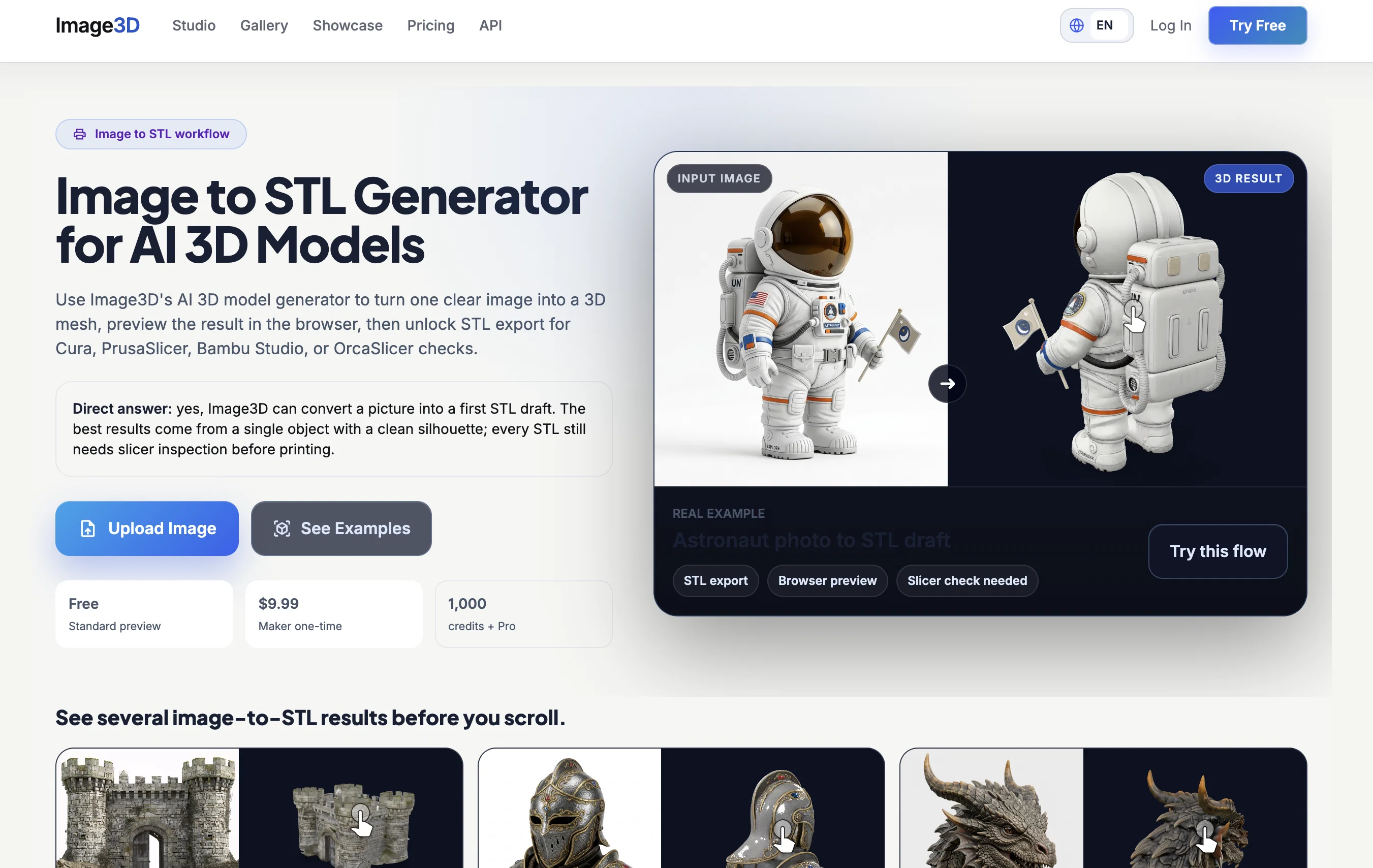
Upload a product photo, concept image, sketch, or AI-generated picture, then generate a 3D model you can preview directly in the browser. Image3D supports common export formats including GLB, OBJ, STL, and PLY, so users can move from idea to 3D printing, game prototyping, AR previews, Shopify product visualization, or Blender cleanup without starting from a blank scene.
The product is built for 3D printing hobbyists, indie game developers, AI art creators, product designers, and ecommerce sellers who want quick 3D results without spending hours learning Blender, Maya, or ZBrush.
Best for
Short scenarios where Image3D.io tends to shine.
-
Image to STL and 3D models from any image
Example outputs 1
Sample generations and before/after results for Image3D.io.
Access & connections
Where you can use Image3D.io, and what it plugs into.
Platforms
Integrations
Capabilities
What this tool accepts, produces, and is strongest at.
Input
- API
- Image
- Text
Output
- Game
- 3D
- API
- Text
- Image
Supported features
- 3D Generation
- Image Understanding
- Image Generation
- Styling
- Visual Creation
Pros & cons
Pros
- Generates 3D models from images or text prompts
- Exports GLB, OBJ, STL, and PLY formats
- Includes browser-based 3D preview before download
- Useful for 3D printing, game assets, and product mockups
- No Blender or advanced 3D modeling experience required
Cons
- Best results come from clear single-object images
- Complex scenes may need multiple attempts or manual cleanup
- AI-generated models may need refinement for production pipelines
- Best results require clear, single-subject input images
- No real-time modification support
Compare alternatives
Similar tools in the catalog — with a clear reason to open each one.

3D AI Studio ✓
PaidEasily generate free 3D models with our AI-powered 3D AI Studio.
Why look Offers a public API
Full comparison
Mimetic Labs ✓
Free TrialTransform ideas into printable 3D models with AI.
Free + from $9.99
Full comparison
Hi3D ✓
Free TrialAI-powered 3D model generator with unprecedented precision.
Free + from $17.91/mo
Full comparison
TRELLIS 2 ✓
UnknownGenerate high-fidelity 3D assets from images instantly.
Why look Higher community rating
Full comparison
Neural4D | Image to 3D ✓
Free TrialTurn photos or prompts into 3D models instantly.
Why look Higher community rating
Full comparisonPeople also view
Tools that often show up alongside Image3D.io in collections and comparisons.
Neural4D | Image to 3D ✓
Free TrialTurn photos or prompts into 3D models instantly.
TRELLIS 2 ✓
UnknownGenerate high-fidelity 3D assets from images instantly.
Mimetic Labs ✓
Free TrialTransform ideas into printable 3D models with AI.
Hi3D ✓
Free TrialAI-powered 3D model generator with unprecedented precision.

Fast3D ✓
FreemiumTransform text or images into 3D models instantly.
3D AI Studio ✓
PaidEasily generate free 3D models with our AI-powered 3D AI Studio.

Trify3D ✓
Free TrialTurn images and text into 3D models instantly.

Image to STL ✓
PaidTurn 2D images into 3D printable STL files.
Releases 2
Added a dedicated Image to STL workflow for 3D printing users.
Added a real before-and-after Showcase with source images and generated 3D models.
Added more visible homepage examples so users can inspect real results before generating.
Improved browser preview and export flow for GLB, OBJ, STL, and PLY files.
Improved reliability around failed generations and credit handling.
Imported reviews 4
Image3D feels like a practical tool rather than just a demo. The workflow is simple, the preview loads in-browser, and I can export common formats like GLB, OBJ, STL, and PLY. I would recommend it for fast 3D asset drafts and 3D printing experiments.
I tested Image3D for a quick 3D asset idea and the experience was smooth. The tool is especially useful if you have an AI-generated image or product-style photo and want to see it as a 3D model. I also appreciate the STL support, since that makes it relevant for 3D printing instead of only web previews.
I like the before-and-after examples on the site because they set realistic expectations. I tested the tool with a simple object image and liked being able to inspect the model directly in the browser. The result quality depends on the input image, but the workflow is fast and much easier than starting from scratch in a 3D modeling app.
The Image to STL workflow is the most interesting part for me. I tested it with a simple single-object image, and the process from upload to 3D preview was easy to understand. For people who are not comfortable with Blender or CAD tools, this makes 3D printing ideas much more accessible. Complex images probably still need cleanup, but for simple objects and early concepts it is very useful.
FAQ 12
What is Image3D?
How does Image3D work?
What is the output format of Image3D models?
Can Image3D generate models from text prompts?
What is the range of quality options in Image3D?
How do PBR textures improve the realism of the 3D models in Image3D?
Can I view the models in my browser using Image3D?
What applications can benefit from using Image3D?
Are the models created with Image3D commercially usable under all plans?
How does Image3D support the workflow of CAD, print, game engine, and visualization?
Are there any local software requirements for Image3D?
What authentication methods does Image3D support?
Related tools
Recommended

MojoMake - AI Image to Video Generator ✓
FreemiumUse every top AI model and 100+ effects in one account.

freebeat AI ✓
FreemiumTurn Music & Ideas into Viral Videos In One Click

remio: Your Personal ChatGPT ✓
FreemiumGet Tailored Answer with Your Personal ChatGPT

ThumbnailCreator.com ✓
Free TrialCreate eye-catching YouTube thumbnails in seconds.

Whacka ✓
Free TrialTurn ideas into real apps from your phone.

Meshy ✓
FreemiumTurn text and images into production-ready 3D models with AI in seconds.