
Music videos vv3.2.6 2026 Rank: #124
BeatMV ✓
Turn any song into scroll-stopping videos in minutes with AI-directed scripts and
Verdict
A quick read before you dig into the full page.
- Best if
- Turn any song into scroll-stopping videos in minutes with AI-directed scripts and
- Skip if
- Limited customizability through modes
- Pick this when
- Custom music video creation
Considering BeatViz AI Music Video Generator instead? Compare side by side
Overview
10+ Professional Tools:
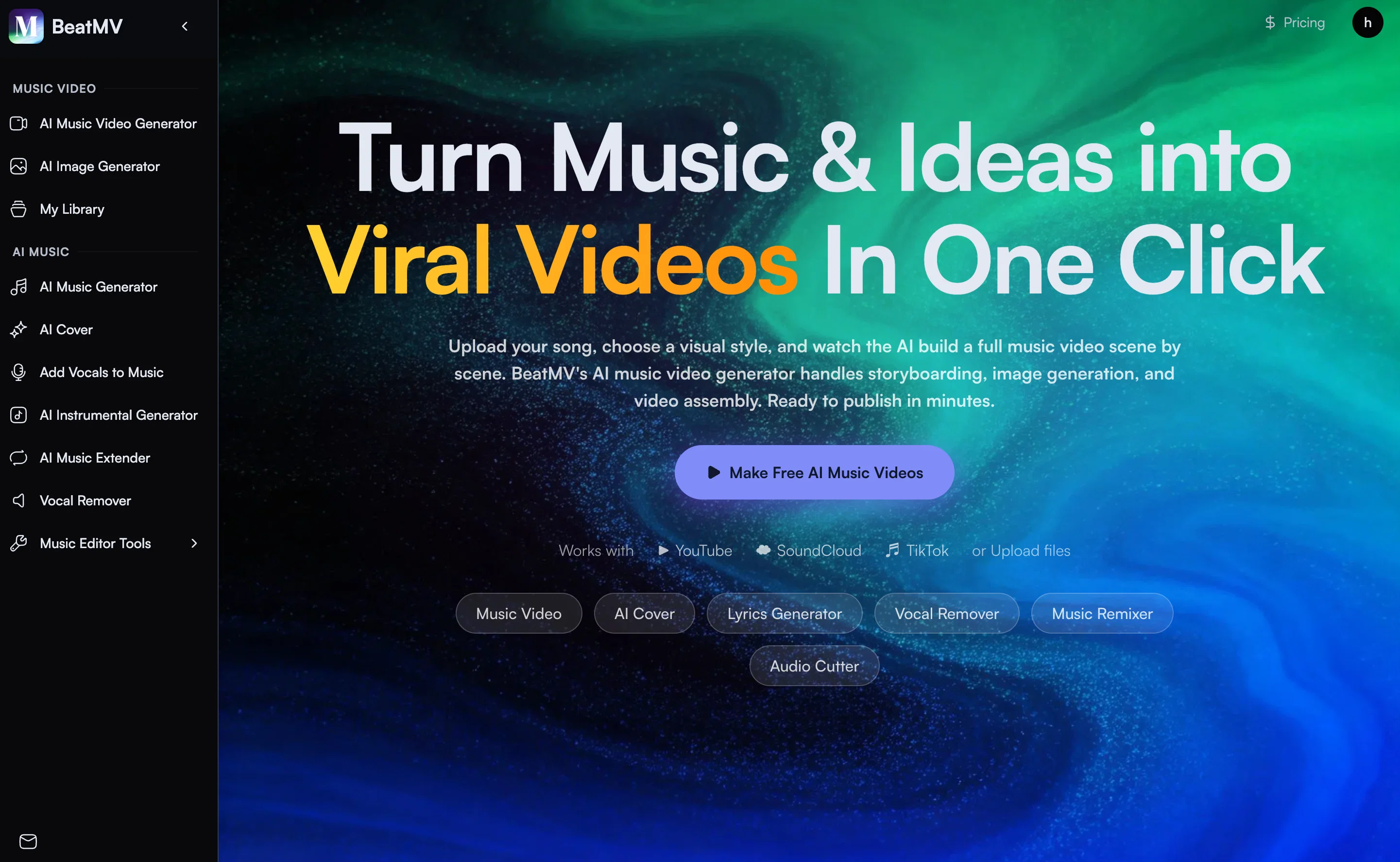
🎬 AI Music Video Generator
Upload any song, pick a visual style, and BeatMV automatically builds a complete music video from scratch. The AI analyzes your track's rhythm, mood, and structure, then generates a storyboard scene by scene — each shot matched to the beat. It handles image generation for every frame, then assembles and syncs everything into a polished, ready-to-publish video. No editing skills needed. Perfect for musicians who want a professional MV without hiring a production team.
🎵 AI Music Generator
Type a simple prompt — genre, mood, tempo, theme — and get a complete, original song in minutes. The AI writes the melody, harmony, arrangement, and lyrics all at once. Whether you need a cinematic background track, a pop banger, or a lo-fi beat, the generator covers 50+ genres and delivers studio-quality output every time.
🎤 AI Cover
Turn any song into a brand-new cover version using 100+ vocal styles. Upload the original track, choose a voice or genre transformation, and the AI re-sings the entire song with a fresh identity. Great for fan covers, content creators, or exploring how a song sounds in a completely different style — from opera to hip-hop.
🎚️ Vocal Remover
Professional-grade stem separation powered by AI. Upload any audio file and instantly split it into four clean tracks: vocals, instrumental, drums, and bass. Each stem is exported separately so you can remix, practice, create karaoke versions, or sample individual elements — all without any studio equipment.
🔁 Music Extender
Got a great 30-second clip but need a full song? Music Extender analyzes the structure, melody, and style of your audio, then seamlessly generates new sections that sound like a natural continuation. The result is a full-length track that flows naturally from start to finish — indistinguishable from the original.
✍️ AI Lyrics Generator
Describe your song's theme, emotion, or story in a few words, and get complete, structured lyrics instantly. The AI understands song format — verses, pre-chorus, chorus, bridge — and writes lyrics that match your intended vibe. Supports multiple languages and styles from heartfelt ballads to rap verses.
🖼️ AI Image Generator
Generate high-quality images from any text description. Designed with music creators in mind — ideal for album covers, promotional artwork, social media visuals, or music video thumbnails. Supports multiple artistic styles including photorealistic, cinematic, illustrated, and abstract.
🎸 AI Instrumental Generator
Have a vocal recording but no backing track? Upload your vocals and the AI composes and produces a full instrumental arrangement around them — matched to your pitch, tempo, and style. No need to hire a producer or play any instruments.
📊 Music Analyzer
Upload any audio file and get an instant breakdown: BPM, musical key, genre classification, song structure (intro/verse/chorus/outro), and energy level. Essential for DJs, producers, and musicians who need quick technical insights before remixing or performing a track.
✂️ Audio Cutter
Precisely trim, split, or crop any audio file with a visual waveform editor. Set in/out points down to the millisecond, fade in/out, and export in multiple formats. Perfect for creating ringtones, sample clips, or cutting intros and outros from full tracks.
🎛️ Music Remixer
Reimagine any song in a different genre, tempo, or style. The AI deconstructs the original track and rebuilds it with a fresh arrangement — turn a pop song into an EDM banger, or slow a hip-hop track into a soulful R&B version. Great for content creators who want unique spins on existing music.
- Ai Video & Image & Music Generationai 视频与图像与音乐生成
- Ai Music And Ai Sound Studioai 音乐与 Ai 音效工作室
Best for
Short scenarios where BeatMV tends to shine.
-
Turn any song into scroll-stopping videos in minutes with AI-directed scripts and
Example outputs 1
Sample generations and before/after results for BeatMV.
Access & connections
Where you can use BeatMV.
Platforms
Capabilities
What this tool accepts, produces, and is strongest at.
Input
- Image
- Text
- Video
- Audio
Output
- Audio
- Video
- Text
- Image
Supported features
- Video Generation
- Video Edit
- Music Generation
- Image Generation
- Styling
- Lip Sync
- Digital Personas
- Denoise
- Writing
- Docs
Show 1 more
- Automation
Pros & cons
Pros
- Custom music video creation
- Automatic storyboard generation
- Works with YouTube, SoundCloud
- Supports MP3 file upload
- Exports in multiple formats
- Custom scene descriptions
- User-guided visual styles
- User-directed frame guidance
Show 40 more
- Different modes for genres
- Over 20 visual styles
- Synced transitions and effects
- No editing skills required
- Smart audio analysis
- Cinematic storytelling capabilities
- Vocal performance enhancement
- Choreographed video creation
- Adaptable to various genres
- Scene-by-scene creation
- All major audio formats supported
- Visual editing per scene
- Character addition with reference photos
- Customizable video styles
- Multiple export formats
- Ready for social media sharing
- Automated storyboarding
- Customizable music platform compatibility
- Auto handles storyboard, angles, images
- Drag & Drop scene reorder
- Prompt scene editing
- Scene image regeneration
- Lyrics and caption addition
- All platform-ready formats
- No need for manual editing
- Supports changing camera angles
- Automatic scene image generation
- Automatic multi-scene music video assembly
- Option for creative control
- Anime, cinematic, retro styles
- Match visuals to music vibe
- Create own scene descriptions
- Professional results with zero editing
- Full creative control in custom mode
- Per-scene styling in custom mode
- Full scene editing control
- Beat-synced transitions and effects
- Emphasizes music cues and rhythm
- Hard cuts for EDM music
- Smooth fades for ballads
Cons
- Limited visual styles
- Not entirely user-controlled
- Inconsistent character representation
- One-size-fits-all approach to genres
- Limited customizability through modes
- Requires internet connection
- Dependent on music platform compatibility
- Export format constraints
Show 2 more
- Syncing not always accurate
- No offline functionality
Compare alternatives
Similar tools in the catalog — with a clear reason to open each one.

BeatViz AI Music Video Generator ✓
FreemiumTransform your music into stunning visual experiences with AI
Free + from $19.9/mo
Full comparison
Music Video Generator ✓
PaidTurn your song into a cinematic, lyrics-driven music video
Why look Typically cheaper
Full comparison
1MoreShot ✓
FreemiumTransform tracks into professional music videos instantly.
Why look Typically cheaper
Full comparison
Plazmapunk ✓
FreemiumTurn Your Music into Stunning AI-Generated Videos in Minutes
Why look Typically cheaper
Full comparisonPeople also view
Tools that often show up alongside BeatMV in collections and comparisons.
Music Video Generator ✓
PaidTurn your song into a cinematic, lyrics-driven music video
Plazmapunk ✓
FreemiumTurn Your Music into Stunning AI-Generated Videos in Minutes

Musid.ai ✓
Free TrialGenerate AI music videos with perfect lip-sync in seconds.
BeatViz AI Music Video Generator ✓
FreemiumTransform your music into stunning visual experiences with AI

AirMusic - AI Music Video Generator ✓
PaidTurn any song into viral music videos.
1MoreShot ✓
FreemiumTransform tracks into professional music videos instantly.

TubeTube ✓
Free TrialTurn lyrics or a story into a finished, fully edited video

Seedeo Video Generator ✓
FreemiumTurn text and images into cinematic AI videos.
Releases 9
🎬 BeatMV AI Music Video Generator v3.2 — Jul 19, 2026
🎬 BeatMV v3.2 — Product Update
Two new flagship image models and per-scene sound design — paint every frame and give every shot its own atmosphere.
✨ New Features
🎨 FLUX 2 Max + Midjourney
Two new image models join the lineup. FLUX 2 Max (reference-aware, 5 credits) keeps your characters and references consistent; Midjourney (8 credits) brings its signature painterly look, with prompts auto-cleaned so they pass moderation. Available in Fast, Script, and Custom director modes.
🔊 Per-Scene Sound Design
Each scene can now generate its own ambient sound and effects (via MMAudio), matched to what's happening on screen — footsteps, rain, room tone — mixed into your final export for a richer, more cinematic soundscape.
🔧 Improvements & Fixes
🧹 Leaner, Stronger Model Roster
Retired underperforming models (NanoBanana 2, SeedDream, Vidu basic) and repointed defaults to higher-quality models for more reliable results.
🎤 Lip-Sync Heads-Up
Generating a singing or dancing shot with a non-lip-sync model now shows a quick warning so you can switch models or continue — no more surprise mismatches.
💸 No Double Charges on Regenerate
Regenerating a scene now refunds the credits from a failed previous attempt, so retries never cost you twice.
🎬 BeatMV v3.1 — Product Update
Direct your music video in the visual language of the masters — real cinematic framing, not just a color filter.
✨ New Features
🎬 Signature Director Styles
Shoot in the style of legendary directors. Each style carries a true shot-scale mandate — e.g. an intimate, close-up-driven look that bans drone and wide establishing shots — so your video actually feels directed, not just recolored. The style flows into every scene's framing automatically.
🎭 Full-Screen Script Reference Editor
A redesigned, full-screen reference workspace for story-mode videos. Edit references per chapter across scene, character, costume, and prop — each with its own prompt, result, history, and one-click retry.
👗 Costume Consistency Sheet
Costume references now generate as a four-view outfit sheet, so your character wears the same outfit — front, side, and back — across every shot of the video.
🔧 Improvements & Fixes
🎞️ Cohesive Storyboard Video
Storyboard-to-video now renders with native audio and uses your reference image as the first frame (instead of the grid panel), for a character-first, consistent result.
🎯 Style That Actually Lands
Director styles now drive shot scale and composition — not only palette — so the chosen look reads clearly in the final cut.
🎬 BeatMV v2.6 — Product Update
Turn any Suno or Udio song into a karaoke-ready lyric video — lyrics that hit every beat, baked right into the export.
✨ New Features
🎤 Synced Lyrics for Suno & Udio
Paste a Suno or Udio song and BeatMV reads its word-level timestamps to lay out perfectly timed, line-by-line lyrics across your video. Uploaded or external tracks get AI-estimated timing automatically — no manual syncing.
🎬 Cinematic Subtitle Styles
Style your lyrics like a real music video: 20+ display fonts (Anton, Bebas, Oswald, Montserrat, plus CJK), three sizes, color presets, top/center/bottom positioning, and smooth fade in/out — on by default.
📤 One-Click Lyric Video Export
Lyrics burn directly into the final MP4 from the export dialog, so what you preview is exactly what you share — ready for TikTok, Reels, and Shorts.
🔧 Improvements & Fixes
🔁 Auto-Retry for Stuck Scenes
Scenes that fail or stall (timeouts, page reloads) now retry automatically in the background — and you can hit Cancel on any retrying card to stop the loop instantly.
🎵 Smoother Suno / Udio Import
Refined CDN extraction for cover art, audio, and metadata so imports land cleanly the first time.
🎬 BeatMV v2.5 — Product Update
A smarter storyboard workflow for creating consistent, expressive, and release-ready AI music videos.
✨ New Features
🎨 AI Costume & Background Reference
Generate costume and background references with one click, then apply them across every scene to keep characters, outfits, and visual style consistent.
🖼️ Storyboard Grid Preview
Preview your full music video as a multi-panel storyboard before generating individual scenes.
✏️ Script Story Rewrite
Rewrite and refine your story directly inside the storyboard editor with AI assistance.
🔧 Improvements & Fixes
🎯 Concept Selection Redesign
A cleaner concept selection experience with a hero banner, visible revision input, and faster creative review.
📤 Video Export with Subtitles
Export videos with customizable subtitles, including font, size, color, and position controls.
🖼️ Scene Reference Thumbnails
View all character, costume, and background references directly on each scene card.
🎭 New Default Character: Aria
Meet Aria, a cyberpunk-style default character with multi-angle reference images ready for any project.
🎬 BeatMV v2.4 — Product Update
Introducing creative styles, concept revision, a referral system, and a streamlined model lineup.
✨ New Features
🪩 Disco Mode & Y2K Aesthetic
Two new style presets that instantly set the visual direction of your music video — from retro
disco vibes with mirror balls and neon lighting, to nostalgic Y2K aesthetics.
💬 Concept Revision
Refine your AI-generated video concepts with natural language feedback. Tell the AI what to
change and get updated concepts without starting from scratch. (3 credits per revision)
👥 Invite Friends & Referral System
A new "Invite Friends" badge in the header with native Web Share support on mobile. Includes
anti-abuse protections and admin monitoring dashboard.
🎬 Sample Video Showcase
Six curated MV Director sample videos now showcase the platform's capabilities, with the top 3
upgraded to uncompressed HQ R2 URLs.
🔧 Improvements & Fixes
⚡ Gemini 2.5 Flash-Lite
Swapped Gemini 2.0-flash to 2.5-flash-lite across all 9 AI routes for faster responses and lower
latency.
🧹 Model Cleanup
Removed underperforming models (Seedance 1.0, SeedDream 4, Wan 2.7) and renamed the Nano series
for clarity.
🖱️ Character Hover Preview
Hovering over a character in the selector now shows a larger preview image, making it easier to
pick the right character.
🖼️ Batch Image Model Fix
Batch image generation now uses nano-banana-2 instead of seedream-v4 for better quality and
reliability.
🎬 BeatMV v2.3 — Product Update
A major update bringing music intelligence tools, character library, and streamlined content
import.
✨ New Features
🎵 Suno & Udio Music Import
Import music directly into MV Director by pasting a Suno or Udio link. The system automatically
extracts audio, cover art, and metadata from the CDN.
🎤 Song Name Generator
A new AI tool that generates creative song name suggestions based on your music style, mood, and
genre.
📜 Heritage Copyright Certificate
Generate official copyright certificates for your original music content.
🎭 Recommended Characters Library
Character selector now has Recommended / My tabs, with 4 new default characters (July, Lan, Lili,
Mei) ready to use out of the box.
🔧 Improvements & Fixes
🔍 Music Analyzer Dual Mode
Music Analyzer now supports both URL input and Song Name search modes, with a fixed YouTube 400
error and split tab interface.
⚡ Auto-Start Generation
When jumping from Music Analyzer results to MV Director, generation now starts automatically — no
extra clicks needed.
🔔 AI Webhook Callbacks
Added /api/ai/notify/[provider] webhook endpoint for async AI task completion callbacks, with
duplicate prevention via unique indexing.
📝 About Page Simplification
Cleaned up the About page layout for a more focused presentation.
🎬 BeatMV AI Music Video Generator v2.2 — Mar 26, 2026
🎬 BeatMV v2.2 — Product Update
Focused on visual consistency, character UX, and subscription flexibility.
✨ New Features
🎯 Character Prompt Consistency
Character standardPrompt descriptions are now automatically injected into every scene's image
generation prompt, ensuring your protagonist looks the same in every shot — even without
reference images.
🚫 Anti Split-Screen Generation
Image prompts now sanitize "Two-shot" camera angles and inject anti-split-screen instructions,
preventing unwanted multi-panel or diptych outputs.
🗑️ Character Delete with Confirmation
Characters can now be deleted with a confirmation dialog, and the horror style has been removed
from the style presets.
🔧 Improvements & Fixes
💳 Subscription Flexibility
Canceled-but-not-expired subscriptions are now treated as active across the entire platform, so
you can keep generating until your billing period actually ends.
🎨 Storyboard UI Polish
Scene sidebar now shows KF info above thumbnails in a single row. Bottom toolbar simplified by
removing music title and scenes count. Video modal uses a 2-column grid for project details.
🖱️ Character Dialog UX
Redesigned character selection: click to toggle select/deselect, hidden X button, new Confirm
button alongside Cancel, and improved spacing throughout.
🔗 Unified CTA Links
All "Try AI Music Video Generator" buttons across the site now consistently link to
/ai-music-video-generator.
🎵 Audio Proxy for Cloudflare
Audio proxy endpoint switched to Node.js runtime for Cloudflare Workers compatibility, fixing
audio trim playback issues.
🎬 BeatMV AI Music Video Generator v2.1 — Mar 22, 2026
🎬 BeatMV v2.1 — Product Update
A foundational update to MV Director's editing experience, bringing character management, a
polished storyboard workflow, and platform infrastructure improvements.
✨ New Features
🎭 Character Definition & Upload
Define and upload custom characters with reference images. Select characters during project
creation, and their appearance is carried throughout the entire video generation process.
🖼️ Video Share Page
Finished music videos now have their own dedicated share page at /videos/[id] with inline
playback, making it easy to share your creations on social media.
🎬 MV Export Admin Filter
A new MV Export filter in the admin video-tasks dashboard for monitoring and managing all video
generation jobs.
🔧 Improvements & Fixes
🎨 Storyboard Editor Redesign
The storyboard editor features an immersive hero background, larger fonts, and a cleaner bottom
toolbar layout.
🎵 Audio Trim Stability
Audio segments are now clamped to actual duration to prevent overflow errors, and external audio
URLs are proxied to resolve CORS issues.
⚙️ Cloudflare Auto-Deploy
Added CI/CD pipeline with Cloudflare Workers auto-deploy on push to main, streamlining every
release.
📊 Microsoft Clarity Analytics
Integrated Clarity analytics for better understanding of how users interact with the platform.
Imported reviews 1
Wow, so good
FAQ 12
What platforms can I upload a track from for BeatMV?
How does the AI analyze the music in BeatMV?
What editing skills are required to use BeatMV?
What are the key features of BeatMV?
Can I customize the scene descriptions in BeatMV?
How many visual styles does BeatMV offer?
Can BeatMV sync transitions and effects with the beat?
What formats can BeatMV export videos in?
Does BeatMV analyze the lyrics of the music?
Can I use BeatMV if I don't have editing skills?
What are the modes that BeatMV propose for various genres?
Can BeatMV be used free of cost?
Related tools
Recommended

Whacka ✓
Free TrialTurn ideas into real apps from your phone.

freebeat AI ✓
FreemiumTurn Music & Ideas into Viral Videos In One Click

Automateed ✓
Free TrialCreate eBooks effortlessly with Automateed, the AI-powered writing tool.

Suno ✓
FreemiumMake music at the speed of your ideas.

Notis ✓
Free TrialThe first WhatsApp assistant that runs on your ChatGPT and Claude subscriptions

DeepSeek ✓
FreeUnravel the mystery of AGI with curiosity