

Image to Video by PixNova ✓
Turn images into videos with one click.
Free + from $9.99
Verdict
A quick read before you dig into the full page.
- Best if
- You are social media users and need: Swapping faces in photos for fun and entertainment
- Skip if
- Limited customization options
- Pick this when
- One-click image to video
Considering MojoMake - AI Image to Video Generator instead? Compare side by side
Overview
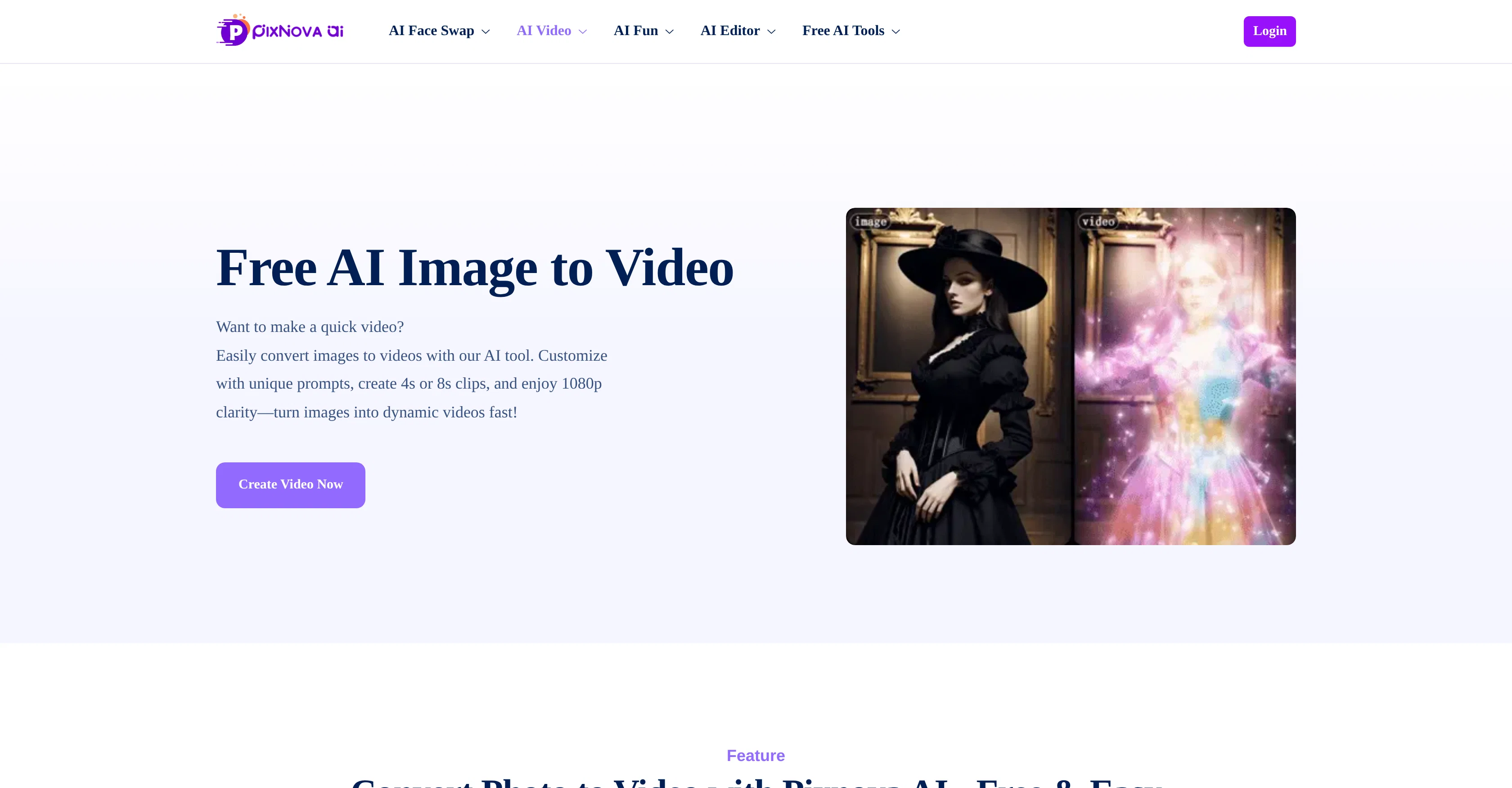
Image to Video by PixNova is a tool designed to instantly turn images into videos utilizing Artificial Intelligence. It allows for customizations in terms of duration, resolution, and size, offering a convenient approach to creating video content from static imagery.
The tool has been built in a user-friendly yet powerful manner and caters to the requirements of social media sharing. After the video is created, it can be effortlessly shared across platforms like Facebook, Instagram, or TikTok.
Apart from personal pictures, the tool permits the usage of specific character images to be turned into engaging videos. The platform also allows users to tap into a large repository of high-quality stock images from sources like iStock, Shutterstock, and Adobe Stock, enhancing the versatility of video content that can be created.
The tool ensures users' digital safety by protecting data with reliable security and encryption measures. Moreover, users can access multiple video customizations for targeted platform needs.
The straightforward process involves uploading your image, describing what you want in the video and selecting your preferred video settings before generating the final product.
With quick image-to-video transformation, this tool caters to various project needs like presentations, social media, or personal use.
Best for
Short scenarios where Image to Video by PixNova tends to shine.
-
Swapping faces in photos for fun and entertainment
Best for Social media users
-
Creating humorous GIFs with face swaps
Best for Content creators
-
Replacing faces in videos to become the star
Best for Digital artists
-
Generating AI images with different styles and features
Best for Marketing professionals
Example outputs 1
Sample generations and before/after results for Image to Video by PixNova.

Access & connections
Where you can use Image to Video by PixNova, and what it plugs into.
Platforms
Integrations
Capabilities
What this tool accepts, produces, and is strongest at.
Input
- Image
- Text
Output
- Video
Pros & cons
Pros
- One-click image to video
- Customizable duration, resolution, size
- Built for social sharing
- Cross-platform sharing made easy
- Supports character image conversion
- Provides high-quality stock images
- Data security and encryption
- Platform customization options
Show 38 more
- Straightforward image-to-video process
- Quick transformation
- Caters to various needs
- Specific requirements for presentations
- Ideal for personal use
- Versatile multimedia transformation
- Single-tool for multiple needs
- Smooth video generation
- High-resolution output
- No sign-up required
- No-download, browser based
- Supports all picture formats
- Multi-purpose content creation
- One-click Facebook, Instagram share
- Vast stock image repository
- Updated regularly for security
- Optimized for social media
- Thorough video settings
- Professional-grade final product
- Designed user interface
- Dynamic video output
- No watermark in output
- No ads interference
- Constant functionality updates
- Helps animate static objects
- Commercial use-friendly
- Creative control in customizations
- Free trial available
- High definition 1080p support
- Safe and worry-free usage
- Flexible video length options
- Easy access to tool
- Instant sharing options
- Unlimited creativity unlocking
- Requires no technical skills
- Compatible with sketches
- Transform movie stills to videos
- Animation from original drawings
Cons
- No offline version
- Minimal editing features
- No batch processing
- No video preview
- Lacks video editing tools
- Limited customization options
- No multi-language support
- Requires internet connection
Show 2 more
- No direct cloud storage
- Free version has limitations
Compare alternatives
Similar tools in the catalog — with a clear reason to open each one.

MojoMake - AI Image to Video Generator ✓
FreemiumUse every top AI model and 100+ effects in one account.
Why look Offers a public API
Full comparison
VidFlux - Photo to Video Generator ✓
PaidTransform photos into cinematic videos with AI.
Why look Typically cheaper
Full comparison
Grok Imagine ✓
FreemiumUnleash Your Creativity with Grok Imagine
Why look Offers a public API
Full comparison
VidFlux - Image to Video AI ✓
PaidTransform any image into stunning videos.
from $9/mo
Full comparison
MindVideo ✓
FreemiumCreate stunning videos from text or images.
Why look Typically cheaper
Full comparisonPeople also view
Tools that often show up alongside Image to Video by PixNova in collections and comparisons.

freebeat AI ✓
FreemiumTurn Music & Ideas into Viral Videos In One Click

Videnly ✓
PaidCreate & Publish AI Videos Automatically

Dupdub ✓
FreemiumCreate engaging voiceovers in seconds
VidFlux - Photo to Video Generator ✓
PaidTransform photos into cinematic videos with AI.
VidFlux - Image to Video AI ✓
PaidTransform any image into stunning videos.
MojoMake - AI Image to Video Generator ✓
FreemiumUse every top AI model and 100+ effects in one account.
MindVideo ✓
FreemiumCreate stunning videos from text or images.

Himedia AI Video Generator ✓
Free TrialCreate any AI Videos, Images and Music - No creative limits
Prompts 1
Photo Frame Generator · Oleg John
This prompt generates a custom photo frame by input on an empty background.
Prompt: Generate an image only, with no text explanation, that shows a standalone frame on a plain empty background. Do not place any other content inside the frame. The frame must follow the style, width, color, and corner settings provided below, centered in the canvas at full…
Loading full prompt…
Releases 1
Imported reviews 5
Just for 4 seconds video that too in 540piels asks for registration then you have to buy credits, totally waste of time
I wish folks like these guys stop claiming No Sign Up so proudly when you absolutely have to sign in with your Google account. It's deceptive.
Not only was the video extremely blurry, but it did not follow the prompt whatsoever. Don't even bother with this!
it's kinda disappointing that all you get upon registration is enough to make only one 4 second clip that gets hit or miss. it looked promising tho
Can't generate uncensored version. Can only create 4 second clips by the given credits .
FAQ 12
What is PixNova and how does it use AI to create videos?
What kind of customizations can I make with the PixNova tool?
Can I share videos directly to social media with PixNova?
Can I turn character images into videos with PixNova?
Does PixNova support the use of stock images?
What measures does PixNova take to ensure digital safety?
What are the steps to create a video in PixNova?
Does PixNova cater to different project needs?
Can I adjust the duration and resolution of the videos I create?
How quickly can PixNova turn an image into a video?
Can PixNova cater to my personal and social media needs?
Does PixNova allow for easy video sharing to platforms like Facebook and Instagram?
Related tools
Recommended

AnimateMyPic | Image to Video ✓
Free TrialAnimate Image to Video with AI

OnSpace.AI - No Code App Builder ✓
FreemiumBuild Apps with AI, No Code

Free Text-To-Speech ✓
FreeText transformed into customizable spoken output.

Midjourney ✓
PaidExpand human imagination through AI-powered visuals.
freebeat AI ✓
FreemiumTurn Music & Ideas into Viral Videos In One Click
KreadoAI ✓
Free TrialCreate AI-powered multilingual videos with digital avatars