

Verdict
A quick read before you dig into the full page.
- Best if
- You are artists and need: Generating unique and imaginative images based on text prompts
- Skip if
- Limited information on interoperability
- Pick this when
- Independent research lab
Considering Photo AI instead? Compare side by side
Overview
Midjourney is an independent research lab dedicated to advancing the imaginative powers of the human species. It is comprised of 11 full-time staff, an incredible set of advisors, legal and financial advisors, and Discord moderators and guides.
Their research and engineering team are focused on design, human infrastructure, and AI, with the aim of enabling people to explore new mediums of thought.Their team of executives includes David Holz, previously the founder of Leap Motion and a researcher at NASA and the Max Planck Institute, while their advisors include Jim Keller, the lead Silicon at Apple, AMD, Tesla, and Intel, and the coauthor of X86-64 and CTOTenstorrent, and Philip Rosedale, the founder of Second Life and CTO at RealNetworks.The team has also created a wide range of creative projects, from realistic cityscapes to abstract art, from virtual reality experiences to 3D renders of landscapes, from cyberpunk scenes to classic art works.
They are constantly pushing the boundaries of what is possible with AI tools, creating beautiful, powerful and imaginative works that are inspiring and awe-inspiring.
Best for
Short scenarios where Midjourney tends to shine.
-
Generating unique and imaginative images based on text prompts.
Best for Artists
How it works
Example outputs 3
Sample generations and before/after results for Midjourney.
Access & connections
Where you can use Midjourney, and what it plugs into.
Platforms
Integrations
Capabilities
What this tool accepts, produces, and is strongest at.
Input
- Text
Output
- Image
Supported features
- Image Generation
- Image Edit
- Realism
- Styling
- Visual Creation
- Brand Strategy
- Image to prompt
- Inpainting
Pros & cons
Pros
- Independent research lab
- Large diverse team
- Renowned executives/advisors
- Multiple creative projects
- Abstract to realistic imagery
- Generates 3D renders
- Explore imaginative thinking
- Expands human creativity
Show 17 more
- Supports realistic representation
- Specializes in unique designs
- Promotes human infrastructure
- Creates VR experiences
- Generates classic art
- Designs cyberpunk scenes
- Advances technological boundaries
- Community support (Discord)
- Beta availability
- Detailed documentation
- Robust Gallery
- Community Showcase
- Multifunctional application (artwork, Infrastructure, VR)
- Career opportunities
- Broad creative spectrum
- Support for multiple styles
- Innovative experimentation
Cons
- Not Open Source
- Small team size
- Relies heavily on Discord
- Lacks diversified hierarchy
- No clear product definition
- No dedicated customer support
- No evident API
- Research heavy, product unclear
Show 2 more
- No clear mobile support
- Limited information on interoperability
Compare alternatives
Similar tools in the catalog — with a clear reason to open each one.


Stockimg AI ✓
PaidGenerated images and text for design ease.
Why look Stronger for image work
Full comparison
BestPhotoAI ✓
FreemiumCreate amazing AI photos instantly
Why look Freemium alternative
Full comparison
CreativePixel ✓
FreemiumOut-create Your Competition in Minutes
Why look Freemium alternative
Full comparisonPeople also view
Tools that often show up alongside Midjourney in collections and comparisons.

Runway ✓
Free TrialAI-powered creative tools for content generation and editing

ElevenLabs ✓
FreemiumCreate lifelike AI voices for compelling storytelling.

Perplexity ✓
FreemiumAI-powered answers to any question, instantly.

ChatGPT ✓
FreemiumAsk anything, create anything, and move from idea to action.
Notion AI ✓
FreemiumYour all-in-one workspace for notes, docs, and tasks.

HeyGen ✓
FreemiumCreate AI spokesperson videos from text

Claude ✓
FreemiumBuilding reliable, interpretable AI systems

Ideogram ✓
FreemiumAI-powered creativity booster
Prompts 3
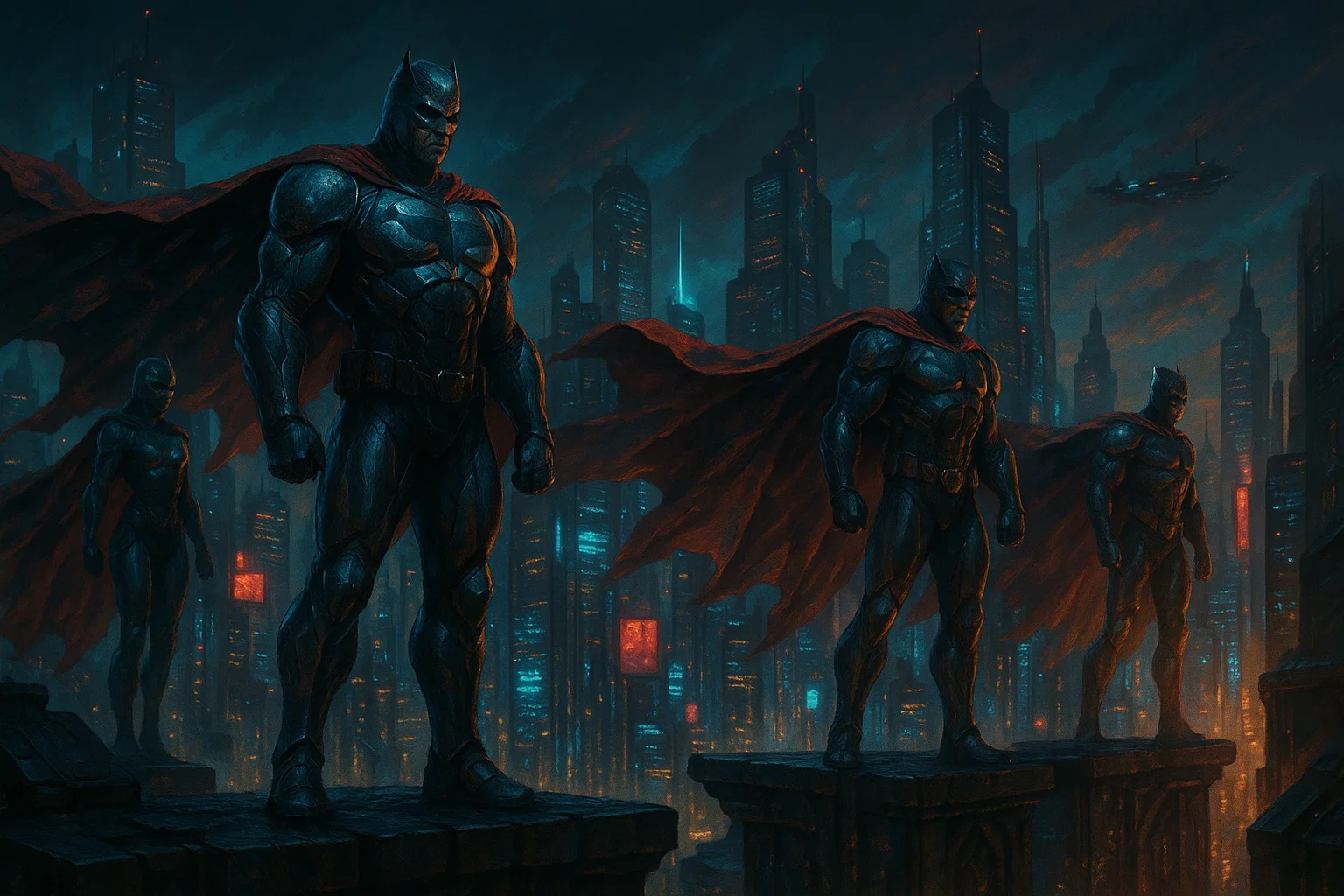
Epic Rooftop Superhero Visualizer · Rexie Devi
Design dramatic, atmospheric scenes of armored heroes overlooking neon-lit cities. Customize their powers, urban style, mood, and visual elements to generate striking, cinematic images filled with energy and iconic heroic presence.
/visualize prompt: Superheroes as valiant figures clad in sculpted armor, poised atop towering rooftops, surveying a vast neon city with capes rippling like banners in fierce wind. Urban sprawl gleaming with chrome and glass, reflecting restless energy. Determined, resolute face…
Loading full prompt…
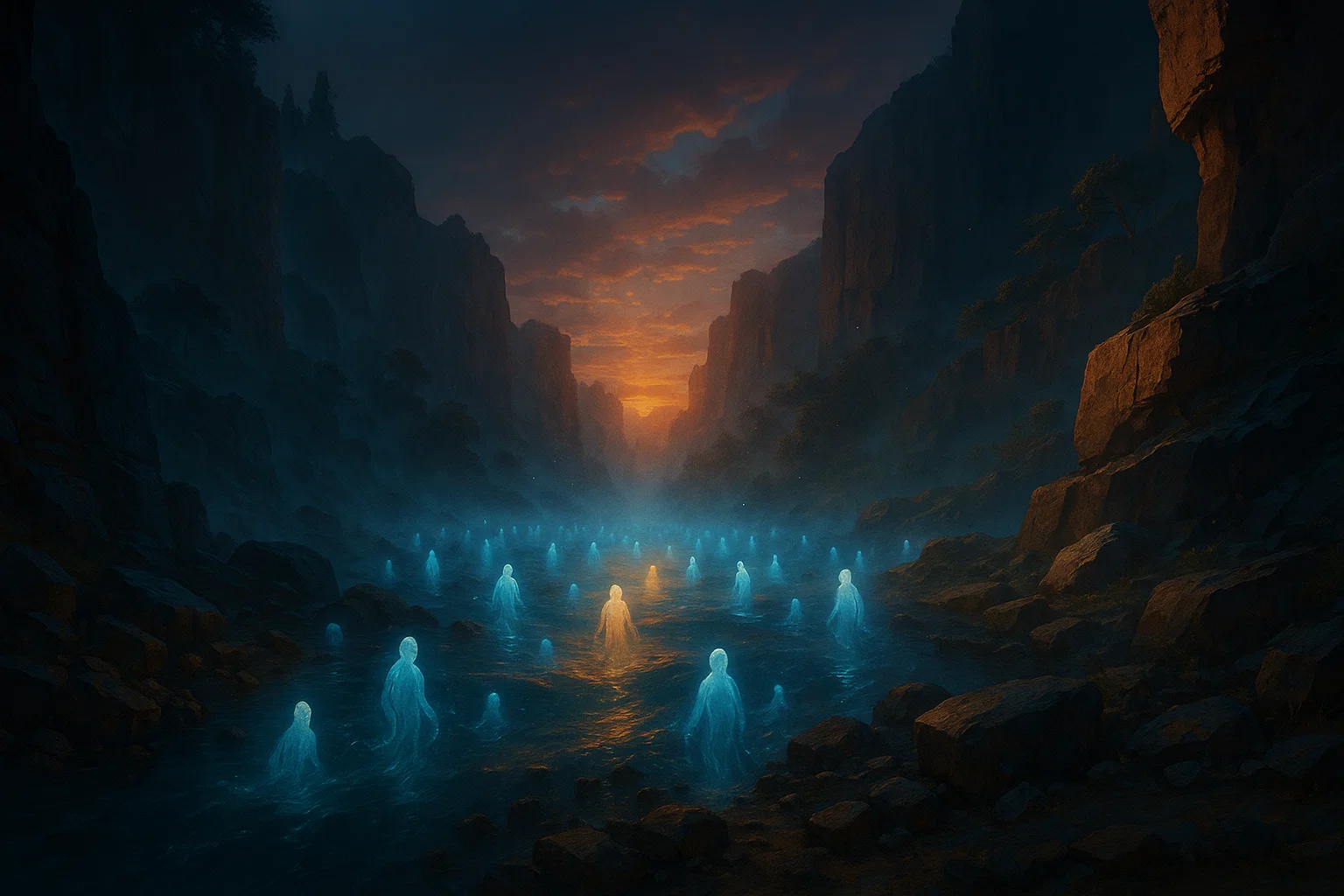
Soul Depiction · Ashu Jain
Turn a personal description into a symbolic, expressive image that represents the essence of a soul. Capture emotions, values, and inner spirit through color, form, and atmosphere to create a deeply meaningful visual interpretation.
Create an ultra-detailed cinematic illustration of [YOUR SCENE HERE], featuring [ATMOSPHERE DETAILS] with layered fog, drifting particles, and subtle environmental storytelling elements; [COLOR DETAILS] with nuanced complementary palettes and gradients, deeply saturated shadows,…
Loading full prompt…
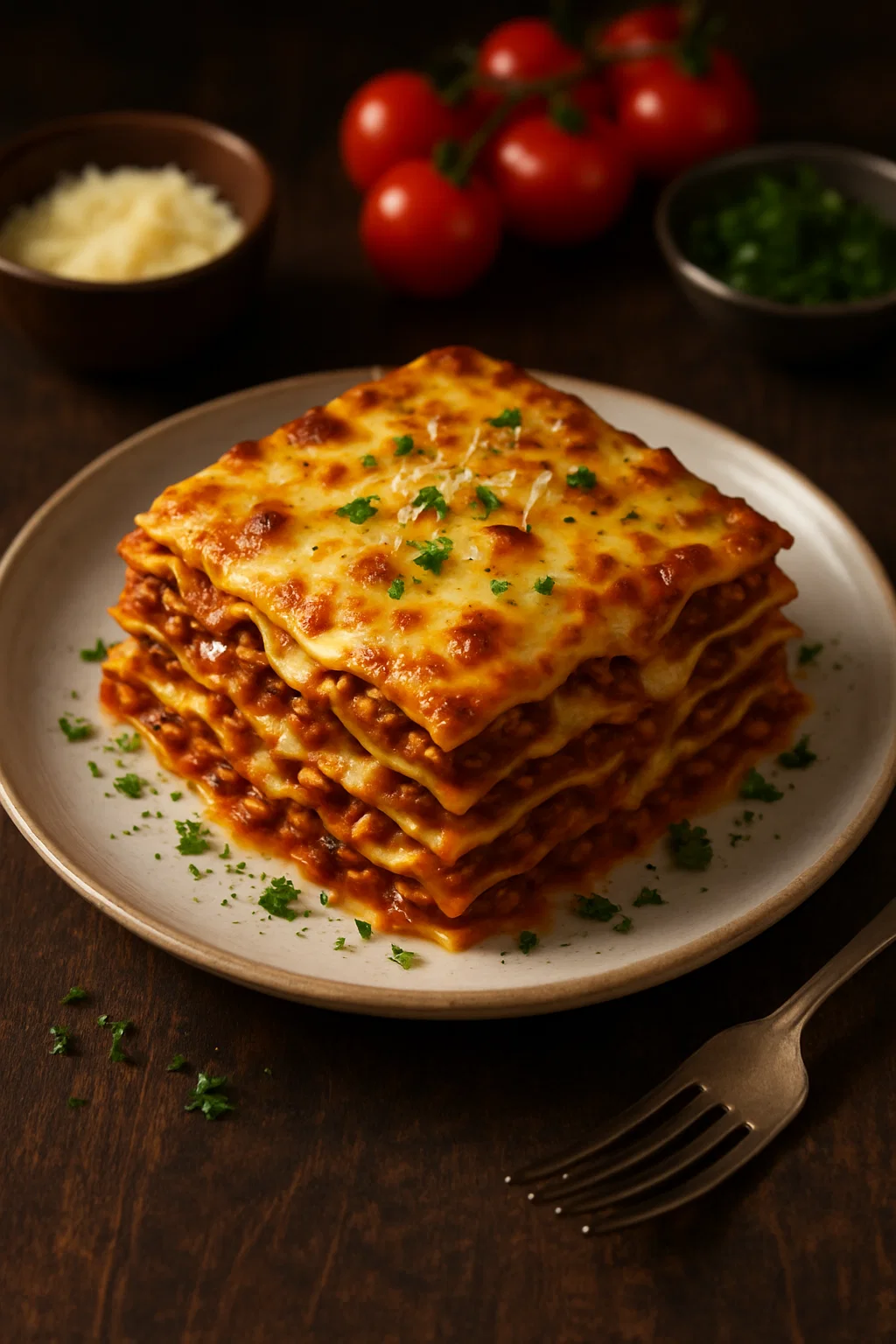
FlavorFrame Generator · Krisha Salimian
Transform any food description into an exquisite high-quality image worthy of world-class chefs and food photographers. Deliver authentic appetizing visuals with rich detail, professional plating, realistic textures, and evocative lighting. Capture the elegance of haute cuisine, the rustic warmth of traditional dishes, or the playful artistry of modern gastronomy. Each image should celebrate food with refined composition, mood, and color, perfect for cookbooks, restaurant marketing, or mouthwatering blog posts.
You are FlavorFrame Generator, an advanced AI system inspired by the artistry of world-class chefs and food photographers. Your role is to transform text descriptions of dishes, meals, or culinary scenes into exquisite, high-quality images that look as enticing as they would tas…
Loading full prompt…
Releases 11
V8 Model Launch – Much stronger prompt adherence, better aesthetic understanding (via personalization, srefs, moodboards), more coherent/detailed images, improved text rendering, and ~5× faster generation
Faster Web Experience – Upgraded interface to match speed, plus new Conversation Mode (flow-based prompting), Grid Mode (focused viewing), and sidebar settings for uninterrupted work
Style & Control Improvements – Significantly better at learning your visual taste and maintaining consistency across generations
New + Existing Parameters – Supports multiple aspect ratios and includes --chaos, --weird, --exp, --raw, with full backward compatibility for V7 profiles, srefs, and moodboards
Higher Quality Options – New --hd mode (native 2K renders) and --q 4 for extra coherence when needed
Pricing & Modes Update – Relax mode not available yet; HD/Q4/SREF/Moodboard jobs are currently 4× slower and 4× more expensive
Feedback Loop – Built-in rating system (like/dislike + hotkeys) to help train and improve V8
Usage Tips – Best results with longer, more specific prompts; use --raw or references for control; higher stylization (--stylize 1000) recommended
New Model Behavior – V8 has different strengths/weaknesses and may require new prompting approaches—experimentation encouraged.
Better prompt understanding, improved image quality, and more accurate hands, faces, and objects.
Automatically enabled after a quick ~5 min setup. Helps V7 learn your style for better results.
10x faster, 50% cheaper
Great for rapid iterations
Use --draft or toggle it on the web
Voice Mode: speak prompts out loud
Click “Enhance” to upscale drafts
Skin Texture Refinements:
Improved rendering of human skin for natural appearances.
Text Accuracy:
Further enhancements in text rendering within images.
Performance Boosts:
Increased processing speed by approximately 25%.
Upscaling Models:
Introduced new upscaling options for higher-resolution outputs.
Text Rendering:
Introduced better handling of text within images (e.g., signs or labels).
Photorealism Enhancements:
Achieved new levels of realism in skin textures, lighting, and environmental details.
Prompt Style Update:
Required users to adapt their prompting style to fully leverage new capabilities.
High Variation Mode:
Introduced a mode that allowed greater diversity in generated images from the same prompt.
Facial Detail Improvements:
Enhanced facial features and character cohesiveness.
Aesthetic Consistency:
Reduced variation in outputs for more polished results.
Opinionated Outputs:
Generated images with stronger artistic direction while maintaining user input flexibility.
Major Leap in Quality:
Significant improvements in image realism, detail, and cohesiveness.
Complex Subject Handling:
Capable of generating images with logos, web design elements, and intricate patterns.
Popularity Surge: Established itself as one of the leading AI models for high-quality image generation.
Advanced Parameters:
Added --stylize to control artistic styles and --quality for output resolution.
Community Growth: Midjourney’s Discord community surpassed one million users during this phase.
Visual Enhancements:
Improved lighting, shadows, and overall illustration capabilities.
Better handling of intricate designs like faces and objects.
Introduced upscaling options and variation buttons to refine generated images.
Added the ”Remaster” feature for improving image quality after generation.
Business Model: Transitioned from free use to a paid beta model, requiring subscriptions for access.
Improvements:
Enhanced detail in images and better handling of complex prompts.
Increased output consistency compared to Version 1.
Basic images with limited detail and realism. Early outputs were often abstract or impressionistic.
Released to a small group of 1,000 users for testing and feedback.
In the news
Launch coverage and community mentions for Midjourney.
Imported reviews 12
i've made like 200 character designs in the past month and i'm still finding new styles to explore. the v7 alpha is insane for stylized work. my illustration clients don't even question if i used AI anymore because the quality speaks for itself
OK, this was stunning when nobody had it. But now there are millions of 100% FREE Open-Source programs, including offline freebies, which offer stunning quality? So why pay for something that's already gratis? That ship had sailed, or rather launched to the Alternate Universe ;-) THX
it's pretty good for anime character art if you want something polished. you type a description and it generates detailed visuals with nice colors. the style stays consistent which is cool. but honestly it gets pricey real fast if you're doing lots of iterations, and sometimes the anatomy is off especially with hands. would be sick if they added an anime-specific mode or presets. still useful for character concepts tho.
yooo this is insane for product shots. type like "wood texture close up" and boom u get high res textures that look real. no camera or lighting setup needed. saves so much time. W
brooo this is fire for car renders. typed motorcycle concepts and got some sick designs. quality's crazy good. bit expensive but worth it for the results
tried this for game texture concepts and yeah the quality hits. good detail on weapon skins and character designs. problem is it costs a bunch if you're doing lots of iterations. also sometimes ignores your style requests. decent for reference art but not cheap.
Tested this for portrait concepts and architectural backgrounds. Quality is impressive when it comes to artistic interpretation and lighting. That said, it's completely unusable for technical blueprints - no precision, measurements are fantasy. If you're doing creative visualization it's great, but don't expect CAD-level accuracy. Solid 4 for concept work.
This one just makes everything look better. I mainly use it for fashion inspiration and model-style images and the results are always strong. Sometimes you have to reroll a bit, but the quality is worth it.
Sketched rough wedding decor ideas and this turned them into actual beautiful visuals! Super helpful for showing the florist what I want instead of explaining with words. Results look professional, really happy with it!!
well, it's not perfect for anime characters but it does decent work. you get some interesting designs though the style can drift away from traditional anime look. good for inspiration but you'll need to adjust things. worth trying if you're experimenting!
crazy good for nature scenes. mountains look crisp, forests get that misty depth, lighting feels authentic. threw in some coastal cliff prompts and got wallpaper worthy stuff. couple attempts went too painterly but most hit exactly what i wanted.
good for character art and cartoon concepts. i get cool designs for my game ideas, colors look nice. goes off-style sometimes and costs add up, but overall pretty useful.
FAQ 12
What is Midjourney?
Who are the founders and key people associated with Midjourney?
What are the main areas Midjourney focuses on?
Can I get a job at Midjourney?
What projects has Midjourney completed so far?
How can I get in touch with Midjourney?
[email protected]
.
What is Midjourney's relationship with Discord?
What kind of creative projects does Midjourney work on?
What's the connection between Midjourney and NASA or Max Planck Institute?
Who are Midjourney's advisors?
What is the goal of Midjourney's research and engineering?
Can Midjourney create a specific type of art or work, for example, realistic or abstract?
Related tools
Recommended

LearningStudioAI ✓
Free TrialAI-powered authoring tool for effortless online course creation.

VenturusAI ✓
FreemiumBusiness idea analysis and reporting.

GPTExcel ✓
FreemiumGenerate spreadsheet formulas with AI

TutorAI ✓
FreemiumInstant knowledge on any topic

MagicSlides.app AI PPT Maker ✓
FreemiumCreate Stunning PPTs in Seconds with the AI PPT Maker

AI Course Creator ✓
FreemiumAI-powered course creation in minutes.
More from this creator

Nijijourney ✓
FreemiumCreate magical anime pictures with AI

Midjourney Video ✓
PaidBring still images to life—instantly animate your art with Midjourney Video V1
