

Vixer: AI Video Editor ✓
AI video editing made simple for everyone.
Verdict
A quick read before you dig into the full page.
- Best if
- AI video editing made simple for everyone
- Skip if
- Subscription auto-renews
- Pick this when
- User-friendly interface
Considering CapCut Online Creative Suite instead? Compare side by side
Overview
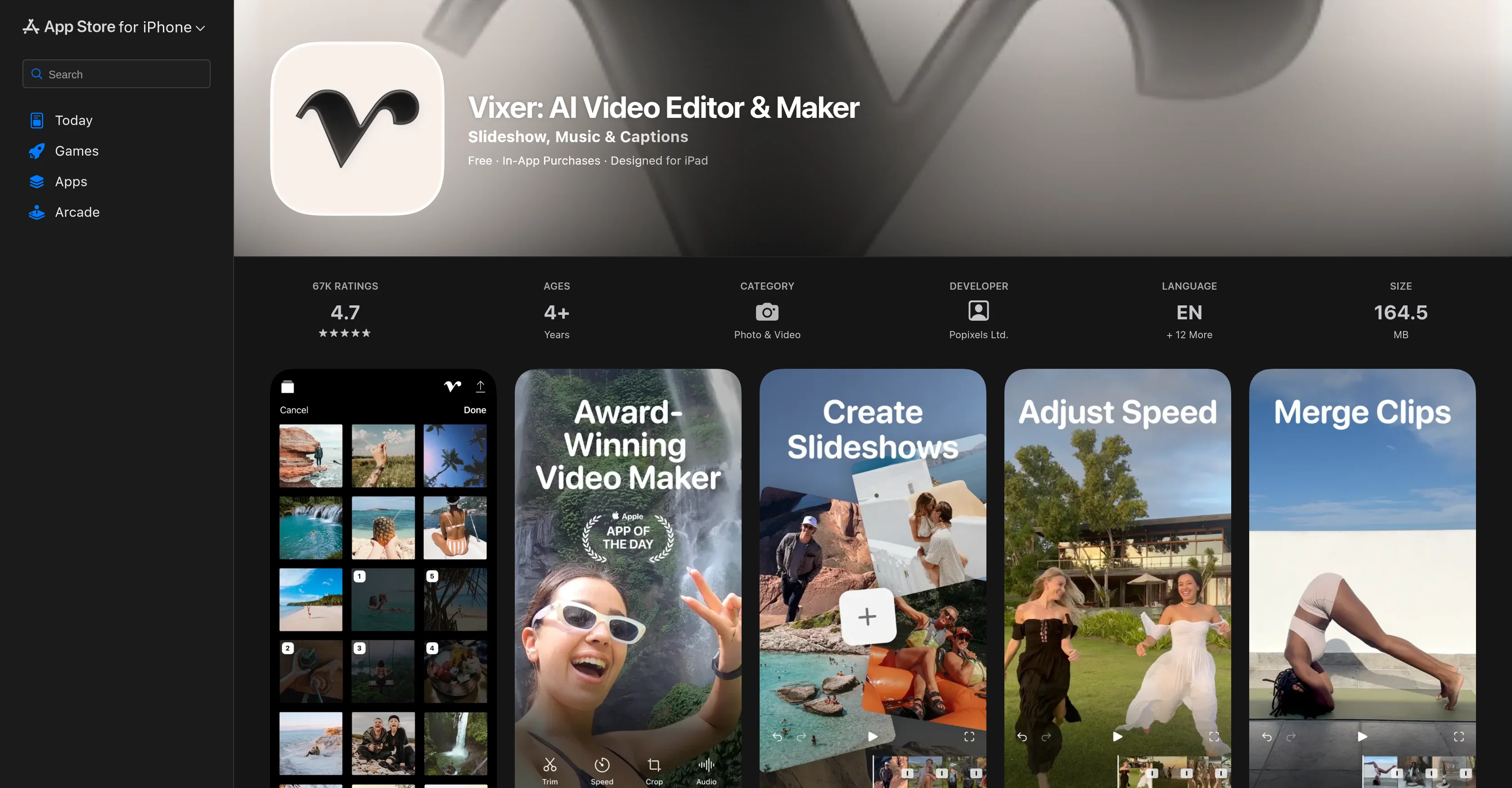
Vixer is an AI-powered video editing application developed by Popixels Ltd. Its user-friendly interface and simplicity make it an ideal tool for both beginners and seasoned creators.
Primarily, it is designed for crafting short-form content tailored for social media platforms, aiming to enhance the business presence of users through impactful content.
The features of the application can be categorized as follows: Editing functionalities including trimming, cropping, splitting, merging, rotating, speeding up or slowing down content; visual enhancements with dynamic transitions, trendy filters, colour adjustments, aesthetic text, and sophisticated frame overlays; creative additions of unlimited royalty-free music, voice-overs, and more; automated features turning live photos into videos or creating content from the user's camera roll.
This application also enables customization of audio with precision mixing of music, volume adjustments and sound effects. Users have export options up to 4K resolution and can share their creations directly to social media platforms like TikTok, Instagram, and YouTube, where the content is perfectly formatted for each specific platform.
Access & connections
Where you can use Vixer: AI Video Editor, and what it plugs into.
Platforms
Capabilities
What this tool accepts, produces, and is strongest at.
Input
- Video
Output
- Video
Pros & cons
Pros
- User-friendly interface
- Ideal for beginners
- Tailored for social media
- Editing functionalities
- Visual enhancements
- Unlimited royalty-free music
- Option for voice-overs
- Automated features
Show 36 more
- Customizable audio
- 4K resolution export
- Direct social media sharing
- Formatted content for each platform
- Trims content
- Crops content
- Merges content
- Rotates content
- Speed control
- Dynamic transitions
- Trendy filters
- Colour adjustments
- Aesthetic text
- Sophisticated frame overlays
- Turns live photos into videos
- Creates content from camera roll
- Music mixing
- Volume adjustments
- Sound effects
- Designed for iPad
- Precision mixing of music
- One-tap sharing
- Automated content creation
- Augments visual story
- In-app purchases
- Supports multiple languages
- Highly rated
- Quality playback
- Ideal for short-form content
- Enhances business presence
- Automated magic
- Affordable subscription pricing
- Helpful for solo creators
- Platform-specific formatting
- Ease of saving/exporting
- Animation of photos
Cons
- Only for short-form content
- No advanced editing features
- Lack of account synchronization
- Poor customer support response
- Requires in-app purchases
- Issues with cropping functionality
- Limited music options
- Subscription auto-renews
Show 1 more
- Audio disappears on speed changes
Compare alternatives
Similar tools in the catalog — with a clear reason to open each one.

CapCut Online Creative Suite ✓
FreemiumUnleash creativity with CapCut's all-in-one online suite
Why look Freemium alternative
Full comparison
ClipFinder ✓
FreemiumTurn hours of streams and VODs into viral clips automatically.
Why look Freemium alternative
Full comparison
Gling - AI Video Editing Software for YouTube ✓
FreemiumAI-powered video editing for YouTube creators.
Why look Freemium alternative
Full comparison
Captions ✓
PaidAI-powered creative studio for studio-grade videos.
Why look Offers a public API
Full comparison
Video to Video AI ✓
PaidTransform videos using simple text commands.
from $29.99/mo
Full comparison
Wondershare Filmora ✓
PaidEdit smarter, faster and easier with Filmora’s powerful AI video tools.
Why look Higher community rating
Full comparisonReleases 1
FAQ 12
What is the main purpose of Vixer?
Who developed Vixer?
Is Vixer good for beginners?
Can I use Vixer for my social media content?
What editing functionalities does Vixer provide?
How can I enhance my video visually on Vixer?
Does Vixer offer any audio customization features?
Can I export my videos in 4K resolution using Vixer?
How does Vixer's automated feature work?
Is there a direct sharing option on Vixer for social media platforms?
What type of content is Vixer designed for?
How user-friendly is Vixer's interface?
Related tools
Recommended

Flixier AI Video Editor ✓
FreemiumFree browser video editor with AI. Edit, subtitle and export in minutes.

Frameway ✓
UnknownEdit videos with AI. Fine-tune with pro controls.

AI Video Editor ✓
FreemiumEdit video with words, not timelines.

Viyou AI Video Editor ✓
Free TrialUnrestricted AI workspace for video and image creation.

Premiere Assistant by Cutback ✓
PaidAutomated captions and workflows in Adobe Premiere Pro.

Selects ✓
PaidAutomated video editing prep in minutes