

Video to Video AI ✓
Transform videos using simple text commands.
from $29.99/mo
Verdict
A quick read before you dig into the full page.
- Best if
- Transform videos using simple text commands
- Skip if
- File size limit (200MB)
- Pick this when
- Modify video with text commands
Considering CapCut Online Creative Suite instead? Compare side by side
Overview
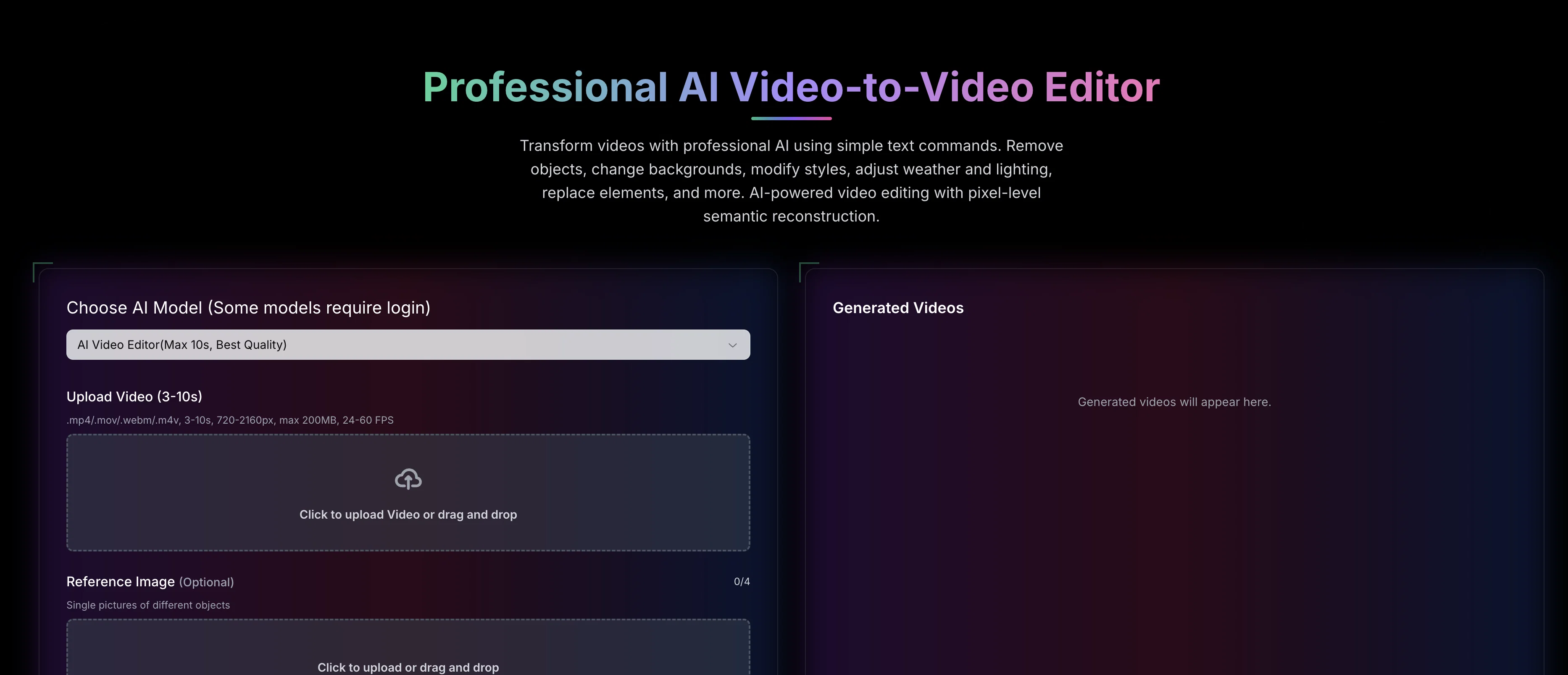
Video to Video AI is a sophisticated AI video editing tool that allows users to transform videos using simple text commands. The tool can perform various modifications such as removal of objects, background changes, style adjustments, weather and lighting alterations, and element replacements, among others.
It leverages artificial intelligence technology to perform pixel-level semantic reconstruction to provide precise and effective edits. Users can also adjust camera angles and facilitate intelligent and seamless transformations swiftly.
The tool supports multiple video formats such as .mp4, .mov, .webm, .m4v and maintains video qualities ranging from 720-2160px for uploads. The capabilities of the tool extend to character replacement, clothing swap, recoloring elements, artistic style transfer, and weather modifications, providing a diverse range of video editing options.
Furthermore, the tool's advanced semantic reconstruction engine allows for natural language understanding and pixel-level semantic reconstruction to perform context-aware modifications based on user commands.
Lastly, the tool maintains high-quality output, supports private videos, and offers priority generation, making it a comprehensive solution for AI-powered video editing.
Best for
Short scenarios where Video to Video AI tends to shine.
-
Transform videos using simple text commands.
Example outputs 1
Sample generations and before/after results for Video to Video AI.
Access & connections
Where you can use Video to Video AI.
Platforms
Capabilities
What this tool accepts, produces, and is strongest at.
Input
- Image
- Text
- Video
Output
- Video
Supported features
- Video Edit
- Video Generation
- Image Edit
- Image Generation
- Lip Sync
Pros & cons
Pros
- Modify video with text commands
- Object removal feature
- Background alteration
- Style modification available
- Lighting adjustment
- Element replacement
- Operates at pixel-level
- Semantic video reconstruction
Show 43 more
- Character replacement feature
- Clothing swap functionality
- Recolouring objects
- Implementation of artistic styles
- Atmospheric condition modification
- Multi-frame modifications
- Supports professional and casual use
- Video format support: .mp4, .mov, .webm, .m4v
- Maintains video quality from 720-2160px
- Natural language understanding
- High quality output
- Private video support
- Priority generation
- Camera Angle Modification
- Supports multiple video formats
- Supports high-resolution uploads
- Supports private videos
- Transforms videos using simple commands
- Integrates natural language understanding
- Performs pixel-level semantic reconstruction
- Context-aware video editing
- Transforms wide range of video aspects
- Offers swift transformations
- Facilitates intelligent video editing
- Offers diverse video editing options
- Generates high-quality output
- Supports large video files
- Interactive transformations
- Supports different object styles
- Provides priority generation for quicker results
- Natural fabric simulation for clothing swap
- Selective color modification in recoloring
- Lighting preservation in recoloring
- Frame-accurate color matching
- Preserves original motion in character replacement
- Environment transformation support
- Movement-aware clothing adaptation
- Maintains body proportions in clothing swap
- Preserves original motion in style transfer
- Offers multiple style options
- Realistic weather effects in weather change
- Natural environment adaptation in weather change
- Seamless seasonal transformations
Cons
- Limited video formats support
- Video length constraint (3-10s)
- File size limit (200MB)
- Particular FPS range (24-60)
- Requires paid credits for usage
- No offline functionality
- Specific video resolution requirement
- Limited daily credits for free users
Show 2 more
- Requires detailed reference images
- Pro model is expensive
Compare alternatives
Similar tools in the catalog — with a clear reason to open each one.

CapCut Online Creative Suite ✓
FreemiumUnleash creativity with CapCut's all-in-one online suite
Why look Freemium alternative
Full comparison
ClipFinder ✓
FreemiumTurn hours of streams and VODs into viral clips automatically.
Why look Freemium alternative
Full comparison
Gling - AI Video Editing Software for YouTube ✓
FreemiumAI-powered video editing for YouTube creators.
Why look Freemium alternative
Full comparison
Captions ✓
PaidAI-powered creative studio for studio-grade videos.
Why look Typically cheaper
Full comparison
Wondershare Filmora ✓
PaidEdit smarter, faster and easier with Filmora’s powerful AI video tools.
Why look Typically cheaper
Full comparison
Viyou AI Video Editor ✓
Free TrialUnrestricted AI workspace for video and image creation.
Why look Typically cheaper
Full comparisonPeople also view
Tools that often show up alongside Video to Video AI in collections and comparisons.
Wondershare Filmora ✓
PaidEdit smarter, faster and easier with Filmora’s powerful AI video tools.
Viyou AI Video Editor ✓
Free TrialUnrestricted AI workspace for video and image creation.
Gling - AI Video Editing Software for YouTube ✓
FreemiumAI-powered video editing for YouTube creators.
ClipFinder ✓
FreemiumTurn hours of streams and VODs into viral clips automatically.
Captions ✓
PaidAI-powered creative studio for studio-grade videos.
CapCut Online Creative Suite ✓
FreemiumUnleash creativity with CapCut's all-in-one online suite

MF0.ai ✓
PaidEvery top AI in one chat. Real memory. No subscription.

DraftReel ✓
Free TrialOne click. Complete short-form video package.
Releases 1
FAQ 12
How does Video to Video AI edit videos using text commands?
What transformation features are available in Video to Video AI?
How does Video to Video AI achieve object removal?
Can Video to Video AI perform element replacement?
How does the pixel-level processing work in Video to Video AI?
In what ways can the AI modify lighting and atmosphere in the source video?
Is it possible to change characters and clothing using Video to Video AI?
How does the AI maintain the original video's dynamics during transformations?
What is meant by semantic reconstruction in Video to Video AI?
How does Video to Video AI understand the context of the text commands?
What multi-frame modifications can Video to Video AI perform?
Is Video to Video AI suitable for professional editing?
Related tools
Recommended

Vidu AI Video Generator ✓
FreemiumTransform text and images into high-quality AI videos.

Fliz ✓
Free TrialURLs transformed into captivating videos.

DeepReel ✓
PaidAI agent for Videos and Images

Selects ✓
PaidAutomated video editing prep in minutes

Mindsmith ✓
FreemiumPlatform for building and sharing eLearning content

Automateed ✓
Free TrialCreate eBooks effortlessly with Automateed, the AI-powered writing tool.