

Video editing vv3.0.0 2026 Rank: #40
ClipFinder ✓
Turn hours of streams and VODs into viral clips automatically.
Verdict
A quick read before you dig into the full page.
- Best if
- Turn hours of streams and VODs into viral clips automatically
- Skip if
- Dependent on cloud processing
- Pick this when
- Built-in captions (multiple styles)
Considering CapCut Online Creative Suite instead? Compare side by side
Overview



The AI analyzes your entire video and identifies engaging moments with timestamps, scoring each clip on hook strength, emotional peaks, and rewatch value. Works on YouTube and Twitch VODs.
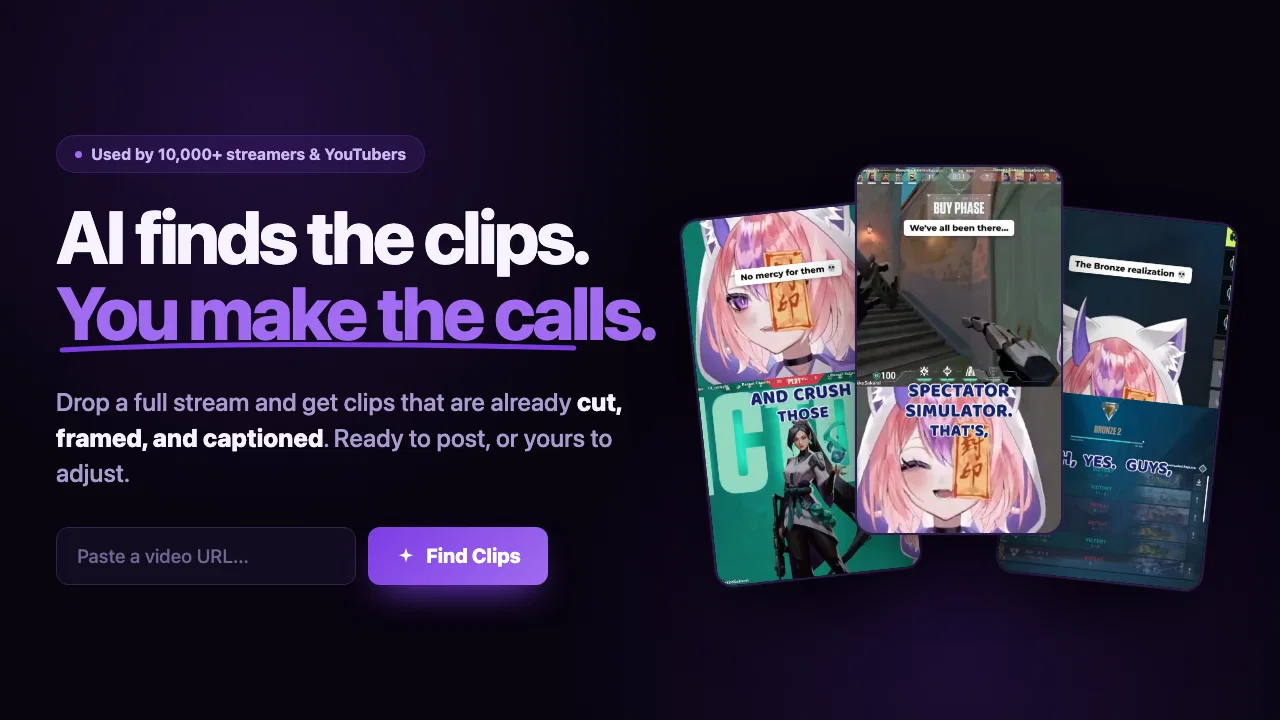
NEW: Full editing pipeline built in. AI auto-reframing for portrait/Shorts, burned-in captions (multiple styles), hook text overlays, and direct YouTube publishing. Go from raw VOD to published short without leaving ClipFinder.
1 free hour to try it out. No credit card required.
- Automatic Ai Clip Extraction From Long Videos
- Ranks Clips By Viral Potential
- Multi-source: Youtube, Twitch Vods, Google Drive
- Auto-reframe To 9:16 Portrait With Ai Subject Tracking
- Dual-crop Gaming Mode: Facecam On Top + Gameplay On Bottom
- Direct Publish To Youtube Shorts And Tiktok Via Oauth
- Burned-in Captions With Customizable Style Presets
- Text Hook Overlays For Higher Retention
Best for
Short scenarios where ClipFinder tends to shine.
-
Turn hours of streams and VODs into viral clips automatically.
Example outputs 1
Sample generations and before/after results for ClipFinder.
Access & connections
Where you can use ClipFinder, and what it plugs into.
Platforms
Integrations
Capabilities
What this tool accepts, produces, and is strongest at.
Input
- Text
Output
- Video
Supported features
- Video Understanding
- Video Edit
- Transcription
- Automation
- Social Media
- Integrations
- Clipping
Pros & cons
Pros
- Built-in captions (multiple styles)
- AI auto-reframing for Shorts/TikTok
- Direct YouTube publishing
- Hook text overlays
- Dual crop mode for gaming (facecam + gameplay)
- Twitch VOD + Youtube video support
- Pay-as-you-go, no subscription
- 1 Hour Free
Show 6 more
- No credit card required
- Analyzes video comprehensively
- Extracts engaging moments
- Perfect for live streams
- Evaluates clips based on emotions
- Customizable clipping interface
Cons
- Dependent on cloud processing
- No mobile app
- No API for integration
- Processing takes 10-15 minutes for long videos
- No TikTok publishing yet (YouTube only)
Compare alternatives
Similar tools in the catalog — with a clear reason to open each one.

CapCut Online Creative Suite ✓
FreemiumUnleash creativity with CapCut's all-in-one online suite
Free + from $28.5/mo
Full comparison
Gling - AI Video Editing Software for YouTube ✓
FreemiumAI-powered video editing for YouTube creators.
Why look Typically cheaper
Full comparison
Captions ✓
PaidAI-powered creative studio for studio-grade videos.
Why look Typically cheaper
Full comparison
Video to Video AI ✓
PaidTransform videos using simple text commands.
from $29.99/mo
Full comparison
Wondershare Filmora ✓
PaidEdit smarter, faster and easier with Filmora’s powerful AI video tools.
Why look Typically cheaper
Full comparison
Viyou AI Video Editor ✓
Free TrialUnrestricted AI workspace for video and image creation.
Why look Typically cheaper
Full comparisonPeople also view
Tools that often show up alongside ClipFinder in collections and comparisons.
Wondershare Filmora ✓
PaidEdit smarter, faster and easier with Filmora’s powerful AI video tools.
Viyou AI Video Editor ✓
Free TrialUnrestricted AI workspace for video and image creation.
Video to Video AI ✓
PaidTransform videos using simple text commands.
Gling - AI Video Editing Software for YouTube ✓
FreemiumAI-powered video editing for YouTube creators.
Captions ✓
PaidAI-powered creative studio for studio-grade videos.
CapCut Online Creative Suite ✓
FreemiumUnleash creativity with CapCut's all-in-one online suite

MF0.ai ✓
PaidEvery top AI in one chat. Real memory. No subscription.

DraftReel ✓
Free TrialOne click. Complete short-form video package.
Releases 4
Added an AI camera that cuts, frames, and captions every clip for you
Added burned-in captions, auto-placed text hooks, and silence trim
Added publishing and scheduling to YouTube and TikTok, plus one-tap share links
Added Kick and Google Drive alongside YouTube, Twitch, and uploads
Improved analysis to about 2x faster, with clips streaming in as they are found
MAJOR UPDATE: Clip, edit, and publish all in one place.
- AI auto-reframing for Shorts/TikTok
- Burned-in captions (multiple styles)
- Direct YouTube publishing
- Hook text overlays
- Crop controls
- Profanity filter + language settings
Twitch VOD support — paste any Twitch VOD URL
AI-generated video chapters
Auto-generated captions
Faster clip analysis with Gemini 3 Flash
Improved stability and fewer job failures
New pricing: start at $2/hour, pay as you go
Imported reviews 7
pretty good but not the best
You can't test it at all, you should give him your credit card information first, they tell you that you have 1 hour of clippin , but in the end you have nothing..hahaha
Saw ClipFinder on TAAFT.
Right now it’s framed as a generic “AI clip tool”, which puts it in a crowded low‑value bucket.
The real value is scaling short‑form content output for marketing teams - a buyer willing to pay for measurable production efficiency.
Repositioning around content velocity could materially improve conversion and pricing.
DM 2
finally don't have to scrub through 2 hour recordings looking for good moments. it finds the clips for me and they're usually spot on. saves me literal hours every week. wish i found this sooner honestly
The preview actually is the best one of other that i use so far. Easy to use, onwards!
Highly recommend
makes actually good clips
FAQ 12
What is ClipFinder?
🛠️ 2
tools
wrote:
ClipFinder is a tool that leverages AI to extract the most engaging moments from videos. The tool simplifies the process of creating and downloading video clips by analyzing a video link provided by the user and identifying the most compelling portions.
How does ClipFinder work?
🛠️ 2
tools
wrote:
ClipFinder works in a three-step process. First, the user merely needs to paste a video URL and click analyze. Subsequently, the AI system analyses the video, identifying the most engaging moments with timestamps and descriptions. Lastly, the users can preview the clips, fine-tune the timestamps with the help of a drag-and-drop trimmer, and instantly download the clips.
How does ClipFinder utilize AI in its functions?
🛠️ 2
tools
wrote:
ClipFinder utilizes AI to analyze videos and identify the most engaging moments. The AI studies the video based on parameters like the strength of the hook, emotional peaks, and rewatch value. These moments are marked with timestamps and descriptions, and each recommended clip is assigned a 'clip ranking'
Does ClipFinder require any sign up or credit card details?
🛠️ 2
tools
wrote:
No, ClipFinder does not require any credit card sign up. You can analyze up to 2 hours of videos for free every month, and you only pay if you want to analyze more.
Is ClipFinder really free to use?
What is the 'clip ranking' that ClipFinder provides?
🛠️ 2
tools
wrote:
The 'clip ranking' that ClipFinder provides is an analytical metric that evaluates elements like emotional peaks, rewatch value, and the strength of the hook in the video
Can I preview the clips that ClipFinder recommends?
Is it possible to custom-tailor the start and end points of clips with ClipFinder?
What is the drag-and-drop trimming interface in ClipFinder?
How does ClipFinder allow for fine-tuning of the clipped sections?
What is the batch download capability in ClipFinder?
In what format does ClipFinder bundle multiple clip downloads?
Related tools
Recommended

remio: Your Personal ChatGPT ✓
FreemiumGet Tailored Answer with Your Personal ChatGPT

freebeat AI ✓
FreemiumTurn Music & Ideas into Viral Videos In One Click

PixPal - Free AI Chat with Image Editor & Video Gener... ✓
FreeAI chat with images – Create, edit, innovate for free!

Supernormal App ✓
FreemiumThe AI assistant app that turns meetings into completed work

AI Humanizer Tool ✓
FreeMake AI text sound human.

Kin - Personal AI Advisors ✓
FreePrivacy-first & designed your for mind, and life at work