
Maze Studio - Upgrade version of Maze Guru ✓
Create amazing art through AI-powered texting
Free + from $7.99/mo
Verdict
A quick read before you dig into the full page.
- Best if
- You are digital artists and need: Generating unique anime characters from text descriptions
- Skip if
- Limited non-community feedback
- Pick this when
- Quick and easy creation
Considering Photo AI instead? Compare side by side
Overview

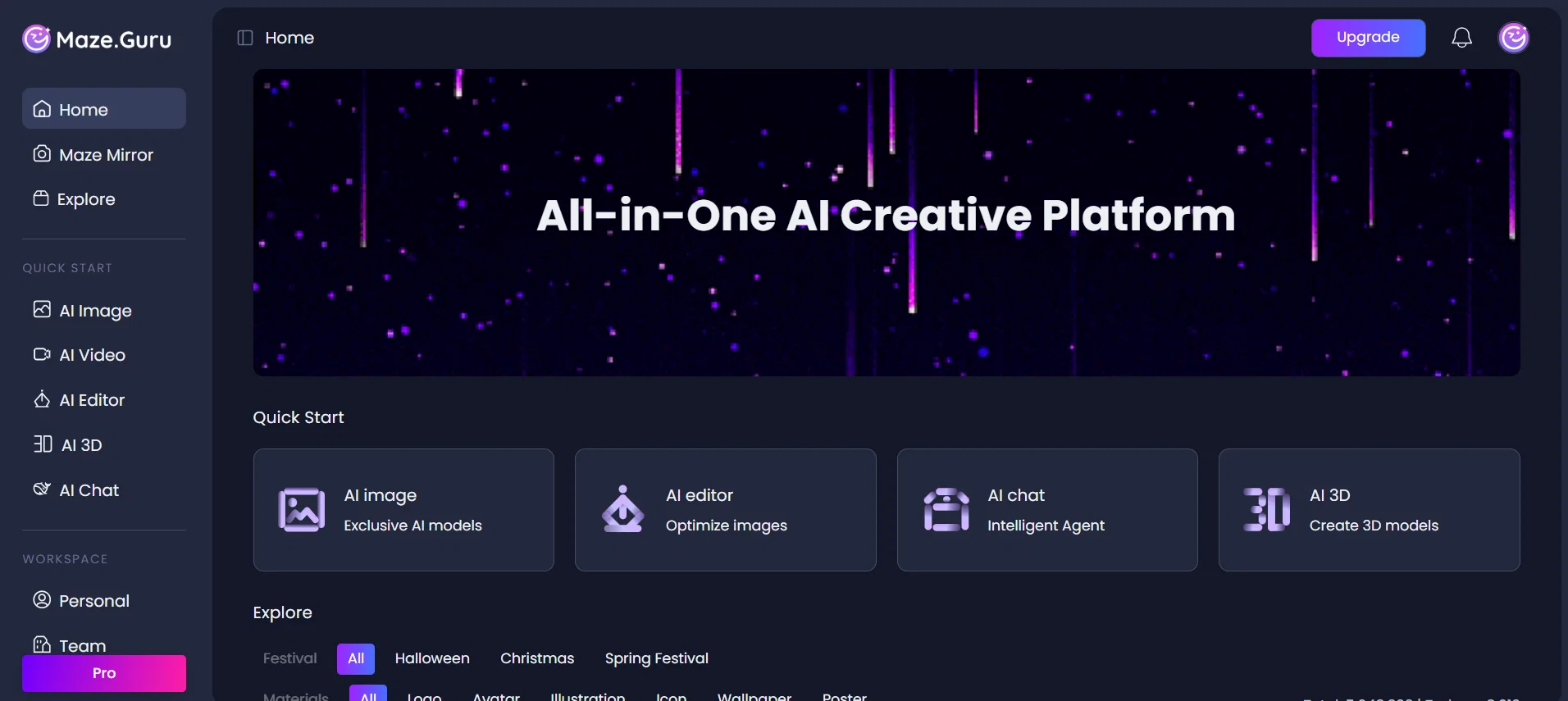
AI Image
🚀 Create without limits.
Access leading models including Dreamina, MJ, GPTimage & Flux-Kontext — open to all users.
AI Video
🎥 From text-to-video to image-to-video.
Powered by Dreamina, MJ video & seedance (with first/last frame control).
AI Editor + 3D
🛠️ Edit smarter, design faster.
Prompt-based AI editing plus auto 3D product views in just seconds.
- Ai Image Generator
- Image To Video (animation)
- 3d
- Flux-kontext
- Chatgpt Integration
- Dreamina
- Works With Chatgpt, Midjourney, And More.
Best for
Short scenarios where Maze Studio - Upgrade version of Maze Guru tends to shine.
-
Generating unique anime characters from text descriptions
Best for Digital artists
-
Creating digital paintings from textual ideas
Best for Anime enthusiasts
-
Producing AI art for various creative projects
Best for Content creators
Example outputs 1
Sample generations and before/after results for Maze Studio - Upgrade version of Maze Guru.
Access & connections
Where you can use Maze Studio - Upgrade version of Maze Guru.
Platforms
Capabilities
What this tool accepts, produces, and is strongest at.
Input
- Image
- Text
Output
- Video
- 3D
- API
- Text
- Image
Highlights
- API
Supported features
- API
Pros & cons
Pros
- Quick and easy creation
- Diverse artwork generation
- Themed challenges
- Community feedback
- Tools for ultra-detailed art
- High-resolution output
- Variety of stable models
- Suitable for all skill levels
Show 27 more
- Time-saving process
- Wide art type creation
- Dynamic artwork generation
- Hyper-realistic results
- Sharp and vibrant colors
- Variety of learning opportunities
- Allows experimentation
- Artwork sharing
- Different creative themes
- Art growth potential
- Platform for art challenges
- Supports digital paintings
- Supports illustrations
- Supports vector art
- Supports doodling
- Community interaction
- Professional guidance
- Open to all levels
- Artwork theme flexibility
- Stimulates creativity
- Competitive community
- Social sharing functionality
- Art diversity
- Helps in theme exploration
- Increases art speed
- Increases art quality
- Associated mobile application
Cons
- Limited art style models
- Reliant on community interaction
- Time-limited challenges
- Limited non-community feedback
- No standalone mobile app
- Lack of traditional art tools
- No clear version history
- Dependent on themed prompts
Compare alternatives
Similar tools in the catalog — with a clear reason to open each one.

Stockimg AI ✓
PaidGenerated images and text for design ease.
Why look Stronger for image work
Full comparisonPeople also view
Tools that often show up alongside Maze Studio - Upgrade version of Maze Guru in collections and comparisons.
Stockimg AI ✓
PaidGenerated images and text for design ease.

Photo AI ✓
PaidCreate beautiful AI photos and videos of real people

Midjourney ✓
PaidExpand human imagination through AI-powered visuals.

CreativePixel ✓
FreemiumOut-create Your Competition in Minutes

BestPhotoAI ✓
FreemiumCreate amazing AI photos instantly

Nathan Tailors AI Suit Generator ✓
FreeDescribe your dream suit. We draw it, then build it.

LineArt ✓
Free TrialTurn one photo into a whole coloring book.

Line Drawing Converter ✓
Free TrialConvert photos into clean line drawings online.
Releases 1
Imported reviews 2
I'm thoroughly impressed by Maze Guru's text to image technology, which effortlessly converts written descriptions into captivating visuals.
An ai platform that is very convenient to operate, and there are many models for me to choose from, it is a great tool
FAQ 12
What is Maze Guru?
What kind of art can I create with Maze Guru?
Does Maze Guru offer any challenges or themes for art creation?
What are the main features of Maze Guru?
How does the AI in Maze Guru help in creating artwork?
What type of community support does Maze Guru offer?
Does Maze Guru cater to both beginners and experienced artists?
What sets Maze Guru apart from other art creation tools?
What kind of stable models does Maze Guru provide?
Can I share my artwork and get feedback on Maze Guru?
How can Maze Guru help me grow as an artist?
Is Maze Guru ideal for creating high-resolution artwork?
Related tools
Recommended
Dezgo ✓
FreemiumGenerate AI images from text prompts
Stable UI ✓
FreeCreate and modify images with AI, free and limitless.

Baseten | Text to Image ✓
UnknownTransform text prompts into stunning images.

Ideogram ✓
FreemiumAI-powered creativity booster

ArtBot ✓
FreeCreate AI images with Stable Diffusion for free

Runway ✓
Free TrialAI-powered creative tools for content generation and editing