

Filmmaking v4.5
Runway ✓
AI-powered creative tools for content generation and editing
Trial; then from $15.00/mo
Verdict
A quick read before you dig into the full page.
- Best if
- You are filmmakers and need: Generating short films and music videos with AI
- Skip if
- Limited advanced video editing
- Pick this when
- Browser-based, no downloads required
Considering Veo instead? Compare side by side
Overview
Runway is an AI-powered content creation suite designed to help users create, edit and collaborate on content. It offers a wide range of AI-powered creative tools, such as text to image generation, erase and replace, AI training, text to color grade, super-slow motion, image to image generation, and infinite image.
It also features powerful video editing tools like green screen, inpainting, and motion tracking.Runway simplifies the tedious, repetitive, and time consuming aspects of content creation and video editing, allowing users to have full creative control over their projects.
The suite also offers collaboration tools to enable users to securely share compositions, assets and content with their team. Runway also provides hundreds of professionally crafted templates that users can customize with just a few clicks.
Runway's AI Magic Tools provide users with a faster and better way to create content. It includes automatic beat detection, automatic subtitles, automatic noise removal, and more.
Runway offers advanced security, team management, and an asset hub to keep all of a user's assets, videos, fonts, and content in one centralized place.
Best for
Short scenarios where Runway tends to shine.
-
Generating short films and music videos with AI
Best for Filmmakers
-
Creating event visuals for concerts and tours
Best for Video editors
-
Reimagining commercial production processes
Best for Content creators
-
Producing and funding films and documentaries
Best for Marketing professionals
Example outputs 7
Sample generations and before/after results for Runway.

Access & connections
Where you can use Runway.
Platforms
Capabilities
What this tool accepts, produces, and is strongest at.
Input
- Text
- Video
Output
- Audio
- Video
- 3D
- Image
Highlights
- SOTA
Supported features
- Image Edit
- Video Generation
- Realism
- Video Edit
- Visual Creation
- Digital Personas
- Viral baseball trend
- Lip Sync
- Brand Strategy
- Translation
Pros & cons
Pros
- Browser-based, no downloads required
- Offers text to image generation
- Text to color grade option
- Super-slow motion feature
- Image to image generation utility
- Infinite image generator
- Advanced video editing tools
- Features inpainting and motion tracking
Show 37 more
- Secure collaboration tools
- Professionally crafted templates
- Automatic beat detection
- Automatic subtitles feature
- Automatic noise removal
- Advanced security setup
- Team management tools
- Comprehensive asset hub
- Frame interpolation tool
- Background removal tool
- Real-time video editing capabilities
- Text to 3D texture tool
- Audio noise removal
- SRT transcript generation
- Alpha Matte creation
- Automatic motion tracking
- Video background blurring
- Removal of video objects
- Simple brush strokes for video editing
- Removal of video backgrounds
- Automatic beat detection
- Automatic subtitles creation
- Automated noise removal from audios
- Collaboration in real-time
- Secure user management
- View mode and edit mode for team management
- Single hub for all assets, videos, fonts, content
- Professionally designed customizable templates
- More than 400 effects and filters
- Multi-track audio-editing and customization
- Keyframe control for audio tracks
- Content creation from text
- Green screen effect for background replacement
- Context-specific tool like erase and replace for specific part of an image
- Team sharing for assets, projects, compositions
- Real-time object tracking in videos
- Offers asset customization
Cons
- Requires Internet connection
- Limited to browser-based editing
- Limited templates customization
- Limited export formats
- Does not support VR
- No offline editing capabilities
- Limited advanced video editing
- No high-end 3D features
Compare alternatives
Similar tools in the catalog — with a clear reason to open each one.



LTX Studio ✓
FreemiumAI-powered filmmaking platform for creators and studios.
Free + from $15/mo
Full comparison
FilmmakerPRO ✓
FreeElevate your filmmaking with AI-powered storytelling.
Why look Fully free option
Full comparison
Movie Maker Studio ✓
FreeTurn Ideas into finished Ad, TV show, or short movie in Minutes
Why look Fully free option
Full comparison
People also view
Tools that often show up alongside Runway in collections and comparisons.

Midjourney ✓
PaidExpand human imagination through AI-powered visuals.

ElevenLabs ✓
FreemiumCreate lifelike AI voices for compelling storytelling.

Perplexity ✓
FreemiumAI-powered answers to any question, instantly.

Udio ✓
FreemiumCreate and share music with the world.

Notion AI ✓
FreemiumYour all-in-one workspace for notes, docs, and tasks.

Suno ✓
FreemiumMake music at the speed of your ideas.

Stable Diffusion ✓
FreemiumUnleash humanity's potential with generative AI

NotebookLM ✓
FreemiumAI-powered note-taking and research assistant
Prompts 7
Lively Nature Animation from Static Photo · Izaana Paswan
Transform a still nature photo into a dynamic, lifelike video. This prompt helps you add subtle, realistic motion such as wind blowing, grass swaying, leaves fluttering, and gentle wildlife movements. Turn any static scene into an immersive, living landscape perfect for calming loops, scenic backgrounds, or storytelling visuals that bring nature photography to life. Comment
Camera: Use subtle, natural camera movement to enhance immersion without distracting from the scene. Choose slow pans, gentle zooms, or slight handheld drift to mimic real outdoor filming. Ensure all motion loops seamlessly for continuous playback. (Example: "Slow side-to-side p…
Loading full prompt…
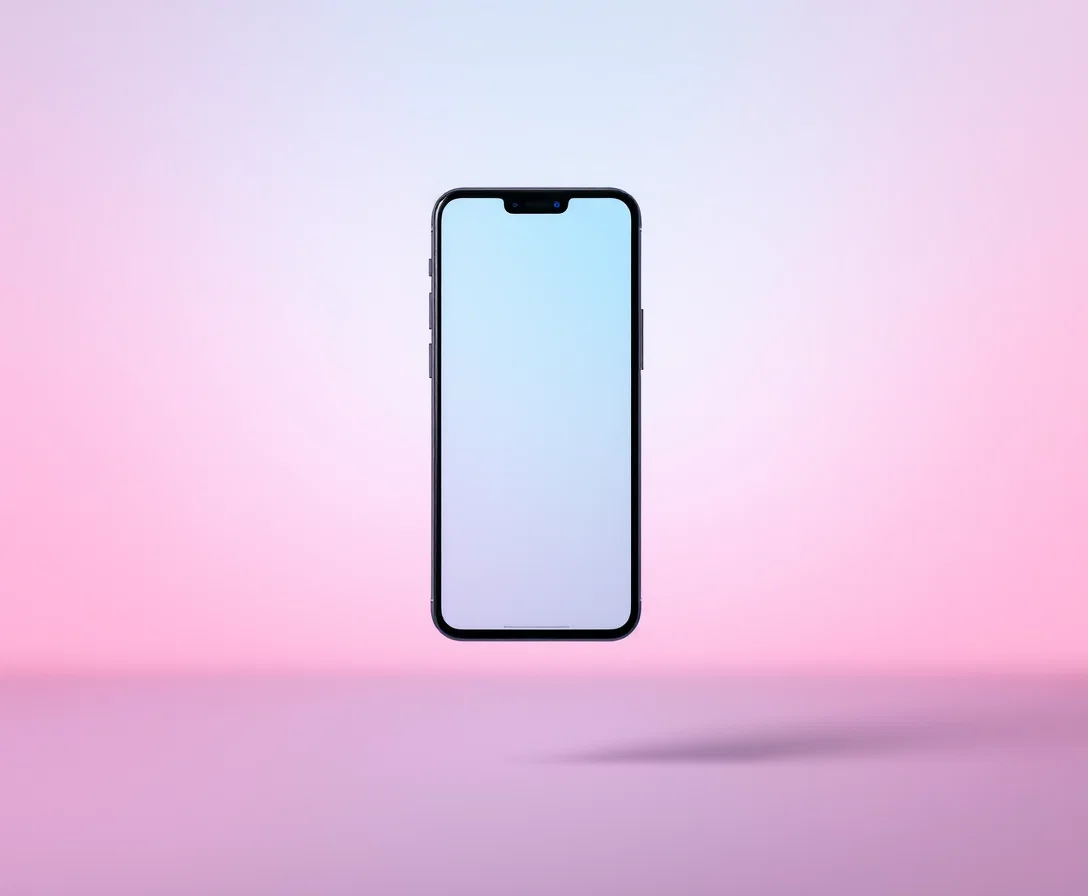
360-Degree Phone Showcase · Liam Therrien
Generate a smooth, professional 360-degree video of a phone from a single image. Perfect for product ads, online stores, or tech reviews, this prompt transforms your static photo into a rotating view that reveals every side and detail. Highlight design features, finishes, and branding with crisp lighting and a clean, distraction-free presentation.
Camera Settings: Generate a smooth, even 360-degree rotation around the phone based on the provided image. Maintain a consistent distance and height to ensure the entire phone remains centered and clearly visible during the spin. The rotation should be steady and professional, a…
Loading full prompt…
Logo Reveal Animator. · Phi Ge
A customizable prompt for creating cinematic, professional-quality logo reveal animations. Designed to help you define background, lighting, motion effects, camera moves, and lens choices for a bold, polished result. Perfect for marketing videos, product launches, social media teasers, and any project needing a striking, memorable logo introduction.
rompt: Create a cinematic video that showcases a dramatic logo reveal, designed to make any brand stand out. Scene Elements to Include: Background: Lighting: Atmosphere: Motion Effects: Logo Surface Details: Camera Movements: Zoom style: Pan or orbit movements: Transition style:…
Loading full prompt…
Focused Study Desk Scene · Marley Blenkinsop
Turn your study vibes into cinematic gold. Craft the perfect, cozy desk scene with steaming coffee, crisp notes, and smooth camera moves that make focus look inspiring. Ideal for educational promos, productivity reels, or anyone who wants to make studying look seriously cool.
Create a cinematic video of an organized, immersive study desk environment designed to evoke focus, calm, and dedication. Imagine a tidy, well-lit desk with neatly stacked textbooks, color-coded highlighters, handwritten notes filled with careful annotations, and a steaming mug…
Loading full prompt…
Chess Club Training Montage · Vlad Pinaud
This prompt is tailored to produce cinematic footage of an intense chess training session set in a committed club environment. While the core theme of a dedicated chess club remains fixed, you have full creative control over room design, player appearance, camera angles and movements, lighting setup, and overall mood. Ideal for educational videos, cinematic storytelling, promotional content, or social media reels, this template empowers you to craft highly customized scenes that highlight the discipline, focus, and drama of chess training in a visually compelling way.
Create a cinematic video of an intense chess club training session, focusing on realism, mood, and storytelling. Imagine a dedicated club environment with detailed elements such as location (school classroom, library, dedicated club room), table details (wooden desks, tournament…
Loading full prompt…
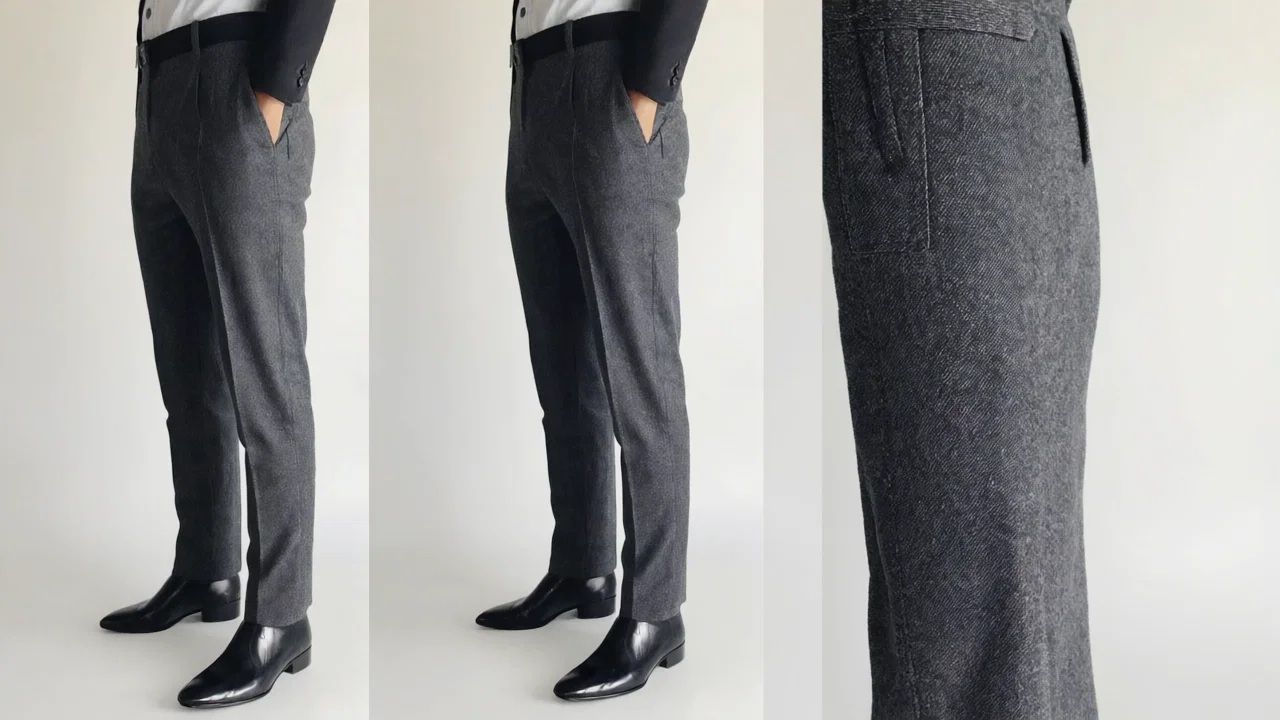
High-Quality Clothing Item Image Generation Prompt · Teresa Hanaan
This prompt guides the creation of a polished, realistic image that showcases a clothing item in detail. It emphasizes professional lighting, clear composition, and a neutral background to highlight the garment’s design, color, texture, and distinctive features. Suitable for retail catalogs, online stores, marketing materials, or design presentations, the prompt ensures the resulting image aligns with modern, classic, casual, formal, minimalist, or colorful aesthetics as described.
Generate a high-quality image that showcases the clothing item described below. Emphasize its design, color, texture, and distinctive details with clear, realistic presentation. Use professional lighting and composition to ensure the garment stands out, whether displayed on a ma…
Loading full prompt…
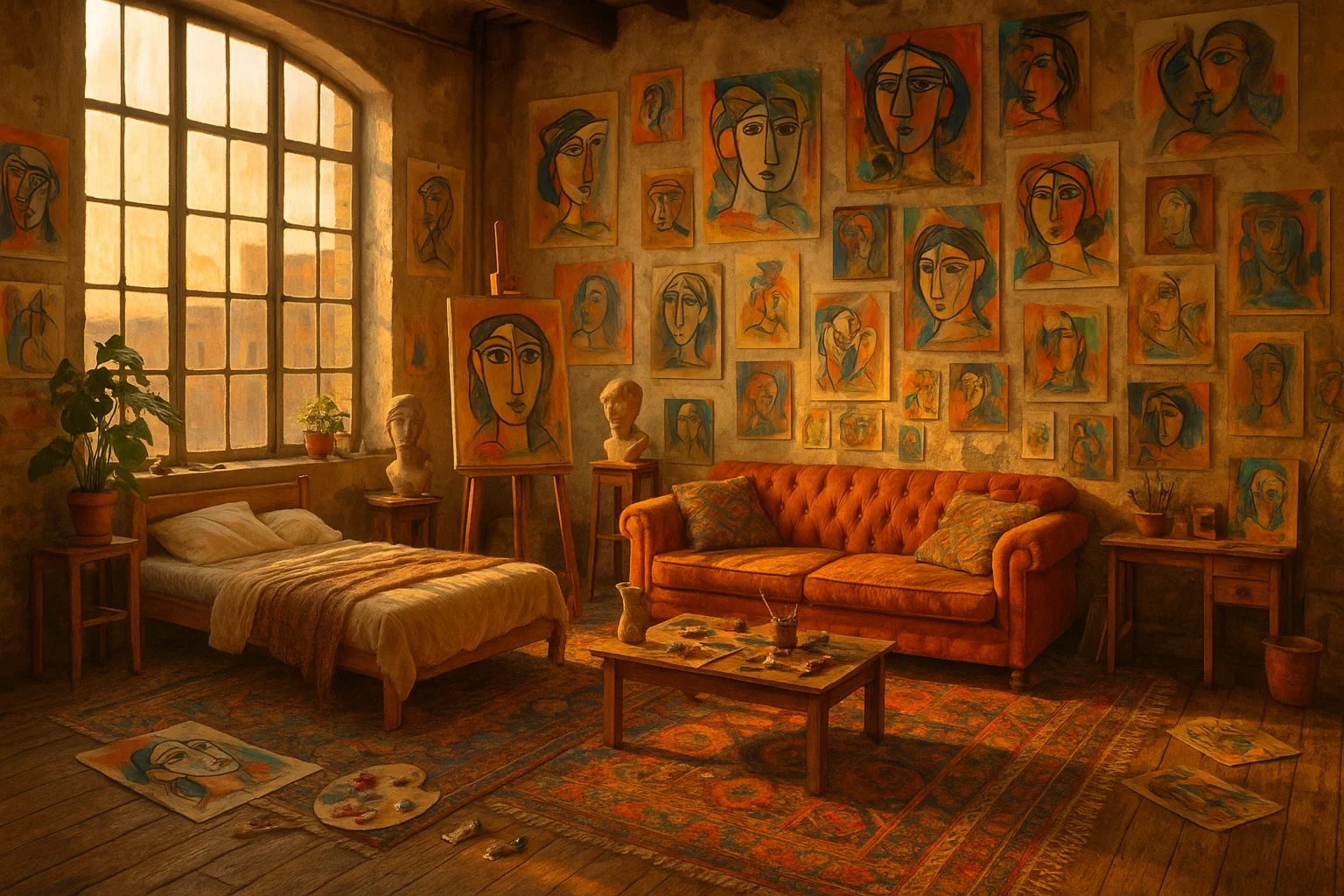
Bohemian Artist Loft Image Maker · Mia Camiña
Let your creativity loose. Imagine your dream layout filled with artistic touches, vintage charm, and layered textures. Customize every detail to bring an inspiring, one-of-a-kind bohemian loft to life.
Envision an artist’s loft overflowing with bohemian charm. This space should feel creative, personal, and full of life, with tall windows casting warm light over eclectic furniture, colorful rugs, scattered art materials, and walls covered in layered, expressive artwork. Design…
Loading full prompt…
Releases 5
More realistic, natural motion and physics, less “floaty” movement overall
Better temporal consistency throughout, characters and details stay stable across frames
Stronger prompt adherence and control, especially for complex multi-step actions
Richer, more reliable style control, easier to lock in a cinematic or specific look
Similar speed and pricing, but noticeably higher overall visual quality
Gen-4 improves story coherence across scenes (characters, environments, plot).
Ideal for long-form content like short films and music videos.
Higher fidelity visuals: better lighting, motion, and camera work.
More cinematic and production-ready outputs.
Used in high-profile projects (e.g. Tribeca Festival, Lionsgate, Madonna Tour).
Tailored for filmmakers, studios, and creative professionals.
Supports new production workflows via Runway Studios.
Advanced Model Architectures: Gen3 features further refined algorithms and architectures, providing even greater accuracy and contextual relevance in outputs compared to Gen2.
Faster Processing Speed: Gen3 enhances processing efficiency, enabling quicker generation and manipulation of media, surpassing the speed improvements of Gen2.
Superior Content Quality: The newer version delivers higher-quality content with increased precision, making it better suited for handling complex creative tasks than Gen2.
Broadened Capabilities: Gen3 introduces new functionalities for more sophisticated media generation and manipulation, expanding the range of creative tools beyond what was available in Gen2.
Greater Versatility: Gen3 supports an even wider array of creative applications, offering enhanced effectiveness and adaptability for diverse projects compared to Gen2.
Refined User Experience: The updates in Gen3 provide a more intuitive and streamlined user experience, with improved performance and usability features over Gen2.
Enhanced Model Architectures: Gen2 features upgraded algorithms and architectures that provide more accurate and contextually relevant outputs.
Increased Processing Speed: Gen2 improves processing efficiency, allowing for faster generation and manipulation of media.
Higher Content Quality: The newer iteration delivers better quality in generated content, handling complex creative tasks with greater precision.
Expanded Capabilities: Gen2 introduces advanced functionalities for media generation and manipulation, offering more versatile tools for creative projects.
Improved Versatility: Gen2 supports a broader range of creative applications, enhancing its effectiveness across different types of tasks and projects.
Enhanced User Experience: The updates in Gen2 contribute to a smoother and more intuitive user experience with improved performance and usability.
In the news
Launch coverage and community mentions for Runway.
Imported reviews 8
Classic tool! Runway's video editing is next level, the AI effects and motion tracking are straight up magic. Makes my shorts look cinematic in minutes. Big W for content creators, keep it up! 😍
This tool is AWESOME! The workflow is handy for content
I've been using this to visualize stage concepts and it's kind of amazing. You can create these dreamy motion sequences that feel like they're capturing the essence of a performance. Not always technically perfect for ballet specifics.
Been using this for editing and it's been super helpful. Lots of features for cleanup and enhancement. Makes the whole editing workflow way smoother.
Editing gameplay clips here is way faster than I expected. Super handy for turning scrims or highlights into polished reels with overlays and effects
Classic tool 😮💨 Loving Gen 4, it's wild how good the motion consistency is. It feels like a full studio in your browser. Big W guys keep it up!
Animate the individuals on the green benches by having them sway gently side to side, mimicking the motion of the trees around them. Zoom in on each person’s face while they smile, then slowly pull back to reveal the serene forest backdrop.
I’ve been using RunwayML for the past year and I’m stoked about Gen4.
FAQ 12
What are the key features of RunwayML?
How does RunwayML's AI-powered content creation work?
What capabilities does RunwayML offer for video editing?
How does the image to image generation feature work in RunwayML?
What AI Magic Tools does RunwayML provide?
How does the automatic beat detection feature of RunwayML work?
Can I collaborate with my team on projects using RunwayML?
What sort of templates does RunwayML provide for content creation?
Is there any automatic noise removal functionality in RunwayML?
How does the text to color grade feature work in RunwayML?
What are the most useful features of RunwayML for content creators?
What are some ways to use RunwayML's super-slow motion effect?
Related tools
Recommended
Midjourney ✓
PaidExpand human imagination through AI-powered visuals.
ElevenLabs ✓
FreemiumCreate lifelike AI voices for compelling storytelling.

Ideogram ✓
FreemiumAI-powered creativity booster
Suno ✓
FreemiumMake music at the speed of your ideas.
Perplexity ✓
FreemiumAI-powered answers to any question, instantly.

Claude ✓
FreemiumBuilding reliable, interpretable AI systems