

CreativePixel ✓
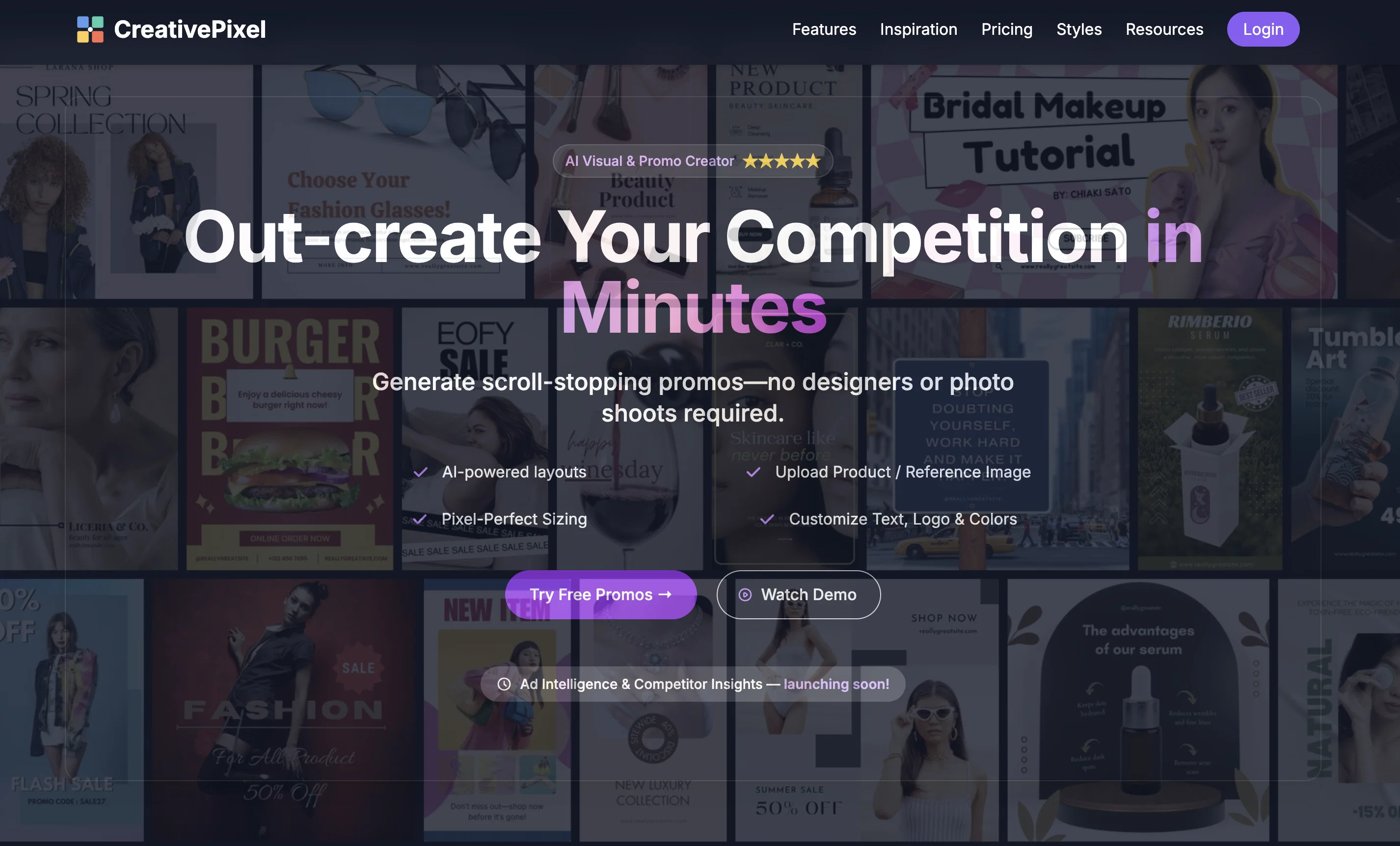
Out-create Your Competition in Minutes
Free + from $19/mo
Verdict
A quick read before you dig into the full page.
- Best if
- Out-create Your Competition in Minutes
- Skip if
- Mobile responsive but no mobile app available
- Pick this when
- Versatile imaging platform
Considering Photo AI instead? Compare side by side
Overview


Whether you need scroll-stopping ad graphics, product-shot perfection, or instant background removal, our AI-driven Promo Creator has you covered. Simply choose your format or upload a reference image, add your messaging and logo, then let CreativePixel do the rest.
Perfect for marketers, startups, agencies—or anyone who needs high-impact visuals on a tight schedule and budget.
📣 Promo Creator
Launch campaigns in seconds
• Generate up to 6 unique variations in one click
• Auto-apply your brand palette and logo
• Use a reference Ad/Promo and create similar for your
brand
• Create in all major ad sizes—social, display, video
thumbnails, and more
✂️ Background Remover
Perfect product shots, instantly
• One-click background removal for clean, pro-looking
images
• Download as PNG with transparent background
• No manual masking or Photoshop needed
🎨 AI Image Generator
From idea to image
• Describe your concept in plain English
• Get brand-aligned visuals without complex prompts
• Iterate on styles until it’s just right
🖼️ Photo Reimagine & Muse
Refresh existing assets
• Transform any image with AI-powered edits
• Generate mood-board inspirations from your
references
• Keep style consistent across campaigns
🔍 Image Enhancer
Crystal-clear results
• Upscale and de-noise low-res images
• Perfect for print, web or high-def displays
⇔ Image Expander
Infinite canvas
• Seamlessly extend product or lifestyle shots
• Maintain composition and lighting flawlessly
✍️ Smart Text Integration
Natural-looking overlays
• AI-powered placement and styling of headlines & CTAs • Auto-match fonts and colors to your image
🤖 Custom Brand Models
Your style, automated
• Train on 5–10 samples for on-brand consistency
• Ideal for recurring campaigns and product lines
Ready to out-create your competition?
Start with free credits—no credit card required.
🔥 Try Promo Creator Now
Best for
Short scenarios where CreativePixel tends to shine.
-
Out-create Your Competition in Minutes
Example outputs 1
Sample generations and before/after results for CreativePixel.
Access & connections
Where you can use CreativePixel.
Platforms
Capabilities
What this tool accepts, produces, and is strongest at.
Input
- API
- Image
- Text
Output
- API
- Image
Pros & cons
Pros
- Versatile imaging platform
- Generates unique artwork
- Reimagines photos
- Integrates text into images
- Enhances low-quality images
- Expands images
- API integration
- Creates consistent portraits
Show 36 more
- Generates brand photos
- Produces consistent illustrations
- Generates imagery from text
- Diverse art style exploration
- Transforms text into art
- Creates wider landscapes
- Empowers custom model training
- Text to image conversion
- Asset consistency maintenance
- Endless creative inspiration
- Streamlines product photography
- Improves image clarity
- Generates model photography
- Multiple art styles
- Customizes artistic style
- Allows intelligent text addition
- Provides creative suggestions
- Supports personalized content
- Image reimagining tool
- No skills needed
- Personal model training
- Crystal-clear image creation
- Image expansion beyond boundaries
- Image transformation API
- Perfect for creative professionals
- Used for branding
- Flexible image dimension allowance
- Numerous use cases
- Affordable pricing options
- API for creative apps
- Unique illustrations
- Applicable in diverse sectors
- Simple three-step creation
- Unlimited art style replications
- Loved by users
- Quick link navigation
Cons
- Mobile responsive but no mobile app available
- No real-time collaboration feature
- No offline functionality
- No explicit format conversion tools
Compare alternatives
Similar tools in the catalog — with a clear reason to open each one.

Photo AI ✓
PaidCreate beautiful AI photos and videos of real people
Why look Typically cheaper
Full comparison
Stockimg AI ✓
PaidGenerated images and text for design ease.
Why look Typically cheaper
Full comparison
BestPhotoAI ✓
FreemiumCreate amazing AI photos instantly
Why look Typically cheaper
Full comparison
Midjourney ✓
PaidExpand human imagination through AI-powered visuals.
Why look Typically cheaper
Full comparison
People also view
Tools that often show up alongside CreativePixel in collections and comparisons.

Image to Prompt Generator ✓
FreemiumConvert images to prompts for AI art generation.

FineVoice ✓
Free TrialMake the Perfect Voice for Any Moment

Younet ✓
Free TrialAI Agent Orchestration and Automation. Build your agentic business.

Typeface ✓
Free TrialPersonalized AI storytelling for enterprise content creation

Publer AI ✓
FreemiumAI-powered social media content creation and management

PostPerfect ✓
FreemiumAutomated social media posts.

Ocoya ✓
Free TrialYour AI-powered hub for seamless social media scheduling and content creation.

Flamel ✓
FreemiumTurn each franchise into a local marketing engine.
Releases 1
Imported reviews 1
This one gives some pretty decent logo directions quickly. The first concepts are useful, but I’d still want finer control over typography and spacing before calling anything final.
FAQ 12
What is CreativePixel?
What are the main features of CreativePixel?
How does the creative assistant feature in CreativePixel work?
Can I integrate text into images in CreativePixel?
What is the purpose of the image enhancer tool in CreativePixel?
What is the image expander tool in CreativePixel?
Is it possible to train custom AI models using CreativePixel?
Can CreativePixel help in image generation and transformation?
Which different AI-generated art styles does CreativePixel offer?
How can I use CreativePixel's API in my applications?
Can I use CreativePixel for branding and creating consistent portraits?
What is the process of turning text into image using CreativePixel?
Related tools
Recommended

Automateed ✓
Free TrialCreate eBooks effortlessly with Automateed, the AI-powered writing tool.

Cool Coloring Pages ✓
FreemiumCreate cool AI coloring pages instantly.

Notis ✓
Free TrialThe first WhatsApp assistant that runs on your ChatGPT and Claude subscriptions

IllustrateAI ✓
Free TrialUnlock your creativity with AI-powered illustrations.
Image to Prompt Generator ✓
FreemiumConvert images to prompts for AI art generation.

Syft ✓
FreeAI-powered news tracking for any topic worldwide