

Line art 2026 Rank: #2283
Line Drawing Converter ✓
Convert photos into clean line drawings online.
Verdict
A quick read before you dig into the full page.
- Best if
- Convert photos into clean line drawings online
- Skip if
- Limited image format support
- Pick this when
- Supports multiple file formats
Considering AI Line Art instead? Compare side by side
Overview
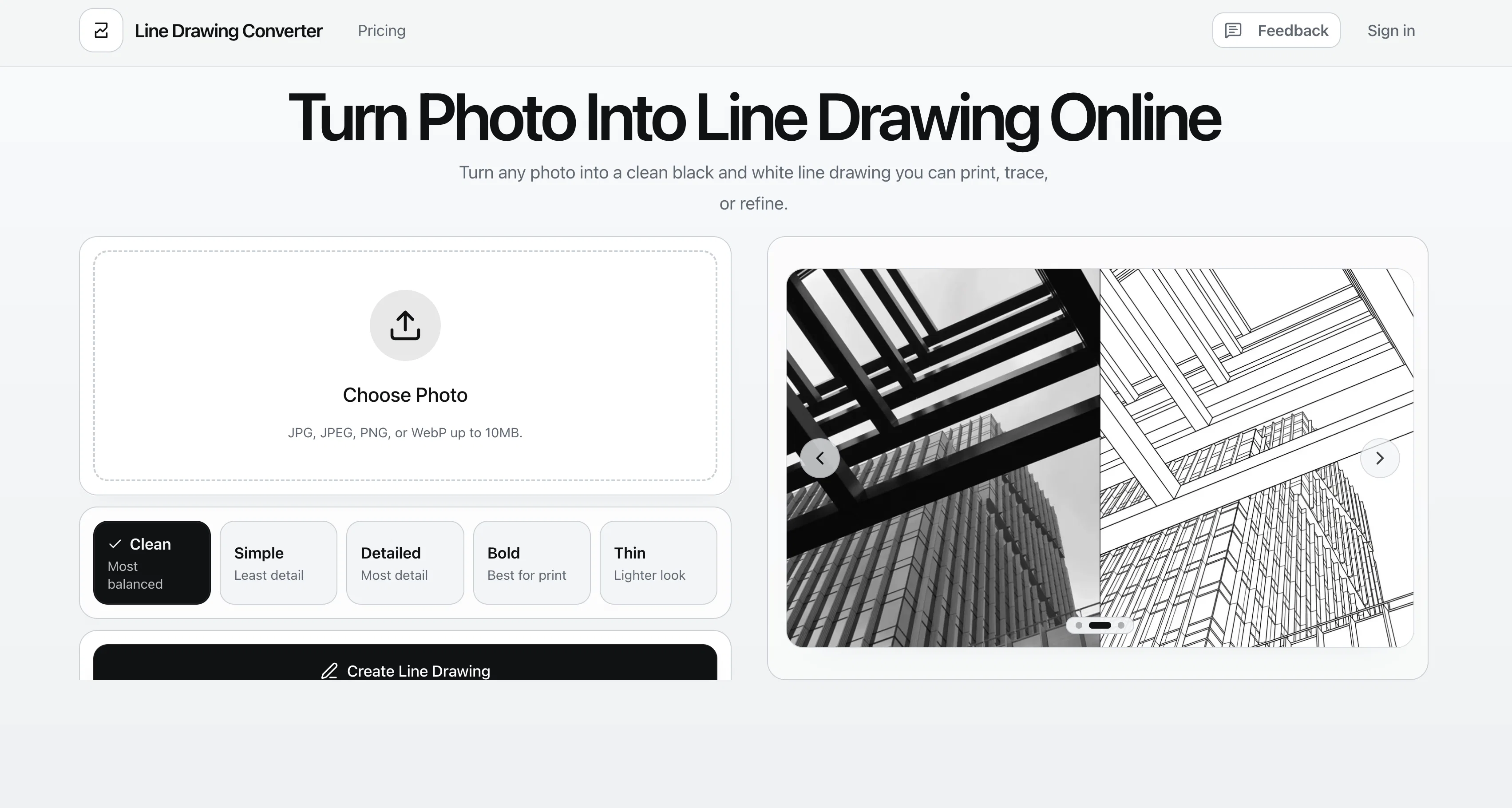
The Photo to Line Drawing Converter is a digital tool that morphs photos into black and white line drawings. It can process images in several formats including JPG, JPEG, PNG, and WebP.
The converter offers five different styles for users to choose from: clean, simple, detailed, bold, and thin. Each style is suited to different applications, such as creating print-ready files, design drafts or worksheets.
The clean mode generates balanced subject lines with tidy internal details, perfect for default portraits or reference art. The simple mode has fewer lines, creating a clearer silhouette suitable for tracing or simple coloring pages.
With the detailed mode, the converter maintains more facial, clothing, and other structural details, useful for reference sheets and architectural drawings.
The bold mode produces thicker strokes to stand out in prints or stickers. Lastly, the thin mode provides a more refined, modern linework that can be used in elegant portraits or design drafts.
Tokens can be used to generate different outcomes, which users can compare side by side to better visualise their decision. This tool goes beyond just being a simple filterit aims to simplify your image to its core elements, keeping it readable after transformation, particularly in terms of building structures, facial details, and pet features.
The intention is to provide clean, usable results, rather than a 'noisy' or overly stylised effect that users may need to fine-tune later.
Access & connections
Where you can use Line Drawing Converter.
Platforms
Capabilities
What this tool accepts, produces, and is strongest at.
Input
- Image
Output
- Image
Pros & cons
Pros
- Supports multiple file formats
- Offers five different styles
- Useful for various applications
- Generates balanced, clean lines
- Creates clear silhouettes
- Maintains detailed structural representation
- Produces bold, standout strokes
- Enables refined, modern linework
Show 34 more
- Utilizes tokens for outcomes
- Allows side-by-side comparison
- Simplifies image to core elements
- Ensures readability post-transformation
- Caters to structural, facial, pet details
- Provision of clean, usable results
- Noise reduction capability
- User-friendly interface
- Quick processing time
- Generates printable line art
- Optimal for design drafting
- Good for art reference
- Comprehensive image transformation
- Promotes modern art aesthetic
- Great for portrait generation
- Supports image simplification
- Instant photo to line conversion
- Customizable detail level control
- Adjustable line thickness feature
- Optional controls for customization
- Fast download and save feature
- Print-ready file generation
- Excellent as tracing tool
- Suitable for coloring pages
- Useful for architectural drawings
- No complex setup required
- Cleaner than generic filters
- Generates clearer black and white results
- Useful for craft planning
- Ideal for product drafts
- Generates recognizable structures post-conversion
- Producing portrait and pet line art
- Private and secure
- Direct photo upload feature
Cons
- No color drawing option
- Limited line drawing styles
- No bulk conversion feature
- No real-time preview
- No vector output formats
- Limited file size (10MB)
- Requires credits for generation
- Lack of customization options
Show 2 more
- Limited image format support
- Closed source
Compare alternatives
Similar tools in the catalog — with a clear reason to open each one.
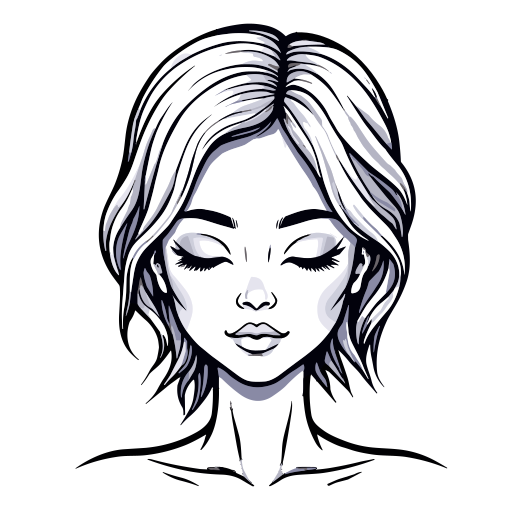
AI Line Art ✓
PaidCreate professional line art drawings in seconds with AI.
Why look Offers a public API
Full comparison

ColoringDaily ✓
Free TrialTurn any text or photo into a printable coloring page.
Free + from $5
Full comparison

Releases 1
FAQ 12
What image formats does the Photo to Line Drawing Converter support?
How many styles does the Photo to Line Drawing Converter offer?
What is the difference between the five styles offered by the Photo to Line Drawing Converter?
How can I use tokens in the Photo to Line Drawing Converter?
Can the Photo to Line Drawing Converter handle complex images like architectural drawings?
What is the 'Clean' mode in the Photo to Line Drawing Converter?
What is the 'Simple' mode in the Photo to Line Drawing Converter?
What is the 'Detailed' mode in the Photo to Line Drawing Converter?
What is the 'Bold' mode in the Photo to Line Drawing Converter?
What is the 'Thin' mode in the Photo to Line Drawing Converter?
Does the Photo to Line Drawing Converter maintain facial details in line art?
How does the Photo to Line Drawing Converter handle pet features in image simplification?
Related tools
Recommended

ChatGPT ✓
FreemiumAsk anything, create anything, and move from idea to action.

CodeRabbit ✓
Free TrialEnhanced code review for improved workflow and quality.

Claude ✓
FreemiumBuilding reliable, interpretable AI systems

AnimeGen ✓
Free TrialTurn your photo into anime art instantly.

MagicSlides.app AI PPT Maker ✓
FreemiumCreate Stunning PPTs in Seconds with the AI PPT Maker

GetLogit ✓
FreemiumArtificial intelligence, available for everyone.