

Image to video 2026 Rank: #398
ImageToVideoAI.net ✓
AI Image to Video Generator | Free to Start, 14 AI Models
Verdict
A quick read before you dig into the full page.
- Best if
- AI Image to Video Generator | Free to Start, 14 AI Models
- Skip if
- Limited use-case flexibility
- Pick this when
- High-quality video generation
Considering MojoMake - AI Image to Video Generator instead? Compare side by side
Overview
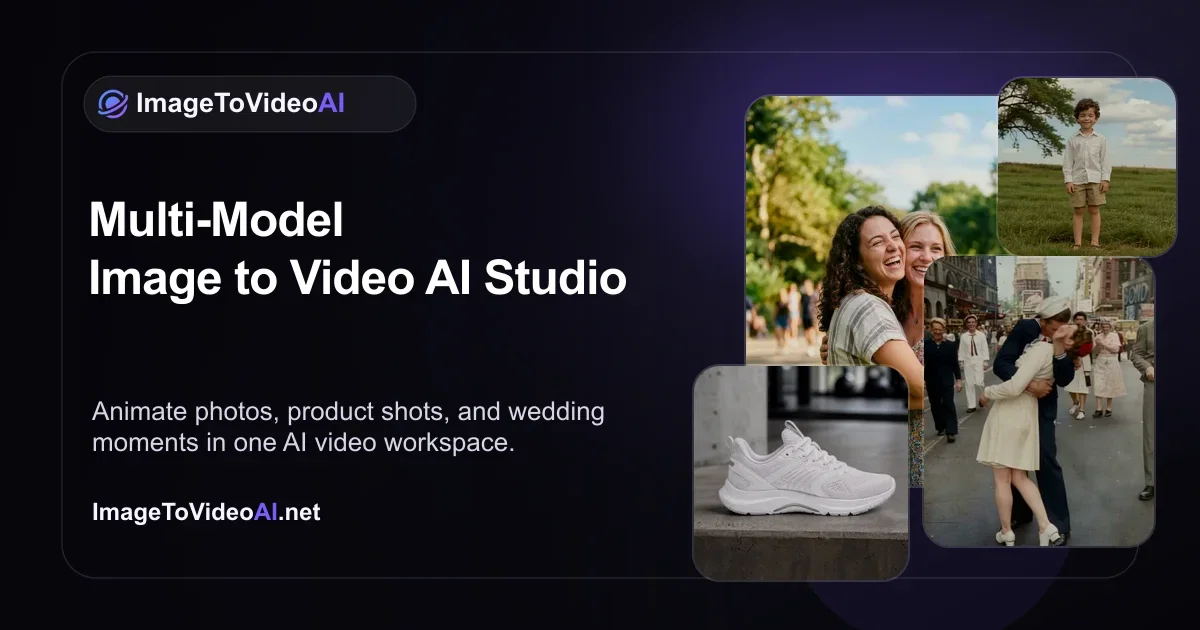
ImageToVideoAI is a highly intuitive tool specifically designed to convert static images into dynamic videos with an emphasis on cinematic motion. This AI-powered platform, which hosts an array of leading image to video AI models, allows users to animate and add elaborate video effects to previously still images, in order to create visually engaging content.
The models include Kling, Runway, Google, Veo, Hailuo Wan, Seedance, Grok, and Imagine, which can be accessed via a single subscription. There is no prerequisite for specialized skills to use the service, making it accessible for anyone looking to give a dynamic twist to their still images.
Moreover, it presents valuable use cases such as old photo animation, video enhancement, product video creation, and even fun animations such as making pets talk or developing 'meet your younger self' videos.
ImageToVideoAI is positioned as a versatile tool suitable for both professional and personal use, which can provide an AI-powered solution for image to video conversion.
Best for
Short scenarios where ImageToVideoAI.net tends to shine.
-
AI Image to Video Generator | Free to Start, 14 AI Models
Example outputs 1
Sample generations and before/after results for ImageToVideoAI.net.
Access & connections
Where you can use ImageToVideoAI.net.
Platforms
Capabilities
What this tool accepts, produces, and is strongest at.
Input
- Image
Output
- Video
Supported features
- Video Generation
- Video Edit
- Styling
Pros & cons
Pros
- Free to use
- High-quality video generation
- Doesn't require special skills
- Amplifies digital media presence
- Targets quick, automatic conversions
- Friendly for beginners
- Useful for content creators
- Increases social media engagement
Show 37 more
- Efficient conversion process
- Image enhancement capability
- Professional use
- Personal use
- Old photo animation
- Product video creation
- Fun animations
- User-friendly
- Dynamic content creation
- Cinematic motion
- No special skills required
- Dynamic twist to images
- Versatile tool
- Old photo animation
- Video enhancement
- Product video creation
- Make pets talk video
- Meet your younger self video
- One subscription for all models
- Creating visually engaging content
- User-friendly interface
- Video content creation
- Animated video effects
- Video Effects
- Image Animation
- Still Image Conversion
- Specifically designed conversion tool
- Highly intuitive tool
- Automatic image to video conversion
- Single subscription access
- Amplify digital media engagement
- Provides a cinematic experience
- Conversion from static to dynamic
- No prerequisite for specialized skills
- Useful for businesses
- General personal use
- Useful in social media
Cons
- Lack of multi-language support
- Inconsistent output results
- No option for customization
- No listed API integration
- No mobile version
- No offline version
- No apparent collaboration features
- Requires continuous subscription
Show 2 more
- Limited use-case flexibility
- No detailing on data privacy
Compare alternatives
Similar tools in the catalog — with a clear reason to open each one.

MojoMake - AI Image to Video Generator ✓
FreemiumUse every top AI model and 100+ effects in one account.
Why look Typically cheaper
Full comparison
VidFlux - Photo to Video Generator ✓
PaidTransform photos into cinematic videos with AI.
Why look Typically cheaper
Full comparison
Grok Imagine ✓
FreemiumUnleash Your Creativity with Grok Imagine
Why look Offers a public API
Full comparison
VidFlux - Image to Video AI ✓
PaidTransform any image into stunning videos.
Why look Typically cheaper
Full comparison
MindVideo ✓
FreemiumCreate stunning videos from text or images.
Why look Typically cheaper
Full comparison
People also view
Tools that often show up alongside ImageToVideoAI.net in collections and comparisons.
MojoMake - AI Image to Video Generator ✓
FreemiumUse every top AI model and 100+ effects in one account.

Whacka ✓
Free TrialTurn ideas into real apps from your phone.

Video maker by AI Generator Hub ✓
Free TrialCreate stunning AI videos, images, and music effortlessly.

Pixwit AI ✓
FreemiumCreate cinematic AI videos from text or images.
Canva AI ✓
FreemiumAI tools for design, writing, and creativity.

AI Hub - APIs by Picsart ✓
FreemiumOne API for 100+ models across image, video, text, audio.

Vibeknow ✓
Free TrialTurn complex knowledge into clear video.

SellShots ✓
Free TrialTurn one photo into high-converting product images
Releases 1
FAQ 12
What is ImageToVideoAI?
Is ImageToVideoAI free to use?
What is the main functionality of ImageToVideoAI?
Do I need any prior skills or knowledge to use ImageToVideoAI?
Who is the target audience for ImageToVideoAI?
What types of visuals can ImageToVideoAI produce?
What AI models does ImageToVideoAI use?
How long does it take to convert an image to video with ImageToVideoAI?
What does 'AI video' generated by ImageToVideoAI look like?
How can businesses benefit from using ImageToVideoAI?
How can ImageToVideoAI improve my social media content?
Is ImageToVideoAI beginner friendly?
Related tools
Recommended
Whacka ✓
Free TrialTurn ideas into real apps from your phone.
Canva AI ✓
FreemiumAI tools for design, writing, and creativity.

NoimosAI ✓
Free TrialYour Personal AI Marketing Team Taking Initiative 24/7
AI Hub - APIs by Picsart ✓
FreemiumOne API for 100+ models across image, video, text, audio.

ChatGPT ✓
FreemiumAsk anything, create anything, and move from idea to action.

Notis ✓
Free TrialThe first WhatsApp assistant that runs on your ChatGPT and Claude subscriptions