
Design vv2.0 2026 Rank: #397
Canva AI ✓
AI tools for design, writing, and creativity.
Free + from $12/mo
Verdict
A quick read before you dig into the full page.
- Best if
- AI tools for design, writing, and creativity
- Skip if
- Limited to on-brand design
- Pick this when
- Conversation-based design generation
Considering Kolors AI instead? Compare side by side
Overview
Canva AI serves as a versatile creative tool that utilizes AI to help generate designs. This tool is built to create through conversation, turning creative ideas into visual assets.
Users can describe their vision through text or voice, and Canva AI brings these instructions to life. It pulls context from connected tools to generate designs and enables edits or refinements through conversation or manual alterations, ensuring the user remains in control.
Canva AI also generates visual elements such as images, charts, or headlines upon request and incorporates them into the design. It learns the users brand assets like fonts, colors, and design rules and ensures every generated design aligns with the brand identity.
The tool allows the inclusion of web research straight into designs and learns the users creative process over time to personalize output. It also offers task scheduling features for future or recurring design requirements.
New capabilities of Canva AI include creating with prompts, style matching, generating 3D content, video generation, photo editing, on-brand design generation and more.
It offers a blend of design, branding and coding tools to create comprehensive visual content.
Best for
Short scenarios where Canva AI tends to shine.
-
AI tools for design, writing, and creativity.
Example outputs 1
Sample generations and before/after results for Canva AI.

Access & connections
Where you can use Canva AI, and what it plugs into.
Platforms
Integrations
Capabilities
What this tool accepts, produces, and is strongest at.
Input
- Tabular
- Image
- Text
- Video
Output
- Code
- Video
- Text
- Image
Supported features
- Integrations
- SynthID
- Outpainting
- Inpainting
Pros & cons
Pros
- Conversation-based design generation
- Generates visual elements on request
- Brand asset learning for designs
- Incorporates web research into designs
- Learning user creative process
- Task scheduling for design requirements
- Creating with prompts feature
- Style matching capability
Show 38 more
- 3D content generation
- Video generation feature
- Photo editing feature
- On-brand design generation
- Blends design, branding, coding tools
- Versatile tool for content creation
- Allows voice interaction
- Ensures interactive design process
- Provides personalized design output
- Ensures on-brand design consistency
- User always remains in control
- Incorporates unique design rules
- Generates images, charts, headlines
- Contextual design through connected tools
- Brand asset consistency in design
- Edits and refinements through conversation
- Future or recurring task scheduling
- Blend of writing and creativity tools
- Option for manual design alterations
- Pulls context from connected tools
- Understands and uses brand colors
- Transforms text to visual assets
- Interactive activities integration
- Enhances designs with style match
- Automatic resize function
- Custom shape generator
- Background remover with magic background
- Converts videos to MP4
- Magic Write for voiceover
- Integrates data with Canva Code
- Generates editable layouts with Magic Layers
- Ensures safe and private design
- Granular privacy settings
- Advanced security tools with Canva Shield
- Supports Design, coding, branding features
- Language conversion for designs
- Converts text to speech voiceover
- Online video recorder for use
Cons
- 3D content generation limitations
- Lack of advanced coding tools
- Limited voice interaction capabilities
- Requires frequent manual alterations
- Overreliance on branding rules
- Not fully compatible with all browsers
- Web research accuracy concerns
- Limited to on-brand design
Show 2 more
- Inefficient task scheduling features
- Potential loss of design originality
Compare alternatives
Similar tools in the catalog — with a clear reason to open each one.


Canvora ✓
Free TrialThe Smartest Visual Assistant that can create visuals in 150+ languages.
Why look Offers a public API
Full comparison


Veeso AI ✓
FreemiumTurn content into deliverable designs.
Why look Better for writing
Full comparisonPeople also view
Tools that often show up alongside Canva AI in collections and comparisons.

Whacka ✓
Free TrialTurn ideas into real apps from your phone.
Pixwit AI ✓
FreemiumCreate cinematic AI videos from text or images.

MojoMake - AI Image to Video Generator ✓
FreemiumUse every top AI model and 100+ effects in one account.

ImageToVideoAI.net ✓
FreemiumAI Image to Video Generator | Free to Start, 14 AI Models

Video maker by AI Generator Hub ✓
Free TrialCreate stunning AI videos, images, and music effortlessly.

Vibeknow ✓
Free TrialTurn complex knowledge into clear video.

SellShots ✓
Free TrialTurn one photo into high-converting product images

Lets Enhance AI Image to Video ✓
FreemiumTurn any photo into realistic video.
Releases 2
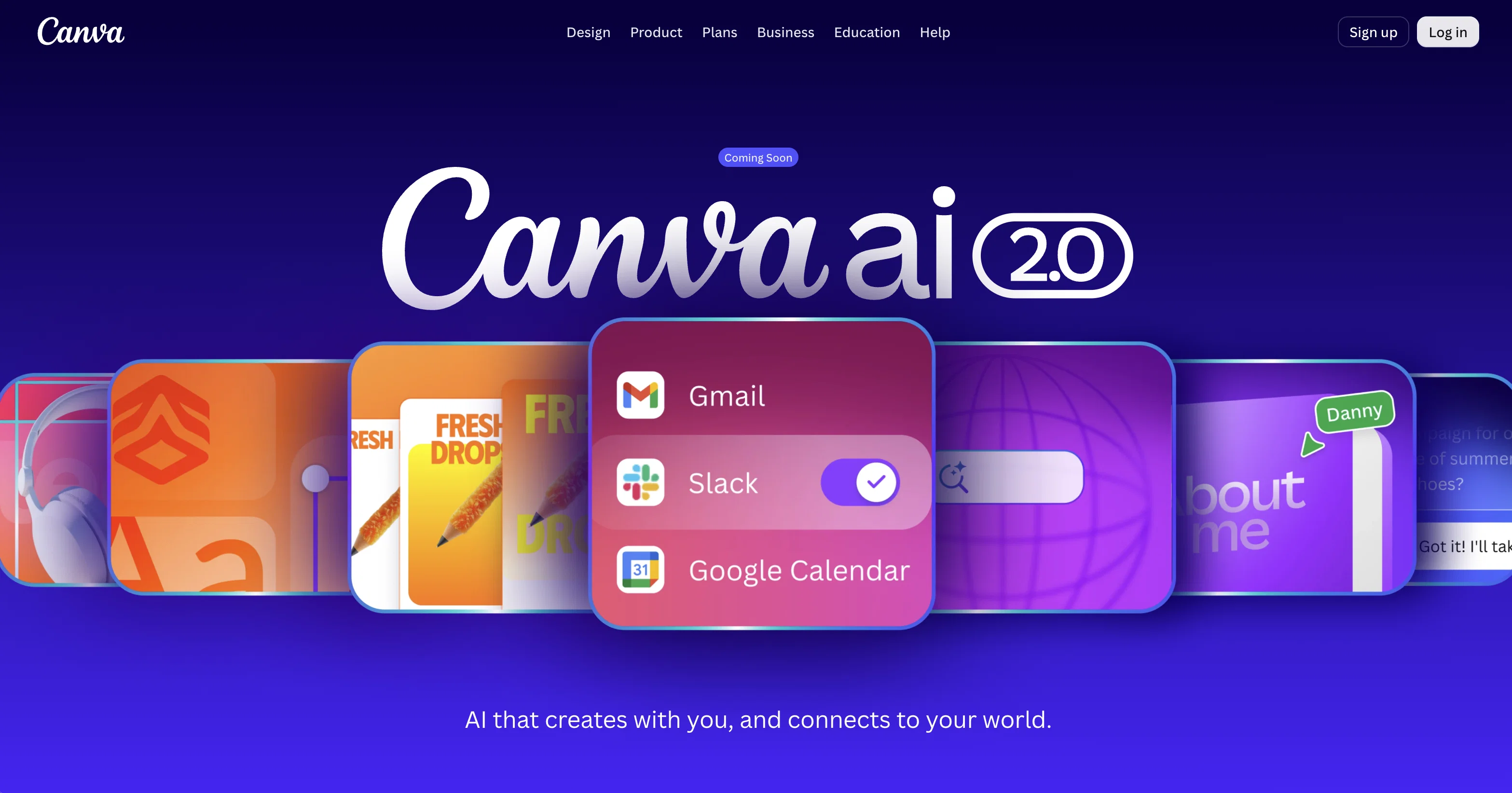
Conversational design — start from a prompt or brief instead of a template; AI generates fully editable, layered designs with brand and layout applied from the first output
Agentic orchestration — describe a goal and the AI picks and sequences the right tools across the Visual Suite automatically
Layered object intelligence — edit specific elements (text, images, fonts) via prompt without affecting the rest of the design
Memory Library — persistent memory learns your style and applies consistent branding across projects
Connectors — integrates with Slack, Notion, Zoom, Gmail, Google Drive, and Google Calendar to pull in context and generate assets from existing content
Background scheduling — set repeatable tasks to run automatically, with drafts ready for review
Web research — pulls live information into designs on demand
Brand Intelligence — auto-applies brand guidelines to generated outputs
Canva Code 2.0 — now supports HTML import; bring AI-generated code into the visual editor without rebuilding
External AI import — import artifacts from Claude, ChatGPT, etc. directly into Canva as editable designs
FAQ 12
What is the Canva AI 2.0?
Can you explain the conversation-based creation feature of Canva AI 2.0?
How can Canva AI 2.0 generate visual elements based on my instructions?
How can I incorporate the context from connected tools into my designs in Canva AI 2.0?
How is the user's control ensured in Canva AI 2.0 while making edits?
What are the ways Canva AI 2.0 learns the users' brand assets?
In what way can I include web research straight into my designs in Canva AI 2.0?
How does scheduling tasks in the future or recurring design requirements work in Canva AI 2.0?
What are the new capabilities of Canva AI 2.0?
What does the feature of creating with prompts in Canva AI 2.0 mean?
How does Canva AI 2.0 use AI for style matching?
How can Canva AI 2.0 generate 3D content?
Related tools
Recommended

Claude ✓
FreemiumBuilding reliable, interpretable AI systems
MojoMake - AI Image to Video Generator ✓
FreemiumUse every top AI model and 100+ effects in one account.

ChatGPT ✓
FreemiumAsk anything, create anything, and move from idea to action.

Notis ✓
Free TrialThe first WhatsApp assistant that runs on your ChatGPT and Claude subscriptions
Whacka ✓
Free TrialTurn ideas into real apps from your phone.

AdsCreator.com ✓
Free TrialTurn any website into scroll-stopping ads.
More from this creator

remove.bg ✓
FreemiumRemove image backgrounds in 5 seconds with one click
Canva Magic Design ✓
FreemiumAuto-generate designs with AI

Canva Visual Suite ✓
UnknownDesign for the new visual era

Unscreen Pro ✓
PaidUnscreen Remove video background

Canva AI Code Generator ✓
FreemiumTransform designs into interactive experiences without coding.

Canva Magic Write ✓
FreemiumAI writer for fast first drafts.