

APIs 2026 Rank: #775
AI Hub - APIs by Picsart ✓
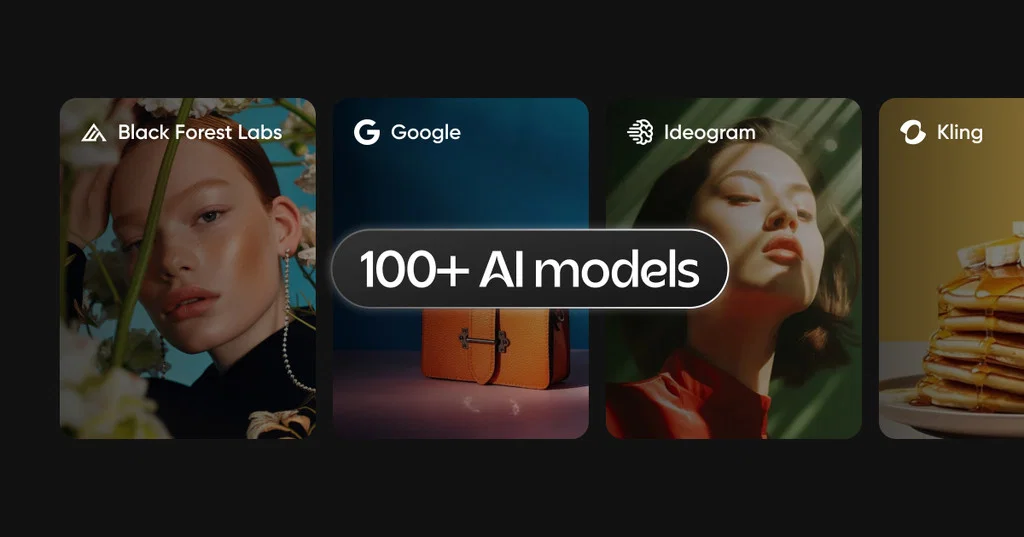
One API for 100+ models across image, video, text, audio.
Verdict
A quick read before you dig into the full page.
- Best if
- One API for 100+ models across image, video, text, audio
- Skip if
- Cloud only, no offline use
- Pick this when
- 100+ models, one integration
Considering Featherless - Serverless LLM Hosting instead? Compare side by side
Overview





AI Hub is built for teams that want to move fast without locking into one model or maintaining a pile of vendor-specific SDKs. It is also designed to scale from generation into broader image and video editing APIs on the same platform.
HIGHLIGHTS
- Compare models with the same API workflow
- Usage‑based pricing with volume discounts
- Switch providers by changing the model URN, not your integration
- Project/app‑level control to separate evaluation, staging, and production
- 200 complimentary credits for eligible accounts to evaluate models
SUPPORTED GENERATION TYPES
- text2image
- image2image (prompt-based editing, inpainting, outpainting)
- text2video
- image2video
- text2text
- text2speech
- text2sound
AI Hub also includes Picsart-native creative services alongside third‑party models, so teams can mix generation and editing workflows (for example, generation plus background removal).
MAIN VENDORS AVAILABLE
AI Hub works with a broad set of providers. The catalog includes vendors such as:
OpenAI, Google, Anthropic, Black Forest Labs, Flux.AI, Ideogram, Kling AI, Runway, Luma, MiniMax, Seedream, Seedance, Wan, xAI, ElevenLabs, Async, Hunyuan, Qwen, Reve, Ovi, Lightrick (LTX), and Picsart.
Popular model names people recognize
Image
- DALL‑E 3 (OpenAI)
- GPT Image 1, GPT Image 1.5, GPT Image 2.5 (OpenAI)
- FLUX Kontext Max, FLUX Kontext Pro (Black Forest Labs)
- Flux 2, Flux 2 Pro, Flux 2 Max (Flux.AI)
- Seedream 4, Seedream 4.5, Seedream 5.0 Lite (Seedream)
- Qwen Image 2.5 (Qwen)
- Gen4 (Runway, text-to-image)
Video
- Veo 3.1 and related variants (Google)
- Gen4.5 (Runway, text-to-video and image-to-video)
- Kling 3 (Kling AI, text-to-video and image-to-video)
- Ray 1.6 (Luma, image-to-video)
- Hailuo 02 (MiniMax, image-to-video)
- Wan 2.5 and Wan 2.6 (Wan, image-to-video)
- Grok Imagine Video (xAI, text-to-video and image-to-video)
Text and audio
- Claude Sonnet 4.5 and Claude Sonnet 4.6 (Anthropic, text-to-text)
- Gemini model family (Google, text-to-text)
- Eleven 3 (ElevenLabs, text-to-speech)
- Sound Effects 2 (ElevenLabs, text-to-sound)
- Flash 1 (Async, text-to-speech)
COMMON USE CASES
- Ship generative features inside a product with one stable integration across media types
Evaluate model quality and latency by running the same prompts and inputs across providers
- Keep costs flexible with usage-based pricing while you scale
- Avoid vendor lock‑in by switching models via URNs, not new code paths
- Move from generation to editing on the same platform when your workflows expand
WANT EVEN MORE?
- One integration, many providers. You keep one workflow and pick the model that fits the job.
- Clean model control. Switch models by updating the model URN. Pin versions using AIR URNs when you go to production.
- Clearer decision-making. Compare outputs side by side using the same prompt and constraints before rollout.
- Designed for scale and governance. Separate evaluation, staging, and production at the project/app level.
- Enterprise readiness. AI Hub references compliance signals such as SOC 2 Type II, SOC 3, ISO 27001, and GDPR support via the Trust Center.
- Ai Image Generator
- Ai Video Generator
- Ai Speech Generation
- Ai Music Generation
- Text To Video
- Text To Text
- Image To Video
- Ai Text To Speech
- Ai Image-to-image
- Generative Ai
- Text To Sound And Music
Access & connections
Where you can use AI Hub - APIs by Picsart, and what it plugs into.
Platforms
Integrations
Capabilities
What this tool accepts, produces, and is strongest at.
Input
- API
- Image
- Text
- Audio
Output
- Audio
- Video
- API
- Text
- Image
Highlights
- MCP
Supported features
- MCP
Pros & cons
Pros
- 100+ models, one integration
- Image, video, text, audio
- Switch providers without rewrites
- Compare models side by side
- Pin versions for stability
- Single auth and request pattern
- Built for staging and production
- Free trial credits included
Show 4 more
- One-time credit packs available
- Monthly plans with discounts
- Annual commitments for best rates
- Overages prevent workflow interruptions
Cons
- Cloud only, no offline use
- Latency varies by selected model
- Output quality differs across providers
- Costs scale with heavy usage
- Not for custom fine-tuning
- Some models change quickly
- Regional availability may differ
- Requires governance for experimentation
Compare alternatives
Similar tools in the catalog — with a clear reason to open each one.

Featherless - Serverless LLM Hosting ✓
Free TrialDeploy any open AI model effortlessly.
Free + from $10/mo
Full comparison
ZEGOCLOUD ✓
FreemiumAPIs for real-time voice, video and chat.
Why look Typically cheaper
Full comparison



Releases 1
Imported reviews 1
The best creative AI Hub.
FAQ 12
What is Picsart AI Hub API?
🛠️ 6
tools
🙏 1
karma
wrote:
Picsart AI Hub gives your team API access to 100+ generative AI models (Picsart-native and third-party) through Picsart Creative APIs. You can run image, video, text, and audio workflows with a consistent integration, then compare or switch models without rebuilding your workflow.
What can I build with AI Hub?
🛠️ 6
tools
🙏 1
karma
wrote:
AI Hub supports creative workflows across image, video, text, and audio. That includes generation and transformation use cases where you want to test multiple providers, pick the best output, and ship quickly without maintaining many different vendor APIs.
How many models and providers are available?
🛠️ 6
tools
🙏 1
karma
wrote:
AI Hub includes 100+ production-ready models across categories, and works with a broad set of providers (for example Anthropic, Black Forest Labs, ElevenLabs, Google, Ideogram, Kling AI, Luma, Minimax, OpenAI, Runway, Wan, xAI, plus others).
Do I need separate vendor accounts or API keys for each model provider?
🛠️ 6
tools
🙏 1
karma
wrote:
No. AI Hub keeps the same endpoint, auth, and request pattern across supported models, so you can evaluate different providers without setting up separate vendor accounts or keys.
How do I switch models once I integrate?
🛠️ 6
tools
🙏 1
karma
wrote:
You switch models by changing the model identifier (model URN) while keeping the same API workflow. There is no new integration work required to try a new model.
Can I keep production results stable if models update?
🛠️ 6
tools
🙏 1
karma
wrote:
Yes. When you are ready to ship, you can pin a specific AIR URN and version so production behavior stays predictable. This is the recommended approach for controlled rollouts.
How does pricing work? Can I pay monthly or one-time?
🛠️ 6
tools
🙏 1
karma
wrote:
Pricing is credit-based and designed to scale with usage. You can choose options such as:
- One-time purchase of credits
- Monthly plans with discounts versus one-time
- Bulk pricing with tiered volume discounts
- Annual commitments for higher performance and 24/7 integration support
The pricing page also emphasizes no hidden costs, no contract, and cancel anytime, plus “pay-as-you-go with overdrafts” (where enabled).
Is there a free trial or free credits to test AI Hub?
🛠️ 6
tools
🙏 1
karma
wrote:
Yes. You can start with 200 free credits to evaluate and run QA. No credit card is required for the free credits trial.
What happens if we run out of credits in production?
🛠️ 6
tools
🙏 1
karma
wrote:
For enterprise customers, overdraft or overage usage can be enabled so automated workflows do not fail immediately when credits run out. If you need this, contact your Picsart account manager or support to set it up.
How do I estimate costs before committing?
🛠️ 6
tools
🙏 1
karma
wrote:
Use the AI Hub model catalog to review per-model pricing and run the same inputs across multiple models during evaluation. This makes it easier to compare quality, speed, and cost before you pick what to ship.
Is AI Hub suitable for enterprise and security reviews?
🛠️ 6
tools
🙏 1
karma
wrote:
Yes. AI Hub is positioned for enterprise rollouts, and Picsart provides compliance information through its Trust Center, including SOC 2 Type II, SOC 3, ISO 27001, and GDPR support.
How do we get started fast?
🛠️ 6
tools
🙏 1
karma
wrote:
Start by getting API access, then browse the provider catalog to confirm model coverage for your use case. If you have procurement or rollout requirements (SOWs, extended security reviews, scale planning), you can also talk to the Picsart team for an enterprise rollout plan.
Related tools
Recommended

Whacka ✓
Free TrialTurn ideas into real apps from your phone.
Vidnix | AI Image to Video Generator ✓
Free TrialTurn text into stunning AI videos.

MojoMake - AI Image to Video Generator ✓
FreemiumUse every top AI model and 100+ effects in one account.

ImageToVideoAI.net ✓
FreemiumAI Image to Video Generator | Free to Start, 14 AI Models

Video maker by AI Generator Hub ✓
Free TrialCreate stunning AI videos, images, and music effortlessly.

AI Photo Editor ✓
Free TrialTransform photos with AI using simple text prompts.
More from this creator

Creative APIs by Picsart ✓
FreemiumTransforming creativity and automation with AI-powered image, video, and content editing tools

Remove Background by Picsart ✓
FreemiumInstantly remove backgrounds for clean, transparent images—perfect for products, designs, and creative

Image Upscale by Picsart ✓
FreemiumTurn small, noisy images into crisp assets - automatically.

AI Playground MCP & CLI by Picsart ✓
FreemiumGenerate images, video, and audio with 150+ AI models.