

Image to video 2026 Rank: #924
ImageToAI.Video ✓
Turn any image into a video with AI.
Verdict
A quick read before you dig into the full page.
- Best if
- Turn any image into a video with AI
- Skip if
- No native watermark removal
- Pick this when
- Turns static images into videos
Considering MojoMake - AI Image to Video Generator instead? Compare side by side
Overview
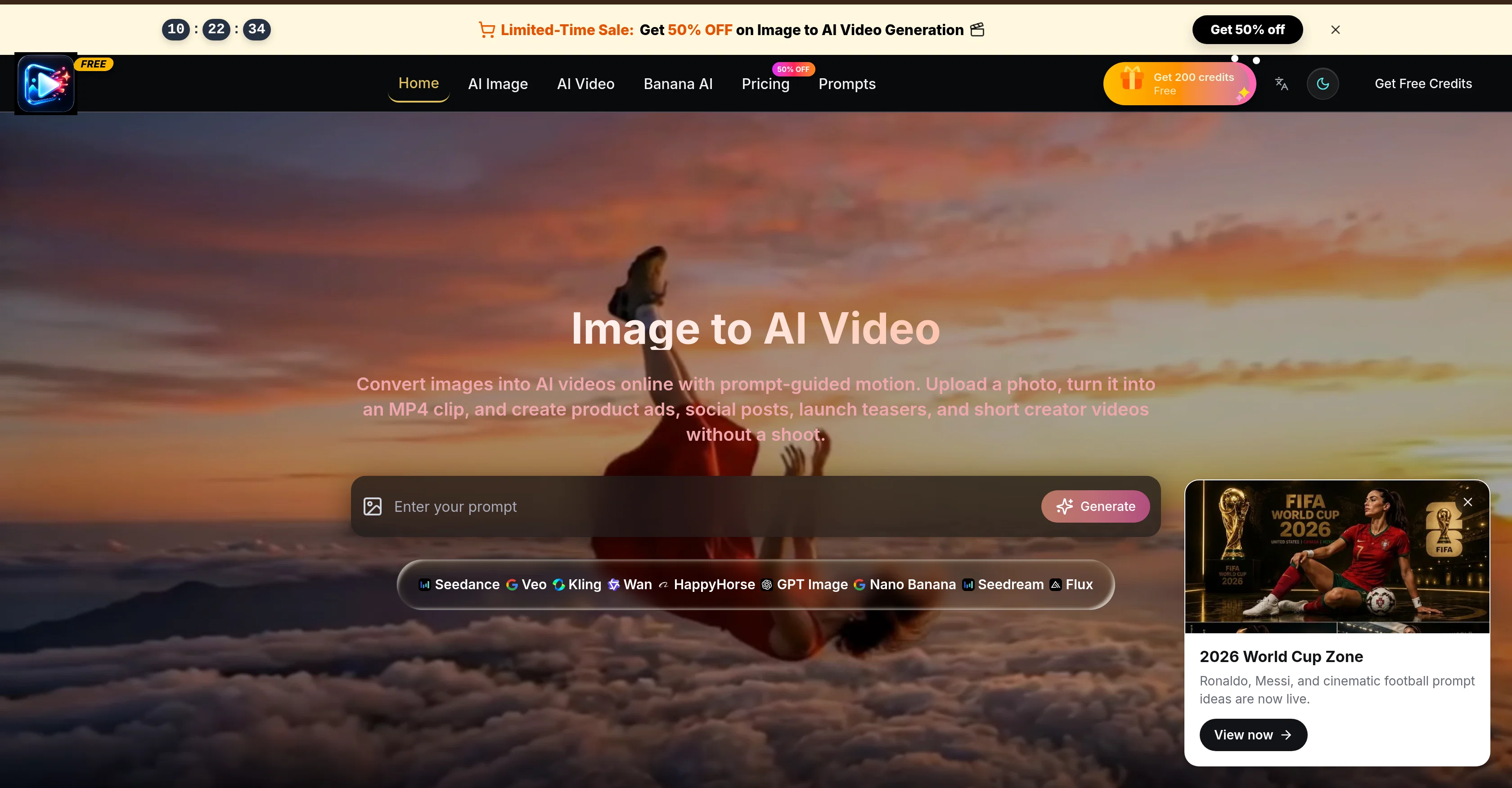
Image to AI Video is an innovative tool that allows users to turn static photos into dynamic AI-generated videos. The process is simple: users upload an image, guide the motion of the video with selected prompts, and then generate an MP4 clip.
The tool is designed to be versatile and is ideal for creating engaging video content for a variety of platforms including social media posts, product ads, launch teasers and other creative projects.
Despite requiring no filming, the videos created are far from generic, with the option to personalize the camera movement, lighting, mood, and scene changes all reliant on user specification.
Moreover, the tool ensures consistency between the original photo and video, preserving the subject, composition, product details, and visual style. It also provides the ability to draft in low quality before moving to higher quality outputs, making creative iterations cost-effective and efficient.
Overall, Image to AI Video offers practical solutions for content creators looking to diversify their creation process and animate their still images into dynamic, short video clips.
- Image-to-video Generation
- Prompt-based Motion Control
- Cinematic Camera Movement
- Realistic Video Clips
- Ad Creative Generation
- Social Media Videos
- Product Launch Videos
- No Camera Crew Required
- Commercial Use
Best for
Short scenarios where ImageToAI.Video tends to shine.
-
Turn any image into a video with AI.
Example outputs 1
Sample generations and before/after results for ImageToAI.Video.
Access & connections
Where you can use ImageToAI.Video.
Platforms
Capabilities
What this tool accepts, produces, and is strongest at.
Input
- Image
- Text
- Video
Output
- Video
- Image
Supported features
- Video Generation
- Video Edit
Pros & cons
Pros
- Turns static images into videos
- Guided motion prompts
- Generates MP4 clips
- Versatile tool for content
- No filming required
- Personalize camera movement
- Control over lighting
- Customize scene changes
Show 41 more
- Consistency between photo and video
- Draft in low quality
- Efficient high quality production
- Cost-effective content creation
- Ideal for product ads
- Perfect for social media
- Assists in product launches
- Brief storytelling videos
- Video personalization
- Dynamic content creation
- Lighting Control
- Camera Movement Control
- Scene Change Control
- Video Quality Control
- Online conversion service
- Prompt-guided motion
- Product detail preservation
- Visual style consistency
- Various video lengths options
- Multiple format ratio
- MP4 video export
- Credit-based rendering
- Clear credit costs displayed
- Consistent look for campaigns
- Fast visual iteration
- Ad hook testing functionality
- Product walkthrough creation
- Seasonal shop clips creation
- UGC-style story drafts
- Plan options variety
- Unused credits roll over
- Commercial License
- Unlimited Storage
- Priority Processing Queue
- Ads-Free Experience
- Priority Support
- Workflows with clear costs
- Online course creation
- Teaser video creation
- Short clips creation
- Narrative clip drafts
Cons
- Limited to short videos
- No subtitle feature
- No advanced editing tools
- Limited output formats (MP4 only)
- Credit-based rendering
- No mention of voice/audio support
- No native watermark removal
- Only vertical, square, landscape options
Show 2 more
- Generic user interface
- No listed compatibility with other software
Compare alternatives
Similar tools in the catalog — with a clear reason to open each one.

MojoMake - AI Image to Video Generator ✓
FreemiumUse every top AI model and 100+ effects in one account.
Why look Offers a public API
Full comparison
VidFlux - Photo to Video Generator ✓
PaidTransform photos into cinematic videos with AI.
Why look Typically cheaper
Full comparison
Grok Imagine ✓
FreemiumUnleash Your Creativity with Grok Imagine
Why look Offers a public API
Full comparison
VidFlux - Image to Video AI ✓
PaidTransform any image into stunning videos.
from $9/mo
Full comparison
MindVideo ✓
FreemiumCreate stunning videos from text or images.
Free + from $7.9/mo
Full comparisonPeople also view
Tools that often show up alongside ImageToAI.Video in collections and comparisons.
VidFlux - Photo to Video Generator ✓
PaidTransform photos into cinematic videos with AI.
VidFlux - Image to Video AI ✓
PaidTransform any image into stunning videos.
MojoMake - AI Image to Video Generator ✓
FreemiumUse every top AI model and 100+ effects in one account.
MindVideo ✓
FreemiumCreate stunning videos from text or images.

Himedia AI Video Generator ✓
Free TrialCreate any AI Videos, Images and Music - No creative limits
Grok Imagine ✓
FreemiumUnleash Your Creativity with Grok Imagine

Motiofy ✓
Free TrialCreate Product and Social Videos Without Filming a Thing

MorphLogo ✓
Free TrialStatic logo in, cinematic motion out.
Releases 1
Imported reviews 2
I can't even log in. With google or just by putting the email, and then the code.
Edit: I just found the error. If i try to create a new user, the url comes up with the error unable to create user.
I think this is a sleeping giant.
FAQ 12
What is Image to AI Video?
How does Image to AI Video work?
Can I create product advertisements using Image to AI Video?
What formats can Image to AI Video export my videos in?
What features does Image to AI Video provide for text-to-video and image-to-video workflows?
Can I use Image to AI Video to create videos for social media posts?
What are the options for video styles in Image to AI Video?
Does Image to AI Video provide any prompts to guide the motion applied to the image?
Can Image to AI Video help create launch teasers?
Is Image to AI Video user-friendly?
What is the cost structure in Image to AI Video?
Does Image to AI Video provide a workspace for teams?
Related tools
Recommended

AI Builder | Hostinger Horizons ✓
Free TrialBuild web apps and websites without writing any code.

Higgsfield AI ✓
Free TrialAI Video Generator & Image Generator

Anijam ✓
Free TrialAI handles your entire animation pipeline.

Vdoo AI | Reference to Video ✓
PaidReference existing videos to generate new AI content.

ClaviSay ✓
FreeTurn content you love into a language lesson.

AI Effect.Art ✓
PaidTurn photos into viral AI videos with templates.