

Image Upscale by Picsart ✓
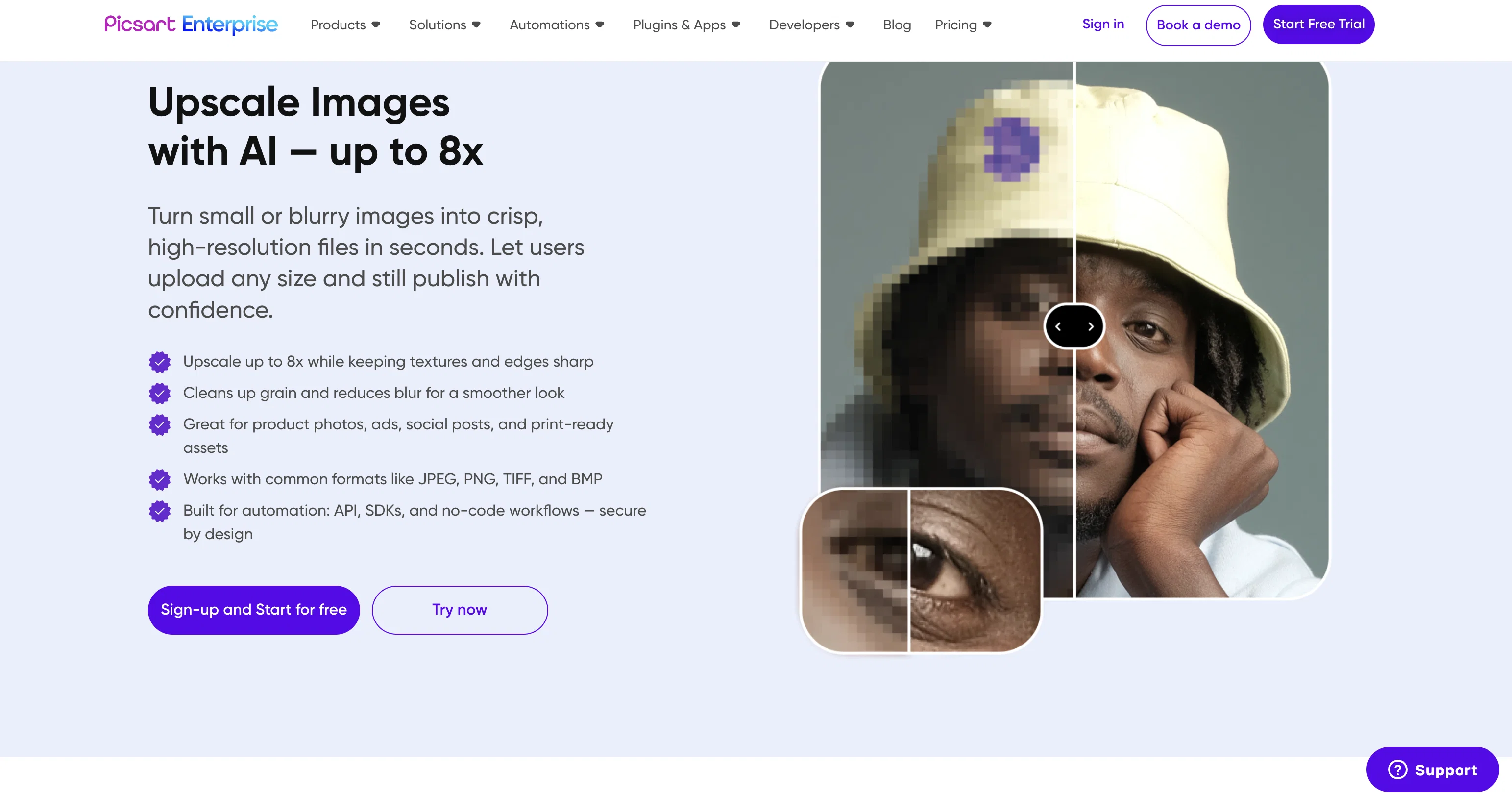
Turn small, noisy images into crisp assets - automatically.
Free + from $10/mo
Verdict
A quick read before you dig into the full page.
- Best if
- Turn small, noisy images into crisp assets - automatically
- Skip if
- Pricing can be Expensive
- Pick this when
- Transforms low-quality visuals
Considering Deep Image instead? Compare side by side
Overview





👉 Why businesses use it
- Print services: Make customer uploads and legacy assets print‑ready with fewer “pixelation” escalations and reprints. (Picsart publishes dedicated solutions for Web‑to‑Print and Print on Demand.)
- E‑commerce & product customization: Scale catalogs, UGC, and on‑the‑fly previews to hero image or billboard sizes, while preserving edges, materials, and faces.
👉 Accessible Beyond APIs
Image Upscaling isn’t just for developers. You can use it through:
- API integration via HTTP
- Editor SDK for embedded product experiences
- Automation platforms like Make.com, Zapier, Elastic.io, Integrately, and Pabbly
- Design plugins in Figma, Sketch, Miro, GIMP
- Desktop apps for MacOS and Linux
- Command-line tools (CLI) for DevOps workflows and local scripting
These options make it accessible to teams of all skill levels—from growth marketers and content ops to engineers, print tech platforms, and creative production teams.
👉 Why Choose Image Upscale by Picsart?
Unlike single-purpose background tools, Picsart provides a complete AI-powered editing suite—from background removal to upscaling, retouching, text-to-image generation, and automated visual enhancements. Our platform evolves with you, with new features added monthly to help your teams move faster and stay creative.
We’re also developer-first: with well-structured documentation, helpful tutorials, and an intuitive API design, most teams make their first call within an hour of signing up.
👉 Global-Scale Infrastructure, Built for Enterprise
Picsart powers over 150 million monthly active users and handles billions of image processing requests every month. That same enterprise-grade infrastructure—backed by robust scalability, ISO 27001/SOC 2 compliance, and global security standards—is available to all API and SDK customers. Whether you're a startup or scaling into global markets, you can count on the platform we’ve already battle-tested.
👉 Built to Save Time and Boost Results
Customers using our background removal API report drastically reduced manual editing, increased content output, and more consistent visual results. Automate tedious tasks and give your team more time to focus on growth, creativity, and innovation.
- Clear Endpoints: Upscale /tools/1.0/upscale, Ultra Upscale /tools/1.0/upscale/ultra, Ultra Enhance /tools/1.0/upscale/enhance, Face Enhancement /tools/1.0/enhance/face.
- Mode Differences (at A Glance): Ultra Upscale Targets Very Small/noisy Or Face‑heavy Images; Ultra Enhance Prioritizes Smoothing/realism; Standard Upscale Best On Clean Inputs.
- Max Output Guidance: Ultra Enhance Supports Outputs Up To 64mp; Ultra Upscale And Ultra Enhance Support Up To 16× Quality Increase (use Ultra For Tiny Or Noisy Images).
- Security & Compliance: Soc2, Gdpr, Ccpa; Public Status Page And Help Center.
- Developer Velocity: Typescript/java/python Sdks, Desktop App & Cli, Plus Figma/sketch/miro Plugins And Zapier/make Integrations For No‑code Automation.
- Flexible Ingestion: Send A File, A Url, Or Upload Once And Reference Id For Multi‑pass Pipelines.
- E‑commerce & Print Use Cases Baked‑in: Example Flows And Guidance For Ads, Social, And Printing Scenarios.
Access & connections
Where you can use Image Upscale by Picsart, and what it plugs into.
Capabilities
What this tool accepts, produces, and is strongest at.
Input
- API
- Image
Output
- API
- Image
Highlights
- MCP
Supported features
- MCP
- Upscaling
Pros & cons
Pros
- Transforms low-quality visuals
- Enhances image resolution
- Minimizes graininess in photos
- Upscale up to 16× automatically
- Standard Upscale up to 8×
- No complex coding required
- Rapid result generation
- Simple API, SDKs and CLI
Show 41 more
- Reliable infrastructure
- High data security
- JPG, PNG, TIFF, WEBP supported
- Adheres to cybersecurity best practices
- Flexible APIs for developers
- Offers white-label solutions
- No-code/low-code automations
- Improves blurry photo quality
- Zapier and Make connectors available
- Print-ready image preparation
- No advanced coding skills needed
- Accommodates users of any scale
- Automates photo editing process
- Convenient for print businesses
- Versatile tool for e-commerce
- Improves images for social media
- Aids advertising initiatives
- SOC2, GDPR and CCPA compliant
- Boosts old photo quality
- Ideal for website image enhancement
- Image sharpening capability
- Automated upscale needs accommodation
- Batch processing with high throughput
- Option for custom enterprise solutions
- Availability of plugins & extensions
- Scalable pricing for businesses
- Supports bulk editing
- Useful for billboard size images
- No loss to photo quality
- High-res small photos handling
- Accommodates details in photos
- Improves website design images
- Removes photo resizing work
- Offers high-fidelity image edits
- Supports JPEG, PNG, BMP, TIFF formats
- Fast image processing
- Efficient image upscaling techniques
- Reuse of current photos
- Automated upscaling via API
- Convenient for small businesses
- Improves image quality for thumbnails
Cons
- Tiny text may remain unreadable
- Limited Image Formats Supported
- Missing Dedicated Mobile Appd
- Output currently limited to 64MP
- Limits on Maximum Upscaling
- No Offline Usage
- Pricing can be Expensive
- Lack of Personalized Support
Compare alternatives
Similar tools in the catalog — with a clear reason to open each one.

Deep Image ✓
Free TrialEnhance photos with advanced editing features.
Free + from $9/mo
Full comparison
Upscayl ✓
Free TrialEnhance images with free, open-source AI upscaling.
Why look More privacy-focused
Full comparison
AI Upscaler ✓
FreemiumSmarter AI 4K Upscaler for Images & Videos
Why look Typically cheaper
Full comparison
SciFig ✓
FreemiumTurn text into publication-ready scientific figures.
Free + from $12/mo
Full comparison

Neurohelper AI ✓
PaidEvery leading AI model. One workspace.
Why look Better for writing
Full comparisonReleases 1
FAQ 12
What is the Image Upscale API by Picsart?
How does the Image Upscale API improve the quality of images?
How does Picsart handle image resizing?
What industries can benefit from using the Image Upscale API?
How does the integration process of the Image Upscale API work?
What is the typical result time after using the API?
What is high-fidelity image editing?
How does Picsart handle data security when using the Upscale API?
Does the Upscale API offer pre-made tools?
What are the white-label solutions offered by the Image Upscale API?
How does the no-code/low-code automations work with the Upscale API?
What does the image transformation process involve?
Related tools
Recommended

Lovable ✓
Free TrialBuild software products using chat

Picsart ✓
FreemiumGenerate images, video, and audio across 150+ AI models from one account.

Image Editor Online ✓
FreeTransform images with AI prompts instantly online.

Freepik Upscaler ✓
FreemiumImprove image quality with AI upscaling.

ImageUpscaling.net ✓
FreeUpscale images by 400% with AI, for free.

Remove Background by Picsart ✓
FreemiumInstantly remove backgrounds for clean, transparent images—perfect for products, designs, and creative
More from this creator

AI Writer by Picsart ✓
FreemiumGenerate premium copy with AI in seconds.
Picsart ✓
FreemiumGenerate images, video, and audio across 150+ AI models from one account.

Adpilot ✓
FreemiumCraft captivating AI-powered ads in one seamless package.

Admaker by Picsart ✓
FreemiumAI-powered ad creation for social media

Creative APIs by Picsart ✓
FreemiumTransforming creativity and automation with AI-powered image, video, and content editing tools
Remove Background by Picsart ✓
FreemiumInstantly remove backgrounds for clean, transparent images—perfect for products, designs, and creative