

Image upscaling 2026 Rank: #515
AI Upscaler ✓
Smarter AI 4K Upscaler for Images & Videos
Free + from $0.20
Verdict
A quick read before you dig into the full page.
- Best if
- You are social Media Creators and need: AI Image Upscaler
- Skip if
- Subscription required for features
- Pick this when
- Sharpens image details
Considering Deep Image instead? Compare side by side
Overview
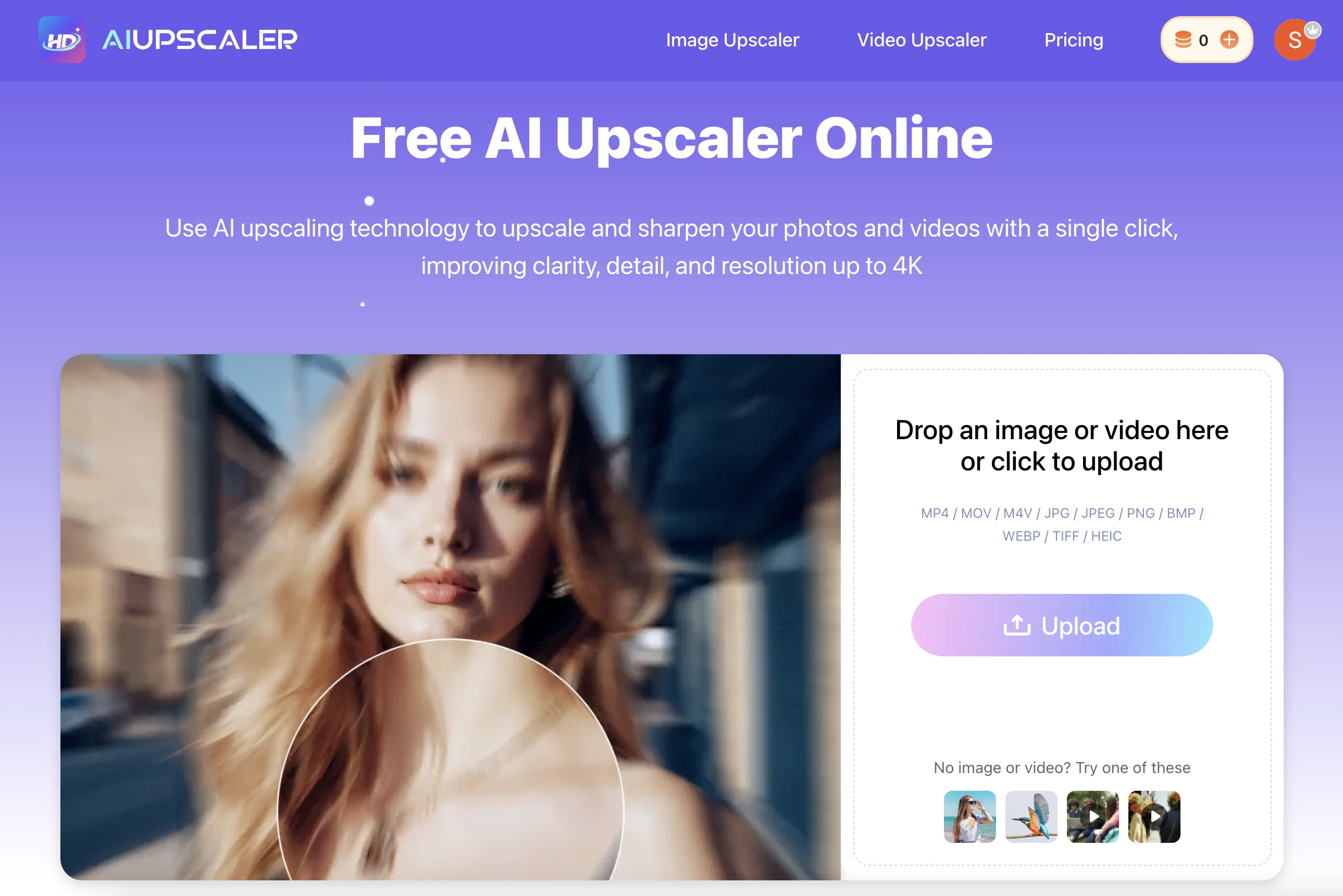
AI Upscaler is a tool that utilizes advanced AI technology to enhance the quality of both images and videos. This one-click AI solution enhances image quality by upscaling low-quality visuals without causing blur or noise, and even restores texture.
Image enhancement includes fixing blurry images while retaining original colors. For videos, the tool facilitates the conversion of low-resolution videos to 4K quality, effectively increasing the clarity and detail of these visuals.
The video enhancing feature provides frame-by-frame upscaling, with the capability of outputting videos in HD and 4K resolution. Along with these, it ensures smooth motion in the enhanced videos, enriching the viewer's experience.
Working directly from the browser, the AI Upscaler is user-friendly and doesn't require any software installation. It supports an extensive array of file formats, making it compatible with JPG, PNG, WebP for images and MP4, MOV, and M4V for videos.
Moreover, it prioritizes user security as all uploaded files undergo secure processing to protect user data. The upscaled images and videos can be safely used for commercial purposes.
Best for
Short scenarios where AI Upscaler tends to shine.
-
AI Image Upscaler
Best for Social Media Creators
-
AI Video Upscaler
Best for Content Creators
-
AI Unblur Image
Best for Travel Photographers
-
Old Photo Restoration
Best for E-commerce Businesses
-
AI Image Sharpener
Best for Marketing Professionals
Example outputs 1
Sample generations and before/after results for AI Upscaler.
Access & connections
Where you can use AI Upscaler.
Platforms
Capabilities
What this tool accepts, produces, and is strongest at.
Input
- Image
- Video
Output
- Video
- Image
Supported features
- Image Edit
- Video Edit
- Upscaling
Pros & cons
Pros
- Sharpens image details
- Enhances video resolution
- One-click operation
- Automatically mitigates blurring
- Restores image texture
- High quality downloads
- Smooth video motion
- Frame-by-frame video upscaling
Show 21 more
- Converts videos to 4K
- Operates in a browser
- No installation required
- Wide file type compatibility
- Data security
- Applicable for commercial use
- Removes image noise
- User-friendly interface
- Subscription for premium services
- Automatic color retention
- Abolishes need for cropping
- Extends services to professionals
- Conversion of low-resolution
- Free trial usage
- Supports user privacy
- Online, no download
- No need for manual selection
- Old photo restoration capabilities
- Image unblurring feature
- Supports all common formats
- Upload limit for videos and images
Cons
- Limited file size upload
- Limited video length support
- No multiple file processing
- Only upscaling to 4K
- Requires internet connection
- No offline processing mode
- Limited daily free uses
- Lacks advanced customization options
Show 2 more
- Subscription required for features
- No support for HEIC
Compare alternatives
Similar tools in the catalog — with a clear reason to open each one.

Deep Image ✓
Free TrialEnhance photos with advanced editing features.
Free + from $9/mo
Full comparison
Upscayl ✓
Free TrialEnhance images with free, open-source AI upscaling.
Why look More privacy-focused
Full comparison
Img Upscaler ✓
FreemiumUpscale images by 400% without quality loss
Free + from $19/mo
Full comparison
SciFig ✓
FreemiumTurn text into publication-ready scientific figures.
Free + from $12/mo
Full comparison
Neurohelper AI ✓
PaidEvery leading AI model. One workspace.
Why look Better for writing
Full comparisonPeople also view
Tools that often show up alongside AI Upscaler in collections and comparisons.
Upscayl ✓
Free TrialEnhance images with free, open-source AI upscaling.
Img Upscaler ✓
FreemiumUpscale images by 400% without quality loss
Deep Image ✓
Free TrialEnhance photos with advanced editing features.
Neurohelper AI ✓
PaidEvery leading AI model. One workspace.

Monipix ✓
FreemiumUpscale blurry photos to 4K & 16K instantly.

MojoMake - AI Image to Video Generator ✓
FreemiumUse every top AI model and 100+ effects in one account.

Kyukoma ✓
Free TrialTurn your stories into manga pages with AI.

ClipBG - The Ultimate Bulk AI Background Remover ✓
Freemium100% private, browser-based bulk background removal with flawless AI precision.
Releases 1
Imported reviews 2
not bad! Try it
Very practical
FAQ 12
What is AI Upscaler?
How does the AI Upscaler work?
Which types of files are supported by AI Upscaler?
How does AI Upscaler enhance the quality of videos?
Can I use AI Upscaler to enhance images?
Is there an option to download enhanced images in high quality?
How does AI Upscaler maintain user privacy?
How does AI Upscaler process security data?
Does AI Upscaler offer any premium features?
Can I use AI Upscaler without installing any software?
Who are the users of the AI Upscaler?
Can AI Upscaler convert low-resolution videos to 4K?
Related tools
Recommended

Notis ✓
Free TrialThe first WhatsApp assistant that runs on your ChatGPT and Claude subscriptions

ChatGPT ✓
FreemiumAsk anything, create anything, and move from idea to action.

remio: Your Personal ChatGPT ✓
FreemiumGet Tailored Answer with Your Personal ChatGPT

Lovable ✓
Free TrialBuild software products using chat

Supernormal App ✓
FreemiumThe AI assistant app that turns meetings into completed work

AI Image to Image.io ✓
FreemiumTransform images with simple text commands.