

Content 2026 Rank: #2784
Neurohelper AI ✓
Every leading AI model. One workspace.
Verdict
A quick read before you dig into the full page.
- Best if
- Every leading AI model. One workspace
- Skip if
- Subscription based model
- Pick this when
- All-in-one workspace
Considering FlowPost instead? Compare side by side
Overview





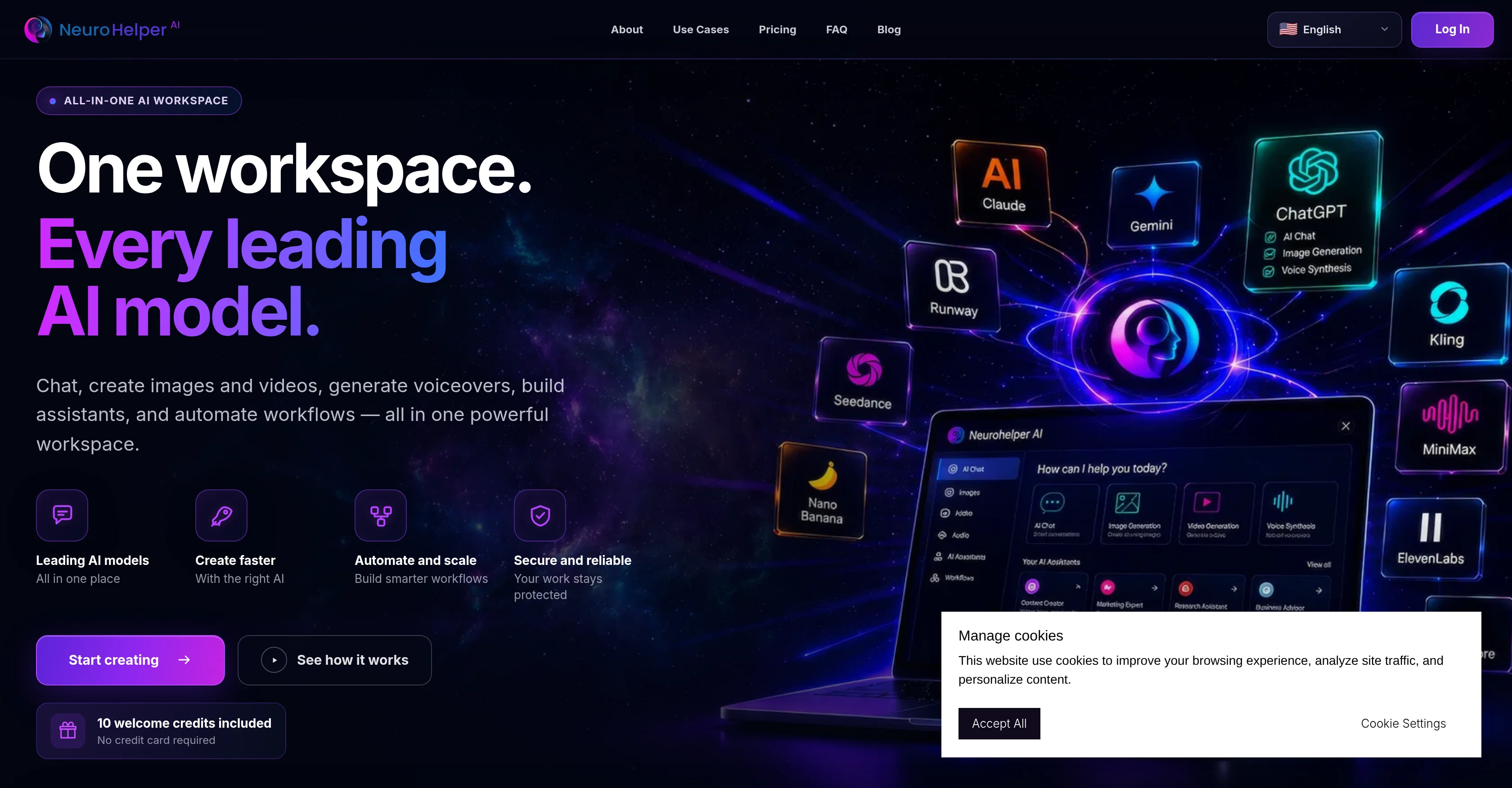
Neurohelper AI is a comprehensive artificial intelligence platform designed to streamline AI model handling, enabling users to chat, create images and videos, generate voiceovers, build AI assistants, and automate workflows.
Packed with all the top AI models, including ChatGPT, Claude, Gemini, GPT Image, Seedance, ElevenLabs, Kling and more, this tool emerges as a one-stop solution to meet diverse AI requirements.
The key feature of Neurohelper AI is its all-in-one workspace that allows you to kickstart any project, from initiating a conversation, building images or videos, to developing AI assistants or workflows.
Users can further refine, export, or continue with their projects in any other studio. Furthermore, the tool advances suggestions on the best AI model for a task, while also providing the flexibility to select from the recommended models.
As a digital workplace, it allows users to manage all their works in one place effectively, with easy tool movement without the need to restart, thereby saving time and enhancing productivity.
Added features include security, seamless flow, history section for project repetition, and a credit balance feature for text, image, video and audio assignments.
Access & connections
Where you can use Neurohelper AI.
Platforms
Capabilities
What this tool accepts, produces, and is strongest at.
Input
- Code
- Tabular
- Image
- Text
- Video
- Audio
Output
- Code
- Audio
- Video
- Tabular
- Text
- Image
Highlights
- SOTA
Models
Text
Image
Audio
Video
Coding
Pros & cons
Pros
- All-in-one workspace
- User-friendly project initiation
- Easy refining and exporting
- Allows project continuation in any studio
- Selection flexibility among recommended models
- Intuitive digital workplace
- No restart needed
- Efficient project movement
Show 11 more
- Time-saving
- Enhanced productivity
- Robust security measures
- Seamless project workflow
- History section for project repetition
- Credit balance feature
- Chatbot creation
- Image generation
- Video creation
- Multi model selection
- Integrated tool movement
Cons
- No offline functionality
- Subscription based model
Compare alternatives
Similar tools in the catalog — with a clear reason to open each one.


EasyAI – AI Flow - No Code Content (Video/Image) Ge... ✓
Free TrialChain AI tasks with no-code into workflows for chatbots, video, documents, and
Why look Offers a public API
Full comparison
RightBlogger ✓
FreemiumAutomate blogging, SEO, and publishing in one simple platform
Why look Freemium alternative
Full comparison
myAIninja ✓
Free TrialAI-powered content creation for social media, 10x faster
Why look Typically cheaper
Full comparison
Easy-Peasy.AI ✓
FreemiumAccelerates content creation.
Why look Freemium alternative
Full comparison
Releases 1
FAQ 12
What AI models are supported by Neurohelper AI?
How does Neurohelper AI suggest the best AI models for tasks?
Can I refine my project in other studios other than Neurohelper AI?
In what ways can the Neurohelper AI enhance my productivity?
Does Neurohelper AI support image and video creation?
Does Neurohelper AI have a built-in Chatbot?
What is the Credit Balance feature in Neurohelper AI?
Is Neurohelper AI a secured platform?
Can I export my projects from Neurohelper AI?
Does the Neurohelper AI workspace support multitasking?
How does the Neurohelper AI automate workflows?
Can I manage all my project tasks in one place with Neurohelper AI?
Related tools
Recommended
Seofable ✓
Free TrialSEO articles on autopilot, without the AI slop.

MagicSlides.app AI PPT Maker ✓
FreemiumCreate Stunning PPTs in Seconds with the AI PPT Maker

ChatGPT ✓
FreemiumAsk anything, create anything, and move from idea to action.

Automateed ✓
Free TrialCreate eBooks effortlessly with Automateed, the AI-powered writing tool.

Kin - Personal AI Advisors ✓
FreePrivacy-first & designed your for mind, and life at work

Aiter.io | Paste a URL. Ship a Campaign That Sounds L... ✓
FreemiumAI marketing that sounds like you, not everyone else.