

Picsart ✓
Generate images, video, and audio across 150+ AI models from one account.
Verdict
A quick read before you dig into the full page.
- Best if
- You are social media managers and need: Creating social media posts
- Skip if
- Video generation at volume gets expensive fast
- Pick this when
- 150+ AI models across image, video, and audio. One subscription
Considering CapCut Online Creative Suite instead? Compare side by side
Overview






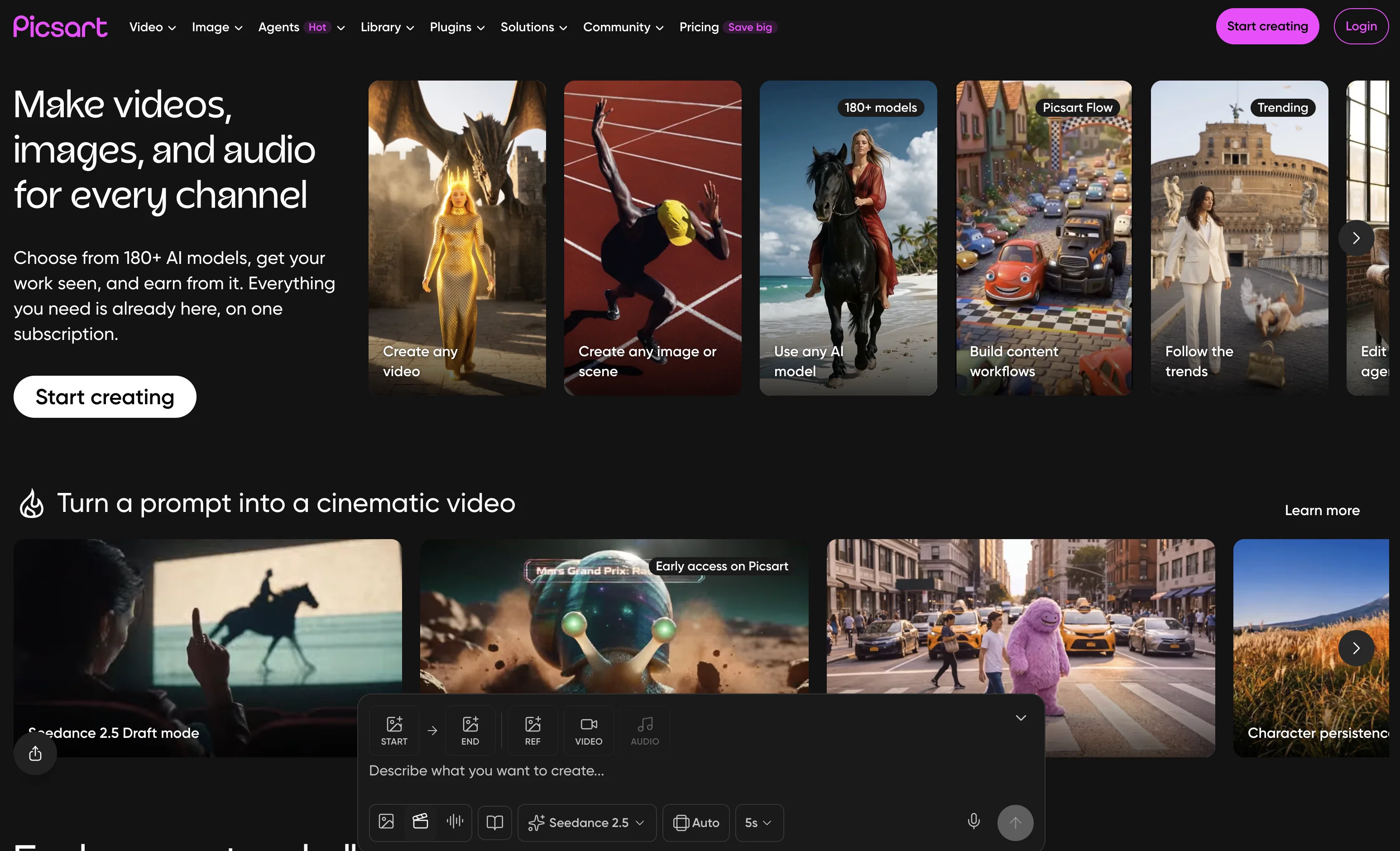
The AI Playground at picsart.com is the fastest way to generate. Browse and run Flux 2 Pro, Recraft V4.1, Ideogram V4, GPT Image, Imagen 4, Seedance 2.0, Kling 3.0, Veo 3.1, Sora 2, Runway, ElevenLabs voices, and more from your browser without leaving your account.
Picsart is also available as native mobile apps on iOS and Android, both Editor's Choice on the App Store and Google Play, a desktop app for Mac and Windows with local file access and screen recording, a command-line tool called gen-ai for scripting and batch generation, and an MCP server that connects directly to Claude, Cursor, Windsurf, ChatGPT, and OpenAI Codex. Whichever surface you work in, you are using the same catalog, the same credentials, and the same credit balance.
Picsart Flow is the platform's visual workflow builder for repeatable creative pipelines. Build a flow once and run it on demand or on a schedule. Combine generation, editing, background removal, upscaling, and export into a single automated sequence. Common uses include ad variant generation across dozens of outputs from one brief, AI photography pipelines, product image formatting, and content repurposing across aspect ratios.
Picsart ships a team of AI creative agents, each built for a specific role: a social content agent that turns a brief into platform-ready posts, a video agent that animates stills and assembles short-form clips, a background removal and product photography agent, an ad creative agent that generates copy and visuals together, and an AI persona agent that builds a custom AI twin with 100+ persona options for influencer-style content. You hire an agent the way you would brief a specialist, describe the output you need, and it selects the right models, runs the generation, and delivers the result. The agents are built on top of the same 140+ model catalog and connect to Picsart Drive, so every output lands in your library and is immediately available as input to the next step.
For developers and technical users, the gen-ai CLI is fully scriptable and pipe-friendly. Pipe prompts from stdin, output clean JSON, chain with standard tools, and automate batch runs with YAML manifests. The MCP server exposes the full model catalog as MCP tools so your agent can browse models, validate parameters, estimate credit cost, generate, and save to Drive without switching tabs. Picsart joined OpenAI's curated Codex plugin program, making it one of the first creative platforms available as a role-specific agent integration.
For enterprises and developers building products, Picsart Creative APIs let you embed generation and editing capabilities directly into your own application. Background removal, image generation, video creation, and upscaling are all available as API calls. Enterprise plans include dedicated support, volume pricing, and white-label options.
The platform is free to start. Credits are pay-per-generation and cover all 150+ models. Paid plans are available at picsart.com/pricing.
- Remove Object
- Object Remover
- Background Remover
- Remove Background
- Upscale To 2k, 4k, 8k And 16k
- Ai Image Upscaler & Enhancer
- Video Upscaler
- Upscale And Enhance 4k+
- Upscale / Enhance
- Generative Ai
- Text To Video Generation
- Video Generation
- Ai Video Editing
- Text-to-video (ai Video Generator)
Best for
Short scenarios where Picsart tends to shine.
-
Creating social media posts
Best for Social media managers
-
Editing product photos for e-commerce
Best for Marketing professionals
-
Designing marketing materials
Best for Small business owners
-
Generating AI images for creative projects
Best for Content creators
-
Removing backgrounds from photos
Best for Graphic designers
-
Creating collages
Best for Photographers
-
Designing logos
Best for Hobbyists
Example outputs 1
Sample generations and before/after results for Picsart.
Access & connections
Where you can use Picsart, and what it plugs into.
Integrations
Capabilities
What this tool accepts, produces, and is strongest at.
Input
- API
- Code
- Image
- Text
- Video
- Audio
Output
- Code
- Audio
- Video
- API
- Image
Highlights
- SOTA
- API
- Agents
- MCP
Supported features
- Video Generation
- Visual Creation
- Image Edit
- Image Generation
- API
- Agents
- MCP
- Image to prompt
- Image Understanding
- Outpainting
Show 3 more
- Background Removal
- Inpainting
- Viral baseball trend
Models
Text
Image
Audio
Video
Coding
Pros & cons
Pros
- 150+ AI models across image, video, and audio. One subscription.
- Browser, mobile, desktop, CLI, MCP, and API. One account.
- Turn repeated creative work into automated pipelines with Picsart Flow.
- Generate media inside Claude, Cursor, or Codex via MCP.
- Creative agents go from brief to output.
- Pay per generation, not per seat.
- Editor's Choice on App Store and Google Play.
Cons
- Too many models can overwhelm new users.
- Video generation at volume gets expensive fast.
- CLI and MCP require terminal familiarity.
- Enterprise pricing requires contacting sales.
- Agents and Flow docs are still catching up.
Compare alternatives
Similar tools in the catalog — with a clear reason to open each one.

CapCut Online Creative Suite ✓
FreemiumUnleash creativity with CapCut's all-in-one online suite
Free + from $28.5/mo
Full comparison
ClipFinder ✓
FreemiumTurn hours of streams and VODs into viral clips automatically.
Free + from $15/mo
Full comparison
Gling - AI Video Editing Software for YouTube ✓
FreemiumAI-powered video editing for YouTube creators.
Free + from $10/mo
Full comparison

Video to Video AI ✓
PaidTransform videos using simple text commands.
from $29.99/mo
Full comparison
Wondershare Filmora ✓
PaidEdit smarter, faster and easier with Filmora’s powerful AI video tools.
Why look Higher community rating
Full comparisonPeople also view
Tools that often show up alongside Picsart in collections and comparisons.

PhotoGrid AI Image Enhancer ✓
FreemiumEnhance image quality with AI, instantly and free.

PhotoFairy ✓
FreemiumInfinite AI canvas for photo editing and design

Background People Remover by Magic Eraser ✓
FreemiumAuto remove people from photos with AI.

Clipdrop ✓
FreemiumCreate stunning visuals in seconds with AI

AI Photo Editor by The Influencer AI ✓
Free TrialEdit photos instantly with a single prompt.
Wondershare Filmora ✓
PaidEdit smarter, faster and easier with Filmora’s powerful AI video tools.
Video to Video AI ✓
PaidTransform videos using simple text commands.
Gling - AI Video Editing Software for YouTube ✓
FreemiumAI-powered video editing for YouTube creators.
Releases 1
Imported reviews 1
unlock premium
FAQ 12
What is Picsart?
How does Picsart's AI-powered editing tools work?
What kind of editing tools are offered by Picsart?
Does Picsart provide templates for social media posts?
Is Picsart suitable for beginners?
Can Picsart be used for professional level design and content creation?
Can Picsart remove backgrounds from photos?
What kind of photo effects can Picsart generate using AI?
What are some of the features of Picsart's video editor?
What resources are available in Picsart's content library?
How is Picsart's user interface designed?
Who can use Picsart?
Related tools
Recommended

Fineshare ✓
FreemiumAn online all-in-one AI voice generator for everyone

VenturusAI ✓
FreemiumBusiness idea analysis and reporting.

Eightify
UnknownAI-powered YouTube video summarizer extracting key ideas for quick content assessment.

Topaz Video AI ✓
PaidCinematic superpowers: Ultra smooth, sharp, and steady.

Vidio ✓
FreemiumTransform videos effortlessly with AI-powered editing.

Business Idea Generator AI ✓
FreeGenerate innovative business ideas with AI
More from this creator

AI Writer by Picsart ✓
FreemiumGenerate premium copy with AI in seconds.

Adpilot ✓
FreemiumCraft captivating AI-powered ads in one seamless package.

Admaker by Picsart ✓
FreemiumAI-powered ad creation for social media

Creative APIs by Picsart ✓
FreemiumTransforming creativity and automation with AI-powered image, video, and content editing tools

Remove Background by Picsart ✓
FreemiumInstantly remove backgrounds for clean, transparent images—perfect for products, designs, and creative

Image Upscale by Picsart ✓
FreemiumTurn small, noisy images into crisp assets - automatically.