

Granola ✓
Transform raw meeting notes into brilliance
Free + from $14/mo
Verdict
A quick read before you dig into the full page.
- Best if
- Transform raw meeting notes into brilliance
- Skip if
- Customization may be limited
- Pick this when
- Transcribes meeting audio
Considering Mumble AI: Voice-first workspace for Mac & iOS instead? Compare side by side
Overview
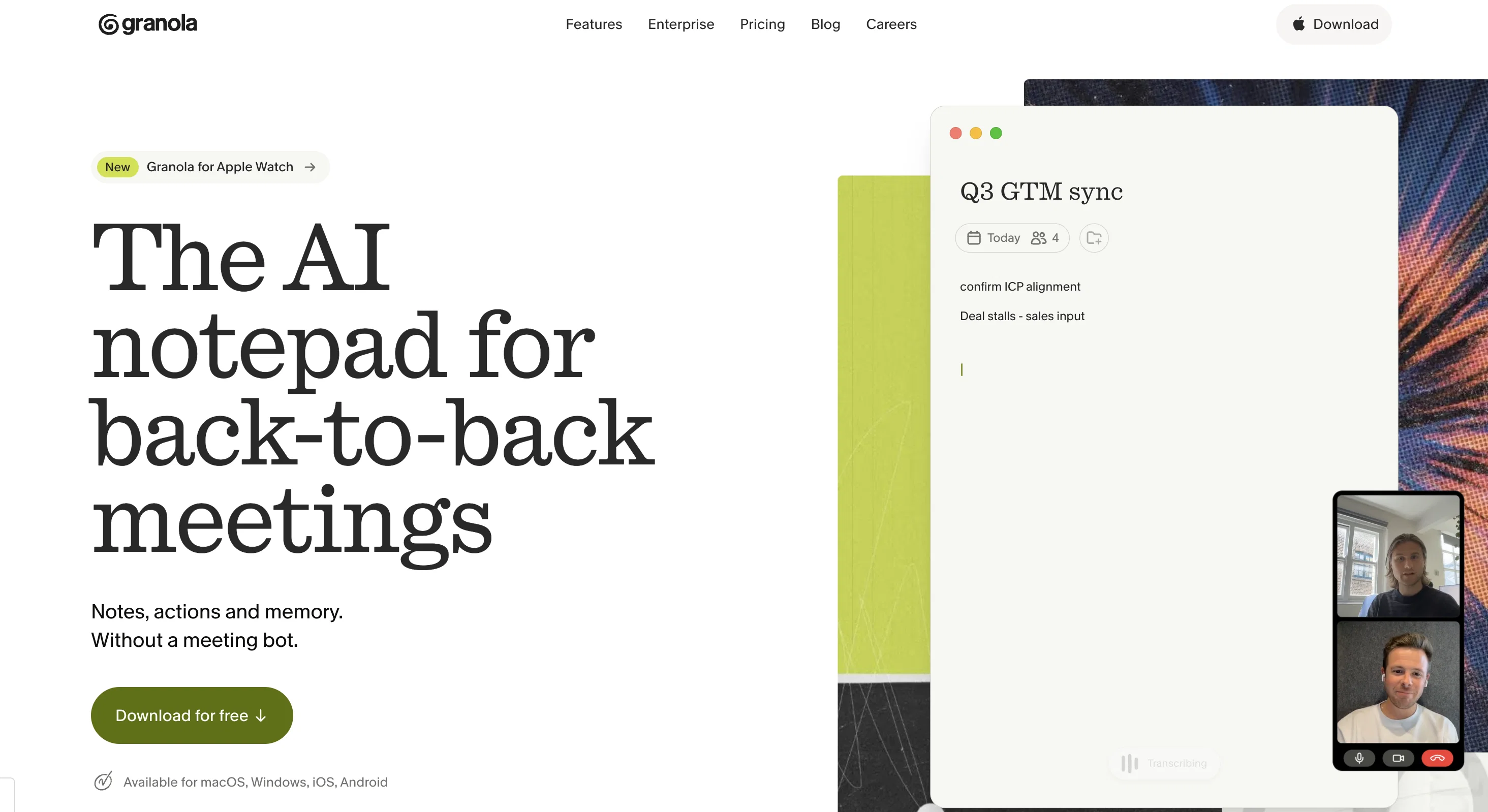
Granola is an AI-enhanced notepad application designed to help manage and optimize the process of taking notes during meetings. It does so by transcribing the meeting audio and enhancing the resultant raw notes to create clear and concise summaries.
Granola works seamlessly on all platforms and requires no additional meeting bots. It directly transcribes your device's audio into textual format. The application comes with customizable templates, allowing meeting notes to be generated in the exact format that suits your team's needs.
Granola also incorporates insightful features for post-meeting action items, including question tracking, action item lists and extensive budgeting tools.
This makes it easier for users to capture key takeaways, next steps, and decision-making insights. Granola is additionally built with sharing in mind, and hence it simplifies the process of sharing the meeting notes across various platforms.
A notable feature of Granola is its utility for individuals with a heavy schedule of back-to-back meetings. It assists such users by improving note-taking efficiency and lessening the burden of manual transcription.
In addition, Granola has capabilities built on GPT-4, ensuring a superior transcript quality and enhancing post-meeting action item documentation.
Best for
Short scenarios where Granola tends to shine.
-
Transform raw meeting notes into brilliance
Example outputs 1
Sample generations and before/after results for Granola.
Access & connections
Where you can use Granola.
Platforms
Capabilities
What this tool accepts, produces, and is strongest at.
Input
- Text
- Audio
Output
- Text
Supported features
- Team Collaboration
- STT
- Meeting Intelligence
Pros & cons
Pros
- Transcribes meeting audio
- Enhances raw notes
- Clear and concise summaries
- Works on all platforms
- No additional meeting bots needed
- Directly transcribes device audio
- Customizable templates for notes
- Tracks post-meeting action items
Show 42 more
- Question tracking feature
- Extensive budgeting tools
- Shares notes on multiple platforms
- Improves note-taking efficiency
- Lessens burden of manual transcription
- Built on GPT-4
- Enhances post-meeting documentation
- Excellent for back-to-back meetings
- Transforms raw notes into content
- Conference call tool
- Audio transcription, Automatic transcription
- Meeting Management
- Meeting Summarization
- Action Item Tracking
- Business Efficiency
- Cross-Platform Compatibility
- Indispensable for meeting summaries
- Notes in desired format
- Facilitates decision-making insights
- Promotes team collaboration
- Helps capture key takeaways
- Supports next steps tracking
- Supports sharing with a click
- Supports post-meeting follow-ups
- Listing of objections and questions
- One on one user interview
- Customizable customer discovery template
- Assists with meeting organization
- Streamlines conference calls
- Free trial available
- Affordable pricing for companies
- Built for heavy meeting schedules
- Simplifies meeting-related tasks
- Endorsed by top-notch teams
- Promotes business efficiency
- Customer-friendly approach
- Helpful for remote workers
- Promotes accountability and follow-ups
- Personalized experience
- Easy sharing on platforms
- Supports budget and timeline setting
- Supports individual and team use
Cons
- Limited transcription languages
- Potentially inaccurate transcriptions
- Reliant on internet connection
- May miss certain context
- No offline functionality
- No integrated scheduling
- Lack of extensive analytics
- May struggle with accents
Show 2 more
- No voice command capabilities
- Customization may be limited
Compare alternatives
Similar tools in the catalog — with a clear reason to open each one.

Mumble AI: Voice-first workspace for Mac & iOS ✓
FreemiumVoice-first AI workspace for meetings, notes, and dictation. Works offline.
Why look Typically cheaper
Full comparison
Discord DiscMeet ✓
FreemiumDiscord voice transcription and note taking app for teams and DnD sessions
Why look Typically cheaper
Full comparison
Discord NotesBot ✓
Free TrialRecord, Transcribe, and AI Summarize Discord Calls
Why look Typically cheaper
Full comparison

TicNote Cloud ✓
FreemiumAI note taker for meetings and insights.
Why look Typically cheaper
Full comparison
People also view
Tools that often show up alongside Granola in collections and comparisons.

Lindy ✓
FreemiumAI assistant that puts your life on autopilot

Gamma ✓
FreemiumAI-powered content creation, minus the hassle.

Wispr Flow ✓
FreemiumSpeak naturally, write perfectly, 4x faster.

Rosebud Journal ✓
FreemiumAI-powered journaling for self-discovery in 5 minutes a day

NotebookLM ✓
FreemiumAI-powered note-taking and research assistant

Grok ✓
FreemiumConversational AI for understanding the universe.

ElevenLabs ✓
FreemiumCreate lifelike AI voices for compelling storytelling.

Adobe AI Assistant ✓
PaidUnleash PDF intelligence with AI-powered assistance
Releases 1
In the news
Launch coverage and community mentions for Granola.
Imported reviews 1
Super simple, beautiful integration into a broad range of workflows.
FAQ 12
What does Granola do exactly?
How does Granola use AI to enhance note taking?
Can Granola be used on all platforms?
Do I need additional meeting bots for using Granola?
Can I customize the format of my meeting notes with Granola?
What features does Granola offer for post-meeting action items?
How does Granola assist users with back-to-back meetings schedule?
What technology does Granola use for transcription?
How does Granola transform raw meeting notes into summaries?
Can I share my meeting notes directly from Granola?
Does Granola have a built-in budgeting tool?
What is GPT-4 and how does Granola use it?
Related tools
Recommended

Perplexity ✓
FreemiumAI-powered answers to any question, instantly.
NotebookLM ✓
FreemiumAI-powered note-taking and research assistant
Lindy ✓
FreemiumAI assistant that puts your life on autopilot

ChatGPT ✓
FreemiumAsk anything, create anything, and move from idea to action.
ElevenLabs ✓
FreemiumCreate lifelike AI voices for compelling storytelling.

Claude ✓
FreemiumBuilding reliable, interpretable AI systems