

Document chat v25.001.20432
Adobe AI Assistant ✓
Unleash PDF intelligence with AI-powered assistance
from $4.99/mo
Verdict
A quick read before you dig into the full page.
- Best if
- You are graphic designers and need: Creating images, graphics, and art
- Skip if
- Limited compatibility with non-Adobe applications
- Pick this when
- Deep integration with Adobe
Considering DocGPT.io instead? Compare side by side
Overview
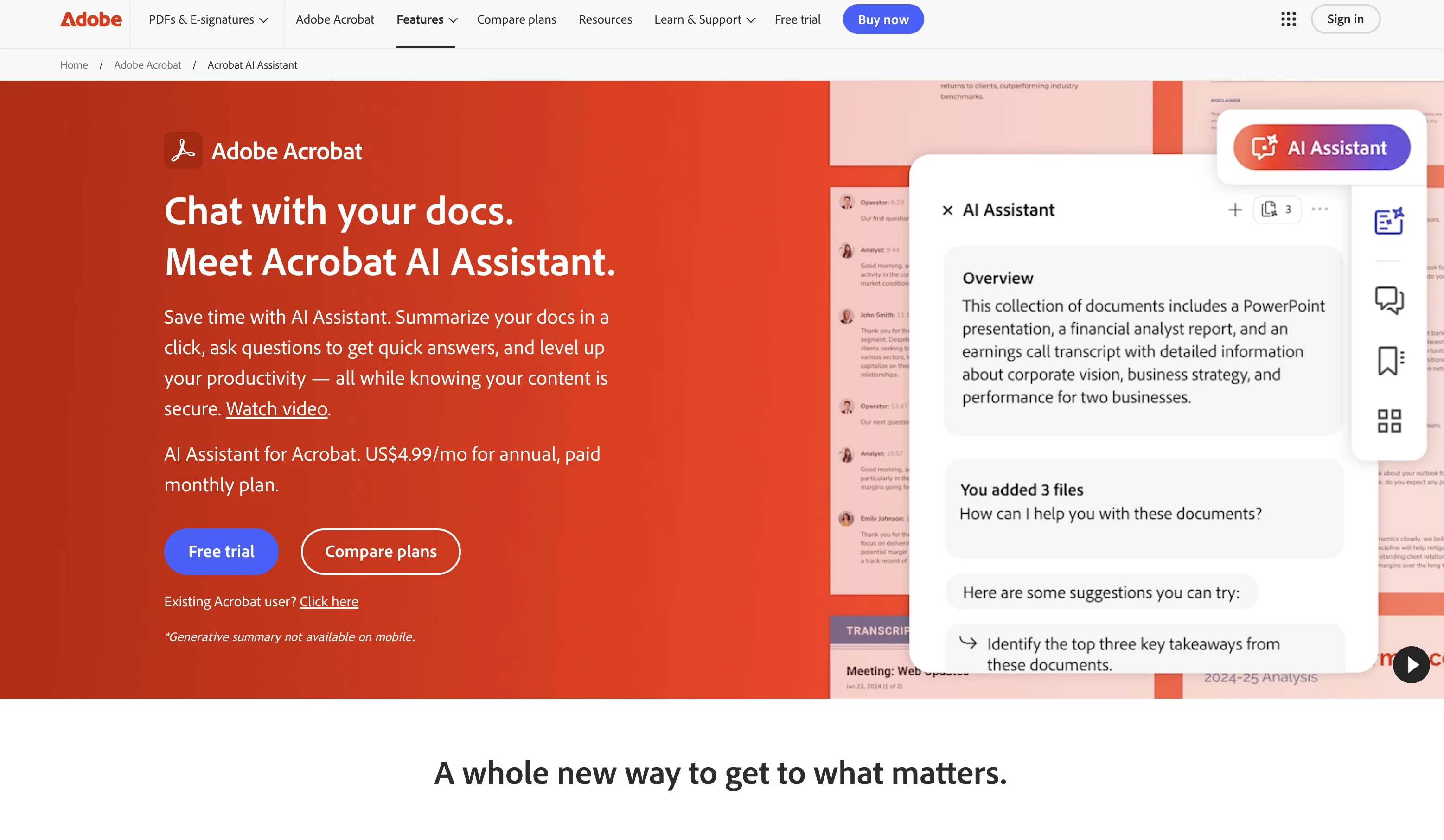
Adobe AI Assistant is a generative AI-powered conversational engine deeply integrated into Adobe Reader and Acrobat workflows. Introduced in a beta version, the AI Assistant is built on the technology of Acrobat Liquid Mode, providing the foundation for understanding PDF structure and enhancing the quality of its outputs.
The AI not only generates summaries from lengthier documents, but also answers queries, formats information for sharing in various formats such as emails, reports, and presentations.
Additional features of the AI Assistant include offering intuitive conversational interfaces, generating quick understandings of contents inside long documents, creating intelligent citations, facilitating easy navigation, and outputting formatted text for different purposes.
This tool respects user data security and doesn't store or utilise information without consent. It works with different document formats, not just PDFs.
Adobe AI Assistant intends to transform and improve the way users interact with digital document experiences, while ensuring proper data security and governance protocols are in place.
Best for
Short scenarios where Adobe AI Assistant tends to shine.
-
Creating images, graphics, and art
Best for Graphic designers
-
Editing, sharing, and e-signing PDFs
Best for Photographers
-
Developing marketing campaigns
Best for Video editors
-
Creating social media posts and videos
Best for Marketing professionals
Example outputs 1
Sample generations and before/after results for Adobe AI Assistant.
Access & connections
Where you can use Adobe AI Assistant.
Platforms
Capabilities
What this tool accepts, produces, and is strongest at.
Input
- Text
Output
- Text
Supported features
- Assistant
- Integrations
Pros & cons
Pros
- Deep integration with Adobe
- Generates document summaries
- Answers queries
- Formats data for sharing
- Intuitive conversational interfaces
- Quick contents interpretation
- Intelligent citation creation
- Facilitates navigation
Show 17 more
- High respect for data security
- Diverse document formats support
- Generates formatted text
- Proprietary PDF understanding technology
- Data security protocols compliance
- Recommendations based on PDF’s content
- Easy-to-read content overviews
- Clickable links for navigation
- User data isn't stored
- Enhances Adobe Reader, Acrobat workflows
- Can handle long documents
- Integrated with Acrobat Liquid Mode
- Available on subscription post-beta
- Offers new plan for access
- Will work across multiple documents
- Offers intelligent creation
- Enterprise-grade security
Cons
- Still in beta version
- Requires add-on subscription
- Primarily integrated with Adobe
- Limited language support
- Aimed at Adobe workflows
- No offline capabilities
- Requires Acrobat/Reader
- Limited compatibility with non-Adobe applications
Compare alternatives
Similar tools in the catalog — with a clear reason to open each one.

DocGPT.io ✓
Free TrialOnline assistant for creating and analyzing documents.
Free + from $4.99/mo
Full comparison
docAnalyzer ✓
FreemiumTurn document overload into work worth putting your name on
Why look Freemium alternative
Full comparison
Ask Your PDF ✓
FreemiumChat with your PDFs and extract valuable insights
Why look Freemium alternative
Full comparison

DocsGPT ✓
FreemiumInstant answers from your documents.
Why look Freemium alternative
Full comparison
Humata ✓
FreemiumChat your way through long documents instantly.
Why look Freemium alternative
Full comparisonPeople also view
Tools that often show up alongside Adobe AI Assistant in collections and comparisons.

Wispr Flow ✓
FreemiumSpeak naturally, write perfectly, 4x faster.

Udio ✓
FreemiumCreate and share music with the world.

Runway ✓
Free TrialAI-powered creative tools for content generation and editing

Replit ✓
FreemiumAI redefines the software development lifecycle.

NotebookLM ✓
FreemiumAI-powered note-taking and research assistant

KREA ✓
FreemiumIntuitive AI for image and video generation

Kling ✓
FreemiumCreate high-fidelity videos from text with lifelike motion and real-world physics

Ideogram ✓
FreemiumAI-powered creativity booster
Releases 3
This update provides new features, security mitigations, feature enhancements, and bug fixes.
Updated models
FAQ 12
What is Adobe AI Assistant?
What does Adobe AI Assistant do with PDFs?
How does Adobe AI Assistant understand the structure of PDF documents?
Can Adobe AI Assistant work with documents other than PDFs?
How does Adobe AI Assistant generate summaries from lengthier documents?
Which formats does Adobe AI Assistant support for information sharing?
What are the unique features of Adobe AI Assistant?
What aspects of data security does the Adobe AI Assistant focus on?
Does Adobe AI Assistant store or use my information without my consent?
How does Adobe AI Assistant facilitate easy navigation within documents?
What is Acrobat Liquid Mode and how does it connect to Adobe AI Assistant?
What does Adobe AI Assistant mean by 'generating quick understandings of contents'?
Related tools
Recommended

Kin - Personal AI Advisors ✓
FreePrivacy-first & designed your for mind, and life at work

GPTExcel ✓
FreemiumGenerate spreadsheet formulas with AI

IllumiChat ✓
FreemiumFrom Ticket Backlog to Instant Answers Powered by AI

Sologo ✓
FreemiumAI-powered logo maker for effortless design

Freepik Sketch to Image ✓
FreemiumEnvision and sketch any image, AI transforms it into art in real time.

LearningStudioAI ✓
Free TrialAI-powered authoring tool for effortless online course creation.
More from this creator

Adobe Audio Enhancer ✓
Free TrialClean up spoken audio with AI studio-quality filters.

Adobe Firefly ✓
FreemiumCreate stunning visuals with AI-powered text prompts

Adobe Express ✓
FreemiumCreate stunning content easily with AI-powered design tools.

Adobe Customer Journey Analytics ✓
UnknownUnified customer insights across every channel, every moment.

Adobe Brand Concierge ✓
UnknownAI-powered conversations that turn intent into action.

Adobe Journey Optimizer ✓
UnknownEngage every customer, in every moment that matters.