

Vocal removal 2026 Rank: #1990
Clumi AI ✓
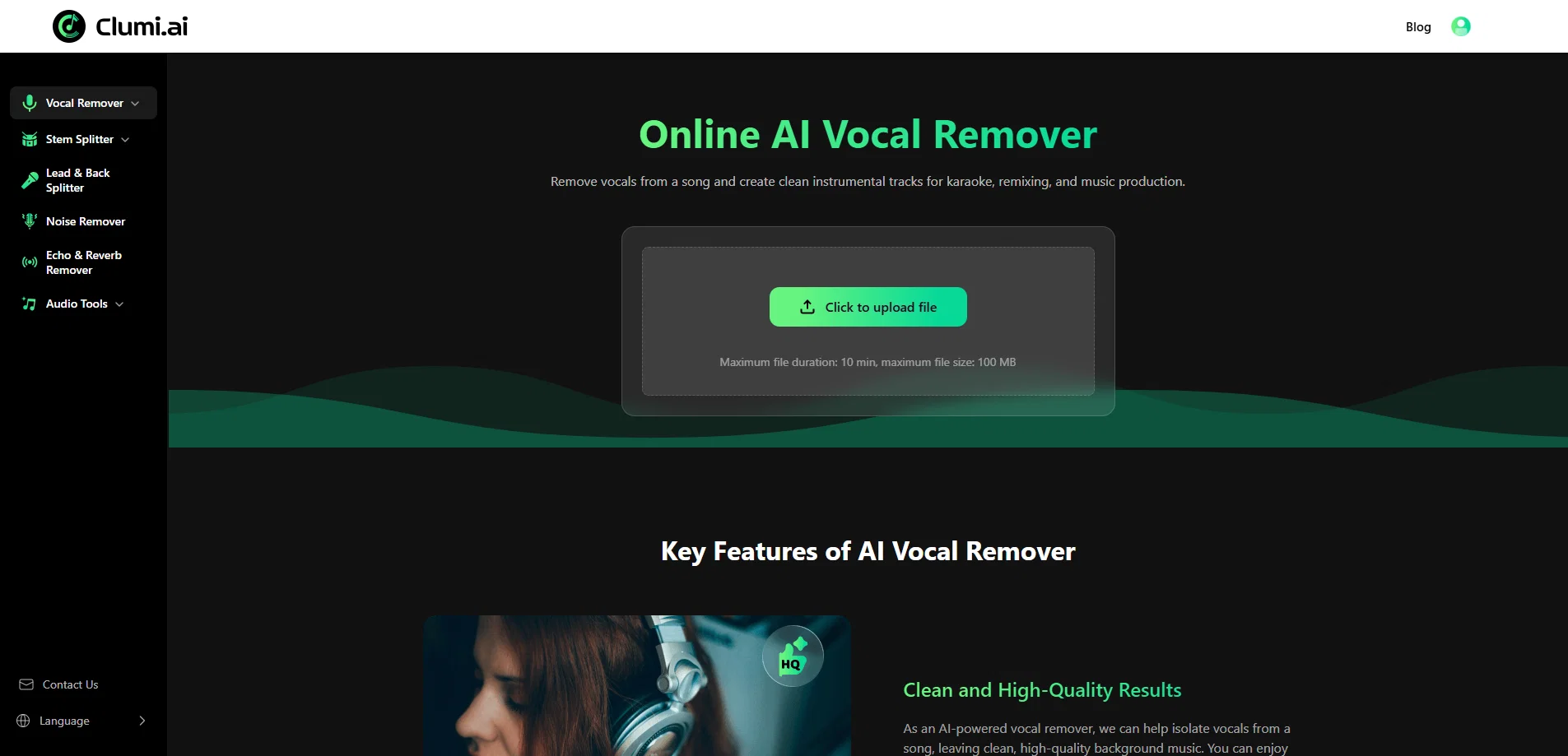
Split stems, remove vocals from video and audio.
Verdict
A quick read before you dig into the full page.
- Best if
- Split stems, remove vocals from video and audio
- Skip if
- Maximum file size 100MB
- Pick this when
- Produces high-quality instrumental tracks
Considering Singify AI Vocal Remover instead? Compare side by side
Overview

Powered by advanced AI technology, Clumi delivers fast and accurate audio separation with natural-sounding results and high-quality 24-bit audio processing. In addition to vocal removal and stem splitting, Clumi also offers free audio tools such as audio-to-MIDI conversion and pitch changing, giving musicians more flexibility to edit, practice, and create.
With a simple browser-based workflow, Clumi works across desktop, tablet, and mobile devices. Whether you are a DJ, producer, musician, karaoke enthusiast, or music learner, Clumi helps you remove vocals from video, transform songs, and explore new creative possibilities with ease.
- Vocal Remover
- Stem Splitter
- Piano Remover
- Audio Editor
- Drum Remover
- Bass Remover
Access & connections
Where you can use Clumi AI.
Platforms
Capabilities
What this tool accepts, produces, and is strongest at.
Input
- Video
- Audio
Output
- Audio
Pros & cons
Pros
- Produces high-quality instrumental tracks
- Fast vocal removal process
- Operable from any device
- No installation or configuration required
- Good for remixing, karaoke, and music production
- Supports all major audio formats
- Advanced audio analysis capabilities
- Allows audio separation in browser
Show 32 more
- Clean and high-quality results
- Fast and efficient processing
- Useful for both professionals and beginners
- Ideal for DJs and producers
- Meets needs of music learners
- Facilitates language learning through music
- Enables creation of clean acapellas
- Useful for song arrangement study
- Supports multiple languages
- Quick preview and audio download
- Simple and beginner-friendly design
- Multiple user testimonials vouching for effectiveness
- Useful for content creators for background music
- Facilitates better understanding of production techniques
- Aids music students and teachers
- Enables faster preparation of live sets for DJs
- Inspires musicians with arrangements
- Breaks down reference tracks for music producers
- Ideal for audio engineers for detailed review
- Simplifies complex music editing tasks
- Key and BPM detection features
- Integrated with stem separation technology
- Removes elements like echo & reverb
- Enhances audio clarity
- Improves audio balance levels
- Compensates for unwanted sounds in audio tracks
- Preserves natural audio quality post-processing
- Useful in defining natural speech patterns
- Processes files within a short time
- Ideal for karaoke lovers
- Fast access to vocal isolation
- Supports MP3, MP4, WAV, M4A, FLAC formats
Cons
- Maximum file size 100MB
- Maximum duration 10 min
- No batch processing
- No advanced editing options
- Doesn't support all video formats
Compare alternatives
Similar tools in the catalog — with a clear reason to open each one.

Singify AI Vocal Remover ✓
FreemiumSplit any song into vocals and instrumentals instantly.
Free + from $8.99/mo
Full comparison

Vocal Remover by Remusic ✓
FreemiumUnleash instrumentals with AI vocal removal.
Why look Typically cheaper
Full comparison
Coolo.ai ✓
Free TrialAI tools for music separation and enhancement.
Why look Higher community rating
Full comparison
Releases 1
FAQ 12
How does the Online AI Vocal Remover work?
Can I use the Online AI Vocal Remover on my mobile device?
Is the Online AI Vocal Remover free to use?
What types of users are the Online AI Vocal Remover designed for?
How fast is the vocal removal process with the Online AI Vocal Remover?
Can the Online AI Vocal Remover be used for music production?
What file formats are supported by the Online AI Vocal Remover?
Does the Online AI Vocal Remover support multiple languages?
How is the audio quality after using the Online AI Vocal Remover?
What advanced AI technology is used by the Online AI Vocal Remover?
Can I isolate multiple instruments individually with the Online AI Vocal Remover?
Is it safe to upload my music files to the Online AI Vocal Remover?
Related tools
Recommended

CodeRabbit ✓
Free TrialEnhanced code review for improved workflow and quality.

freebeat AI ✓
FreemiumTurn Music & Ideas into Viral Videos In One Click

Kling ✓
FreemiumCreate high-fidelity videos from text with lifelike motion and real-world physics

MagicLight ✓
FreemiumTransform text into captivating videos instantly.

Image3D.io ✓
FreemiumImage to STL and 3D models from any image

Creen AI ✓
Paid40+ AI models for video, image and art. Free, no sign-up.