

Vocal removal 2026 Rank: #120
Coolo.ai ✓
AI tools for music separation and enhancement.
Verdict
A quick read before you dig into the full page.
- Best if
- AI tools for music separation and enhancement
- Skip if
- Results may vary with complex mixes
- Pick this when
- Advanced vocal removal
Considering Singify AI Vocal Remover instead? Compare side by side
Overview

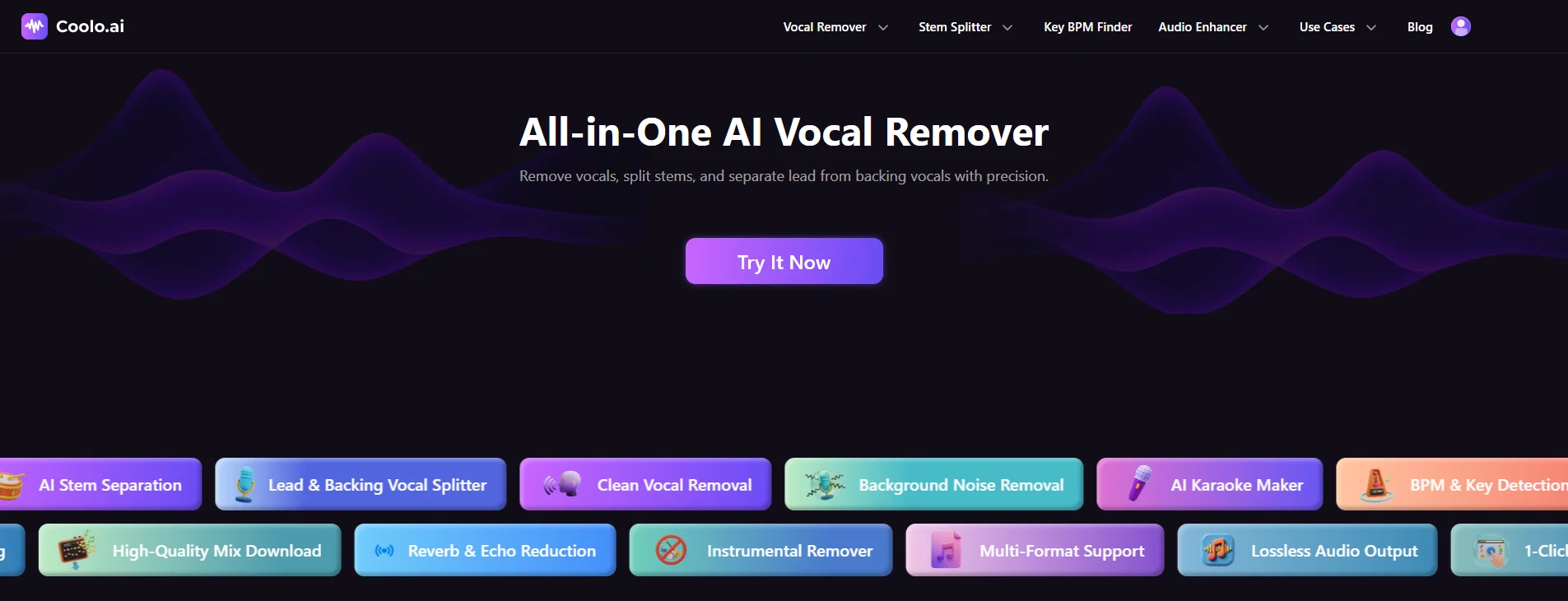
Powered by AI, Coolo.ai delivers accurate and clean audio separation while preserving natural vocal quality. It can separate lead and backing vocals, reduce unwanted background noise, echo, and reverb, and provide useful track information such as BPM and key.
Coolo.ai also supports multiple formats, including MP3, WAV, FLAC, MP4, and MOV, with video support up to 4K resolution. Users can download high-quality, lossless audio output while retaining excellent sound quality, making Coolo.ai a versatile solution for audio editing and music creation.
- Vocal Remover
- Ai Stem Splitter
- Audio Separator
- Bass Remover
- Guitar Remover
- Drum Remover
- Piano Remover
Access & connections
Where you can use Coolo.ai.
Platforms
Capabilities
What this tool accepts, produces, and is strongest at.
Input
- Audio
Output
- Audio
Supported features
- Sound Creation
- Denoise
- Mobile Companion
Pros & cons
Pros
- Advanced vocal removal
- High precision vocal segregation
- Effective stem splitting
- Noise removal tool
- Removes echo and reverb
- Integrated BPM & key detection
- Facilitates audio enhancement
- Karaoke track creation
Show 37 more
- Isolating instruments capability
- Provides audio analysis
- Supports audio manipulation
- High-quality mix download
- Instrumental removal functionality
- Supports multiple formats
- Ensures lossless audio output
- Ideal for DJs
- Useful for musicians & producers
- Convenient for content creators
- Splits lead and backing vocals
- Eliminates unwanted background noise
- Makes karaoke track creation easy
- Accurate beats per minute detection
- Sofisticated music key detection
- Echo reduction feature
- Reverb elimination function
- 1-Click Processing for ease of use
- Instrument isolation for remix
- Vocal quality preservation
- Extraction of instrumentals
- Supports fast audio quality improvement
- Removes environmental sounds from audio
- Eliminates traffic, hums and distractions
- Free with no song limits
- Separates multiple stems
- Removes static noise
- Removes breath, wind noises
- Functionality for audio separation
- Splits lead & backup vocals
- Ideal for podcast audio enhancement
- Removes music from any audio
- Simplifies deverb and decho process
- Extracts master quality acapella
- Removes vocals online using browser
- Precise, fast audio separation
- Professional-grade results
Cons
- Some features require a premium plan
- Results may vary with complex mixes
- Processing speed may vary with large files
- Requires an internet connection
- Lacks detailed technical specifications
Compare alternatives
Similar tools in the catalog — with a clear reason to open each one.

Singify AI Vocal Remover ✓
FreemiumSplit any song into vocals and instrumentals instantly.
Free + from $8.99/mo
Full comparison

Vocal Remover by Remusic ✓
FreemiumUnleash instrumentals with AI vocal removal.
Why look Typically cheaper
Full comparison
Vocal Remover by Media.io ✓
FreemiumExtract, isolate or remove vocals and instrumentals instantly.
Free + from $9.99/mo
Full comparison
Kingshiper ✓
PaidUnleash your multimedia magic with powerful editing tools.
Why look Typically cheaper
Full comparisonReleases 1
Imported reviews 12
The music quality is better than I expected for quick generations. Looking forward to seeing new models released.
The vocal isolation retains a good amount of clarity and presence. It doesn’t overly compress or distort the signal. That makes it usable for further processing.
Had some background noise in a clip and this cleaned it up nicely. The voice still sounds natural, which is important. Good enough for my uploads.
Instead of jumping between different plugins, I can just handle everything here. It speeds things up quite a bit. Especially useful for quick turnaround work.
I like testing ideas by removing certain elements from songs. The stem splitter gives me enough flexibility to do that. It’s quite practical.
I use it to remove vocals and practice singing. The timing and instrumental quality are good enough. Makes practice more enjoyable.
The stem separation does a decent job isolating key elements like drums and bass. Transients are mostly preserved, which is important. It’s a solid option for quick workflow tasks.
I tested the vocal separation on a few different tracks. The phase artifacts are relatively minimal compared to similar tools. Overall, the output is quite usable for most non-critical applications.
As someone working solo, tools like this save a lot of time. I can split, clean, and export audio in one place. That’s a big plus.
I used it to turn a song into a karaoke track, and the instrumental turned out surprisingly clean. It’s much better than I expected from a browser-based tool.
Used it to make a karaoke version of a song. The instrumental came out clean enough to actually use. Way better than I expected from a web tool.
I do some light audio editing for videos, and this helps a lot. Especially useful for cleaning up messy recordings. It’s simple but gets the job done.
FAQ 12
What is Coolo.ai?
How does Coolo.ai's vocal remover work?
What is stem splitting in Coolo.ai?
How does the BPM & key detection work in Coolo.ai?
Can Coolo.ai improve audio quality?
What kind of noises can Coolo.ai's noise removal tool eliminate?
How does Coolo.ai's echo and reverb removal feature work?
Can Coolo.ai segregate lead vocals from backing vocals?
What is the 'AI Karaoke Maker' tool in Coolo.ai?
How does the 'AI Stem Separation' tool work?
Can Coolo.ai create high-quality mixes?
Is the audio output from Coolo.ai lossless?
Related tools
Recommended

Somio AI ✓
FreemiumCreate Studio-Ready Songs and Music Videos with AI.

MuseCraft ✓
Free TrialUnleash infinite creativity with top AI models.

VidGen AI Image Generator ✓
Free TrialUnlimited AI Image creation and support Nana Banana & GPT Image 2.

VideoVibe.io ✓
FreemiumInstantly analyze YouTube community sentiment and generate audience insights.

GetLogit ✓
FreemiumArtificial intelligence, available for everyone.

Automateed ✓
Free TrialCreate eBooks effortlessly with Automateed, the AI-powered writing tool.