

Image editing 2026 Rank: #329
Creen AI ✓
40+ AI models for video, image and art. Free, no sign-up.
from $19
Verdict
A quick read before you dig into the full page.
- Best if
- You are graphic designers and need: Create unique digital art and illustrations for personal or commercial projects
- Skip if
- Limited creative controls
- Pick this when
- Versatile visual creation
Considering Viyou AI Image Generator instead? Compare side by side
Overview
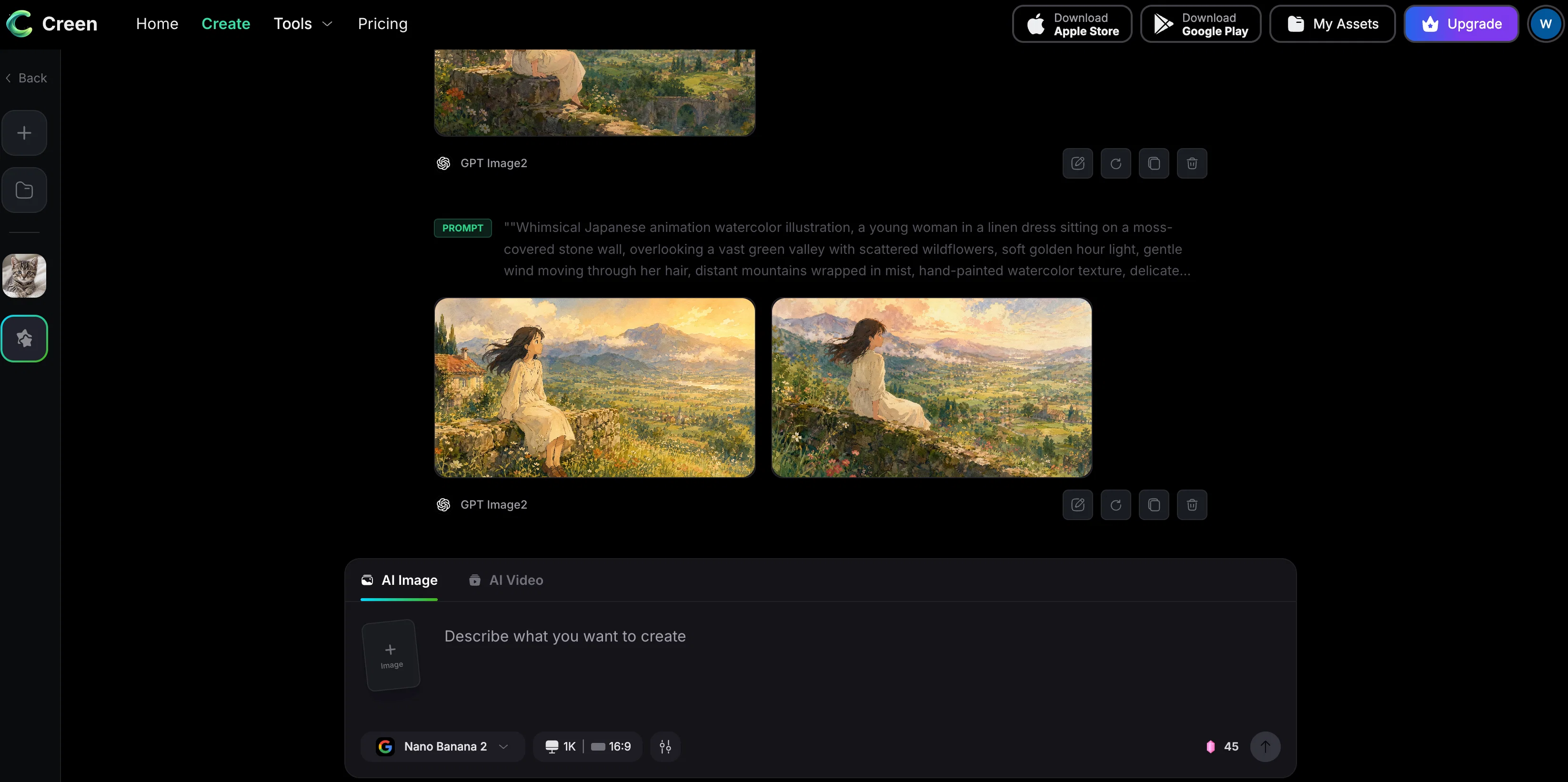
The workspace covers four core flows: text-to-image up to 4K resolution, image-to-image with multi-reference and batch upload support, image-to-video that animates any still into a 10-second 1080p clip, and text-to-video powered by template presets for reels, explainers, and product showcases. Seven audio models add voice cloning, TTS, and dubbing to the same pipeline.
Creen offers free and unlimited daily generations on select models with no sign-up and no login required. Most images render in 5–15 seconds, video in 20–40 seconds, and outputs include exposed seed values for reproducible results. Creators use Creen for short-form content, e-commerce visuals, storyboarding, picture books, and personalized art — replacing what used to take five separate subscriptions.
Best for
Short scenarios where Creen AI tends to shine.
-
Create unique digital art and illustrations for personal or commercial projects
Best for Graphic designers
-
Generate professional-looking headshots without a photoshoot
Best for Content creators
-
Transform static images into cinematic 10-second video clips
Best for Social media managers
-
Restore and enhance old or damaged family photos
Best for Students
-
Experiment with virtual hairstyles and baby face predictions
Best for Marketing teams
Example outputs 1
Sample generations and before/after results for Creen AI.
Access & connections
Where you can use Creen AI.
Platforms
Capabilities
What this tool accepts, produces, and is strongest at.
Input
- Image
- Text
- Video
- Audio
Output
- Audio
- Video
- Image
Highlights
- No Signup
- Open Source
Supported features
- No Signup
- Open Source
- Image Generation
- Image Edit
- Video Generation
- Video Edit
- TTS
- Voice Cloning
- Social Media
Pros & cons
Pros
- Versatile visual creation
- Create or enhance images
- Integrated ecosystem for content
- Free text to image generator
- Image-to-image creation
- Transform & reimagine images
- Video generation feature
- High-resolution images without watermarks
Show 23 more
- Unique artistic interpretation
- Quality up to 4K
- Effortless photo editing
- Artistic transformations
- Fun filters
- Character and avatar creation
- Virtual outfit and hairstyle try-on
- Image quality improvement
- Watermark removal
- Fully accessible and free
- High resolution output
- Fast and easy to use
- No sign up required
- Supports 4K HD output
- Full prompt customization
- Various artistic styles
- No watermarks on final images
- Supports common image file formats
- Fully responsive on mobile.
- Optimized for speed
- Images for commercial use
- No hidden costs
- No account creation needed
Cons
- No multi-language support
- No offline version
- Quality varies between models
- Limited video generation capabilities
- Doesn't support batch processing
- No collaborative feature
- No API integration
- No mobile app
Show 1 more
- Limited creative controls
Compare alternatives
Similar tools in the catalog — with a clear reason to open each one.

Viyou AI Image Generator ✓
FreemiumTransform text and images into stunning videos and visuals.
Why look Freemium alternative
Full comparison
Img2Img AI ✓
FreemiumTransform any image with AI in seconds.
Why look Freemium alternative
Full comparison
Photoeditor ✓
PaidEnhanced image editing with object and text removal.
Why look Typically cheaper
Full comparison
Cleanup pictures ✓
FreemiumRemove unwanted elements from photos instantly.
Why look Freemium alternative
Full comparisonPeople also view
Tools that often show up alongside Creen AI in collections and comparisons.
Viyou AI Image Generator ✓
FreemiumTransform text and images into stunning videos and visuals.
Photoeditor ✓
PaidEnhanced image editing with object and text removal.

ImgPilot ✓
Free TrialThe AI photo editor you chat with.
Img2Img AI ✓
FreemiumTransform any image with AI in seconds.
Cleanup pictures ✓
FreemiumRemove unwanted elements from photos instantly.

MF0.ai ✓
PaidEvery top AI in one chat. Real memory. No subscription.

LineArt ✓
Free TrialTurn one photo into a whole coloring book.

Kyukoma ✓
Free TrialTurn your stories into manga pages with AI.
Releases 1
Imported reviews 2
Will not do NSFW images.
Works wonders for anime, has me taking it in consideration for a tool rotation.
FAQ 12
What is Creen AI?
What unique features does Creen AI offer?
What are some creative uses for Creen AI?
How does the text-to-image generator in Creen AI work?
How does the image-to-image tool in Creen AI operate?
Can I make videos with Creen AI?
Are my creations from Creen AI free from watermarks?
Does Creen AI offer high-resolution outputs?
How easy is it to use Creen AI?
Does Creen AI offer any free services?
What is the quality assurance policy of Creen AI?
Who can best utilize Creen AI tools?
Related tools
Recommended

freebeat AI ✓
FreemiumTurn Music & Ideas into Viral Videos In One Click

ChatGPT ✓
FreemiumAsk anything, create anything, and move from idea to action.

Automateed ✓
Free TrialCreate eBooks effortlessly with Automateed, the AI-powered writing tool.

Claude ✓
FreemiumBuilding reliable, interpretable AI systems

Promtist AI ✓
FreeGenerate optimized prompts for better AI results.

Denovo ✓
FreemiumTurn your idea into a real business in minutes.