

Productivity vv2.0 2026 Rank: #52
Supernormal App ✓
The AI assistant app that turns meetings into completed work
Verdict
A quick read before you dig into the full page.
- Best if
- You are sales teams and need: Creative agencies: Turn client briefs into campaign strategies and slick pitch decks in moments
- Skip if
- Desktop app required for automatic meeting capture
- Pick this when
- MCP integration for use across your AI workflow
Considering TheLibrarian.io instead? Compare side by side
Overview







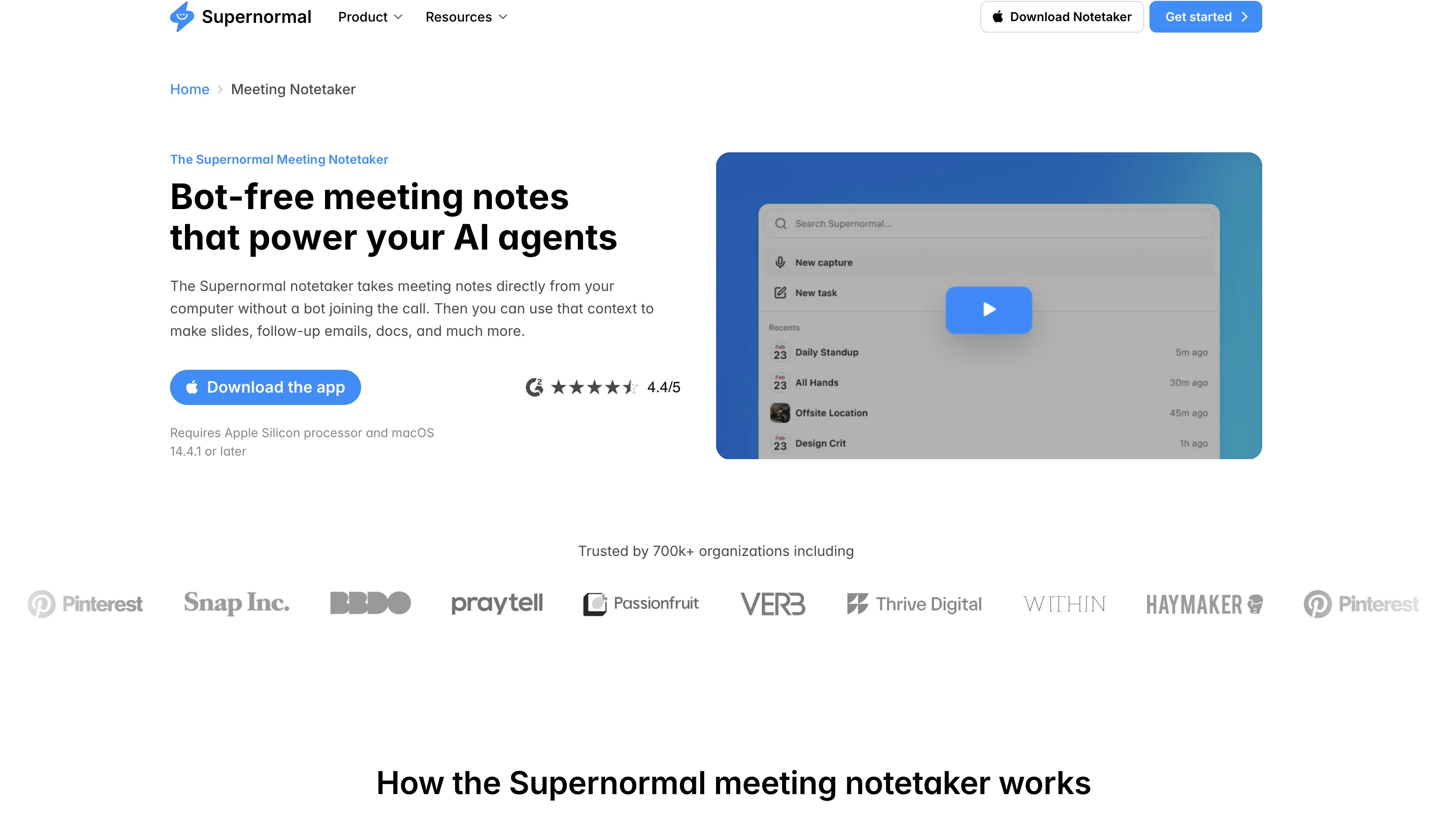
The Supernormal app is already loved by thousands of early users, and continues to evolve as it expands access to more professionals worldwide.
- Captures And Summarizes Meetings
- Available On Mac And Windows Without A Bot In The Call
- Generates Slide Decks, Briefs, And Proposals From Meeting Context
- Turns Meetings Into Client-ready Deliverables
- Connects To Other Ai Tools Via Mcp
Best for
Short scenarios where Supernormal App tends to shine.
-
Creative agencies: Turn client briefs into campaign strategies and slick pitch decks in moments
Best for Sales teams
-
Marketing teams: Generate project plans and status updates from stakeholder meetings
Best for Project managers
-
PR agencies: Create media outreach emails and briefing documents from planning calls
Best for Marketing teams
-
Consultants: Build proposals and deliverables from discovery sessions
Best for Recruiting teams
-
Account managers: Draft follow-up emails and next steps after client check-ins
Best for Individuals
-
Project managers: Convert team syncs into action item lists and project documentation
Best for Managers
How it works
Example outputs 1
Sample generations and before/after results for Supernormal App.
Access & connections
Where you can use Supernormal App, and what it plugs into.
Integrations
Capabilities
What this tool accepts, produces, and is strongest at.
Input
- Image
- Text
- Audio
Output
- Code
- Text
- Image
Highlights
- Local
- MCP
- Agents
Supported features
- Runs Locally
- MCP
- Agents
- Meeting Intelligence
- Transcription
- Slides
Pros & cons
Pros
- MCP integration for use across your AI workflow
- Supports multiple languages including English, French, Spanish, and German
- Available on both Mac and Windows
- Captures meetings across multiple platforms
- Unobtrusive, no bots in meetings
- Personalizes outputs to user’s workflow
- Setup in under two minutes
- Ask questions about any past meeting and get instant answers
Show 2 more
- Generates slide decks, briefs, and proposals from meetings
- Turns meeting context into client-ready deliverables
Cons
- Desktop app required for automatic meeting capture
- Web app needed for generating outputs after meetings
- Some features are still evolving
- No access to video or audio recordings after meetings
- Requires audio permissions on your computer to capture meetings
Compare alternatives
Similar tools in the catalog — with a clear reason to open each one.

TheLibrarian.io ✓
Free TrialYour WhatsApp AI assistant for instant productivity.
Why look Typically cheaper
Full comparison
Saidar ✓
FreemiumYour AI Secretary for Admin Tasks, now on SMS
Why look Typically cheaper
Full comparison
MiroAI ✓
FreemiumUnlock creative power with AI-driven collaboration.
Free + from $8
Full comparison
Collate ✓
FreeUnlimited free and private summaries and chat with PDF
Why look Fully free option
Full comparison

People also view
Tools that often show up alongside Supernormal App in collections and comparisons.
TheLibrarian.io ✓
Free TrialYour WhatsApp AI assistant for instant productivity.
MiroAI ✓
FreemiumUnlock creative power with AI-driven collaboration.

WordFlippin ✓
FreemiumBuild your vocabulary with AI-powered flashcards & smart spaced repetition.
Thinktask ✓
FreeBoost productivity with AI-powered project management

Cron AI ✓
FreeAutomation of cron jobs using natural language.

Caret ✓
FreeAI that completes you everywhere.

AppDeploy ✓
FreeDeploy real apps directly from ChatGPT or Claude
Collate ✓
FreeUnlimited free and private summaries and chat with PDF
Releases 4
Supernormal is out of beta with its biggest release yet. The desktop app now lives in your menu bar on Mac and taskbar on Windows, launching automatically at login so every meeting is captured from the moment you sit down.
When a meeting ends, supernormal.com opens automatically so you can turn your capture into completed work right away. Generate a presentation, spreadsheet, or document from any meeting in seconds. Organise meetings into projects and ask Supernormal to draft status updates, emails, or research directly from your meeting context.
Version 2.1.0 also brings mobile meeting capture from supernormal.com, expanded language support including English, German, French, Italian, Portuguese, Spanish, and Swedish, and reliability and speed improvements throughout.
Radiant is rebranding as Supernormal 🎉
The app will work exactly as before, but with a new name and app logo.
Update your app now to see the new branding, including a new app icon in your Mac dock.
Why the change? Supernormal, the company behind Radiant, is about to become much more than just a notetaker, so it made sense to bring Radiant back into the Supernormal brand family. The app won’t change, but soon you’ll be able to do much more with the meetings you capture.
Introducing Shortcuts 🎉
Stop rewriting the same prompts. Shortcuts let you create the meeting outputs you use most, like follow-up emails, calendar invites, Linear issues, and more. Each one is tuned exactly how you need it and ready to reuse anytime.
What you can do:
-Use included shortcuts like /follow-up-email, /action-items, and /schedule
- Edit or create your own to match your workflows
- Set shortcuts to start automatically after meetings end
- Share shortcuts with your team to standardize workflows
- Access them instantly from chat by typing /
Radiant now remembers the way you like to work, so every follow-up, task, and update is ready to go the moment your meeting ends.
FAQ 4
What is the Supernormal app?
🛠️ 1
tool
wrote:
The Supernormal app captures meetings directly from your computer without a bot joining the call. Supernormal then uses that context to generate slides, follow-up emails, docs, and much more.
How does Supernormal turn meetings into work?
🛠️ 1
tool
wrote:
Supernormal captures your meeting discussions and turns them into context that powers AI agents. After a call, the Supernormal web app opens to show suggested next steps based on what was discussed: draft a follow-up email, create a project brief, update a deck. Supernormal can generate a draft for you in a flash, using the actual context from your meeting. Review it, polish it, and move it into your work tools.
What can I create from my meetings?
🛠️ 1
tool
wrote:
Supernormal suggests and drafts the work that comes after meetings: follow-up emails, project briefs, meeting summaries, status updates, calendar invites, documents for Notion or Google Docs, messages for Slack, and more. The suggestions are based on what was actually discussed, so drafts already have the right context and details.
Do I need to use the app to use supernormal?
🛠️ 1
tool
wrote:
No. You can use Supernormal without capturing any meetings at all. But when Supernormal has your meeting context, it produces better outputs. Instead of starting from scratch, it already knows what was discussed, what your client needs, and what decisions were made. The Desktop App captures your meetings; you create outputs in the Supernormal web app. If you want bot-free meeting capture, use the Desktop App.
Related tools
Recommended

Notis ✓
Free TrialThe first WhatsApp assistant that runs on your ChatGPT and Claude subscriptions

DeepSeek ✓
FreeUnravel the mystery of AGI with curiosity

Thea ✓
FreemiumAI study tools to master material, not just memorize it.

remio: Your Personal ChatGPT ✓
FreemiumGet Tailored Answer with Your Personal ChatGPT

Kick ✓
FreemiumAccounting software that does the work for you

Kin - Personal AI Advisors ✓
FreePrivacy-first & designed your for mind, and life at work