

DocGPT.io ✓
Online assistant for creating and analyzing documents.
Trial; then from $4.99/mo
Verdict
A quick read before you dig into the full page.
- Best if
- Online assistant for creating and analyzing documents
- Skip if
- Limited free words for insights
- Pick this when
- Document creation assistant
Considering docAnalyzer instead? Compare side by side
Overview
DocGPT is an online document editor that uses Generative AI to assist users in creating, editing and analyzing various types of documents such as text documents, spreadsheets, and presentations.
The tool combines a Pro PDF Editor with GPT-4 Generative AI to automate document-related tasks and reduce the time spent working on documents. DocGPT uses external sources such as Wikipedia and arXiv to locate additional information for document improvement and research.
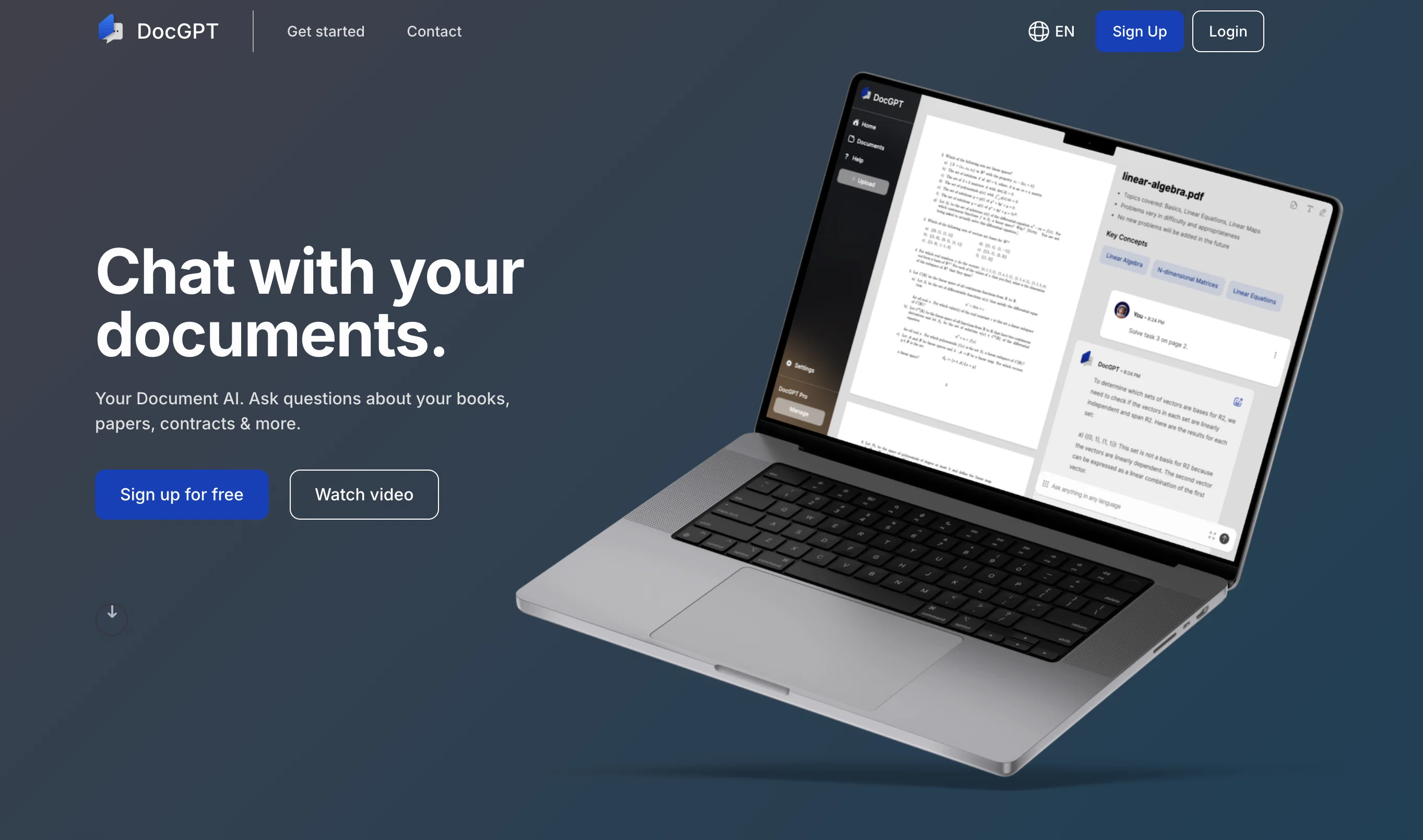
The AI-powered Document Analysis feature allows users to ask questions about their documents, while the Insights feature generates papers, essays, and more using any content uploaded into the user's cloud.
The Chat feature reads every uploaded document, answering any questions the user has and even returning the page where the information can be found. DocGPT offers an unlimited number of document uploads, chat messages, and insight templates, with 2,500 words granted for free insights.
Users only pay for generated insights that they require, with all other services being free. This revolutionary PDF editor with AI-powered Generative Capabilities is especially interesting for students or people who work with contracts or various types of documents.
DocGPT is accessible via a web interface and is set to change the way people work with PDF documents, increasing efficiency and productivity.
Best for
Short scenarios where DocGPT.io tends to shine.
-
Online assistant for creating and analyzing documents.
Example outputs 1
Sample generations and before/after results for DocGPT.io.
Access & connections
Where you can use DocGPT.io.
Platforms
Pros & cons
Pros
- Document creation assistant
- Automates document-related tasks
- Pro PDF Editor integration
- Utilizes Wikipedia, arXiv sources
- Document analysis functionality
- Insights generates essays, papers
- Chat feature for inquiries
- Returns page of information
Show 11 more
- Free insights up to 2,500 words
- Unlimited document uploads
- Unlimited chat messages
- Web-based application
- Generates complex documents
- Also adds references
- Payment only for insights
- Cloud document support
- Clears content understanding
- Unlimited insight templates
- Beneficial for students, professionals
Cons
- No mobile application
- Upon pay per insight
- Web-based only
- Limited to PDF editing
- No offline capabilities
- Limited free words for insights
- No disclosed security measures
- Relies on external sources
Show 2 more
- Lacks diversified document format support
- No collaboration features
Compare alternatives
Similar tools in the catalog — with a clear reason to open each one.

docAnalyzer ✓
FreemiumTurn document overload into work worth putting your name on
Why look Higher community rating
Full comparison
Ask Your PDF ✓
FreemiumChat with your PDFs and extract valuable insights
Free + from $11.99/mo
Full comparison
Humata ✓
FreemiumChat your way through long documents instantly.
Why look Typically cheaper
Full comparisonPeople also view
Tools that often show up alongside DocGPT.io in collections and comparisons.
docAnalyzer ✓
FreemiumTurn document overload into work worth putting your name on
Humata ✓
FreemiumChat your way through long documents instantly.

DocsGPT ✓
FreemiumInstant answers from your documents.

ChatPDF.ae ✓
FreemiumChat with any PDF, ask questions, summarize and extract insights effortlessly.

ChatPDF ✓
FreemiumChat with any PDF instantly
Ask Your PDF ✓
FreemiumChat with your PDFs and extract valuable insights

Recall ✓
FreemiumSummarize Anything, Forget Nothing!

OpenParser AI ✓
Free TrialAsk questions. Get answers from your documents instantly.
Releases 1
FAQ 12
What is DocGPT?
What features does DocGPT offer?
How does the AI-powered Document Analysis feature in DocGPT work?
How does the Insights feature in DocGPT work?
What are the limitations on document uploads and chat messages in DocGPT?
How does DocGPT use Generative AI to assist in document creation and editing?
What kinds of documents can I create, edit or analyze with DocGPT?
Can I trust DocGPT to keep my documents secure?
How does the Pro PDF Editor in DocGPT function?
How does DocGPT use external sources like Wikipedia and arXiv?
Who is the target audience for DocGPT?
How is DocGPT revolutionizing the way people work with PDF documents?
Related tools
Recommended

AcademicGPT ✓
FreemiumAI-powered academic writing assistant.

ChatDOC ✓
FreemiumChat with documents for instant, cited answers.

MagicSlides.app AI PPT Maker ✓
FreemiumCreate Stunning PPTs in Seconds with the AI PPT Maker

ChatPDF extension ✓
PaidExtract & communicate with docs in various formats.

TutorAI ✓
FreemiumInstant knowledge on any topic

Eightify
UnknownAI-powered YouTube video summarizer extracting key ideas for quick content assessment.