

DocsGPT ✓
Instant answers from your documents.
Free + from $1.99/mo
Verdict
A quick read before you dig into the full page.
- Best if
- You are writers and need: Write a blog post on AI use-cases in schools
- Skip if
- Free plan limited by queries
- Pick this when
- Google drive, Sharepoint, S3 support
Considering DocGPT.io instead? Compare side by side
Overview


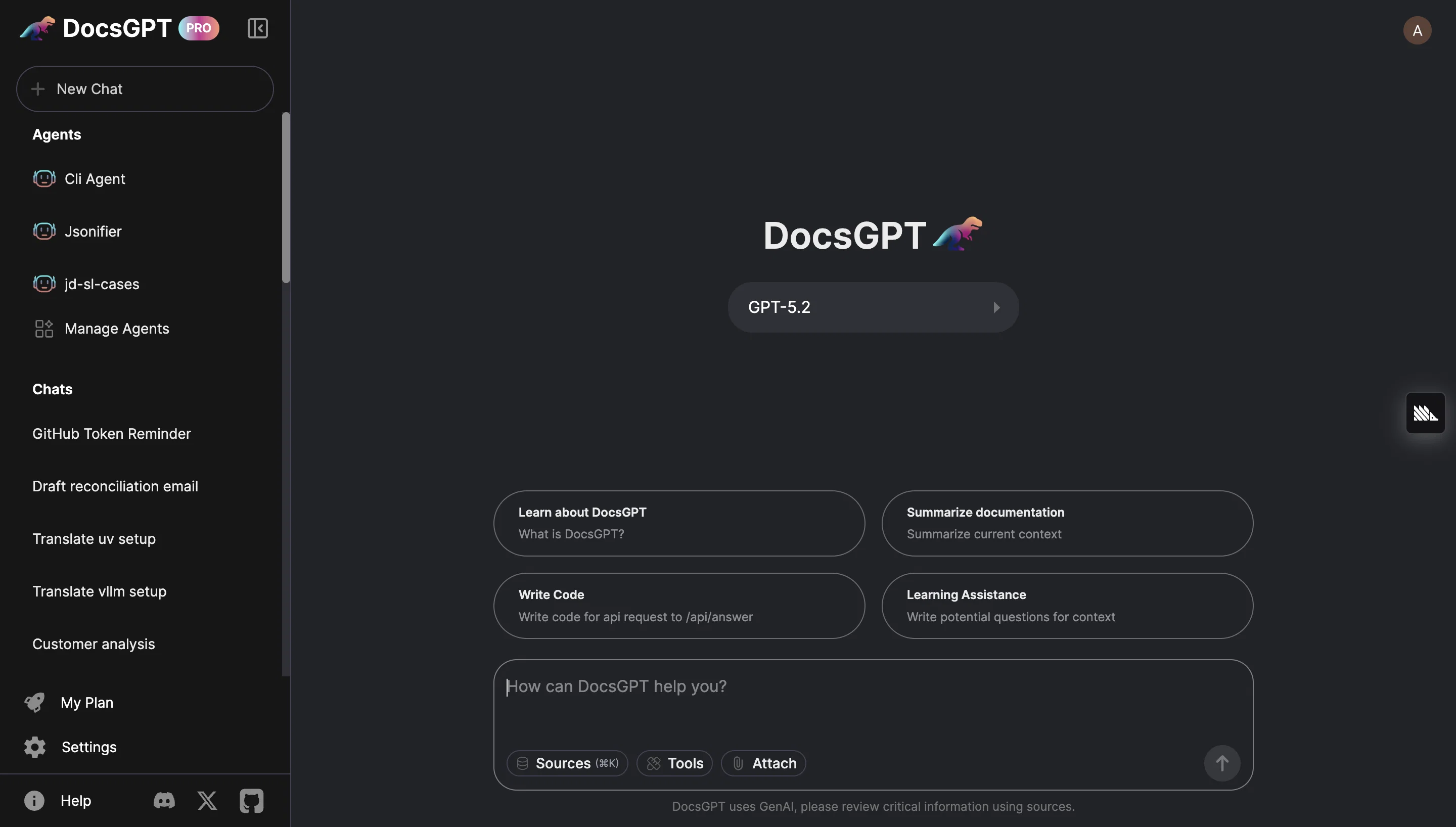
DocsGPT Live, powered by Arc53, is an open-source assistant designed to facilitate instant answers about documents. This AI tool focuses on enhancing team productivity and customer engagement by seamlessly integrating with various data sources, chatbots, and internal tools.
Its adaptability allows for the efficient extraction of information from different types of documents, including PDFs, text files, Microsoft files, and more.DocsGPT provides a user-friendly interface where users can select the library of documentation they wish to use and enter queries related to that specific documentation.
The tool then utilizes GPT-3, Faiss, and LangChain to generate highly relevant answers based on the provided data.Privacy and data security are of utmost importance to DocsGPT.
The tool boasts secure data storage and implements privacy measures to guarantee the protection of sensitive information. Additionally, as an open-source project, DocsGPT promotes transparency and collaboration by freely sharing its source code, allowing developers to contribute, enhance, and customize the tool according to their needs.To get started with DocsGPT, users are required to provide an OpenAI API key for access.
While DocsGPT currently supports OpenAI, the tool is expected to support additional APIs in the future.Overall, DocsGPT is a reliable chatbot that leverages cutting-edge AI technologies to provide immediate answers and insights from various document sources, all while emphasizing data security and open collaboration.
Best for
Short scenarios where DocsGPT tends to shine.
-
Write a blog post on AI use-cases in schools
Best for Writers
-
Make a heading for this selected text
Best for Editors
-
Make the selected text funnier
Best for Students
-
Change the selected text to a bullet list
Best for Teachers
-
Translate the selected text to English
Best for Marketing professionals
-
Proofread the selected text for errors
Best for Content creators
Example outputs 1
Sample generations and before/after results for DocsGPT.
Access & connections
Where you can use DocsGPT, and what it plugs into.
Platforms
Integrations
Capabilities
What this tool accepts, produces, and is strongest at.
Input
- API
- Code
- Tabular
- Image
- Text
- Video
Output
- Code
- Tabular
- API
- Text
- Image
Highlights
- Agents
- API
- MCP
- Local
- Open Source
Supported features
- Agents
- API
- MCP
- Runs Locally
- Open Source
- Instant file search
Pros & cons
Pros
- Google drive, Sharepoint, S3 support
- Platform Agnostic
- Open Source
- Wide format support
- MCP supported
Cons
- Enterprise org management in enterprise version
- Requires LLM connection, locally or in cloud
- No 3d file RAG
- No video generation
- Free plan limited by queries
Compare alternatives
Similar tools in the catalog — with a clear reason to open each one.

DocGPT.io ✓
Free TrialOnline assistant for creating and analyzing documents.
Free + from $4.99/mo
Full comparison
docAnalyzer ✓
FreemiumTurn document overload into work worth putting your name on
Why look Higher community rating
Full comparison
Ask Your PDF ✓
FreemiumChat with your PDFs and extract valuable insights
Free + from $11.99/mo
Full comparison
Humata ✓
FreemiumChat your way through long documents instantly.
Free + from $1.99/mo
Full comparisonPeople also view
Tools that often show up alongside DocsGPT in collections and comparisons.
docAnalyzer ✓
FreemiumTurn document overload into work worth putting your name on
Humata ✓
FreemiumChat your way through long documents instantly.
DocGPT.io ✓
Free TrialOnline assistant for creating and analyzing documents.

ChatPDF.ae ✓
FreemiumChat with any PDF, ask questions, summarize and extract insights effortlessly.

ChatPDF ✓
FreemiumChat with any PDF instantly
Ask Your PDF ✓
FreemiumChat with your PDFs and extract valuable insights

Recall ✓
FreemiumSummarize Anything, Forget Nothing!

OpenParser AI ✓
Free TrialAsk questions. Get answers from your documents instantly.
Releases 1
In the news
Launch coverage and community mentions for DocsGPT.
Related tools
Recommended

TalkingPdf ✓
PaidChat with any PDF like texting a friend

Eightify
UnknownAI-powered YouTube video summarizer extracting key ideas for quick content assessment.

myReach ✓
PaidEfficient personal knowledge organization and retrieval
DocXter ✓
FreemiumYour AI buddy for every document.

TutorAI ✓
FreemiumInstant knowledge on any topic

Mindsmith ✓
FreemiumPlatform for building and sharing eLearning content