

Video transcription 2026 Rank: #2437
YouTube Transcript AI ✓
Turn any YouTube video into text instantly.
Price needs confirmation
Verdict
A quick read before you dig into the full page.
- Best if
- Turn any YouTube video into text instantly
- Skip if
- No offline functionality
- Pick this when
- No user registration
Considering AI Transcriptions by Riverside instead? Compare side by side
Overview
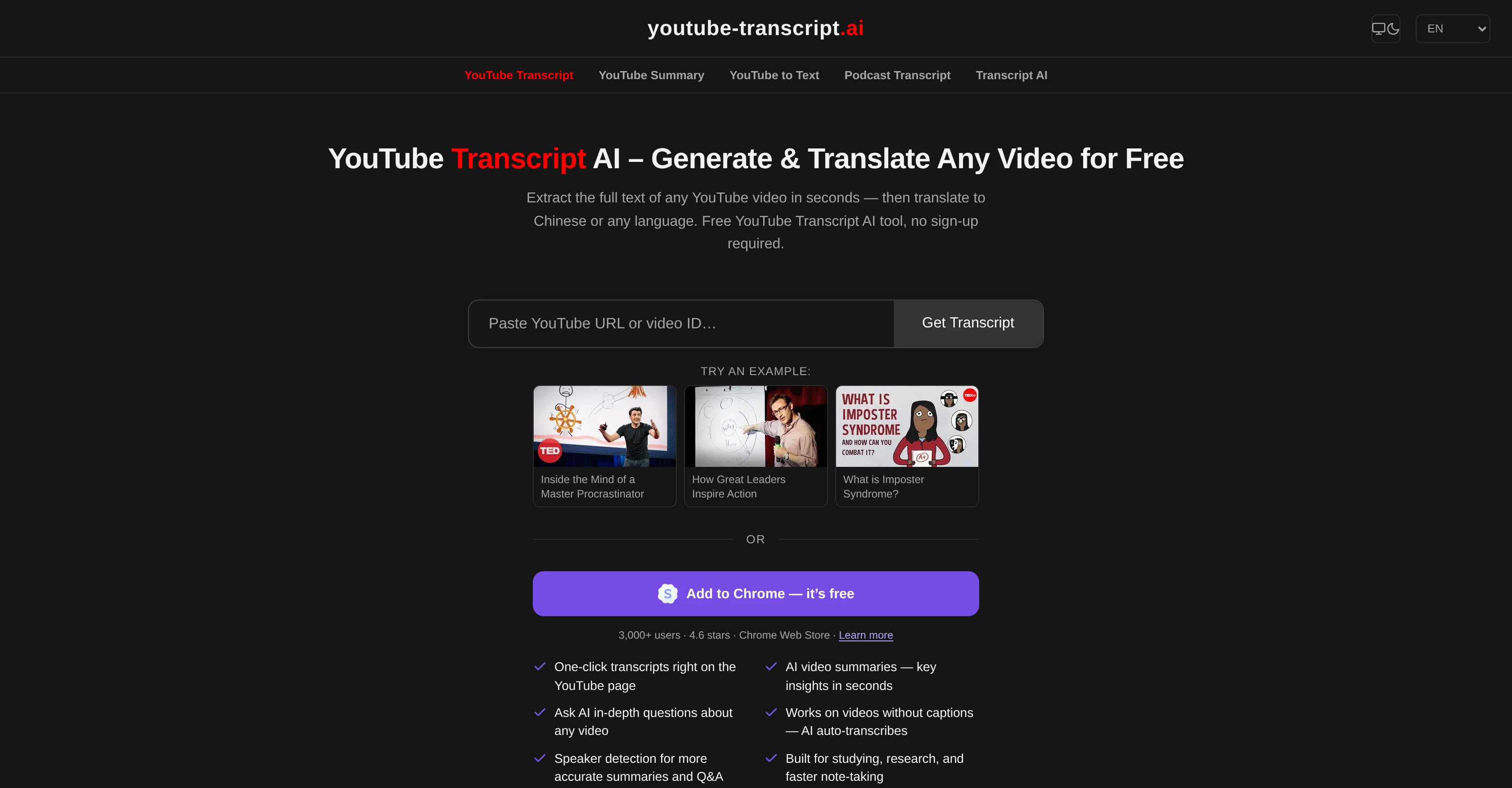
YouTube Transcript AI is a free tool that enables users to generate a full transcript from any YouTube video and then translate it into any language of their choice within mere seconds.
There is no need for users to sign up or encounter any usage limits. Users can input any format of YouTube link or even just the video ID to get the transcript, which loads instantly in an easy-to-read format.
The tool is specifically designed to aid in studying, research, and convenient note-taking. It can also serve the purpose of translating transcripts from videos in a foreign language into the user's native language.
The transcript can be analyzed by AI tools like ChatGPT, Claude, or Gemini to summarize, extract key points, generate notes or answer questions about the video content.The transcript thereby created can be effectively used for note-taking, quickly summarizing videos, generating content for blogs, newsletters, social media posts, and conducting in-depth research.
Specifically for educational purposes, the AI can render quizzes, flashcards, or exam-ready summary from the transcript, converting the video into a comprehensive study guide.Most YouTube videos with manually added or auto-generated subtitles are supported by YouTube Transcript AI.
The tool delivers clean, readable text from the video's closed captions. Apart from reading the transcript directly on the tool, users also have the option to copy the entire transcript content and paste it into any text editor for saving or further usage.
The tool does not have an association or affiliation with YouTube or Google.
Access & connections
Where you can use YouTube Transcript AI.
Platforms
Capabilities
What this tool accepts, produces, and is strongest at.
Input
- Video
Output
- Text
Pros & cons
Pros
- Free tool
- No user registration
- Unlimited usage
- Supports various YouTube link formats
- Immediate transcript loading
- Designed for academia, research
- Functionality to translate transcripts
- Pairing with ChatGPT, Claude, Gemini
Show 34 more
- Supports content generation
- Video content summarization
- Note-making from videos
- Quiz rendering from transcripts
- Flashcards creation functionality
- Accepts manually added subtitles
- Accepts auto-generated subtitles
- Delivers clean, readable text
- Direct copy-paste facility
- Independent of YouTube, Google
- In-depth research support
- Educational study guide creation
- Supports video analysis
- Generates social media content
- Generates blog content
- Generates newsletter content
- Generates exam-ready summaries
- Supports auto-captioning
- Subtitles support
- Instant video-to-text transcription
- Translates into any language
- Helpful for multilingual learning
- Rapid content summary generation
- Extracts key video points
- Aids in multilingual research
- Produces structured notes
- Turns video into study guide
- Assists in content creation
- Aids in video translation
- Detects facts in lectures
- Supports transcript saving
- Multilingual subtitles extraction
- Can convert video to blog post
- Translates Chinese and more
Cons
- No offline functionality
- No API integration
- Relies on video's captions
- No direct download option
- No YouTube/Google affiliation
- No mobile app
- Could misuse copyrighted material
- Dependent on video subtitles
Show 1 more
- Can't distinguish between speakers
Compare alternatives
Similar tools in the catalog.

AI Transcriptions by Riverside ✓
FreemiumTranscribe audio and video in 100+ languages effortlessly
Free + from $15/mo
Full comparison
Exemplary AI ✓
FreemiumTranscribes 120+ languages' audio/video.
Free + from S$12 / month
Full comparison
YouTube Transcript Optimizer ✓
PaidTransform YouTube videos into polished documents and quizzes.
from $10
Full comparison
Taption ✓
FreemiumConvert audio and video to text in 40+ languages.
Free + from $12.00/mo
Full comparison

Releases 1
Imported reviews 1
It is very helpful for my current job, saves me time and has a good accuracy rate
FAQ 12
Can YouTube Transcript AI handle any format of YouTube link?
Does YouTube Transcript AI work with videos that only have auto-generated subtitles?
How does YouTube Transcript AI support note-taking?
Can I use YouTube Transcript AI if I'm not signed up or registered?
Is YouTube Transcript AI useful for educational purposes?
Does YouTube Transcript AI provide translated transcripts?
Can the tool be used for generating content for blogs and social media?
Can YouTube Transcript AI aid in summarizing videos?
How does YouTube Transcript AI deal with videos in a foreign language?
Which AI platforms can analyze the created transcript?
How quickly does YouTube Transcript AI generate a transcript?
Does YouTube Transcript AI have any affiliation with YouTube or Google?
Related tools
Recommended

Kick ✓
FreemiumAccounting software that does the work for you

Supernormal App ✓
FreemiumThe AI assistant app that turns meetings into completed work

Macky ✓
FreemiumAI-executed, consultant-certified engagements for SMEs.

HappySeeds ✓
FreemiumTurn ideas into AI-powered apps instantly.

MiDash AI ✓
FreemiumInvest naturally with conversational AI.

Base44 Superagents ✓
FreemiumBuild your own AI agent in minutes, not days.