

SuperImage ✓
AI-powered image upscaling on your device.
from $3.49
Verdict
A quick read before you dig into the full page.
- Best if
- AI-powered image upscaling on your device
- Skip if
- Limited to upscaling function
- Pick this when
- Image upscaling
Considering Deep Image instead? Compare side by side
Overview
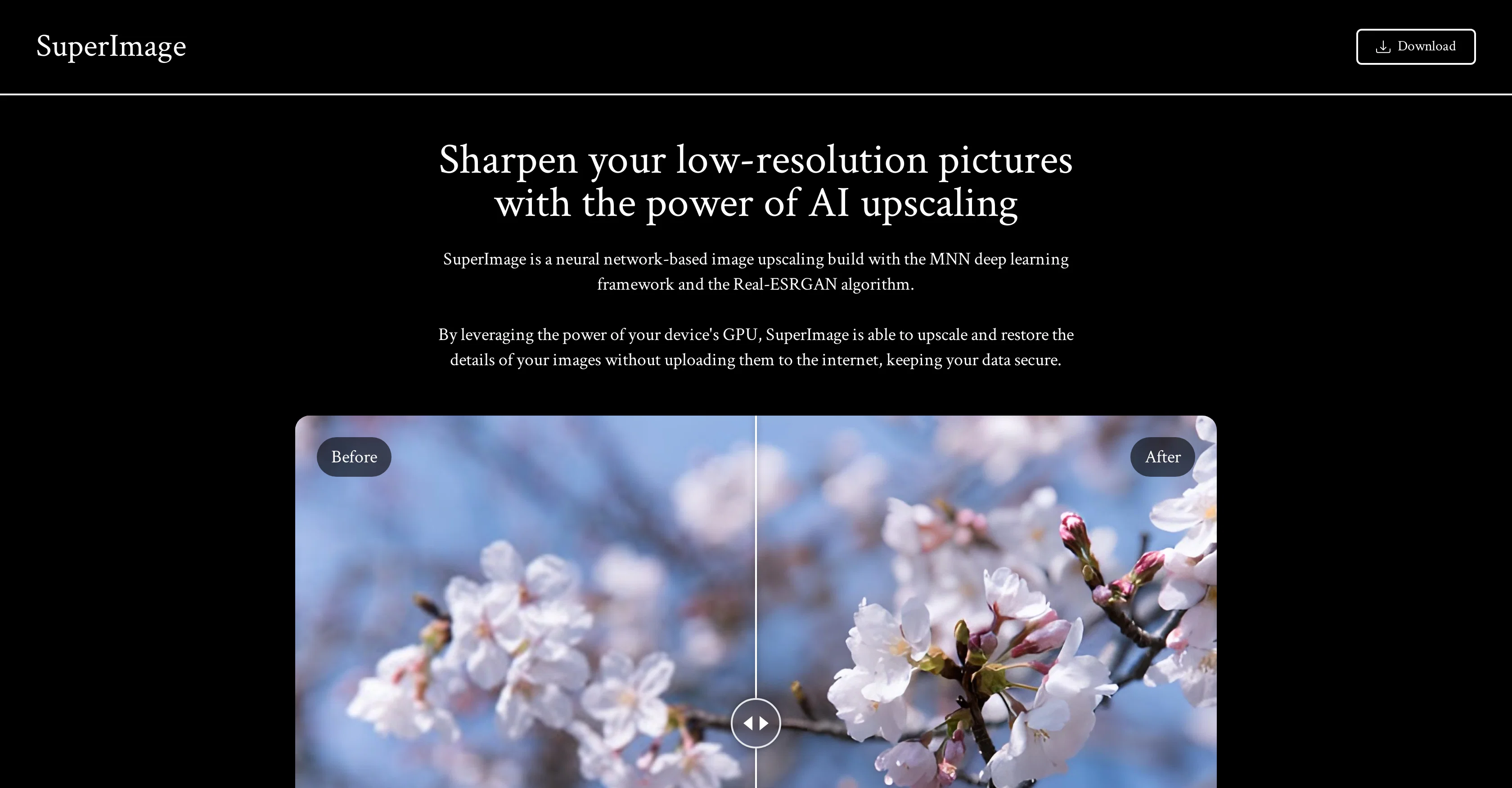
SuperImage is an AI-based tool meant for image upscaling. This tool is built on a neural network, utilizing the MNN deep learning framework along with the Real-ESRGAN algorithm.
It is specially designed to enhance low-resolution pictures, restoring their detail and improving their quality significantly. The software utilizes your device's GPU power to carry out the upscaling task, thus it performs all the operations locally without requiring an internet connection or uploading the images to any internet server, keeping your data secure and private.
With a prime focus on enhancing and restoring details of your images, SuperImage functions as an efficient tool for both individual and professional use.
Conveniently, it is also being developed for Linux and macOS for Apple Silicon, increasing its usability across different platforms.
Access & connections
Where you can use SuperImage.
Platforms
Capabilities
What this tool accepts, produces, and is strongest at.
Input
- Image
Output
- Image
Pros & cons
Pros
- Image upscaling
- Restores low-resolution images
- Improves image quality
- Utilizes GPU power
- Local operation
- No internet required
- Doesn't upload images online
- Ensures data privacy
Show 14 more
- Useful for individual use
- Useful for professional use
- Compatible with Linux
- Compatible with macOS for Apple Silicon
- Based on MNN Framework
- Employs Real-ESRGAN Algorithm
- Enhances image details
- Keeps data secure
- Offline functionality
- Available for multiple platforms
- No server interaction needed
- Secured image processing
- Sharpen images
- Enhances and restores details
Cons
- Requires device's GPU power
- No internet server support
- Not yet available for Linux, macOS
- Can't process non-picture files
- Limited to upscaling function
- Potential compatibility issues with MNN framework
- Inefficient on low-quality GPU
- No online API
Show 2 more
- Dependent on Real-ESRGAN algorithm
- No batch processing feature
Compare alternatives
Similar tools in the catalog — with a clear reason to open each one.

Deep Image ✓
Free TrialEnhance photos with advanced editing features.
Free + from $9/mo
Full comparison
Upscayl ✓
Free TrialEnhance images with free, open-source AI upscaling.
Why look More privacy-focused
Full comparison
AI Upscaler ✓
FreemiumSmarter AI 4K Upscaler for Images & Videos
Why look Freemium alternative
Full comparison
SciFig ✓
FreemiumTurn text into publication-ready scientific figures.
Why look Freemium alternative
Full comparison

Neurohelper AI ✓
PaidEvery leading AI model. One workspace.
Why look Better for writing
Full comparisonReleases 1
FAQ 12
What is SuperImage?
How does SuperImage upscale images?
What algorithms does SuperImage use?
How is the MNN deep learning framework applied in SuperImage?
What role does the Real-ESRGAN algorithm play in SuperImage?
How does SuperImage ensure data privacy?
Why does SuperImage utilize my GPU for image upscaling?
Do I need an internet connection to use SuperImage?
Does SuperImage upload my images to the internet for upscaling?
Can I use SuperImage for professional use?
Is SuperImage suitable for personal use?
What operating systems is SuperImage compatible with?
Related tools
Recommended

Fine Pixel ✓
FreemiumEnhance images 10X with AI upscaling

Pineapple Builder ✓
FreemiumAI Website Building for Businesses

Clarity AI ✓
PaidUpscale and enhance images with AI magic

Automateed ✓
Free TrialCreate eBooks effortlessly with Automateed, the AI-powered writing tool.

Kin - Personal AI Advisors ✓
FreePrivacy-first & designed your for mind, and life at work

Photoeditor ✓
PaidEnhanced image editing with object and text removal.