Photoeditor ✓
Enhanced image editing with object and text removal.
from $9.99/mo
Verdict
A quick read before you dig into the full page.
- Best if
- You are photographers and need: Personal projects
- Skip if
- Limited to specific formats (JPG, PNG, WEBP, HEIC)
- Pick this when
- Supports multiple image formats
Considering Viyou AI Image Generator instead? Compare side by side
Overview
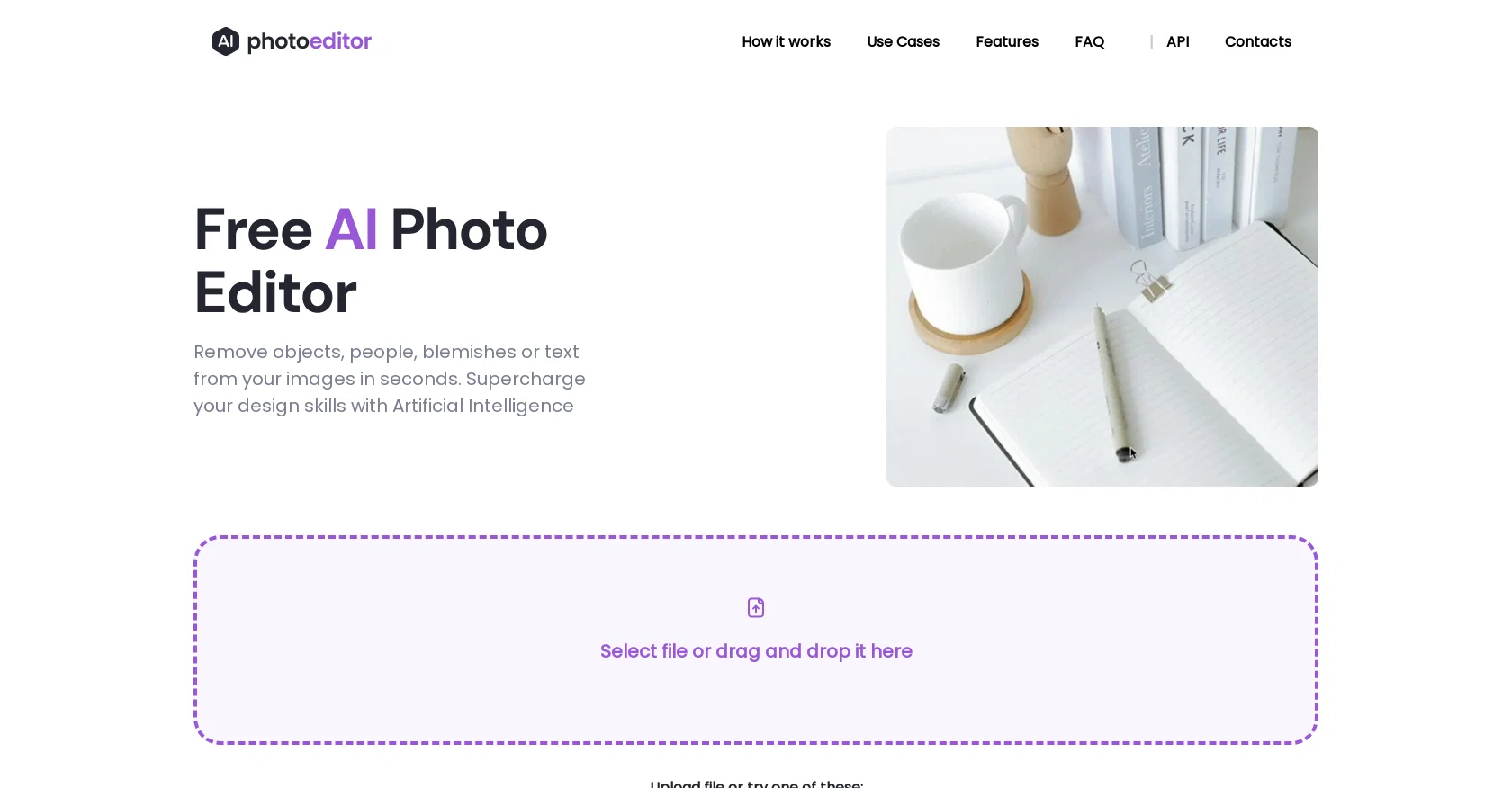
The Free AI Photo Editor is a powerful tool that allows users to remove unwanted objects, text, people, and blemishes from their images quickly and effortlessly.
With the use of Artificial Intelligence algorithms, this tool provides exceptional results compared to traditional editing methods. The process is simple: users can upload any image in JPG, PNG, WEBP, or HEIC format, and then draw a mask or brush over the objects or text they want to remove.
The AI-powered technology seamlessly analyzes the surrounding pixels and context of the selected area to deliver natural-looking results. This photo editor offers a range of features, including object removal, text removal, and face enhancement.
It is compatible with both web and mobile platforms, making it convenient for users to edit their photos from anywhere. The tool provides high-quality results, allowing users to download their edited images in 1024px resolution.
With PhotoEditor.ai, users can create stunning portraits, refine social media visuals, and improve room interior photos. The tool is free to use, requiring no downloads or installation.
The company is currently working on a Premium AI Photo Editor, which will be a paid subscription-based service. The technology behind PhotoEditor.ai is powered by a modular neural network that utilizes Artificial Intelligence algorithms for Machine Learning.
Specifically, it employs inpainting techniques to remove unwanted objects or elements from images. The Free AI Photo Editor is an essential tool for photographers, creative agencies, real estate professionals, e-commerce businesses, and anyone seeking to enhance their images effortlessly and achieve professional-looking results.
Best for
Short scenarios where Photoeditor tends to shine.
-
Personal projects
Best for Photographers
-
Real Estate
Best for Designers
-
eCommerce
Best for Marketing professionals
-
Marketing
Best for E-commerce businesses
-
Automotive niches
Best for Real estate agents
-
Creative agencies
Best for Creative agencies
-
Photography
Best for Individuals needing quick photo edits
-
Logos/Watermark
Best for Photographers
Example outputs 1
Sample generations and before/after results for Photoeditor.
Access & connections
Where you can use Photoeditor.
Platforms
Capabilities
What this tool accepts, produces, and is strongest at.
Supported features
- Inpainting
- Outpainting
Pros & cons
Pros
- Supports multiple image formats
- Object and text removal
- Face enhancement feature
- Web and mobile compatible
- 1024px resolution output
- No downloads or installation
- Neural network technology
- Inpainting techniques used
Show 14 more
- Useful for variety of industries
- Supports batch removal
- Free to use
- Premium version in development
- Mask or brush options
- Auto-segments objects for removal
- Both foreground/background object removal
- Text overlay/watermark removal supported
- Download result in seconds
- User-friendly interface
- Effortless skin enhancement
- Ideal for social media visuals
- Unwanted item removal for interiors
- Excellent for real estate photography
Cons
- Only supports 1024px resolution
- Lacks background removal feature
- Doesn't support large files (>5MB)
- No app for mobile devices
- No offline functionality
- Upcoming features will be paid
- Limited to specific formats (JPG, PNG, WEBP, HEIC)
- Requires manual selection for removal
Show 2 more
- Lacks professional retouching tools
- No batch processing
Compare alternatives
Similar tools in the catalog — with a clear reason to open each one.

Viyou AI Image Generator ✓
FreemiumTransform text and images into stunning videos and visuals.
Why look Freemium alternative
Full comparison
Img2Img AI ✓
FreemiumTransform any image with AI in seconds.
Why look Freemium alternative
Full comparison

Cleanup pictures ✓
FreemiumRemove unwanted elements from photos instantly.
Why look Freemium alternative
Full comparison
People also view
Tools that often show up alongside Photoeditor in collections and comparisons.

Viesus enhancing PDFs and images ✓
Free TrialEnhancing and Upscaling for images and PDFs

UniFab Studio ✓
PaidSharper Details, Smoother Motion, Enhanced in Every Frame

Topaz Labs | Photo AI 4 ✓
PaidMake every shot perfect with AI-powered photo enhancement.
Reshot AI ✓
PaidProfessionally reshoot your photos with AI.

AI Portrait - Remaker ✓
Free TrialConvert photos into artistic AI portraits instantly.

Jupitrr ✓
FreemiumVoice-recorded & podcast-based personalized videos

HitPaw Edimakor ✓
FreemiumAI-powered video editing made easy.

Face26 ✓
Free TrialEnhance photos with AI in one click
Releases 1
Imported reviews 5
It was so amazing
Loads very slow server always busy
No free trial so you can't try it out first, we're supposed to just take their word for it that the features are gonna work... And it's $10 a month
Helped me unblur a low resolution picture. Worked great!
Excellent!!!
FAQ 12
What kind of images can I upload to PhotoEditor.ai?
How do I remove objects or text from my images in PhotoEditor.ai?
What platforms is PhotoEditor.ai compatible with?
What is the quality of the edited images I can download from PhotoEditor.ai?
Does PhotoEditor.ai offer a premium version?
What is the technology behind PhotoEditor.ai?
Who can benefit from using PhotoEditor.ai?
Does PhotoEditor.ai also remove people from photos?
Does PhotoEditor.ai allow multiple objects removal from a photo?
What is the maximum size of the image files I can upload to PhotoEditor.ai?
Does PhotoEditor.ai also enhance face features?
Can I use PhotoEditor.ai on both web and mobile?
Related tools
Recommended

LearningStudioAI ✓
Free TrialAI-powered authoring tool for effortless online course creation.

VenturusAI ✓
FreemiumBusiness idea analysis and reporting.

Photo AI ✓
PaidCreate beautiful AI photos and videos of real people

GPTExcel ✓
FreemiumGenerate spreadsheet formulas with AI

Stratup.ai ✓
FreemiumInnovative idea generation for businesses.

Stockimg AI ✓
PaidGenerated images and text for design ease.