

Clarity AI ✓
Upscale and enhance images with AI magic
from $29/mo
Verdict
A quick read before you dig into the full page.
- Best if
- Upscale and enhance images with AI magic
- Skip if
- Limited file format support
- Pick this when
- High resolution upscaling
Considering Deep Image instead? Compare side by side
Overview
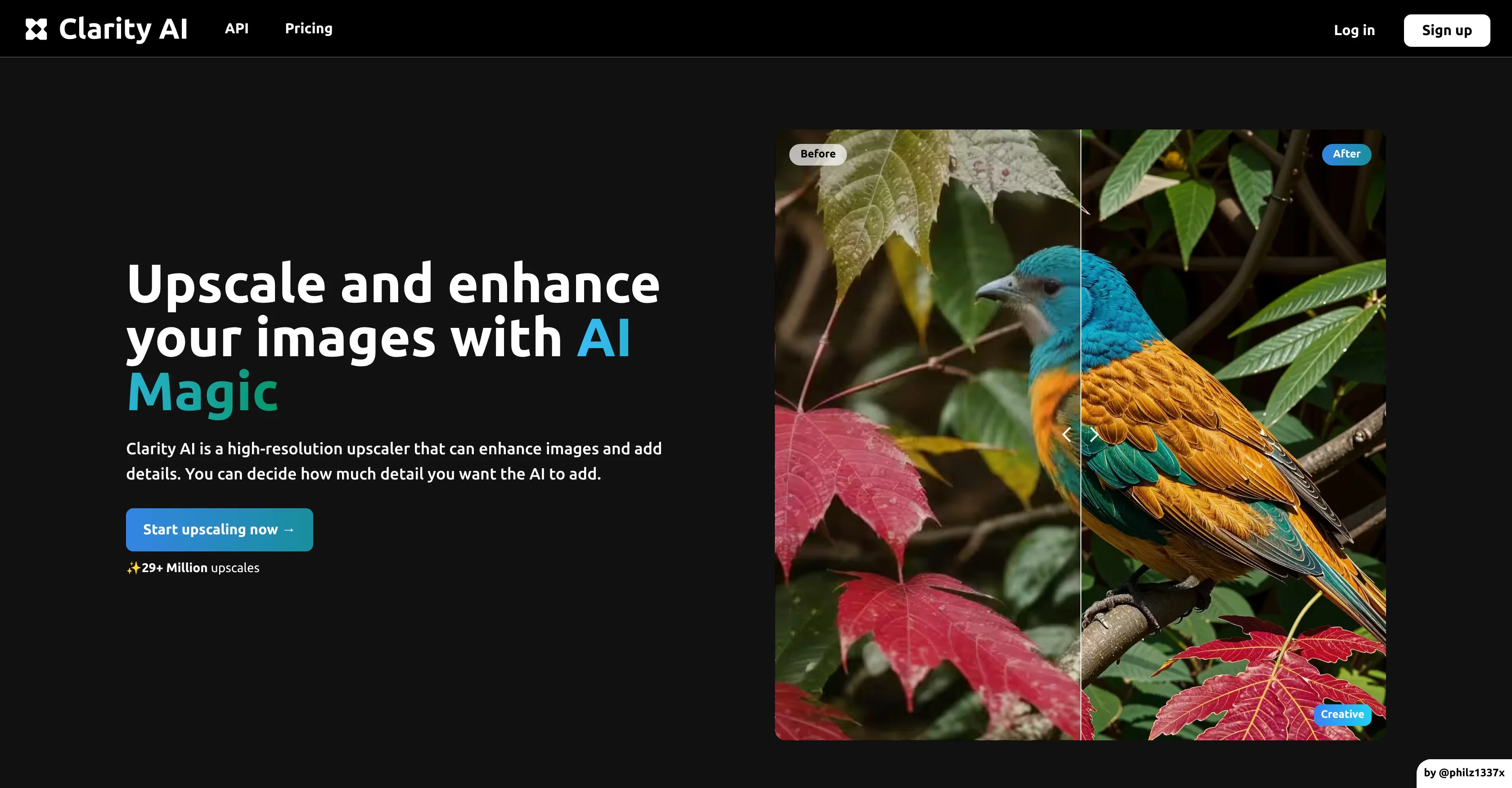
Clarity AI is an artificial intelligence (AI) tool primarily designed for the enhancement and upscaling of images. Utilising advanced machine learning algorithms and AI-powered techniques, the tool works towards the goal of improving image quality through resolution upscaling, thereby helping users achieve professionally retouched and high-definition images.
The core functionality revolves around increasing an image's resolution with minimal loss of details - an essential feature useful in diverse fields from professional photography to web design.
Furthermore, Clarity AI does not solely focus on image upscaling, but also extends its capabilities to the enhancement of image details, which in turn helps to augment clarity, and sharpness.
One notable feature of Clarity AI is its API support, an integral part of the tool that facilitates the efficient integration of its features into user apps or websites.
This allows users to implement on-demand image upscaling and enhancement tasks directly from their platforms. However, it's important to note that operation of Clarity AI requires JavaScript to be enabled.
The tool showcases a compelling fusion of AI and digital imagery, enabling users to promote visually-appealing and high-quality image content.
Access & connections
Where you can use Clarity AI.
Platforms
Capabilities
What this tool accepts, produces, and is strongest at.
Input
- Image
Output
- Image
Pros & cons
Pros
- High resolution upscaling
- Minimal loss of details
- Enhances image details
- Augments clarity and sharpness
- API support
- Integrates into user platforms
- On-demand upscaling
- JavaScript enabled
Show 17 more
- Suitable for diverse fields
- Removes image artefacts
- Flexible detail enhancement
- Useful in web design
- Supports professional photography
- Free options available
- User-friendly interface
- Can upscale landscapes
- Effective on portraits
- Ideal for illustrations
- Works well on animes
- Efficient for interior images
- Practical for design images
- Produces HD images
- Promotes high-quality content
- Directly add enhancements
- Improves content aesthetic
Cons
- Requires JavaScript
- Not suitable for all images
- Potential detail loss
- Limited enhancement capabilities
- Enhancement level not adjustable
- Integration complexity with platforms
- No offline usability
- Limited file format support
Show 2 more
- Upscaling result inconsistencies
- No batch processing support
Compare alternatives
Similar tools in the catalog — with a clear reason to open each one.

Deep Image ✓
Free TrialEnhance photos with advanced editing features.
Why look Typically cheaper
Full comparison
Upscayl ✓
Free TrialEnhance images with free, open-source AI upscaling.
Why look Typically cheaper
Full comparison
AI Upscaler ✓
FreemiumSmarter AI 4K Upscaler for Images & Videos
Why look Freemium alternative
Full comparison
SciFig ✓
FreemiumTurn text into publication-ready scientific figures.
Why look Freemium alternative
Full comparison
Kyukoma ✓
Free TrialTurn your stories into manga pages with AI.
Why look Typically cheaper
Full comparison
Neurohelper AI ✓
PaidEvery leading AI model. One workspace.
Why look Typically cheaper
Full comparisonReleases 1
FAQ 12
What is Clarity AI?
How does Clarity AI improve image quality?
What does Clarity AI mean by 'resolution upscaling'?
How does Clarity AI affect the details in an image?
Can Clarity AI enhance clarity and sharpness in images?
How can Clarity AI be integrated into my app or website?
Does Clarity AI require JavaScript to be enabled?
How does Clarity AI help in web design?
Can Clarity AI be used in professional photography?
What kinds of images are suitable for Clarity AI?
How does Clarity AI use advanced machine learning algorithms?
Can Clarity AI remove artefacts from images?
Related tools
Recommended

Fine Pixel ✓
FreemiumEnhance images 10X with AI upscaling

Automateed ✓
Free TrialCreate eBooks effortlessly with Automateed, the AI-powered writing tool.

Aiarty Image Enhancer ✓
Free TrialEnhance photos with AI for stunning quality and detail.

SuperImage ✓
PaidAI-powered image upscaling on your device.

Aiter.io | Paste a URL. Ship a Campaign That Sounds L... ✓
FreemiumAI marketing that sounds like you, not everyone else.

Osum ✓
Free TrialSupercharge Your Market Research With AI ⚡