

Picture to Drawing AI ✓
Transform photos into artistic drawings instantly with AI.
Trial; then from $6.99/mo
Verdict
A quick read before you dig into the full page.
- Best if
- Transform photos into artistic drawings instantly with AI
- Skip if
- Limited daily free use
- Pick this when
- Supports multiple image formats
Considering Viyou AI Image Generator instead? Compare side by side
Overview
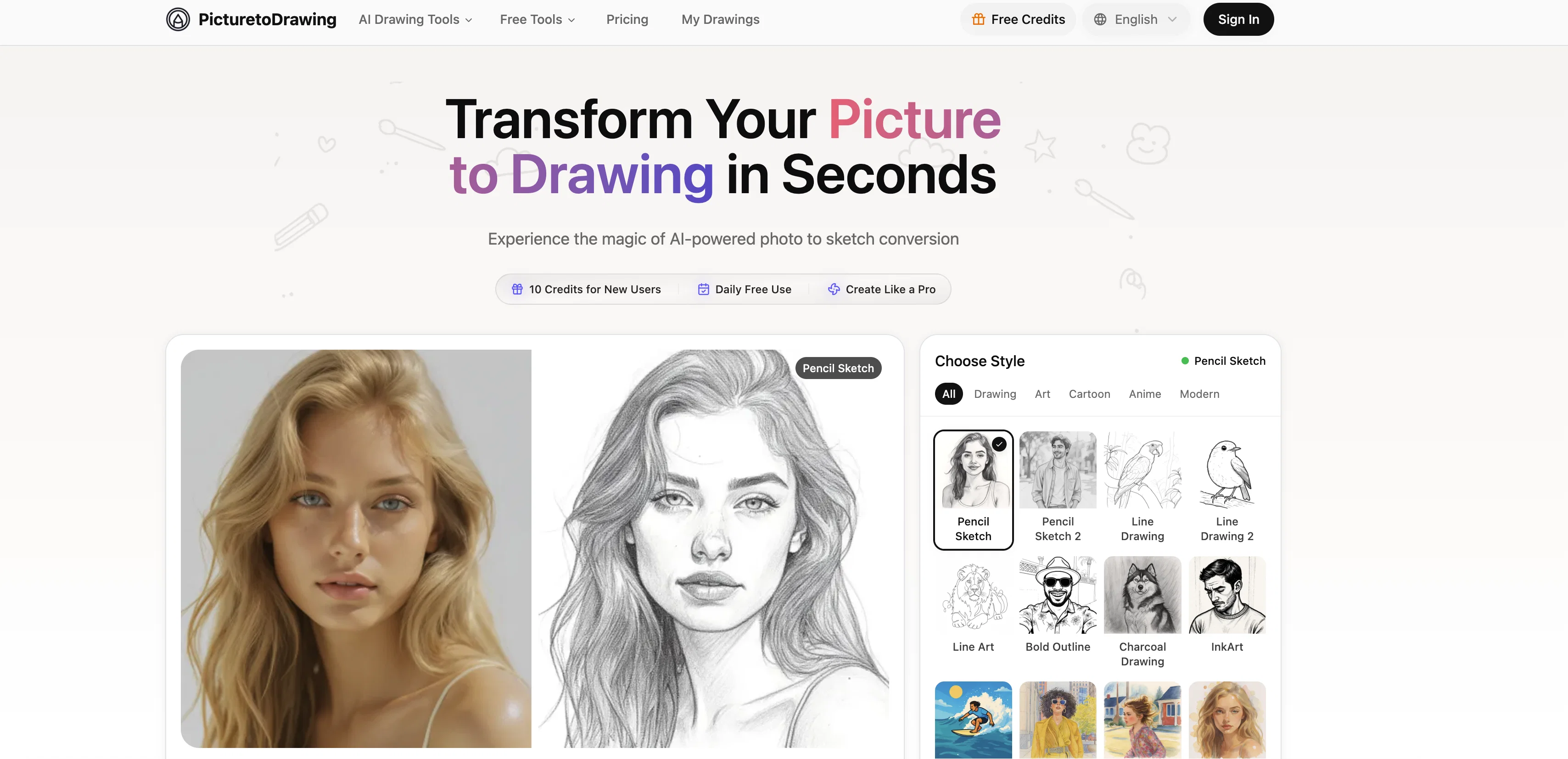
Picture to Drawing AI offers a unique transformation from photos to sketches. This tool allows users to transform any image into various artistic styles like pencil sketches, modern line art, watercolor paintings, and colored pencil drawings, while maintaining the essence and emotion of the original image.
Aside from converting images to sketches, users can experiment with other styles such as cartoon, graffiti art, or pop art, offering an array of creative possibilities.
It provides a high resolution output which is perfect for printing or sharing on social media platforms. Moreover, users' privacy is meticulously protected as images are processed securely and automatically deleted post conversion.
The AI-powered technology behind Picture to Drawing analyzes every detail of the photo to offer conversions that look hand-crafted. This tool caters to diverse creative needs, making it perfect for personal gifts, professional projects, or purely for the fun of transforming photos into various creative styles.
Access & connections
Where you can use Picture to Drawing AI.
Platforms
Capabilities
What this tool accepts, produces, and is strongest at.
Input
- Image
Output
- Image
Highlights
- SOTA
Supported features
- Inpainting
- Image Edit
- Image Generation
- Image Understanding
- Styling
- Upscaling
Pros & cons
Pros
- Supports multiple image formats
- Variety of styles offered
- Preservation of image detail
- Texture inclusion in conversions
- Shadow accuracy
- High-resolution output
- Privacy protection
- Automatic deletion post conversion
Show 40 more
- Daily free use
- Additional features for users
- Artistic transformation capabilities
- Offers numerous sketch styles
- Generates modern art styles
- Cartoon and anime styles
- Hand-crafted appearance in output
- Wide creative application
- Fast Processing
- Supports HEIC format
- Output Ratio Selection
- High resolution output download
- Unique transformation capability
- Wide range of styles
- Perfect for social media
- Ideal for printing
- Excellent for professional projects
- Multiple secure upload methods
- Lightning fast conversion
- Post conversion image deletion
- Excellent for education projects
- Ideal for creative portfolios
- Privacy and security prioritized
- Works perfectly on mobile devices
- Multiple resolutions available
- Responsive design
- One free conversion daily
- Suitable for large format printing
- Authentic artistic conversion
- Distinctive branding creation
- Elegant wall art creation
- Stand out social media content
- Personalized gift creation opportunity
- Exceptional quality
- Maintains image emotional essence
- Premium high resolution outputs
- Premium faster processing
- Compatible with all devices
- Premium users enjoy benefits
- Unique algorithms for each style
Cons
- Supports limited file formats
- Limited image editing capabilities
- No collaborative features
- Limited daily free use
- Most features are premium
- No batch processing
- Unable to preview different styles
- Lack of offline use
Show 2 more
- No API for developers
- Missing advanced customizations
Compare alternatives
Similar tools in the catalog — with a clear reason to open each one.

Viyou AI Image Generator ✓
FreemiumTransform text and images into stunning videos and visuals.
Free + from $39.99/yr
Full comparison
Img2Img AI ✓
FreemiumTransform any image with AI in seconds.
Why look Typically cheaper
Full comparison

Photoeditor ✓
PaidEnhanced image editing with object and text removal.
from $9.99/mo
Full comparison
Cleanup pictures ✓
FreemiumRemove unwanted elements from photos instantly.
Why look Typically cheaper
Full comparisonReleases 1
FAQ 12
What is Picture to Drawing AI?
Does Picture to Drawing AI support multiple image formats?
How many styles and drawings does Picture to Drawing AI offer?
How does Picture to Drawing AI analyze photos for conversion?
Is Picture to Drawing AI appropriate for applications like printing, framing, or online sharing?
How does Picture to Drawing AI handle user data privacy?
Does Picture to Drawing AI offer free daily use?
What extra features does Picture to Drawing AI's premium option offer?
Can I optimize high-resolution output with Picture to Drawing AI?
Does Picture to Drawing AI provide instant image conversion?
Does Picture to Drawing AI support both modern and classic art styles for conversion?
What is the level of detail preservation with Picture to Drawing AI?
Related tools
Recommended

Recall ✓
FreemiumSummarize Anything, Forget Nothing!

Notis ✓
Free TrialThe first WhatsApp assistant that runs on your ChatGPT and Claude subscriptions

Image Editor Online ✓
FreeTransform images with AI prompts instantly online.

BestPhotoAI ✓
FreemiumCreate amazing AI photos instantly
Chraft AI ✓
FreemiumChat to create viral videos with AI.

NextDocs.io ✓
FreemiumThe AI-native editor for docs, slides, and more