Presentations vv1.7.0 2026 Rank: #207
NextDocs.io ✓
The AI-native editor for docs, slides, and more
Verdict
A quick read before you dig into the full page.
- Best if
- You are freelance Copywriters and need: Generating sales proposals for consulting projects
- Skip if
- Currently limited to a few core document formats
- Pick this when
- Generates polished docs & slides in seconds from simple prompts
Considering MagicSlides.app AI PPT Maker instead? Compare side by side
Overview
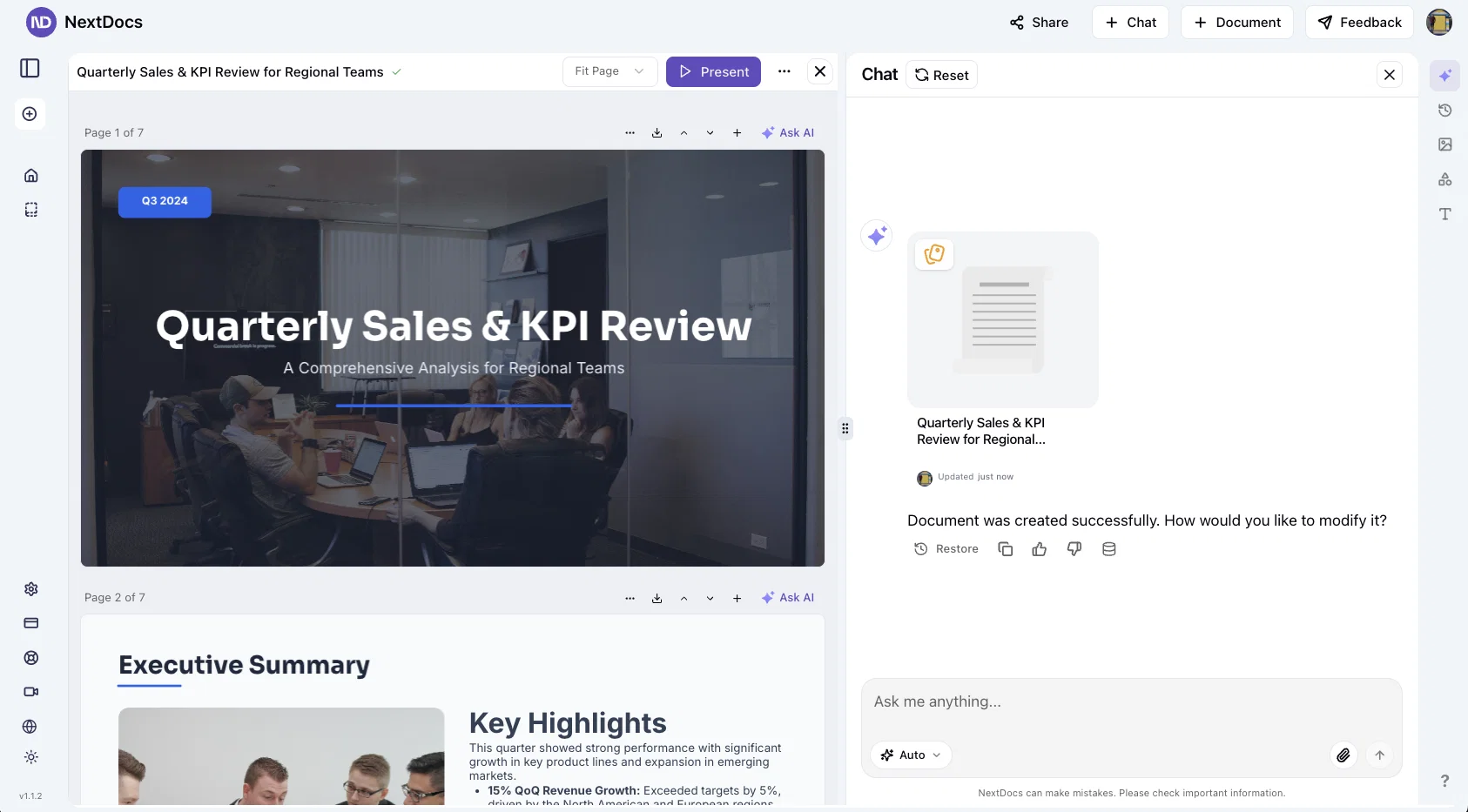
NextDocs is an AI-native editor for creating professional documents and slides fast. Describe what you need and generate multiple complete versions at once.
Compare layouts, structures, and styles side by side. Pick what feels right, then refine with AI or manual edits. Set brand guidelines once and every doc stays on-brand.
From pitch decks to proposals and reports, NextDocs turns ideas into executive-ready output without the design work.
Best for
Short scenarios where NextDocs.io tends to shine.
-
Generating sales proposals for consulting projects
Best for Freelance Copywriters
-
Drafting strategic plan sections like Go-To-Market strategies
Best for Startup Founders
-
Creating marketing campaign briefs for webinars
Best for Legal Associates
-
Producing market research reports on various topics
Best for Project Managers
-
Developing investor pitch decks
Best for Graphic Designers
-
Crafting professional resumes and contracts
Best for HR Specialists
-
Creating polished NDAs and other legal documents
Best for Marketing Directors
Example outputs 1
Sample generations and before/after results for NextDocs.io.
Access & connections
Where you can use NextDocs.io, and what it plugs into.
Platforms
Integrations
Capabilities
What this tool accepts, produces, and is strongest at.
Input
- Image
- Text
Highlights
- API
- MCP
- Use code TAAFT
- 20% OFF
Supported features
- API
- MCP
- Slides
- Docs
- Rewrite
- Brand Strategy
- Styling
- Deep Research
- Team Collaboration
Pros & cons
Pros
- Generates polished docs & slides in seconds from simple prompts
- Supports various formats including presentations, reports, and resumes
- AI-powered precision ensures clear and professional output
- Streamlined workflow with no need for manual formatting
- Enables quick creation of pitch decks, strategic plans, and marketing briefs
- Future-ready with pageless and website document support coming soon
Cons
- Generation may be slow sometimes
- Currently limited to a few core document formats
- Dependent on AI prompts, output quality may vary with unclear instructions
- Risk of hullocination with cheaper models
- Web/website creation feature is not yet available
Compare alternatives
Similar tools in the catalog — with a clear reason to open each one.

MagicSlides.app AI PPT Maker ✓
FreemiumCreate Stunning PPTs in Seconds with the AI PPT Maker
Why look Typically cheaper
Full comparison
Gamma ✓
FreemiumAI-powered content creation, minus the hassle.
Why look Typically cheaper
Full comparison
AI Slide Generator ✓
Free TrialCreate stunning presentations from any text in seconds
Why look Typically cheaper
Full comparison


People also view
Tools that often show up alongside NextDocs.io in collections and comparisons.

Younet ✓
Free TrialAI Agent Orchestration and Automation. Build your agentic business.

Typeface ✓
Free TrialPersonalized AI storytelling for enterprise content creation

Publer AI ✓
FreemiumAI-powered social media content creation and management

PostPerfect ✓
FreemiumAutomated social media posts.

Ocoya ✓
Free TrialYour AI-powered hub for seamless social media scheduling and content creation.

Likewise Learn ✓
FreemiumPredict and boost social media engagement with AI

Hookle ✓
FreemiumGrow 100x faster on social with AI-powered content creation and scheduling.

Flamel ✓
FreemiumTurn each franchise into a local marketing engine.
Releases 11
NextDocs v1.7.0 - Motion Animations, Video Export, and More
Released: March 2026
Animate any object on your slides. Export to video. Present with confidence.
NextDocs v1.7.0 adds motion animations to presentations. Select any element on the canvas and assign entrance, exit, or emphasis animations. Preview directly in the editor, then present full-screen with keyboard controls. The AI assigns appropriate animations automatically when generating slides.
Describe what you need.
AI generates animated presentations.
You get ready-to-present results.
Motion Animations
Every object on the canvas can be animated. Text, images, shapes, charts, diagrams. Select an element, open the motion panel, and choose an animation.
Animations are organized in beats. Logical groups that play together. Each presentation supports up to 20 beats, reorderable by dragging in the sidebar.
What makes this powerful:
- Stagger animations: group objects and have them animate one by one with a delay
- Drag-and-drop ordering: rearrange animation sequences visually
- In-editor preview: see animations without entering presentation mode
- Auto-play after generation: AI picks sensible animations and plays them automatically
- Keyboard navigation: arrow keys to advance, spacebar to play, escape to exit
Use cases:
- Pitch decks: reveal key numbers one at a time for dramatic effect
- Lecture slides: step through formulas and diagrams progressively
- Sales presentations: build visual stories that guide attention
- Conference talks: control pacing so the audience focuses on what you are saying
Video Export
Create animated content and export the full sequence as an MP4 file. No external video editing software needed.
What you can create:
- Short explainer videos for social media
- Animated infographics for reports
- Product walkthroughs and demos
- Educational video content for courses
The AI generates motion-ready slides designed for video output. The export pipeline handles concurrent frame capture and produces a clean MP4 you can share directly.
Page Transitions
Presentations now support smooth fade and slide transitions between pages. Combined with motion animations, your slides flow naturally from one to the next.
Also in v1.7.0
Keyboard Shortcuts
Full keyboard control in presentation mode. Arrow keys, spacebar, escape.
Faster Template Browsing
Images preload in the background for instant display.
WebP Blog Images
Blog pages load faster with optimized image formats.
i18n System
New unified management system with audit tooling across 13 languages.
About Page
New company About page with full localization.
Redesigned Marketing Pages
New hero section, animated statistics, improved template browsing with category chip labels. Mobile responsiveness improved across all pages.
Who is this for?
Business Professionals
Pitch decks, sales presentations, and quarterly reviews with animated reveals.
Teachers and Professors
Lecture slides with progressive reveal of complex concepts.
Students
Thesis defenses and coursework presentations with professional animations.
Content Creators
Animated explainer videos and social media content, exported as MP4.
Engineers and Designers
Technical walkthroughs and product demos with controlled pacing.
Try It
Go to nextdocs.io.
Open a presentation.
Add your first animation.
If you have ever wished your AI-generated slides had more visual storytelling, v1.7.0 delivers that.
- The NextDocs Team
NextDocs v1.6.6 - Math Equations, Tables, and Code Blocks
Released: March 2026
Technical and academic content, built into your slides.
NextDocs v1.6.6 adds real LaTeX equations, structured tables, and syntax-highlighted code blocks directly in presentations and documents. If you're a researcher, teacher, student, or engineer, your slides can finally look the way your content demands.
Describe what you need.
AI generates proper technical content.
You get publication-ready results.
Math Equations
Write real math equations in your slides. Inline equations within paragraphs and full block equations on their own line, all rendered with KaTeX.
The AI generates proper LaTeX notation that renders beautifully and exports cleanly to PDF, PowerPoint, and HTML.
What this means:
- Thesis defenses with real formulas instead of screenshots
- Lecture slides with equations that render live, not pasted images
- Research presentations with statistical models and proofs displayed correctly
- Technical reports with inline equations that flow naturally in text
Ask AI to create a slide about machine learning and it includes the relevant equations with proper notation. Not pseudocode approximations.
Tables in Rich Text
Real structured tables with rows, columns, and headers. No more arranging rectangles and text boxes to simulate a table layout.
Features:
- Add and remove rows and columns
- Cell background colors
- Header row support
- Proper export to all formats (PDF, PPTX, Google Slides)
AI uses real tables automatically when your content calls for comparisons, data summaries, schedules, or any organized information.
Code Syntax Highlighting
Code blocks render with proper syntax coloring for all major programming languages.
Use cases:
- Engineering standups with actual code, not IDE screenshots
- Teaching with syntax coloring that helps students read code faster
- Technical documentation with copy-paste ready API examples
- Conference talks with clean, readable code on stage
Smoother Group Editing
Click a group once to select it as a whole. Click again to drill inside and select individual elements. No double-click, no special key combinations.
Adjust a single text block or image within a complex slide layout without ungrouping everything first.
Faster Canvas
Rich text blocks on the canvas only mount their full editor when you click to edit. In view mode, they render as lightweight static content.
If your slides have many text blocks, you will notice the difference immediately. Faster loading, smoother scrolling.
Also in v1.6.6
Page Numbers
Automatically re-index when you add, delete, or reorder pages.
Broken Images
Show a "Replace Image" button so you can fix them without opening the side panel.
Theme Generation
Now produces a balanced set of 2 light and 2 dark themes.
Locale Handling
Improved for non-English pages with correct lang attribute in HTML.
Who is this for?
Academics and Researchers
Real equations in conference talks and thesis defenses.
Teachers and Professors
Lecture slides with formulas, code examples, and data tables.
Students
Coursework, lab reports, and thesis presentations.
Engineers and Developers
Technical content with code snippets and system diagrams.
Data Scientists
Statistical formulas alongside analysis.
Try It
Go to nextdocs.io.
Open a document.
Add an equation, a table, or a code block.
If you have ever pasted a screenshot of an equation into a slide, v1.6.6 fixes that.
- The NextDocs Team
NextDocs v1.6.0 - Brand Kit
Released: February 2026
Your brand identity, built into every content.
Brand Kit lets you define your brand once and have AI apply it to every document, presentation, and report you create. Colors, fonts, logos, tone of voice. All consistent. All automatic.
Describe what you need.
AI applies your brand.
You get on-brand results.
Brand Kit
Define your brand identity in one place. AI uses it every time you create.
A Brand Kit includes:
- Theme: your colors, fonts, and visual style
- Logos and images: company logos, product photos, hero images
- Icons: brand-specific icons and graphics
- AI instructions: tone of voice, writing style, terminology
Select your Brand Kit before generating. AI handles the rest.
Asset Usage Modes
Control how AI uses your brand assets.
Always
AI must include this asset in every document. Perfect for your company logo.
Maybe
AI can use this asset when it fits the content. Good for product screenshots or team photos.
Never
Asset is stored in your brand but AI will not use it automatically.
AI Instructions
Write custom instructions that guide AI on how to write for your brand:
"Use a professional but approachable tone. Avoid jargon. Always refer to our product as Acme Platform. End presentations with our tagline."
These instructions apply to every document created with this Brand Kit.
Use Cases
Sales Teams
Every proposal and pitch deck uses the same brand. No rogue presentations with the wrong logo.
Marketing Teams
Campaign decks and reports all follow brand guidelines without manual effort.
Agencies
Create separate Brand Kits for each client. Switch in one click.
Founders
Define your brand once. Every investor deck and internal doc is consistent.
New AI Models
Claude Opus 4.6 and Claude Sonnet 4.6 from Anthropic are now available for Pro users.
5 new free models added:
- Kimi K2.5 from Moonshot AI
- MiniMax M2.1
- GLM 4.7 from Zhipu AI
- DeepSeek V3.2
- DeepSeek V3.2 Thinking (reasoning model)
All free models available to every user. No upgrade required.
Also in v1.6
Mobile Editing
New floating selection toolbar, multi-select mode, inline text editing, and mobile color picker.
80+ New Themes
Professionally designed themes across corporate, dark tech, creative, gradient, serif, and more.
Improved Exports
More reliable PDF, Google Slides, and PowerPoint exports with better image handling.
How It Works
- Go to Brand Kit and create a new brand
- Pick a theme, upload assets, write AI instructions
- Select your brand when creating a document
- AI applies your identity automatically
- Get an on-brand document every time
Same simple workflow.
Now with your brand built in.
Try Brand Kit
Go to nextdocs.io.
Create a Brand Kit.
Generate a document.
Set your brand once. Let AI handle the rest.
- The NextDocs Team
🎉 Limited-Time Launch Offer — 20% Off
We’re celebrating the release of Deep Research with 20% off NextDocs.
Use code: TAAFT
Apply it at checkout.
Limited time only.
⸻
NextDocs v1.5.0 — Deep Research
Released: February 2026
Great documents start with great research.
With Deep Research, NextDocs creates documents backed by real, current information—not guesses. AI researches first, then writes. You get accurate, sourced, executive-ready output.
Describe what you need.
AI researches.
You get informed results.
⸻
Deep Research
NextDocs now researches your topic before creating your document.
Instead of relying on training data alone, AI actively gathers fresh information:
- Searches the web for relevant content
- Reads and extracts insights from articles
- Searches your uploaded files and knowledge base
- Combines information from multiple sources
- Cites sources directly in your document
This is research you can trust.
⸻
Research Depths
Choose how deep you want AI to go.
Standard
Best for most documents. Focused searches. Key sources. Fast and reliable.
Deep
Built for whitepapers, investment memos, and detailed reports. More sources. Deeper analysis. Maximum coverage.
You control the depth. AI handles the work.
⸻
Real-Time Progress
No black box.
Watch AI research live as it happens:
- See every search query
- Track articles being read
- Monitor progress in real time
- View sources as they’re gathered
Total transparency. Full confidence.
⸻
Source Citations
Every researched document includes:
- A complete list of sources
- Direct links to original articles
- Clear attribution for facts and data
- A transparent research trail
Your documents are backed by real information—not AI imagination.
⸻
Example Use Cases
Market Research Report
“Create a report on AI trends in 2026 with current market data and expert predictions”
Competitive Analysis
“Research and compare the top 5 project management tools — features, pricing, and user reviews”
Industry Overview
“Write a comprehensive overview of the renewable energy sector with recent statistics”
Investment Memo
“Research Tesla’s 2025 financials and create an investment analysis document”
⸻
How It Works
- Enter your prompt
- Choose research depth (Standard or Deep)
- Click generate
- Watch AI research in real time
- Get a fully sourced document
Same simple workflow.
Much better results.
⸻
Also in v1.5.0
Performance Boost
Faster editing. Smoother interactions across the editor.
Export Improvements
More reliable exports to Google Slides and PowerPoint.
⸻
Try Deep Research
Go to nextdocs.io.
Start a new document.
Select your research depth.
Generate.
And don’t forget: use code TAAFT for 20% off.
⸻
Research first.
Create second.
Better documents.
— The NextDocs Team
NextDocs v1.4.8 – Generate beautiful docs and slides directly from ChatGPT and Claude via our MCP Integration
Released: January 2026
Create presentations and documents directly from Claude and ChatGPT. Connect NextDocs as an MCP server, describe what you need, and get professionally designed results — complete with AI-generated themes and multiple design variants.
No more copy-pasting. Just describe and create.
MCP Integration
NextDocs now works as an MCP (Model Context Protocol) server, letting you create documents directly from your favorite AI assistants:
- Works with Claude (desktop, web, and API)
- Works with ChatGPT (via Apps SDK)
- OAuth 2.0 authentication for secure access
To try it, add this server URL in your AI assistant's settings:
https://mcp.nextdocs.io/mcp
Available Tools
NextDocs MCP provides three tools:
create_presentation
Creates canvas-based slide presentations. Perfect for pitch decks, sales presentations, training materials, and visual storytelling.
create_document
Creates professional documents — either canvas-based (fixed pages) or pageless (continuous flow). Great for resumes, proposals, reports, and whitepapers.
hello
A simple connectivity test that returns a greeting. Use it to verify your connection is working before creating documents.
Key Features
Multi-Variant Generation
Generate 2-4 design variations simultaneously. Each variant has different structure, visual direction, and layout approach. Compare side-by-side and pick your favorite.
AI-Generated Themes
Set theme_mode to "auto" (default) and NextDocs analyzes your prompt to generate custom color themes that match your content. A presentation about "Ocean Conservation" might get Deep Sea Blue, Aquatic Teal, or Marine Green themes.
Fast vs Quality Models
- fast (default): Optimized for quick generation, typically under a minute
- quality: More powerful models for complex content, better for detailed topics
Canvas vs Pageless Documents
- Canvas: Page-based with fixed dimensions, perfect for presentations and PDF exports
- Pageless: Continuous flow without page breaks, ideal for long-form content and articles
How to Connect
Claude:
- Go to Settings → Connectors
- Click "Add Custom Connector"
- Enter server URL: https://mcp.nextdocs.io/mcp
- Authorize with your NextDocs account
- Start creating from any Claude conversation
ChatGPT:
- Go to Settings and add a custom MCP connector
- Enter server URL: https://mcp.nextdocs.io/mcp
- Authorize with your NextDocs account
- Start creating
Example Prompts
Sales Presentation:
"Create a 10-slide sales presentation for a B2B SaaS product called 'DataFlow' that helps companies automate their data pipelines. Include slides for: problem statement, solution overview, key features, pricing tiers, customer testimonials placeholder, and a call to action."
Project Proposal:
"Create a project proposal document for renovating a historic downtown building into a mixed-use development. Include sections for executive summary, project scope, timeline, budget overview, and risk assessment."
Quick Document:
"Create a pageless document outlining the benefits of remote work for a company internal memo. Keep it concise — about 3-4 main points with brief explanations."
What You Get Back
When NextDocs creates your document, you receive:
- A direct link to view and edit in NextDocs
- Document details (title, type, page count)
- Variant selection if you generated multiple copies
- Full editing capabilities in NextDocs
- Export to PDF, PowerPoint, Google Slides, or images
Tips for Best Results
Be Specific:
"Make a presentation about marketing" → Less optimal
"Create an 8-slide presentation about digital marketing strategies for small e-commerce businesses. Include slides on SEO, social media, email marketing, and paid advertising." → Better
Choose the Right Variants:
- 1 variant: When you know exactly what you want
- 2 variants (default): Good balance for A/B selection
- 3-4 variants: When exploring creative directions
Privacy & Security
- OAuth 2.0 for secure authentication
- Documents stored in your NextDocs account
- No conversation history stored from Claude or ChatGPT
- Disconnect anytime from your AI assistant's settings
What's New in v1.4.8
- MCP server integration for Claude and ChatGPT
- OAuth 2.0 authentication flow
- create_presentation and create_document tools
- Multi-variant generation from AI assistants
- AI-generated themes based on prompt analysis
- Fast and quality model options
Try It Now
Add the server URL to your AI assistant:
https://mcp.nextdocs.io/mcp
Full setup guide:
https://nextdocs.io/en/blogs/introducing-nextdocs-mcp-create-slides-from-claude-chatgpt
Questions or feedback? [email protected]
Your ideas. Your AI assistant. Beautiful results.
— The NextDocs Team
NextDocs v1.4 – Multivariant Generation
Released: January 2026
This release introduces multivariant generation, letting you create up to four versions of the same document simultaneously. Compare outputs from different AI models, pick your favorite, and continue editing – all in one seamless workflow.
Create. Compare. Choose.
Multivariant Generation
Generate up to 4 document variants at once:
- Side-by-Side Comparison – View all variants next to each other as they generate
- Mix and Match Models – Use the same model or compare outputs from different AI models (GPT-4o, Claude, Gemini)
- Live Theme Switching – Change themes on any variant while it's still generating
- One-Click Selection – Pick your favorite and continue editing from there
- Works Everywhere – Presentations, canvas documents, and pageless documents all support multivariant generation
Example: Create two presentation variants, apply a dark theme to one while generating, compare them side by side, and continue with the version you prefer.
Document Types
NextDocs supports multiple document formats:
Canvas Documents – Full design flexibility with drag-and-drop elements. AI can freely position objects, create complex layouts, and use rich design elements. Perfect for presentations, posters, and social media content.
Pageless Documents – Flowing content similar to Google Docs. Clean, continuous editing without page breaks. Ideal for reports, articles, and long-form writing.
Both document types support multivariant generation, theme switching, and one-click export.
Export Anywhere
Take your documents everywhere with one click:
- PDF Export – High-quality output with all styling preserved
- Google Slides – Seamless export for presentations
- Google Docs – Continue editing pageless documents in Google's ecosystem
- All themes and formatting maintained across export formats
What's New in v1.4
- Multivariant generation (up to 4 versions simultaneously)
- Side-by-side comparison view
- Multi-model comparison (GPT-5.2, Claude Opus 4.5, Gemini 3 Pro)
- Live theme switching during generation
- Improved canvas and pageless document editors
- Enhanced export quality for all formats
- Performance improvements and bug fixes
Ready to create multiple versions and pick your favorite?
Start Creating with NextDocs: https://nextdocs.io
Questions or feedback? We're here to help: [email protected]
Your ideas. Multiple versions. One perfect result.
— The NextDocs Team
🚀 NextDocs v1.3 – Custom Themes & Pageless Document Editor
Released: December 2025
This release brings brand consistency and document flexibility to NextDocs. Create custom themes that reflect your brand identity, and use the new pageless editor for flowing content like reports, proposals, and articles.
Your documents. Your brand. Your way.
🎨 Complete Theme System
Create branded documents that look unmistakably yours:
- 12 Built-in Themes – Professionally designed themes ready to use, from Academic Ivory to Midnight Blue
- Custom Theme Creation – Define your own fonts, colors, and styling
- AI Theme Generation – Describe your brand, get a complete theme instantly
- One-Click Application – Transform your entire document with a single click
- Theme Management – Edit, duplicate, and delete themes as needed
- Works across presentations, documents, posters, and more
Example: "Modern tech startup, clean and minimal with blue accents" → Complete theme with fonts and colors generated instantly.
✏️ Define Your Brand Identity
Full control over every visual element:
Fonts
- Primary Font – For headings, titles, and display text
- Secondary Font – For body text and paragraphs
- 50+ Google Fonts – Curated collection that exports perfectly to PDF and Google Slides
Colors
- Primary Color – Your main brand color for headings and key elements
- Secondary Color – Supporting accent for highlights and emphasis
- Background & Foreground – Page and text colors (supports gradients)
- Extended Colors – Tertiary, muted, card, border, and shadow colors
- Smart Derivation – Optional colors are automatically derived if not specified
Set up your brand once, and every document follows your guidelines automatically.
📝 Pageless Document Editor
A new way to create documents without page boundaries:
- Continuous Flow – Content flows naturally without awkward page breaks
- Full Theme Support – Apply any built-in or custom theme
- AI-Powered Writing – Generate and edit content with chat commands
- Rich Formatting – Headings, lists, tables, code blocks, images, and more
- Real-Time Saving – Auto-save with visible status so you never lose work
- Version History – Track changes and restore previous versions
Perfect for business reports, proposals, technical documentation, meeting notes, and articles.
🖼️ Professional Image Filters
Apply professional-grade filters to any image:
- Blur – Soften images for background effects
- Brightness – Control overall lightness
- Contrast – Adjust light and dark differences
- Grayscale – Convert to black and white
- Invert – Reverse colors for creative effects
- Sepia – Apply warm, vintage toning
- Adjustable Intensity – Fine-tune every filter
- Export Preservation – Filters maintained in PDF and Google Slides exports
📤 Export Anywhere
Take your documents everywhere:
- PDF Export – Professional output with theme colors and fonts preserved
- HTML Export – Web-ready format with responsive styling
- Google Slides – Seamless export with full formatting
- Google Docs – Continue editing in Google's ecosystem
- Theme styling preserved across all formats
🌟 Everything in v1.3
✅ 12 professionally designed built-in themes
✅ Custom theme creation with fonts and colors
✅ AI theme generation from text descriptions
✅ Theme management (edit, duplicate, delete)
✅ AI instructions per theme
✅ Pageless document editor
✅ Continuous document flow (no page breaks)
✅ AI-powered content generation
✅ Rich formatting and tables
✅ Real-time saving with version history
✅ 6 professional image filters
✅ Multi-format export (PDF, HTML, Google Slides, Google Docs)
✅ Bug fixes and performance improvements
Ready to create branded documents?
👉 Start Creating with NextDocs v1.3
Questions or feedback? We're here to help: [email protected]
Your brand. Your documents. Your way.
— The NextDocs Team
🚀 NextDocs v1.2.5 – Complete Workflow Revolution
Released: November 24, 2025
This release represents a complete transformation of the NextDocs experience. From lightning-fast AI generation to professional exports, every feature has been refined to deliver the most powerful and intuitive document creation platform available.
⚡ Lightning-Fast AI Generation
Create professional content in seconds, not hours:
- Instant Document Creation – Start with a simple prompt and get a full, editable presentation or document in seconds
- Zero Template Wrestling – No more browsing templates or adjusting layouts manually
- Professional Results, Instantly – AI generates complete, presentation-ready documents from your first prompt
- Multi-Format Support – Presentations, documents, social media content, and more
- Perfect for pitch decks, reports, marketing materials, and any content you need
Example: "Create a pitch deck about AI in Healthcare" → Full professional presentation in under 10 seconds.
✏️ Precision Page Editing with Ask AI
Take control of individual pages without affecting the rest:
- Focused AI Attention – Use the "Ask AI" button to target a single page
- Surgical Edits – Rewrite, redesign, or refine just one page
- Smart Context Understanding – AI understands the page's role in your document
- Perfect for Quick Tweaks – Polish specific sections without regenerating everything
- Fixed Precision Bugs – Major improvements ensure edits land exactly where you want them
No more accidental changes to other pages. Your edits stay exactly where you want them.
🖐️ Complete Manual Control
AI is powerful, but you're always in charge:
- Fully Editable Everything – Every element can be adjusted manually
- Pixel-Perfect Adjustments – Move images, edit text, tweak layouts with precision
- AI + Human Perfection – Start with AI speed, finish with human creativity
- No Lock-In – Switch between AI and manual editing seamlessly
- Real-time updates as you edit
Because AI isn't perfect, and sometimes you know exactly what you want.
📤 Professional Export System
Share your work anywhere with one-click exports:
- PDF Export – Pixel-perfect rendering with improved quality
- Google Slides – Seamless export with full formatting preservation
- PowerPoint – Native .pptx format ready for any presentation
- 500% Faster Rendering – Multi-tier caching and parallel processing
- Fixed Export Bugs – Better shape, arrow, and table compatibility
- Improved Circle Rendering – Fixed PDF rendering issues
Your designs stay perfect across all formats. Ready to present, share, or publish immediately.
📋 Save & Reuse Templates
Build your library of winning designs:
- Save as Template – Love your design? Save it with one click
- Personal Template Library – Access your saved templates anytime
- Tailored Reuse – Create new versions for different use cases
- Ready-Made Templates – Access professionally designed templates
- Consistent Branding – Maintain your visual identity across projects
Create once, reuse forever.
🗂️ Powerful Project Organization
Keep your brand consistent across all documents:
- Brand Color Management – Define your palette once, use everywhere
- Logo & Asset Library – Upload logos, brand guidelines, and reference documents
- Auto-Application – NextDocs uses your brand assets automatically
- Project-Scoped Context – Every document inherits project settings
- Upload Anytime – Add files within projects or during any chat
- Perfect Brand Consistency – Never manually adjust brand colors again
Set up your brand once, and every document follows your guidelines automatically.
🧠 Dual Creation Modes
Choose the right workflow for your task:
Edit Mode (Default)
- Create and edit documents directly
- Fast iteration and real-time changes
- Perfect for quick projects and simple documents
Plan Mode
- Brainstorm and outline before generating
- Upload research files and context documents
- Work with AI on structure and ideas
- Switch to Edit Mode when ready to create
Start with planning for complex projects, or jump straight to editing for quick tasks.
🖼️ Rich Media Panel
Everything you need for visual content:
- Stock Image Search – Find and insert professional photography
- Vector Graphics – Browse curated illustrations and vector art
- Icon Library – Thousands of icons ready to use
- AI Image Generation – Create custom visuals with multiple models:
- Imagen 4 (Fast/Preview/Ultra)
- Nano Banana and more
- Instruction-Based Editing – "Make the sky sunset", "remove background", "add contrast"
- One-Click Background Removal – Perfect for product shots
- Transparent Pricing – See exact costs before generating
- Auto-Library Integration – Generated images save automatically
All your media needs in one seamless interface.
📱 Beyond Slides and Documents
Create any content format you need:
- Social Media Posts – Instagram, LinkedIn, Twitter/X
- Marketing Materials – Ads, banners, promotional content
- Presentations – Pitch decks, reports, training materials
- Documents – Reports, proposals, white papers
- Adaptive AI – NextDocs understands format requirements automatically
One platform for all your content creation needs.
🌟 Everything You Need
NextDocs v1.2.5 brings together:
✅ Lightning-fast AI generation
✅ Instant theme switching
✅ Precision page editing
✅ Complete manual control
✅ Professional multi-format exports
✅ Template library system
✅ Project organization & branding
✅ Dual creation modes (Edit & Plan)
✅ Rich media panel with AI generation
✅ Social media & marketing content
✅ Advanced research tools
✅ 500% faster rendering
✅ Major bug fixes & reliability improvements
Ready to experience the complete workflow revolution?
👉 Start Creating with NextDocs v1.2.5
Questions or feedback? We're here to help: [email protected]
Create faster, with more control.
— The NextDocs Team
🚀 NextDocs v1.2.0 – Simplified AI, Enhanced Assets, Smarter Research
Released: November 6, 2025
This update simplifies AI model selection, introduces a powerful new assets panel for managing media, and brings advanced research capabilities to help you create better documents faster.
🎯 Simplified Model Selector
No more complex model choices. Pick your mode and let NextDocs handle the rest:
- Fast – Speed for quick drafts or small documents
- Balanced – Best for most tasks (recommended)
- Quality – For complex documents and detailed work
- Custom – Power users can still access all models
Each mode shows transparent pricing and automatically selects the best AI models for your tier. Pro users see only relevant options for a cleaner interface.
🖼️ Unified Media Management
Your complete creative hub for all visual assets:
Everything in One Place
- Your Assets Library – Access all your uploaded files, generated images, and AI-created graphics
- Vectors & Illustrations – Browse and use a curated collection of vector graphics and professional illustrations
- Stock Photos – Discover free high-quality stock images
- AI Generation – Create and edit images with state-of-the-art AI models
- Instant Fetch – Search and fetch illustrations directly during editing
AI Image Generation & Editing
Generate stunning visuals tailored to your document:
- Multiple Generation Models: Imagen 4 (Fast/Preview/Ultra), Nano Banana, and more
- Instruction-Based Editing: Describe what you want – "Make the sky sunset", "remove the background", "add more contrast"
- One-Click Background Removal: Perfect for product shots and presentations
- Style & Aspect Ratio Control: Match your document's aesthetic
- Transparent Pricing: See exact costs before you generate – no surprises
Smart Asset Handling
- Live Preview: See selected images with estimated generation costs
- Auto-Library Integration: Your AI-generated images automatically save to your asset library
- Vector Performance: Optimized vector rendering ensures lightning-fast exports and previews
- Unified Interface: Switch between upload, stock, vectors, illustrations, and AI in one seamless panel
Everything integrated to keep your creative workflow uninterrupted.
🧠 Smarter AI & Precision Editing
We've upgraded our AI to be more reliable and consistent:
Better AI Output
- More consistent headings, lists, and section structure
- Better instruction-following for tone, audience, and format
- Reduced factual drift across multi-page documents
- Lower timeout rate on complex, image-heavy documents
Accurate Single-Page Edits
- Fixed targeted page editing – AI now edits exactly the page you want, not random ones
- Precision instruction following – Request changes to a specific page and get them applied perfectly
- No more cross-page mistakes – Major bug fixes ensure edits stay where they belong
- Seamless multi-page document refinement with full control
🔍 Advanced Research Tools
New powerful tools to enhance your content:
- Web Search 2.0: Better ranking, deduplication, and structured citations
- Web Crawler: Depth controls, readable extraction, and chunked summaries
- Create well-researched documents with proper source attribution
- Perfect for reports, articles, and academic work
📋 Enhanced Context Menu
Right-click like never before:
- Smarter menu organization – Quickly access commonly used actions
- Editor-aware options – Menu adapts to your current tool (text, shapes, images)
- Faster workflows – Reduce clicks and keyboard shortcuts for rapid editing
- Responsive design – Works perfectly on all devices
📤 PDF / Google Slides / PowerPoint Improvements
More reliable exports with better quality:
- Fixed export rendering issues for complex documents
- Improved shape and arrow export compatibility
- Better handling of tables and formatting in Google exports
- Fixed PDF circle rendering and export reliability
Ready to experience the improvements?
👉 Log in and try the new model selector, unified assets panel, and precision editing today.
Questions? We're here: [email protected]
🎉 NextDocs v1.1.2 – Templates, Smarter AI, and Flawless Exports
Released: October 22, 2025
This release brings our best updates together: a massive template library, perfected exports, sharper AI image generation, and a faster, calmer editing experience.
📚 1,000+ Professional Templates
Launch projects faster with a huge library of ready‑to‑use templates for presentations and documents. Pick a template, describe your needs, and let AI tailor it to your use case.
- Business presentations, pitch decks, and reports
- Proposals, marketing materials, meeting agendas, and more
🎯 Perfected PowerPoint & Google Slides Export
Export that just works—no cleanup required.
- Faithful formatting and layout
- High‑quality images that stay intact
- Reliable slide‑by‑slide conversion
🎨 AI Image Generation That Matches Your Vision
Create on‑brand visuals faster, with better control and clarity.
- Aspect‑ratio presets for slides, social, and print
- Your last‑used model and size are remembered for quick iteration
- Updated model catalog with clearer icons, descriptions, and pricing cues
- In‑product guidance to choose between premium and standard models
🤖 Friendlier, Smarter AI
Get better results the first time, with explanations that help you move faster.
- Unified tool responses with cleaner, more helpful guidance
- Improved prompts that keep the AI on brief through long sessions
- Smarter content suggestions and fewer formatting hiccups
⚡ Lightning‑Fast Performance
Editing feels instant—even with large documents.
- Instant loading and smoother scrolling
- Faster thumbnail generation and navigation
- Reduced loading times across the board
💳 Clear, Predictable Pricing
Stay in control of your usage and costs.
- See estimated costs before you generate
- Understand premium vs. standard model pricing at a glance
- Clearer monthly usage tracking
✨ Polishes & Fixes
- Smoother colors, gradients, and formatting—exports stay faithful
- Sharper UI copy and calmer interface details
- Better template browsing, editing/viewing modes, and transitions
- Enhanced mobile responsiveness throughout
Experience the updates right now:
Open NextDocs: https://www.nextdocs.io
New here? Create a free account: https://www.nextdocs.io/sign-up
Questions or feedback? We’re listening:
Happy creating! ✨
Imported reviews 12
Clear, well-structured, and easy to follow. The content is concise and focused on the key information. The design looms amazing. Overall, it came up with a strong draft with only minor refinements needed.
Very few AI tools these days which on the first try get me right. NextDocs got me right, first try. I am excited to use this in the future, and will be implementing this into my business immediately.
Exactly what I have been looking for, and much better than expected. The quality of the output for slides, forms, educational and sales documentation, is exceptional. Nextdocs is becoming one of my favorite tools.
Perfect for me
The output so far was impressive. I have used various slide generators such as beautiful.ai, gamma ai, notebooklm, gemini, and m365 copilot but I believe nextdocs is next level in terms of the balance between granular control and output.
Great and quick generation only problem is takes forever to export and reduces the content on its own when its not required
Asking for slides for a 7 minut presentation that just includes head points and talk points got way to comlex and with way to much text, ran out of free credits to fast and did not want to spend monney to find out if it could get better with more promts but it was very nice and graficaly very professional looking, but it had a hard time boiling a large project down to few words were i could just get talk points for an exam. a better or more open trial could posibly have given me better ability to acess the product better, but it did not realy take my promt serius when i sad talk points and few words.
Such a great product. Use it every day now.
I tried using nextdocs-io, but honestly the experience was disappointing. The platform looks promising at first, but many features feel unfinished and confusing. The interface is not very user-friendly, and it takes a lot of time to understand how things actually work.
I wanted to take a moment to share my thoughts on NextDocs.io, as I’ve been genuinely impressed with the platform.
The system has greatly simplified how we handle document management. Its design is intuitive and straightforward, allowing our team to get up to speed quickly without the need for extensive training. The subscription has been a worthwhile investment, offering powerful features that have enhanced our workflow and collaboration.
What I appreciate most is the platform’s consistency and efficiency. Tasks like organizing, sharing, and maintaining version control are now effortless, saving us both time and minimizing errors. Additionally, the customer support team has been prompt and helpful whenever we’ve reached out.
I highly recommend NextDocs.io to organizations seeking to optimize their document management processes. It’s been an excellent addition to our operations and continues to meet our evolving needs.
Thank you for delivering such an exceptional service.
This tool is crazy smart, it helps me creating wonderfull pdf doc and ppts without any hassle.
Ever since long 20-25 pages of design get done in a minute, there is so much room for tweaking and customisation.
Loved this tool, wonderful purchase.
Great tool that is super helpful to get sales presentations ready just in time. I like how easy and intuitive it is.
FAQ 7
What is NextDocs?
Which types of documents can I create with NextDocs?
How does it work?
Can I use NextDocs for research-based documents?
Is NextDocs customizable?
What models does NextDocs use?
Is the website creation feature available?
Related tools
Recommended

remio: Your Personal ChatGPT ✓
FreemiumGet Tailored Answer with Your Personal ChatGPT

Thea ✓
FreemiumAI study tools to master material, not just memorize it.

Notis ✓
Free TrialThe first WhatsApp assistant that runs on your ChatGPT and Claude subscriptions

Mindsmith ✓
FreemiumPlatform for building and sharing eLearning content

TheLibrarian.io ✓
Free TrialYour WhatsApp AI assistant for instant productivity.

ChatGPT ✓
FreemiumAsk anything, create anything, and move from idea to action.