
PDFgen ✓
Generate PDFs from a prompt, template, HTML, or Markdown via API
Free + from $29/mo
Verdict
A quick read before you dig into the full page.
- Best if
- Generate PDFs from a prompt, template, HTML, or Markdown via API
- Skip if
- Limited document type range
- Pick this when
- Generates PDF from text prompts
Considering PDF Generator by pdf.net instead? Compare side by side
Overview
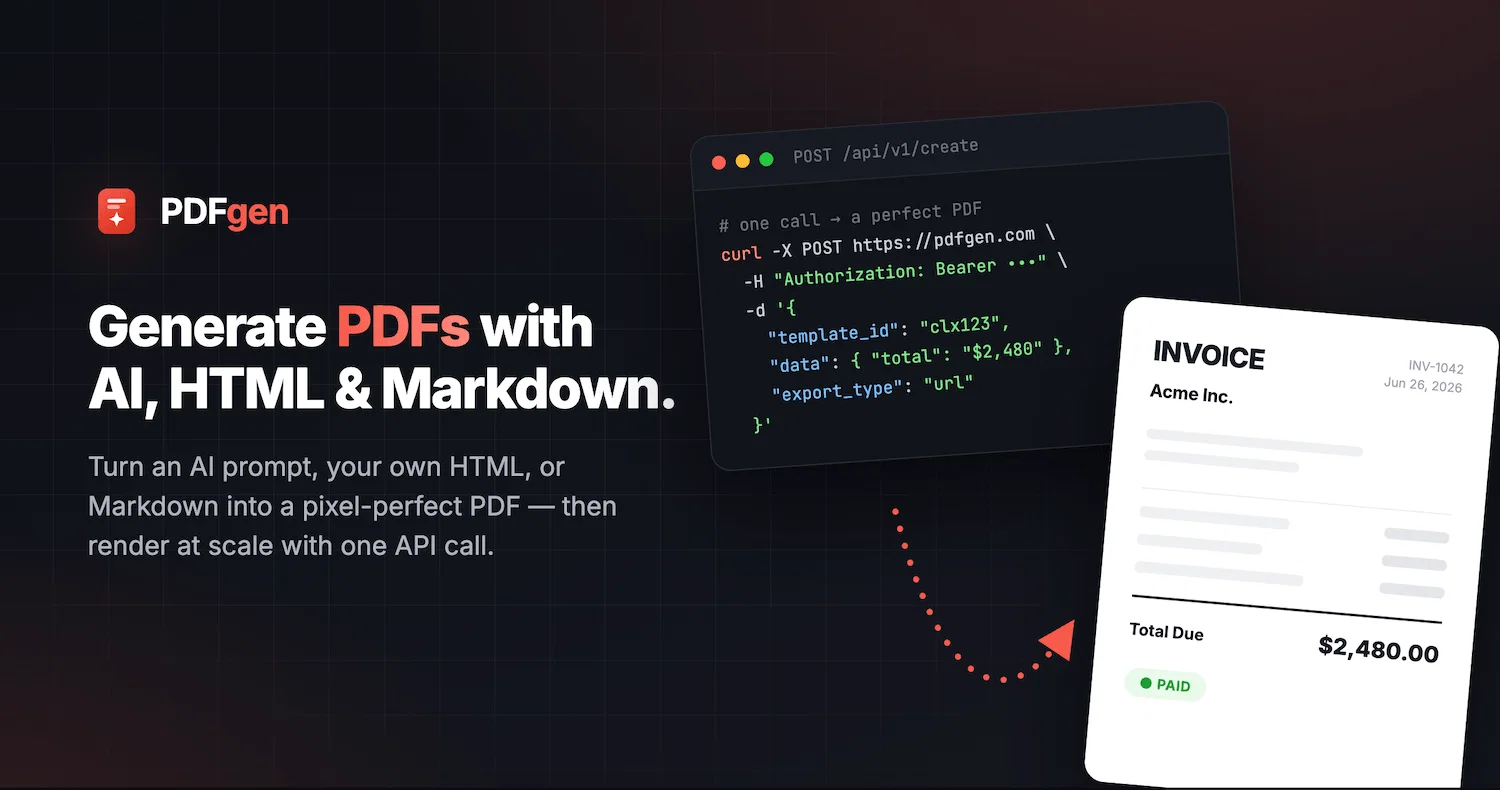
PDFgen turns text into professional PDFs. Describe a document in plain English and AI writes it for you, or generate from reusable templates, raw HTML, or Markdown.
Every method is available through a simple REST API with Handlebars data-merge, so you can automate invoices, contracts, tickets, reports, and receipts at scale.
Free tier available; password protection, custom storage, and team workspaces for growing businesses.
Best for
Short scenarios where PDFgen tends to shine.
-
Generate PDFs from a prompt, template, HTML, or Markdown via API
Example outputs 1
Sample generations and before/after results for PDFgen.
Access & connections
Where you can use PDFgen, and what it plugs into.
Platforms
Integrations
Capabilities
What this tool accepts, produces, and is strongest at.
Highlights
- API
- MCP
Supported features
- API
- MCP
Pros & cons
Pros
- Generates PDF from text prompts
- Automates PDF generation
- Offers REST API
- Time-savings in document creation
- Enhanced productivity
- Can create variety of documents
- Adapts to user's needs
- Becomes more effective over time
Show 13 more
- Reduces need for manual editing
- Can create specialized documents
- Increased automation in document management
- Designed for precision in editing
- Flexible for developers
- Can evolve and adapt
- Intuitive design
- Can generate invoices
- Can generate lease agreements
- Can generate event tickets
- Can generate freelance contracts
- Streamlines PDF template generation
- Able to mass create documents
Cons
- Limited to PDF format
- Limited document type range
- May require developer skills
Compare alternatives
Similar tools in the catalog — with a clear reason to open each one.

PDF Generator by pdf.net ✓
FreemiumGenerate professional PDFs with AI in seconds.
Free + from $24.95/mo
Full comparison
PDFtoMD Converter ✓
FreemiumTurn any PDF into clean Markdown instantly.
Why look Typically cheaper
Full comparisonPeople also view
Tools that often show up alongside PDFgen in collections and comparisons.
PDFtoMD Converter ✓
FreemiumTurn any PDF into clean Markdown instantly.
PDF Generator by pdf.net ✓
FreemiumGenerate professional PDFs with AI in seconds.
PDF Gear ✓
UnknownComplete PDF solution for mobile editing and viewing.

i2OCR ✓
UnknownExtract text from images and PDFs instantly.

DocHub ✓
FreemiumEdit, sign, and share PDFs online.

SlideRebuild ✓
Free TrialTurn slide images into editable PowerPoint files.

Omphalis ✓
FreemiumTurn anything you save into something you actually understand.

PDF to Markdown - Markitdown ✓
FreemiumConvert any document to AI-ready Markdown instantly.
Releases 1
FAQ 12
What is PDFgen?
How does PDFgen use AI to create PDFs?
What types of documents can PDFgen help to create?
Can I automate my PDF creation process with PDFgen?
What is the REST API feature in PDFgen?
How can PDFgen enhance productivity?
Who is the creator of PDFgen?
How does PDFgen adapt to user's needs?
What does it mean when it says that PDFgen evolves over time?
Are there certain tasks PDFgen is better suited for?
Can I use PDFgen to create invoices?
Is it possible to generate event tickets using PDFgen?
Related tools
Recommended

PrometAI ✓
FreemiumTurn ideas into viable reality with AI business plan generator.

VenturusAI ✓
FreemiumBusiness idea analysis and reporting.

Mindsmith ✓
FreemiumPlatform for building and sharing eLearning content

Automateed ✓
Free TrialCreate eBooks effortlessly with Automateed, the AI-powered writing tool.

Blend AI ✓
FreemiumYou favorite AI, all in one place (-20% with TAAFT at checkout)

Scisummary ✓
Free TrialCutting-edge scientific articles summarization.