PDF Gear ✓
Complete PDF solution for mobile editing and viewing.
Verdict
A quick read before you dig into the full page.
- Best if
- Complete PDF solution for mobile editing and viewing
- Skip if
- No Two-Page View Option
- Pick this when
- iOS application
Considering PDFgen instead? Compare side by side
Overview
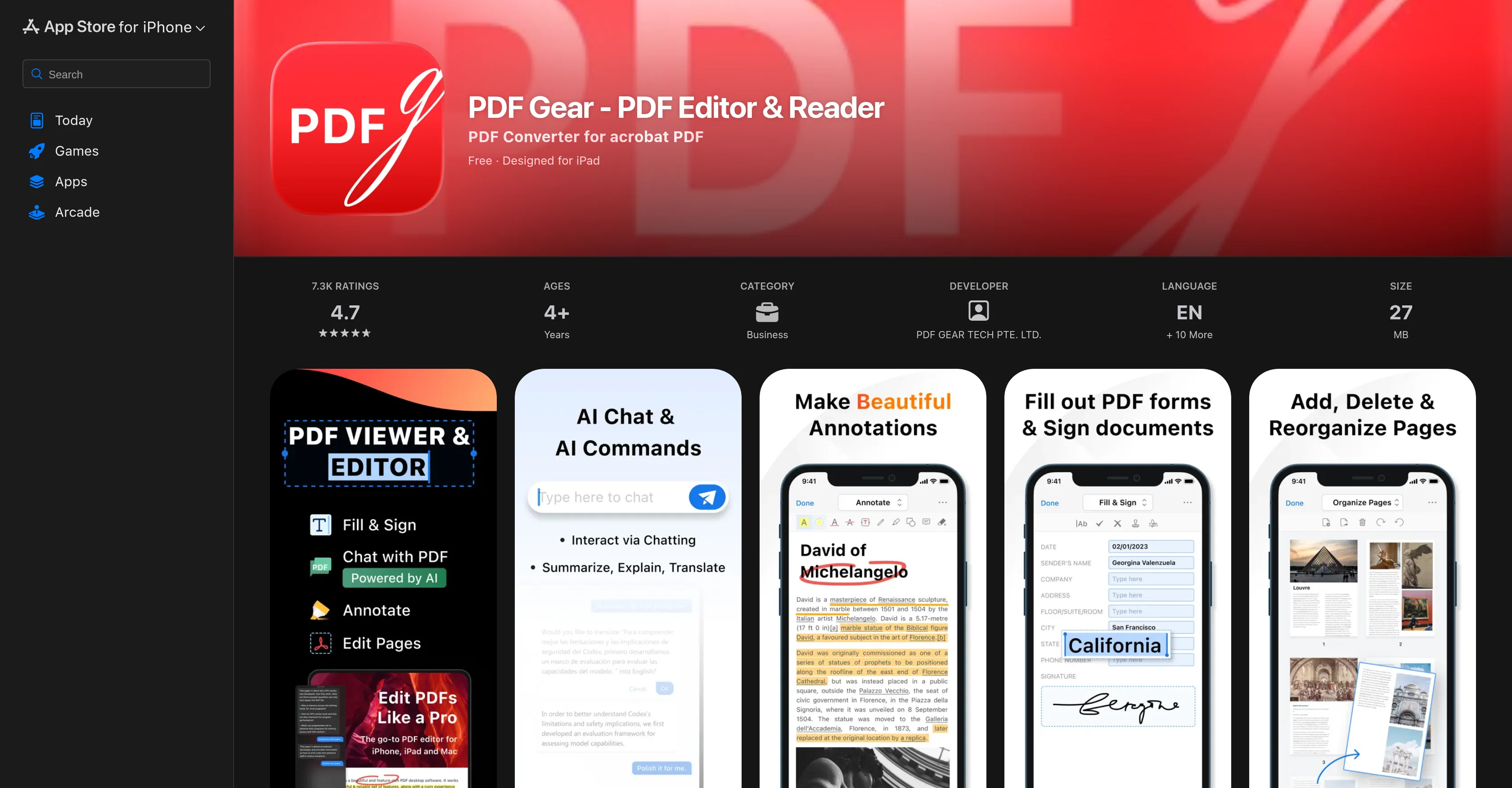
PDF Gear - PDF Editor & Reader is a mobile application for iOS that provides a comprehensive solution for handling Portable Document Format (PDF) files.
The app has an array of features that facilitate viewing, printing, annotating, page editing, and signing PDFs. Users can quickly navigate through PDFs, zoom in and out for a detailed view, and directly jump to a specific page.
The printing feature allows PDF files to be printed directly from the phone. With the annotation function, users can markup texts with highlight, underline, and strike-through.
They can also add text inputs and draw shapes like rectangles, circles, lines, and arrows with the desired color and font size. The Ink tool enables users to freely write or erase on the document.
Additionally, the tool can perform document management tasks including adding, deleting, rotating, extracting, and reorganizing pages. The app also comes with a form filling and signature feature that allows users to insert text, symbols, built-in or custom stamps, and signatures into the document.
PDF Gear is also capable of managing PDF files by allowing users to perform operations such as duplicate, rename, copy, move, and share. Files can easily be saved and accessed from the device and iCloud.
All the functions are available for free use without any sample watermarks, page count limits.
Access & connections
Where you can use PDF Gear, and what it plugs into.
Platforms
Capabilities
What this tool accepts, produces, and is strongest at.
Input
- Text
Output
- Text
Pros & cons
Pros
- iOS application
- In depth viewer
- In-app PDF printing
- Page editing capabilities
- PDF annotation tools
- Highlight, underline, strike-through options
- Text input addition
- Drawing tool with shapes
Show 28 more
- Customizable color and font size
- Ink tool for handwriting
- Ink eraser function
- Page management - adding, deleting
- Page reorganization feature
- Page rotation and extraction
- In-app form filling
- Signature input tool
- Text and symbol addition
- Built-in and custom stamp inclusion
- File operation management - duplicating, renaming, moving
- Share functionality
- Local and iCloud file saving
- Free usage without watermarks or page limits
- High user ratings
- Remote work capability
- Cloud-based storage
- Compact size of 27 MB
- Supports English and 10 other languages
- No nag screens
- Continuous updates and bug fixes
- Optimized for Apple M1 chip
- Built-in Analytics
- User friendly interface
- Supports iOS 14.0 or later
- Optimized for iPad
- No linked data collection
- Broad feature availability in free version
Cons
- iOS Only
- No Two-Page View Option
- No MacOS Compatibility
- Lacks Certain Adobe Features
- Collects User Data
- Forced User Reviews
- No Accessibility Features
- Requires iOS 14.0 or Later
Compare alternatives
Similar tools in the catalog — with a clear reason to open each one.

PDFgen ✓
FreemiumGenerate PDFs from a prompt, template, HTML, or Markdown via API
Why look Offers a public API
Full comparison
PDF Generator by pdf.net ✓
FreemiumGenerate professional PDFs with AI in seconds.
Free + from $24.95/mo
Full comparison
PDFtoMD Converter ✓
FreemiumTurn any PDF into clean Markdown instantly.
Free + from $15.9/mo
Full comparison