

Luma Dream Machine ✓
Create stunning videos from text using AI.
Verdict
A quick read before you dig into the full page.
- Best if
- Create stunning videos from text using AI
- Skip if
- Limited video generation control
- Pick this when
- Supports creativity enhancement
Considering freebeat AI instead? Compare side by side
Overview
Luma Dream Machine is a comprehensive AI-powered tool designed to foster creativity by assisting in the creation of original and captivating images and videos.
It employs advanced artificial intelligence models to foster ideation, generate visuals, and transform those concepts into interactive media. The tool is available on iOS devices and across the web platform.
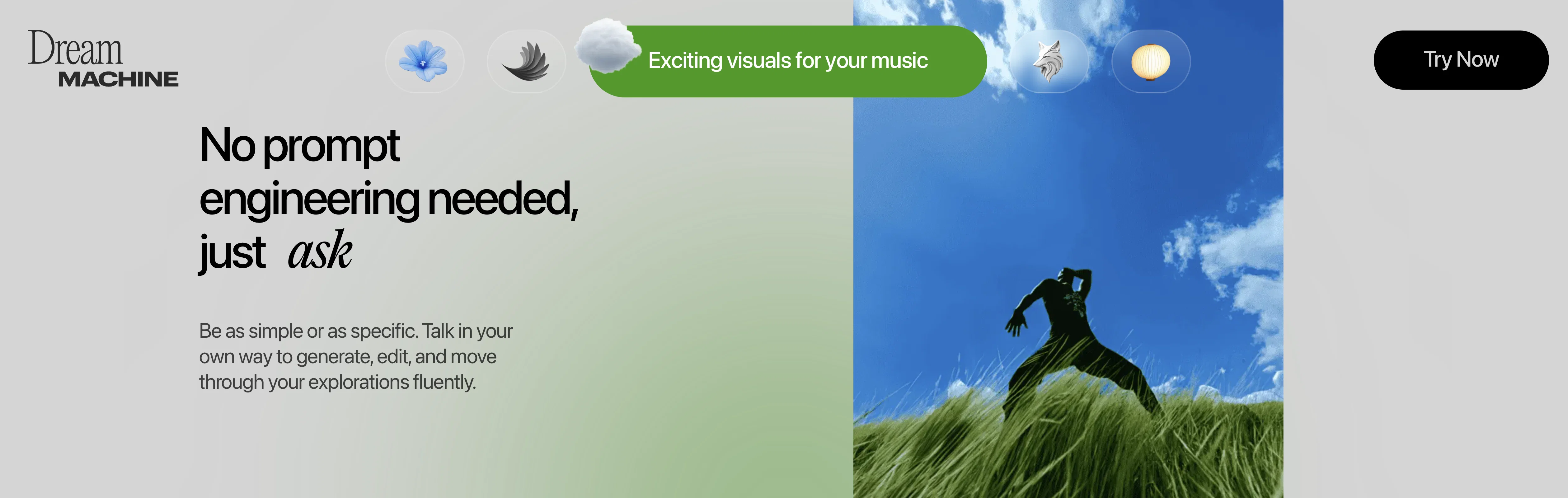
Utilizing Dream Machine, users can quickly conference with the AI and navigate through their ideas fluently. The tool encourages engagement and re-imagination of static objects in multiple settings, achieved through user-provided visual references.
Users can efficiently brainstorm and generate endless ideas with the Creative Query feature. The AI also supports creating unique characters from single images and directing video shots based on start and end frames.
The tool encourages sharing and remixing creations, enhancing the creative journey. Two main AI models, Photon and Ray3, power Luma Dream Machine. Photon, an advanced image model, is optimized for visual thinking and fast iteration, whereas Ray3 is an intelligent video model designed to tell stories, operating especially well with High Dynamic Range color videos.
These models work in tandem to provide smooth creative experiences, offering high-detail output and natural language understanding.
Access & connections
Where you can use Luma Dream Machine.
Capabilities
What this tool accepts, produces, and is strongest at.
Input
- Image
- Text
Output
- Video
- Image
Supported features
- Viral baseball trend
Pros & cons
Pros
- Supports creativity enhancement
- Interactive media creation
- Optimized for visual thinking
- Enables fast iteration
- Supports creation from text
- Reimagines static objects
- Efficient brainstorming tool
- Generates visuals
Show 26 more
- Supports creation of unique characters
- Directs video shots
- Enhances sharing and remixing
- High-detail output
- Natural language understanding
- Enables endless creative ideas
- Fluent interface for idea navigation
- Allows user-provided visual references
- Multi-setting static object reimagination
- Unique character creation from images
- Supports start and end frames
- Generative video to pro studio pipelines
- Explores multiple ideas, faster with Draft Mode
- Reasoning video model with HDR
- Supports High Fidelity Nuance and Detail
- Advanced Physics & Simulations
- Light Interactivity & Reflections
- Accurate text rendering
- Exceptional adherence to detailed instruction
- Create with visual references
- Shares 'behind the scenes' process
- On-web and iOS availability
- Collaborative and Creative board organization
- Promotes Creative Engagement
- Generates High resolution images
- Adherence to HDR video instructions
Cons
- iOS and Web only
- No Android support
- Assumes high technical understanding
- No API
- Graphics-oriented, limited text handling
- Limited video generation control
- No multi-language support
- No offline mode
Compare alternatives
Similar tools in the catalog — with a clear reason to open each one.

freebeat AI ✓
FreemiumTurn Music & Ideas into Viral Videos In One Click
Why look Typically cheaper
Full comparison
MagicLight ✓
FreemiumTransform text into captivating videos instantly.
Free + from $8.4/mo
Full comparison



Seedance ✓
FreemiumMulti-shot video generation from text and image.
Why look Stronger for image work
Full comparisonReleases 1
FAQ 12
What is Luma Dream Machine?
What are the key features of Luma Dream Machine?
What's the difference between Photon and Ray3 models in Luma Dream Machine?
Can Luma Dream Machine be used for video editing?
What platforms is Luma Dream Machine available on?
How can I generate visuals using Luma Dream Machine?
What is the Creative Query feature in Luma Dream Machine?
How does Luma Dream Machine handle brainstorming of ideas?
What functionalities does Luma Dream Machine provide to help in video directing?
How is High Dynamic Range color video accommodated by Luma Dream Machine?
Can I use Luma Dream Machine to create unique characters from single images?
How does Luma Dream Machine help reimagine static objects in different settings?
Related tools
Recommended

Midjourney ✓
PaidExpand human imagination through AI-powered visuals.

Napkin ✓
FreemiumBring your ideas to life with a visual copilot

Veo ✓
PaidGenerate high-quality, cinematic videos with AI.

neural frames ✓
FreemiumGenerated video creation from text.

Runway ✓
Free TrialAI-powered creative tools for content generation and editing

Kling ✓
FreemiumCreate high-fidelity videos from text with lifelike motion and real-world physics
More from this creator

Luma AI ✓
FreeGenerated 3D graphics.

Genie by Lumalabs ✓
FreeGenerate 3D models with AI

Huma.AI ✓
UnknownGenerative AI for Life Sciences insights.

Luma AI - Interactive Scenes
FreemiumCreate gorgeous, shareable 3D scenes effortlessly.

Luma Agents ✓
Free TrialCreative agents that make you prolific

Luma Uni ✓
FreemiumStreamline user registration with AI-powered optimization.